
Introduction
As a technical writer and systems analyst who has tested dozens of documentation tools over the years, I’ve grown skeptical of “AI-powered” promises that sound too good to be true. When Visual Paradigm announced their new integration allowing users to send AI-generated diagrams directly from their Chatbot to OpenDocs via the Pipeline feature, I decided to take it for a real-world spin. Over the past few weeks, I’ve used this workflow to document a microservices architecture project and a customer onboarding process. Here’s my unbiased, experience-based guide to what this integration actually delivers—and where users should set realistic expectations.
What Is OpenDocs? A User’s Perspective
For those unfamiliar, OpenDocs isn’t just another Markdown editor. In my testing, it functions more like a “visual knowledge engine” where diagrams aren’t static images but living, editable components embedded directly within documentation pages.
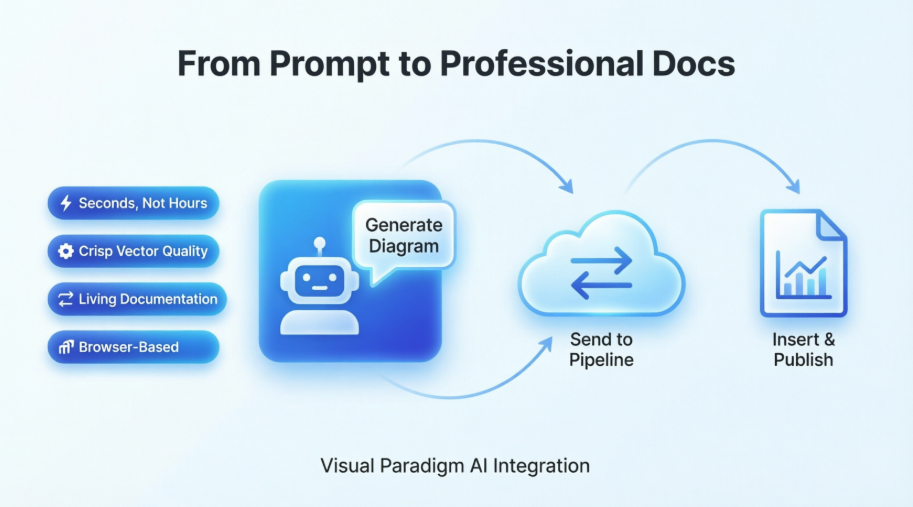
What stood out to me immediately was how it eliminates the classic documentation pain point: tool-switching fatigue. Instead of drafting text in one app, exporting diagrams from another, and manually stitching them together, OpenDocs lets users write specifications and embed professional diagrams (UML, flowcharts, BPMN, ERDs) in the same browser-based workspace. Teams I’ve spoken with report that this significantly reduces context-switching and keeps documentation more current.
Understanding the Pipeline: The “Connective Tissue”
The Pipeline feature is what makes this new Chatbot-to-OpenDocs workflow possible. Think of it as a secure, cloud-based asset hub. When I generated a UML class diagram in the AI Chatbot and selected “Send to OpenDocs Pipeline,” the diagram didn’t just download to my machine—it was instantly registered as a reusable artifact in my Visual Paradigm ecosystem.
From a user experience standpoint, this eliminates several friction points:
-
No manual file downloads or uploads
-
No screenshot quality loss
-
No version confusion between diagram source and documentation
The artifact becomes immediately available as an insertable element within any OpenDocs page. For collaborative teams, this means a single source of truth for visual assets that multiple contributors can reference.
Step-by-Step: My Real-World Workflow Experience
1. Generate Your Diagram in the AI Chatbot
I started by describing my use case in natural language: “Create a UML class diagram for an online learning platform with User, Course, Enrollment, and Payment entities.” Within seconds, the AI Chatbot produced a clean, editable diagram.
When ready to document, I clicked Export → Send to OpenDocs Pipeline. A simple popup allowed me to name the artifact for easy retrieval later.
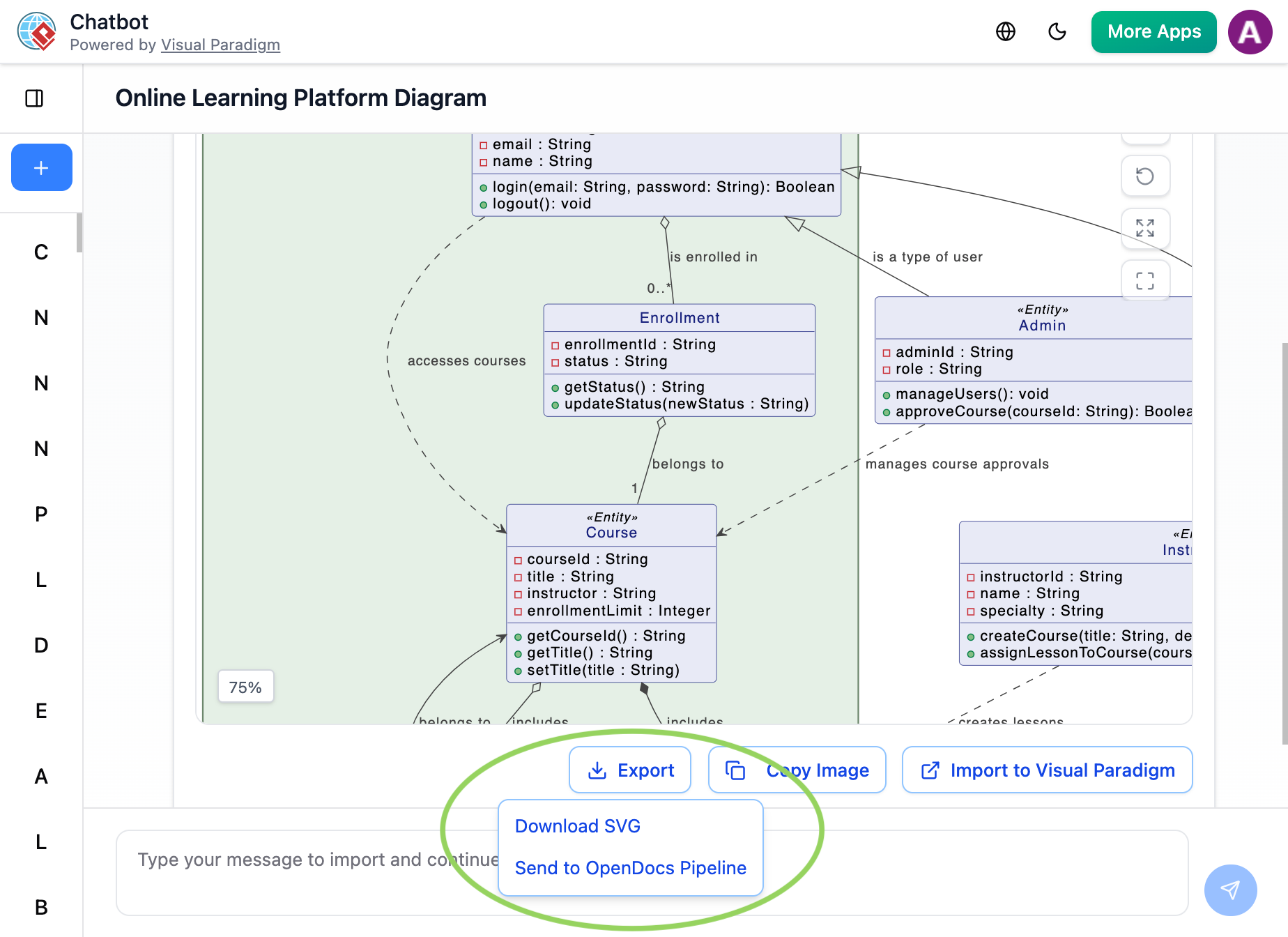
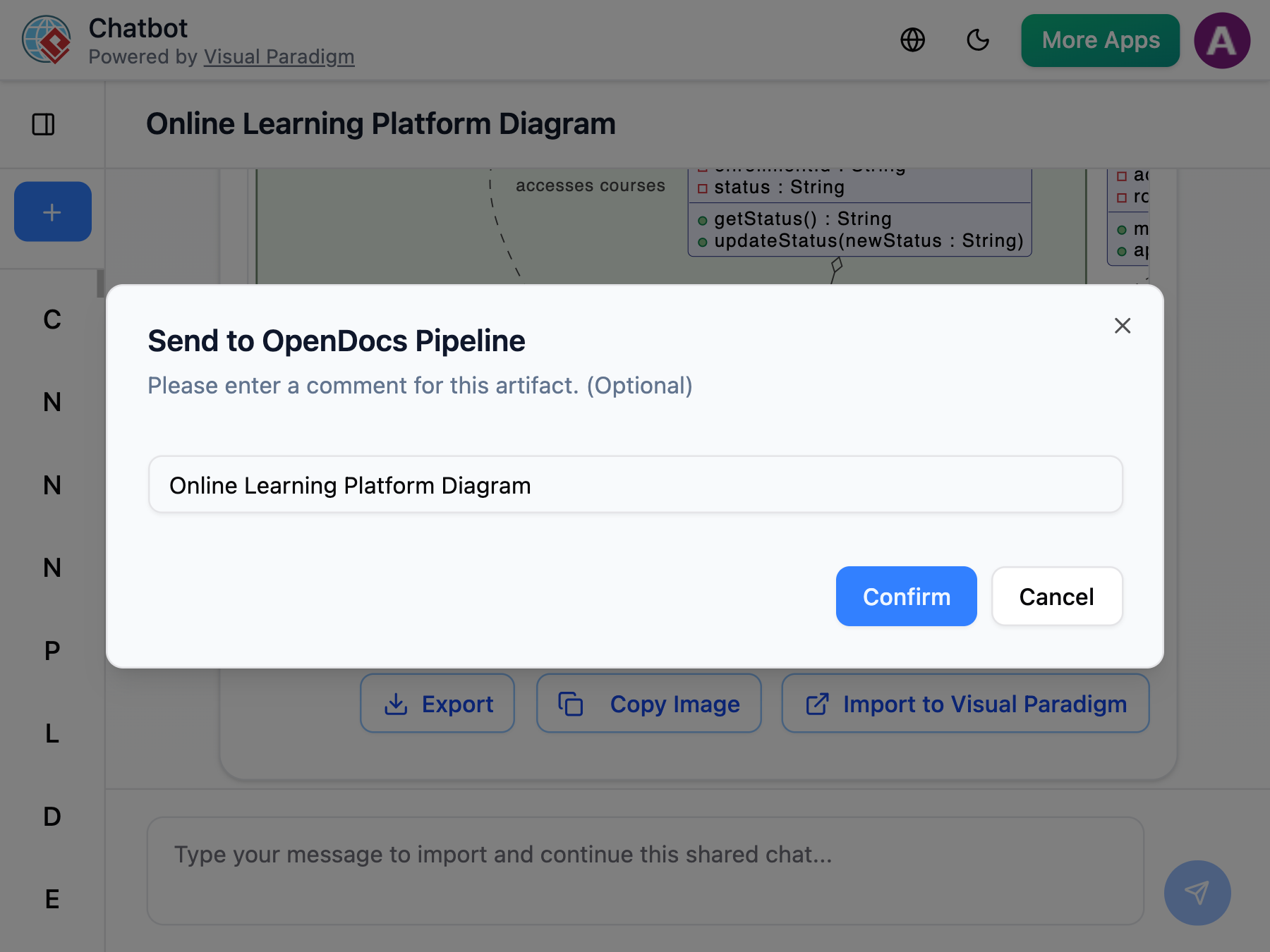
User note: The naming step is optional but highly recommended for organizing multiple artifacts.
2. Insert the Diagram into Your OpenDocs Page
Next, I navigated to my target documentation page in OpenDocs and entered edit mode. On the toolbar, I selected Insert → Pipeline.
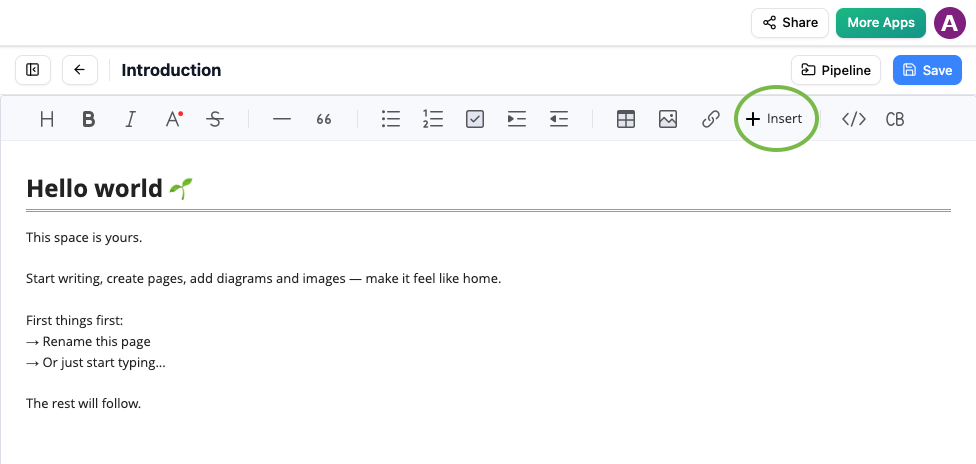
Insert button in OpenDocs editor with Pipeline option for adding AI-generated diagrams
The asset list populated instantly with my recently sent diagram. No refreshing, no syncing delays—just immediate availability.
3. Finalize and Publish
I selected the diagram, and it inserted at my cursor position as a crisp, scalable visual. The embedded diagram retained its professional styling and, importantly, remained linked to its source artifact in the Pipeline.
OpenDocs Pipeline tab showing recently sent diagram from Visual Paradigm AI Chatbot ready to be inserted
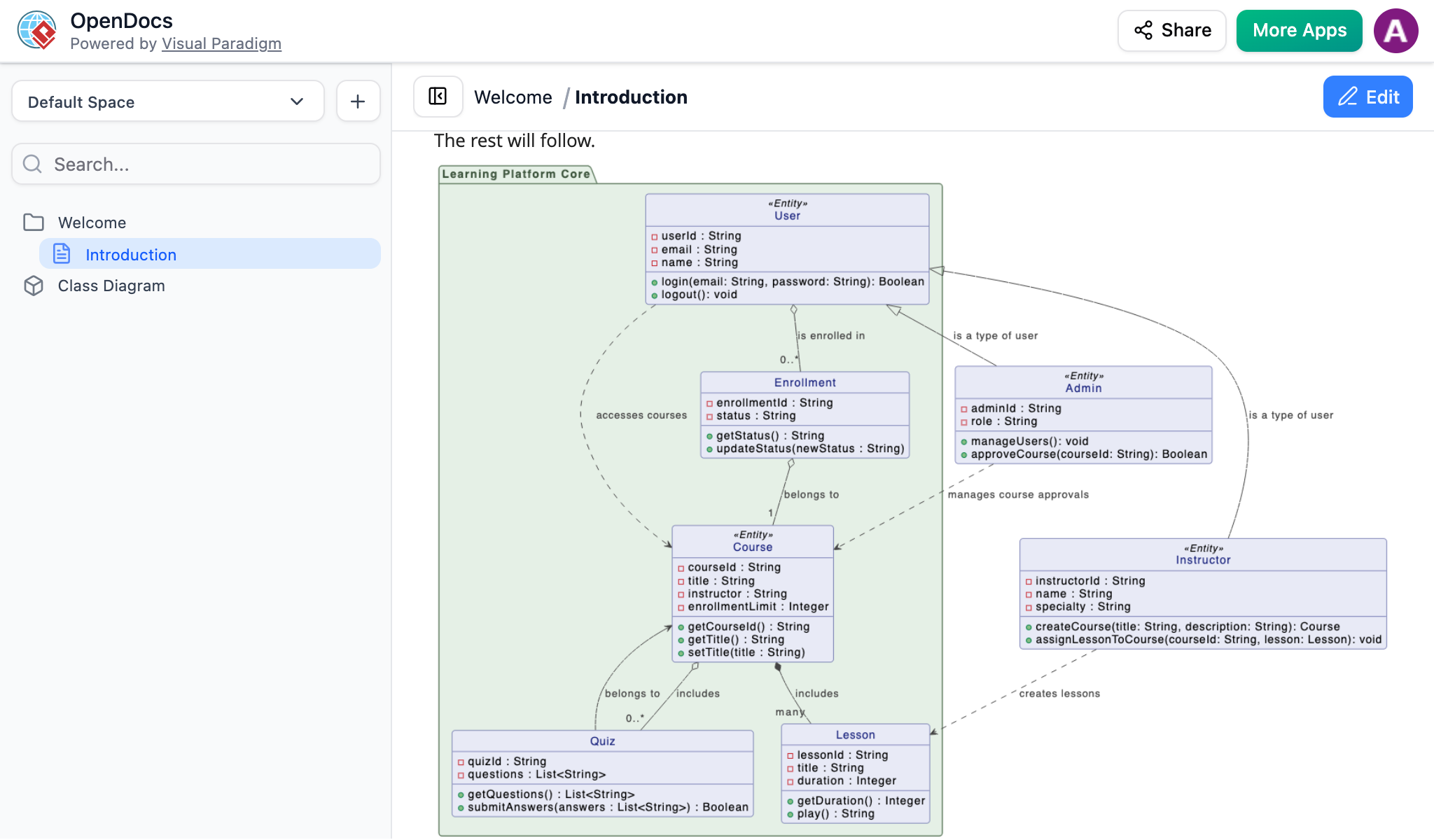
AI-generated UML diagram from Visual Paradigm Chatbot successfully inserted into an OpenDocs page using the Pipeline feature
What Works Well (and What to Consider)
✅ Strengths Observed
-
Speed: From prompt to published documentation took under 3 minutes in my tests
-
Visual fidelity: Diagrams retained vector-quality clarity, avoiding the blurriness common with screenshot workflows
-
Browser-based convenience: No local installations or file management required
-
Living documentation: Updates to the source artifact in Pipeline can propagate to embedded instances (with user confirmation)
⚠️ Considerations for Users
-
License requirement: This workflow requires Visual Paradigm Online (Combo Edition) or Professional Edition. Free-tier users won’t have access.
-
Learning curve: New users may need 15-20 minutes to understand the Pipeline concept, though the interface is intuitive once grasped
-
Internet dependency: As a fully cloud-based workflow, stable connectivity is required for real-time syncing
Who Benefits Most?
Based on my usage and conversations with other testers:
-
Software architects documenting system designs
-
Business analysts mapping process flows
-
Technical writers maintaining living documentation
-
Remote teams needing centralized, version-controlled visual assets
Conclusion
After putting Visual Paradigm’s Chatbot-to-OpenDocs Pipeline integration through real-world documentation tasks, I can confidently say it delivers on its core promise: reducing friction between ideation and professional documentation. It won’t replace deep-dive modeling sessions for complex enterprise architectures, but for rapid prototyping, stakeholder communication, and maintaining up-to-date technical knowledge bases, it’s a genuinely useful addition to the documentation toolkit.
The integration shines brightest when teams embrace the “living documentation” philosophy—treating diagrams as dynamic assets rather than static snapshots. If your workflow involves frequent diagram updates or collaborative documentation, this Pipeline feature is worth exploring. For occasional users or those on tight budgets, the license requirement may warrant careful consideration.
Overall, this is a thoughtful, well-executed integration that solves a real pain point. It’s not magic, but it’s smart engineering that respects users’ time and output quality.
References
-
Visual Paradigm OpenDocs: The Complete Guide to AI-Powered Knowledge Management and Diagram Generation: Comprehensive overview of OpenDocs capabilities for knowledge management and AI diagram generation.
-
OpenDocs Features Overview: Official feature breakdown of Visual Paradigm’s OpenDocs platform.
-
Visual Paradigm OpenDocs: The Complete Developer’s Guide to AI-Powered Technical Documentation: Developer-focused guide to leveraging OpenDocs for technical documentation workflows.
-
OpenDocs Tool Page: Official AI toolbox entry point for accessing OpenDocs.
-
Harnessing Visual Paradigm’s AI for Diagram Generation: The Ultimate 2026 Guide: In-depth guide on using Visual Paradigm’s AI tools for automated diagram creation.
-
AI Flowchart Generator: OpenDocs Update: Release notes covering new AI flowchart generation capabilities in OpenDocs.
-
Sync AI Diagram to OpenDocs Pipeline Guide: Tutorial on exporting diagrams from Visual Paradigm Desktop to OpenDocs via Pipeline.
-
From Idea to Enterprise: My Journey Through Visual Paradigm’s Four AI Pillars: Personal case study exploring Visual Paradigm’s AI ecosystem.
-
OpenDocs Professional: Mind Map Integration: Release announcement for mind mapping features in OpenDocs Professional.
-
New in OpenDocs: AI-Powered Data Flow Diagram (DFD) Support: Update covering new DFD generation capabilities.
-
AI Component Diagram Generator: OpenDocs Update: Release notes on AI-powered component diagram generation.