Enterprise architecture provides a structured approach to aligning business strategy with IT capabilities. Among the various frameworks available, ArchiMate stands out for its ability to model the relationships between business, application, and technology layers. However, the flexibility of the language often leads to confusion. Many practitioners create diagrams that look correct visually but fail to represent the actual architecture logically. Understanding the common pitfalls is essential for maintaining model integrity and ensuring the diagrams serve their purpose as communication tools rather than decorative artifacts.
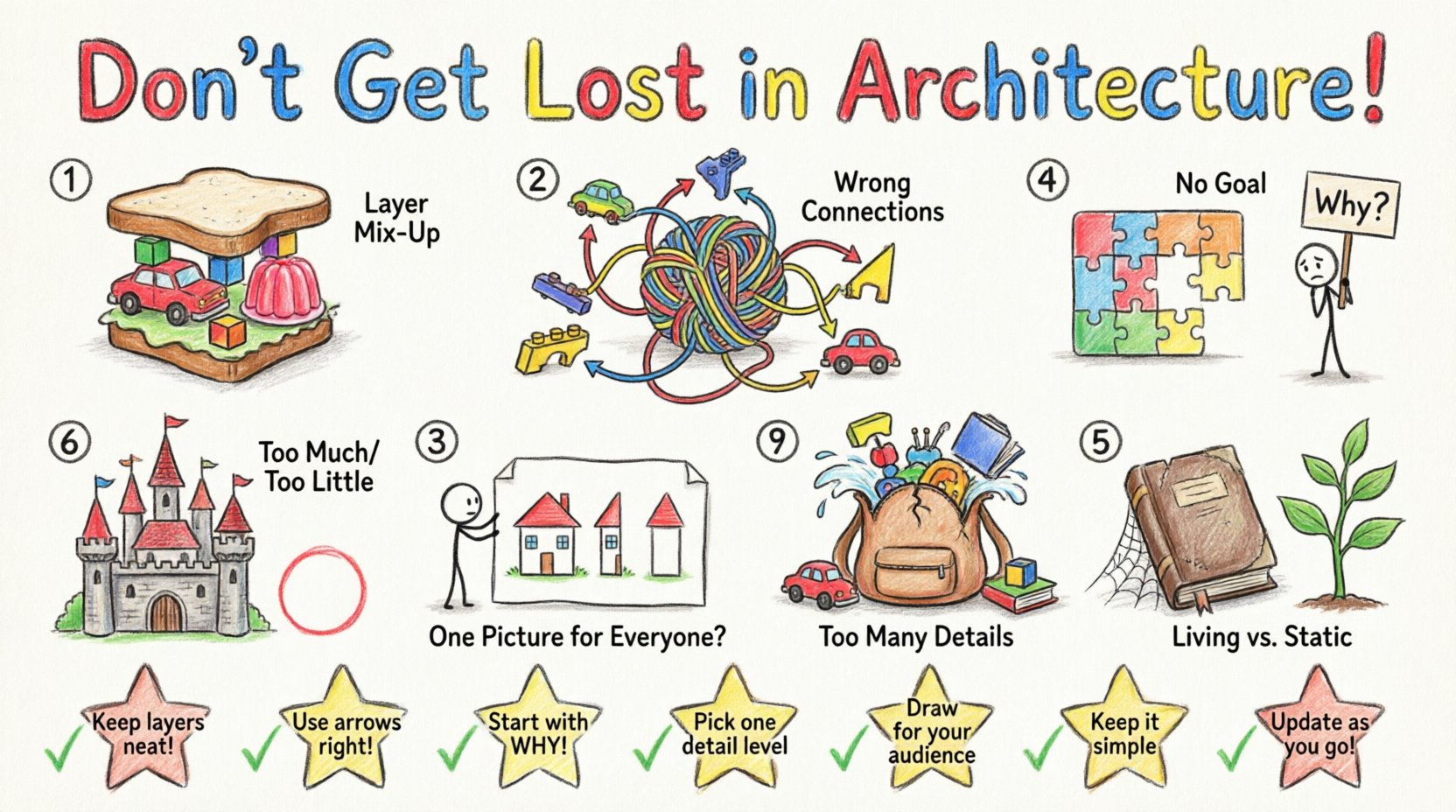
1. Confusion Between Architectural Layers 🏗️
One of the most frequent errors involves mixing elements from different architectural layers. ArchiMate is designed with a specific layering structure: Business, Application, and Technology. Each layer has its own set of specific elements and rules. When these layers are blurred, the model loses its analytical power.
The Business Layer: Focuses on the organization, its processes, roles, and the value it delivers.
The Application Layer: Deals with the software systems that support the business processes.
The Technology Layer: Represents the infrastructure, hardware, and network that hosts the applications.
Practitioners often drag a Business Process element directly onto a Technology Server without an intermediary Application layer. This creates a logical gap. A business process does not run on a server; it runs on a system, which runs on infrastructure. Skipping this step hides the complexity of the implementation.
Why this happens: It is often tempting to simplify the model for a quick presentation. Stakeholders want to see the end-to-end flow without the technical details.
The Consequence: When the model is too simplified, technical teams cannot see the dependencies. This leads to deployment errors, unanticipated costs, and infrastructure bottlenecks that were not visible in the architecture view.
The Fix: Always verify the layer of every element before drawing a relationship. If a Business Process needs to access data, it must do so through an Application Function, which sits on an Application Component, which sits on a Technology Node. This ensures traceability from strategy to hardware.
2. Misuse of Relationships and Connections 🔗
ArchiMate defines specific types of relationships to describe how elements interact. Using the wrong relationship type changes the meaning of the diagram entirely. The most common confusion occurs between Access, Usage, and Flow.
Relationship Type | Direction | Meaning |
|---|---|---|
Access | Static | One element accesses another (e.g., a Business Process accesses an Application Service). |
Usage | Static | One element uses the functionality of another (e.g., an Application Component uses an Application Service). |
Flow | Dynamic | Information or data moves from one element to another (e.g., a Business Object flows to another). |
When a modeler connects a Application Function to a Business Process using a Flow relationship, they imply that data is moving between them in real-time. This is often incorrect. The relationship is usually a Usage relationship, meaning the process invokes the function.
Static vs. Dynamic: Static relationships (Access, Usage) define structural dependencies. Dynamic relationships (Flow, Communication) define runtime behavior. Mixing these up confuses the reader about whether the diagram represents the system design or a specific execution scenario.
Directionality: Relationships in ArchiMate are directional. Drawing a line without an arrowhead or with the wrong arrow direction changes the semantic meaning. For instance, Realization points from the implementation to the concept, whereas Assignment points from the actor to the role.
Why this happens: Many modeling tools allow users to draw generic lines. Users focus on connectivity rather than the specific semantics defined in the standard.
The Consequence: Automated analysis tools may fail to generate reports or detect gaps if the relationship types are inconsistent. Furthermore, developers may implement the wrong interface because the diagram suggested a flow where there should be an access control.
3. Neglecting the Motivation Layer 🧠
While the structural layers are often prioritized, the Motivation Layer is frequently ignored. This layer includes Stakeholders, Deliverables, Assessments, Goals, Principles, and Requirements. Without this layer, the architecture lacks context and justification.
Missing Stakeholders: Who is building this? Who is consuming it? Without defining the stakeholder, the Principles and Requirements have no source.
Missing Goals: Why are we building this application? If a Business Process is modeled without a linked Goal, it is impossible to measure its success or alignment with strategy.
Missing Requirements: What constraints must the solution meet? Linking Requirements to Components ensures traceability.
Why this happens: Stakeholders often view the Motivation Layer as administrative overhead. They prefer to dive straight into the functional diagrams.
The Consequence: Projects begin without a clear definition of success. When a project fails to meet a business objective, the model offers no evidence of why it was built in the first place. It becomes a legacy of code rather than a strategic asset.
The Fix: Start every modeling session by identifying the Stakeholder and the Goal. Link every Business Process to a Goal. Link every Application Component to a Requirement. This creates a chain of traceability that validates the investment.
4. Inconsistent Granularity and Detail ⚖️
Architecture models often suffer from inconsistent levels of detail. One section of the diagram might show high-level Business Services, while another section dives deep into specific Code Classes or Database Tables. This inconsistency breaks the abstraction.
The Problem: If a diagram mixes high-level strategy with low-level implementation details, the viewer cannot determine the scope. Are we discussing the business model or the database schema?
Zoom Levels: ArchiMate supports multiple viewpoints. A Strategy Viewpoint should be distinct from a Implementation Viewpoint. Merging them creates clutter.
Why this happens: Modelers often try to fit everything into a single diagram to save space or simplify navigation.
The Consequence: The model becomes unreadable. Architects spend more time explaining what each box means than discussing the architecture itself. Decision-making slows down because the signal-to-noise ratio is too low.
The Fix: Adopt a standard naming convention and granularity level for each layer. Create separate diagrams for different abstraction levels. Use Grouping or Viewpoints to hide details that are not relevant to the current audience.
5. Ignoring the Concept of Viewpoints 👁️
ArchiMate is not a one-size-fits-all framework. It requires the creation of specific Viewpoints for different audiences. A common mistake is creating a single, universal model that attempts to satisfy everyone.
Technical Audience: Needs details on interfaces, protocols, and infrastructure.
Business Audience: Needs details on processes, roles, and value streams.
Management Audience: Needs details on costs, benefits, and strategic alignment.
Why this happens: It is easier to maintain one model than multiple specialized views. Modelers assume that a comprehensive model will serve all purposes.
The Consequence: The business audience gets lost in technical jargon. The technical audience gets frustrated by missing specifications. Neither group gets the information they need to act. This leads to disengagement with the architecture practice.
The Fix: Define a set of standard viewpoints. Map the core model elements to these viewpoints. Use filtering and grouping features to present the right information to the right person. Ensure the underlying model is consistent, but the presentation is tailored.
6. Over-Modeling and Analysis Paralysis 📉
There is a tendency to model everything that exists. Every variable, every minor process, and every legacy dependency gets added to the diagram. This leads to a model that is too large to manage.
Scope Creep: Without strict boundaries, the model grows indefinitely.
Maintenance Cost: A massive model requires constant updates. If the model is not updated, it becomes obsolete quickly.
Complexity: Too many elements make it impossible to see the big picture.
Why this happens: Modelers fear missing something important. They believe completeness equals value.
The Consequence: The architecture becomes a documentation repository rather than a living model. Updates lag behind reality. The model is no longer trusted because it is outdated.
The Fix: Apply the Principle of Relevance. Only model what is necessary to answer the current business questions. Use Layers to separate the core model from the detailed implementation. Review the model regularly to prune unnecessary elements.
7. Treating the Model as Static Documentation 📄
Many organizations treat ArchiMate diagrams as static documents that are created once and filed away. They do not integrate the model into the daily workflow of development or business planning.
Living Architecture: The model should evolve with the organization.
Integration: Changes in requirements should trigger updates in the architecture model.
Feedback Loop: Developers should reference the model when writing code.
Why this happens: Architecture is often seen as a separate phase before development begins.
The Consequence: The model becomes a historical record rather than a planning tool. It fails to influence decisions because it is not visible during the execution phase.
The Fix: Integrate architecture reviews into the development lifecycle. Use the model to validate change requests. Ensure that the model is accessible to all team members during the build process.
Summary of Impact 📊
Adopting ArchiMate correctly requires discipline and a clear understanding of the language semantics. By avoiding these common mistakes, organizations can ensure their architecture models provide real value. The goal is not to create perfect diagrams, but to create useful models that drive decision-making.
Key takeaways include:
Respect the layering boundaries to maintain logical consistency.
Use relationships precisely to convey the correct semantic meaning.
Include the Motivation Layer to justify architectural decisions.
Maintain consistent granularity to ensure readability.
Create specific Viewpoints for different audiences.
Keep the model relevant by avoiding over-modeling.
Integrate the model into the daily workflow for maximum impact.
When these practices are followed, the architecture function transforms from a bureaucratic hurdle into a strategic enabler. The model becomes a trusted source of truth that aligns business goals with technical execution.