Creating a Cinematic Space Journey: An AniFuzion Animation Guide

Learn how AniFuzion enables users to create professional 2D/3D animations with AI-powered tools for storytelling and engagement.

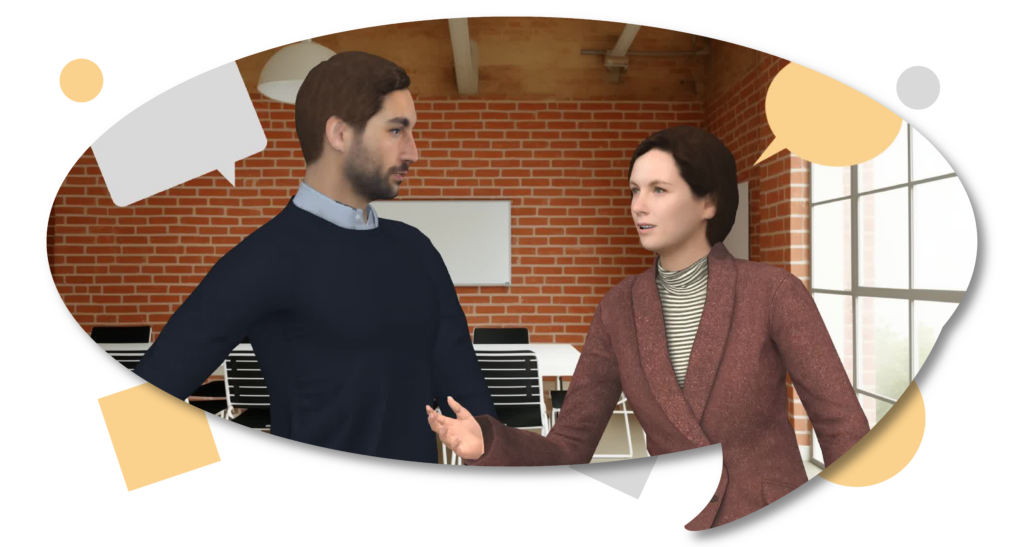
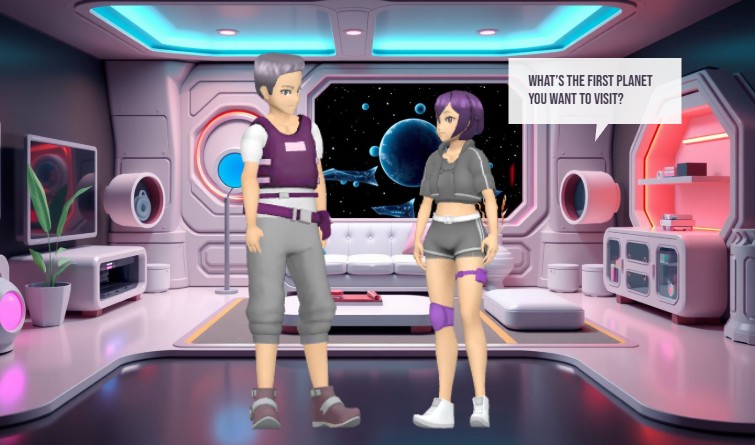
Visual Paradigm’s Animation Maker, known as AniFuzion, enables users to create professional-grade 2D and 3D animations without design expertise. This online tool streamlines the process of producing engaging videos, interactive flipbooks, and animated content through a drag-and-drop interface, AI-powered text-to-speech, and automatic lip-sync. The image showcases a dynamic 3D scene set in a futuristic space station, featuring two characters in conversation. This example demonstrates how AniFuzion can be used to build immersive narratives with customizable characters, detailed environments, and real-time audio integration. The software’s capabilities allow users to generate polished animations quickly, making it a powerful solution for educators, marketers, and content creators.

Users can leverage AniFuzion to produce content that captures attention and enhances communication. The tool supports a wide range of applications, from educational explainer videos to marketing campaigns. Its intuitive design reduces the complexity of animation, allowing users to focus on storytelling rather than technical execution. The integration of AI features, such as text-to-speech and automatic lip-sync, ensures that dialogue flows naturally, adding realism to character interactions. This makes AniFuzion ideal for creating content that is both visually appealing and functionally effective.

Key Features of AniFuzion

AniFuzion offers a suite of features designed to simplify the animation creation process. The drag-and-drop interface allows users to easily arrange characters, props, and effects on a canvas, making it accessible for beginners. The extensive 3D character library includes thousands of customizable figures, enabling users to create unique avatars that fit their narrative needs. Pre-built actions and motion libraries provide over 2,000 dynamic movements, allowing users to animate characters with minimal effort.

AI-driven tools further enhance the animation experience. The AI text-to-speech feature converts scripts into high-quality audio with various accents and emotional tones. Automatic lip-sync ensures that character mouth movements align perfectly with spoken dialogue, creating a more immersive experience. Users can also apply shape effects and animation presets to text and objects, adding visual interest with minimal effort.

Ready-to-use scenes, props, and templates allow users to build environments rapidly, reducing the time spent on world-building. The software supports multiple export options, including MP4 videos and interactive flipbooks, making it easy to share content across various platforms. These features collectively enable users to create professional-quality animations efficiently.

How to Use AniFuzion: Core Workflows

Creating animations with AniFuzion involves a straightforward process. Users begin by signing up for a Visual Paradigm Online account and navigating to the Animation Maker. From there, they can start a new project and select a template or create a blank canvas. The first step is to add a character from the library and customize its appearance using the properties panel. Users can adjust colors, textures, and body parts to match their vision.

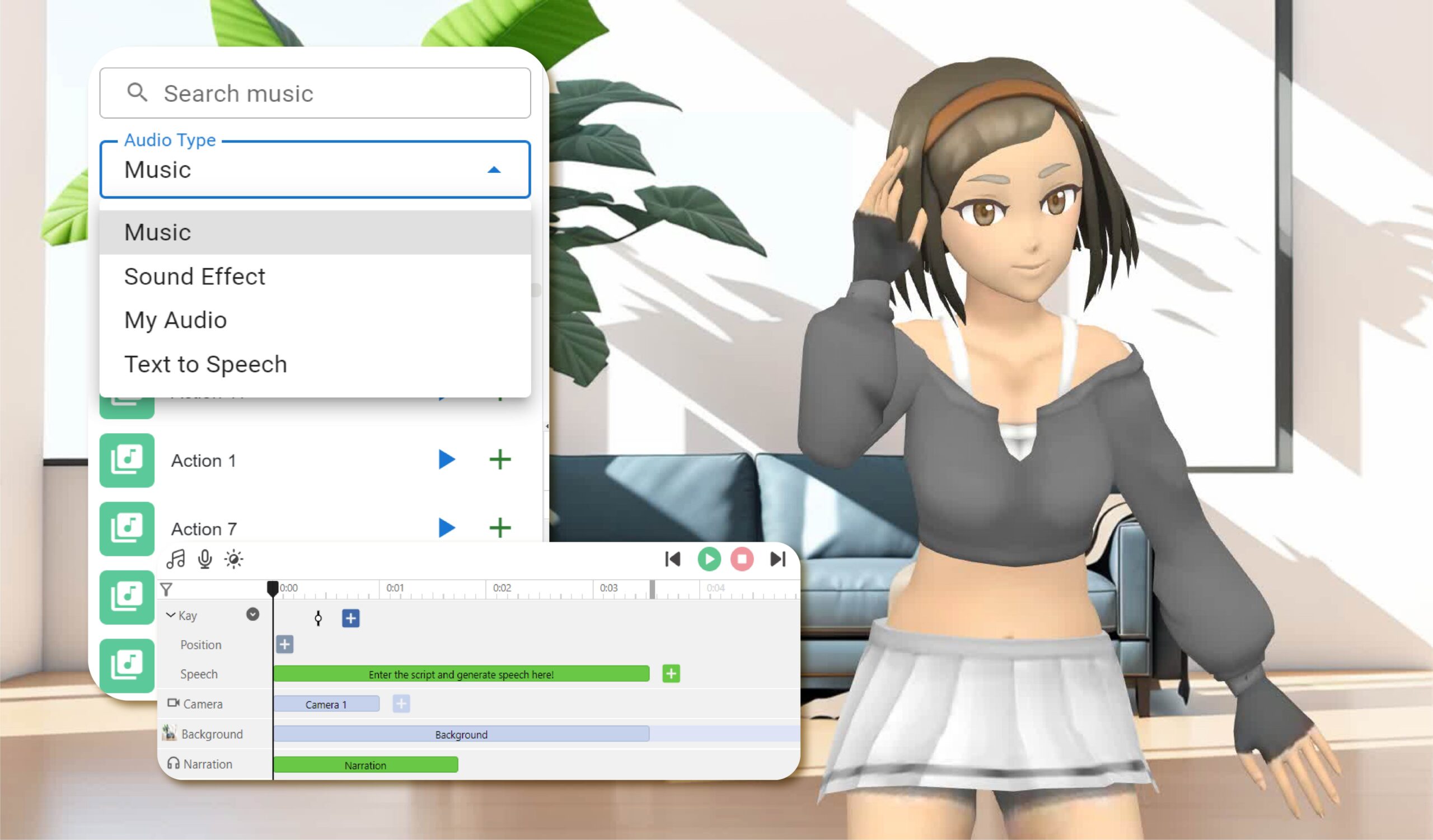
Next, users can apply pre-built actions to the character, such as walking or waving, to create movement. The timeline allows users to set the duration and sequence of these actions. Audio can be added using the AI text-to-speech tool, which generates voiceovers with automatic lip-sync. This ensures that dialogue is synchronized with character movements, enhancing realism.

Users can further enrich their animations by adding backgrounds, props, and text with animation presets. These elements can be arranged on the canvas and animated with simple clicks. Once the animation is complete, users can preview it to ensure everything flows smoothly. Finally, the animation can be exported as an MP4 file or shared as an interactive flipbook.

Advanced Techniques and Tips

For users looking to push the boundaries of their animations, AniFuzion offers advanced techniques. Rigging allows users to adjust a character’s skeleton for more realistic movements. Motion retargeting enables the transfer of motions between characters, ensuring consistency across different figures. Users can also create custom actions using keyframing, allowing for unique animations tailored to their narrative.

When building complex scenes, users should consider the performance of their animations. Simplifying the scene by reducing the number of effects or props can improve playback speed. Ensuring that the browser is up to date and closing other tabs can also enhance performance. Users can test their animations on different devices to ensure compatibility and smooth playback.

Another tip is to use the built-in audio library to add background music or sound effects. These elements can enhance the mood and atmosphere of the animation, making it more engaging. Users can upload their own audio files or select from the library, adjusting volume and timing to sync with visual elements.

Quick Summary

  • AniFuzion is an online animation tool that enables users to create 2D and 3D animations without design expertise.

  • Features include a drag-and-drop interface, an extensive 3D character library, and AI-powered text-to-speech and lip-sync.

  • Users can create professional-quality animations quickly, making it ideal for educators, marketers, and content creators.

  • Core workflows involve adding characters, applying actions, adding audio, and exporting the final product.

  • Advanced techniques include rigging, motion retargeting, and custom actions for more realistic animations.
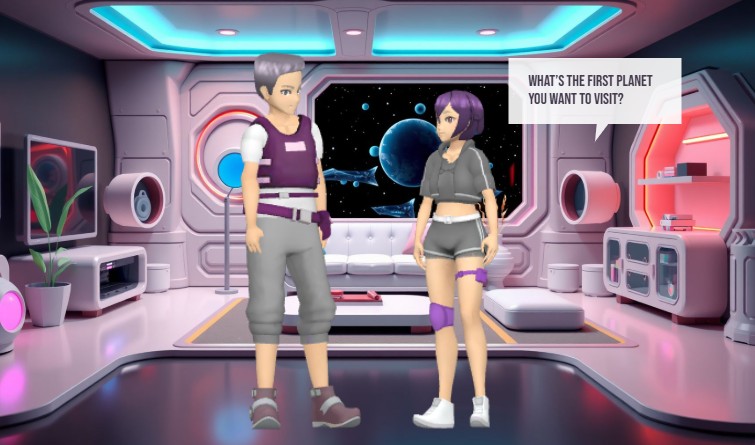
This is a screenshot of the Visual Paradigm's animation maker. - Professional online diagram maker tool

Visual Paradigm’s Animation Maker, AniFuzion, empowers users to create engaging and professional animations with ease. The tool’s intuitive interface and powerful features make it accessible for beginners while offering advanced capabilities for experienced users. By leveraging AI-driven tools and a vast library of assets, users can produce high-quality content quickly and efficiently. Whether creating educational videos, marketing campaigns, or interactive stories, AniFuzion provides the tools needed to bring ideas to life. Try AniFuzion today and discover how it can transform your creative process.

Explore the possibilities of AniFuzion and start creating your own animations now. Visit Visual Paradigm’s Animation Maker to learn more and begin your journey.

Related Links

Animate Your Perfect Beach Vacation Story with the AniFuzion Online Animation Maker

Bring your beach vacation stories to life with AniFuzion’s online animation maker. Create professional 3D videos easily in your browser.

Have you ever dreamed of whisking your audience away to a tropical paradise without ever leaving your desk? Capturing the warmth of the sun and the rhythmic, soothing sound of the ocean waves is now easier than ever! With a professional and easy-to-use online animation maker like AniFuzion by Visual Paradigm, you can transform a simple summer memory into a vibrant, moving masterpiece that speaks directly to your viewers’ hearts. Whether you are a teacher looking to brighten a lesson or a marketer wanting to add some sunshine to your brand, the power of animation is now right at your fingertips!

Imagine a scene where friends gather on a golden shore, the palm trees sway gently in the breeze, and a colorful umbrella provides the perfect spot for a conversation. In our featured example, we see a group of 3D characters enjoying a beautiful day at the beach. One character is even sharing her excitement through a speech bubble, inviting her friends for a refreshing swim. This isn’t just a static picture; it is a snapshot of a living world created entirely within a browser, proving that you don’t need a Hollywood studio to tell a compelling story.

This is a snapshot of an animation developed with Visual Paradigm's animation maker (aka. AniFuzion). The animation is about

The Challenge of Creating Engaging Visuals

We have all been there—you have a fantastic idea for a story or a presentation, but you feel held back because you aren’t a professional graphic designer or a computer programmer. Traditional animation software often feels like trying to fly a spaceship; there are too many buttons, the learning curve is steep, and the cost can be overwhelming. Many creators settle for static images or boring slideshows, but these rarely capture the full attention of an audience in our fast-paced digital world.

This is exactly where an AI-powered online animation maker steps in to save the day! The problem isn’t your lack of creativity; it’s simply that the tools of the past weren’t built for everyone. By using a platform that prioritizes a drag-and-drop interface, you can stop worrying about technical “how-tos” and start focusing on the “what-ifs.” You deserve a tool that works as fast as your imagination, turning the complex process of 3D modeling and motion into a fun, rewarding experience.

Quick Summary: Why You’ll Love AniFuzion

  • Zero Experience Required: Perfect for beginners, hobbyists, and professionals alike.

  • Extensive 3D Library: Access thousands of customizable characters and props to fit any scene.

  • AI Magic: Use AI text-to-speech and automatic lipsync to give your characters a voice in seconds.

  • Instant Sharing: Export your creations as high-quality MP4 videos or interactive flipbooks.

  • Browser-Based Brilliance: No heavy software installations; work from anywhere at any time!

Unlocking Your Creativity with Advanced Features

One of the most exciting parts of using a best-in-class online animation maker is seeing how quickly a scene comes together. In the beachside animation shown above, the creator utilized the 3D character library to select diverse figures that represent a relatable group of friends. You aren’t stuck with just one look; you can customize everything from their outfits to their hair colors, making sure every character fits your specific vision perfectly. It is like having a digital toy box where every piece is ready to play!

Bringing Characters to Life with Motion

Movement is what truly separates animation from a simple drawing. With over 2,000 pre-built actions, you can make your characters wave, walk, dance, or even jump for joy with a single click. This technology uses something called motion retargeting, which is just a fancy way of saying that a “walking” motion will look natural whether your character is tall, short, or wearing a sun hat! You don’t have to draw every single frame; the software handles the hard work so you can enjoy the results.

The Power of Voice and Sound

Did you notice the speech bubble in our beach scene? While text is great, imagine if that character actually spoke! With AI Text-to-Speech (TTS), you can type out your dialogue and choose from a variety of voices and accents. To make it even more realistic, the automatic lipsync feature ensures the character’s mouth moves in perfect harmony with the words. It creates an immersive experience that makes your audience feel like they are right there on the sand with your characters.

Step-by-Step: How to Build Your Own Animated Scene

Are you ready to dive in? Building your first project is a journey of discovery. Here is how you can recreate the magic of a seaside getaway or any other story you want to tell:

1. Set the Stage

Every great animation starts with a Canvas. This is your main workspace. You can browse the library of ready-to-use scenes to find the perfect background—like a beach, an office, or even a futuristic city. Once your background is set, you have the foundation for your story.

2. Introduce Your Stars

Drag your favorite 3D characters onto the canvas. Use the properties panel to tweak their appearance. In our beach example, giving characters swimwear and accessories like hats helps establish the “vacation” vibe immediately. This process of rigging (setting up the digital skeleton) is already done for you, so your characters are always ready to move!

3. Add Action and Dialogue

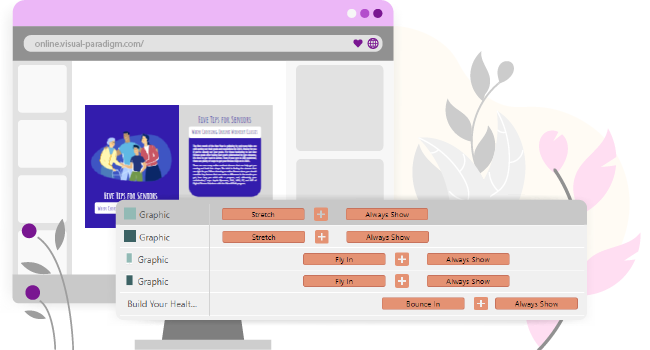
Use the Timeline at the bottom of the screen to decide when things happen. Maybe one character waves first, and then the speech bubble appears. By layering these elements, you create a natural flow. Don’t forget to add some shape effects like a gentle fade-in for your text to make it look professional.

4. Preview and Export

Before you show the world, use the Preview Mode to watch your animation in real-time. If the timing feels a bit off, simply slide the elements on your timeline. Once you are happy, export your work as an MP4. You can even create an animated flipbook, which is an interactive digital book that your friends or clients can “flip” through online!

Common Questions About Online Animation

Do I need a powerful computer to use AniFuzion?
Not at all! Because this is a browser-based online animation maker, the heavy lifting is done in the cloud. As long as you have a modern browser like Chrome or Firefox and a steady internet connection, you are good to go.

Can I use these animations for my business?
Absolutely! Animation is a fantastic way to boost audience engagement. Whether you are making a product demo, an HR onboarding video, or a social media clip, these professional-looking visuals will help you stand out from the competition.

What are “Props” in animation?
Props are the extra items you add to a scene to make it feel real. In our beach image, the umbrella and the palm trees are props. They add context and variety to your world, making the environment much more interesting to look at.

Conclusion: Your Animation Journey Starts Today!

The world of 3D animation is no longer a “members-only” club for technical experts. With the right professional online animation maker, anyone with a story to tell can become a creator. From the sunny shores of a digital beach to the complex world of business presentations, AniFuzion provides the tools, the assets, and the AI-powered ease to bring your ideas to life. Remember, every great animator started with their very first character and a simple “hello.”

So, why wait? The sun is shining on your creative potential! Whether you want to recreate the beachside fun we’ve explored today or venture into entirely new worlds, the only limit is your imagination. Grab your digital surfboard and catch the wave of modern content creation. You will be amazed at what you can build when you have the best online animation maker by your side!

Ready to bring your stories to life? Explore our library of stunning designs and start your project today!

Try Now: Visual Paradigm Online Animation Templates

Related Links

Comprehensive Tutorial: Convert a PDF to a Wonderful Flipbook in a Few Clicks Using Visual Paradigm Online

Introduction

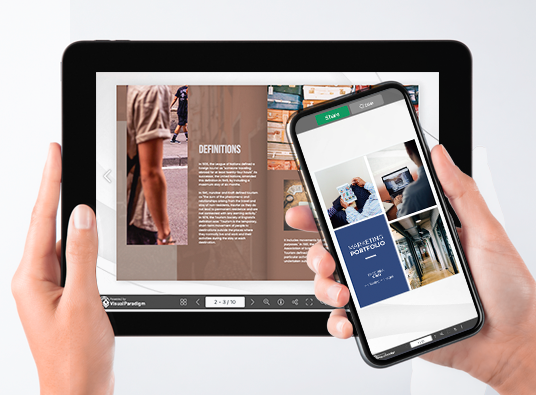
In today’s digital age, presenting content in an engaging and interactive manner is crucial for capturing and retaining audience attention. One effective way to achieve this is by converting traditional PDF documents into dynamic flipbooks. Visual Paradigm Online offers a powerful and user-friendly solution for this transformation with its Fliplify tool. This comprehensive tutorial will guide you through the process of converting a PDF to a wonderful flipbook in just a few clicks, highlighting the key features and benefits of using Visual Paradigm Online. Whether you are creating educational materials, business presentations, or personal projects, this guide will help you leverage the full potential of flipbooks to make your content stand out.

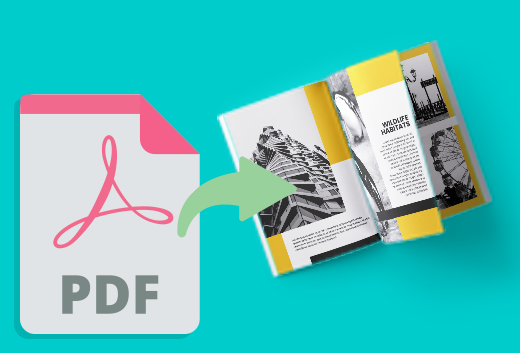
Can I turn my PDF into a Flipbook? - Visual Paradigm Blog

Converting a PDF to an engaging flipbook can significantly enhance the presentation and interactivity of your content. Visual Paradigm Online offers a seamless and user-friendly way to achieve this with its powerful Fliplify tool. This tutorial will guide you through the process of converting a PDF to a flipbook in just a few clicks, highlighting the key features and benefits of using Visual Paradigm Online.

Transform Your PDFs into Engaging Flipbooks with Our Powerful Tools - Visual Paradigm Blog

Step 1: Getting Started with Visual Paradigm Online

  1. Sign Up and Log In:

    • Visit the Visual Paradigm Online website and sign up for an account if you don’t already have one.
    • Log in to access the suite of tools, including Fliplify for creating flipbooks.
  2. Navigate to Fliplify:

    • Once logged in, navigate to the Fliplify section from the dashboard. This is where you will convert your PDF into a flipbook.

Step 2: Uploading Your PDF

  1. Upload the PDF:

    • Click on the “Create Flipbook” button and select the option to upload a PDF.
    • Choose the PDF file from your computer or cloud storage that you want to convert into a flipbook.
  2. Processing the PDF:

    • Visual Paradigm Online will automatically process the uploaded PDF and convert it into a flipbook format. This process typically takes just a few moments, depending on the size of the PDF.

Step 3: Customizing Your Flipbook

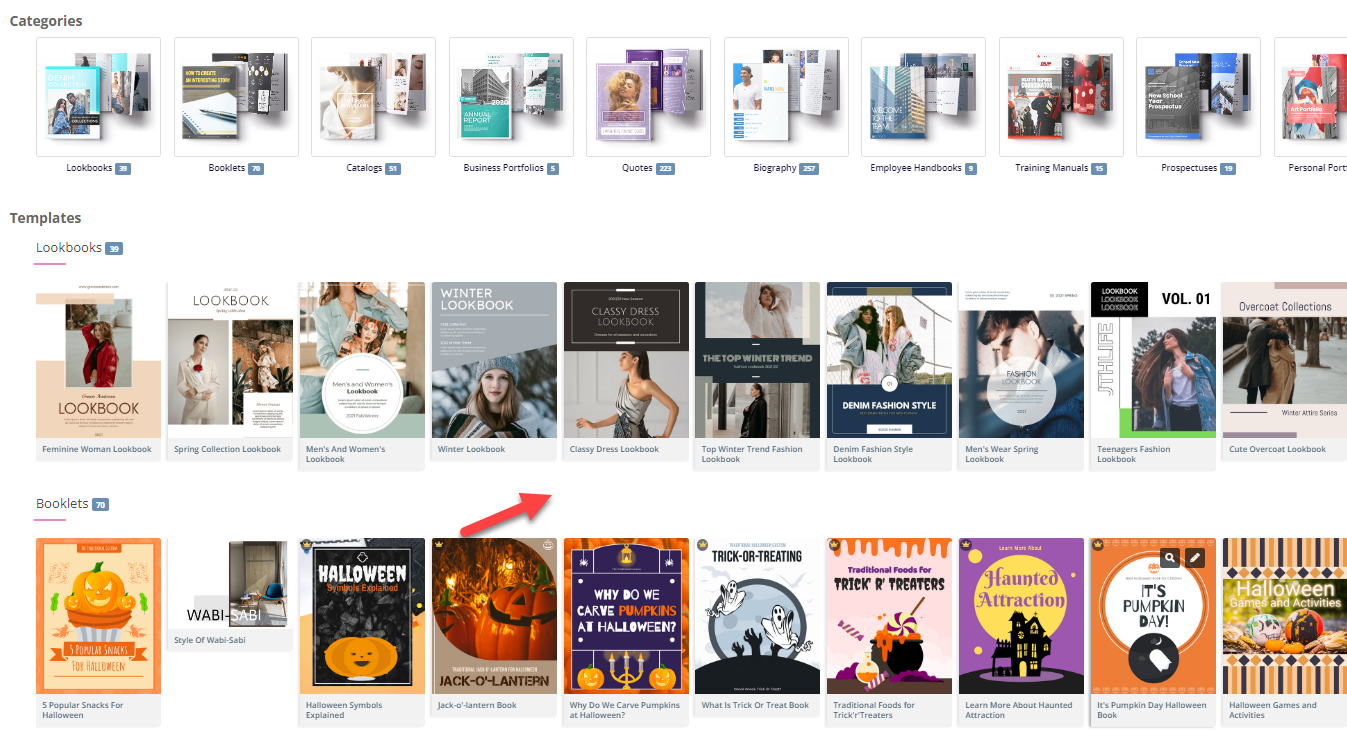
  1. Choose a Template:

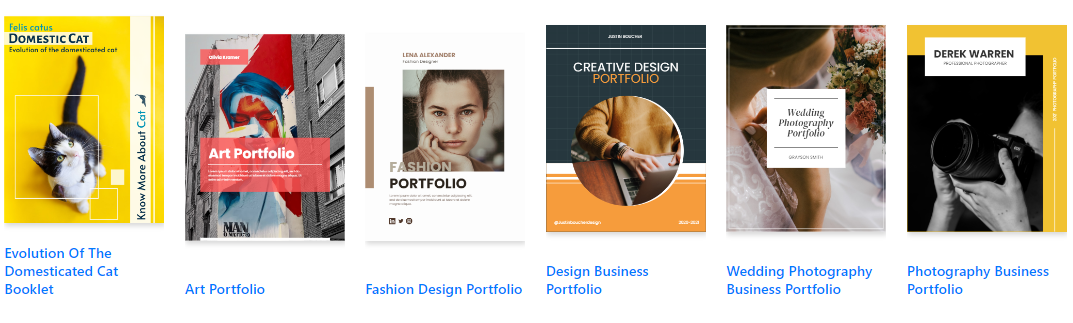
    • Browse through the available flipbook templates and select one that best suits your content. Templates provide a foundation for your design, allowing for easy customization 26.

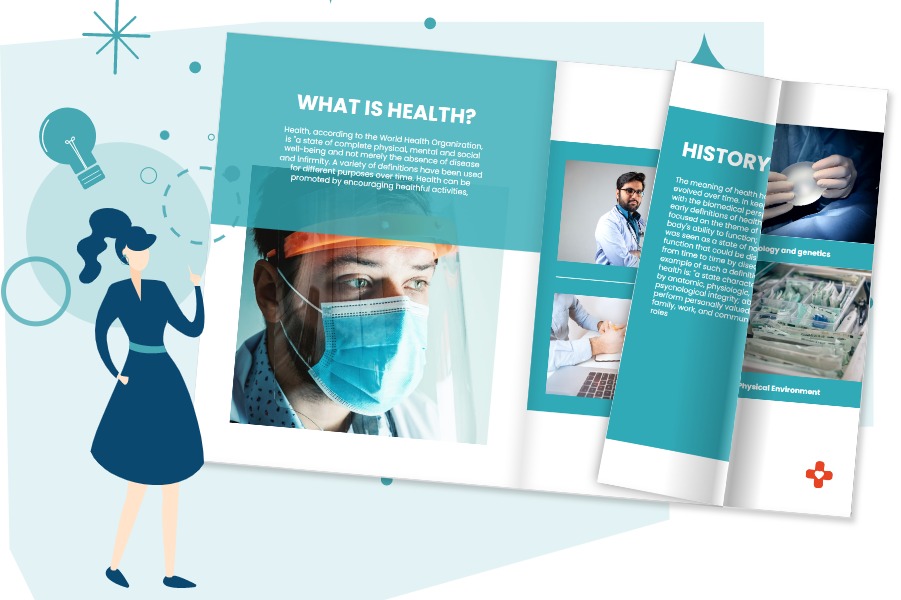
Flipping into the Future: The Magic of Flipbooks with Animation Capability  - Visual Paradigm Blog

  1. Customize the Layout:

    • Use the intuitive interface to customize the layout of your flipbook. Adjust the page layout, add interactive elements like annotations, highlights, and comments to enhance engagement 24.
  2. Add Interactive Elements:

    • Incorporate interactive elements such as links, videos, and audio clips to make your flipbook more engaging. These elements can be easily added using the drag-and-drop interface 25.
  3. Integrate Animations (Optional):

    • If you want to enhance your flipbook with animations, you can use Visual Paradigm’s AniFuzion tool to create or import 2D and 3D animations. These animations can be seamlessly integrated into your flipbook to add visual appeal 20.

Step 4: Adding Text-to-Speech (TTS) and AI Human Voices

  1. Enable TTS:

    • Incorporate Text-to-Speech (TTS) to narrate your flipbook. This feature enhances the interactive experience, making the content more engaging and accessible 20.
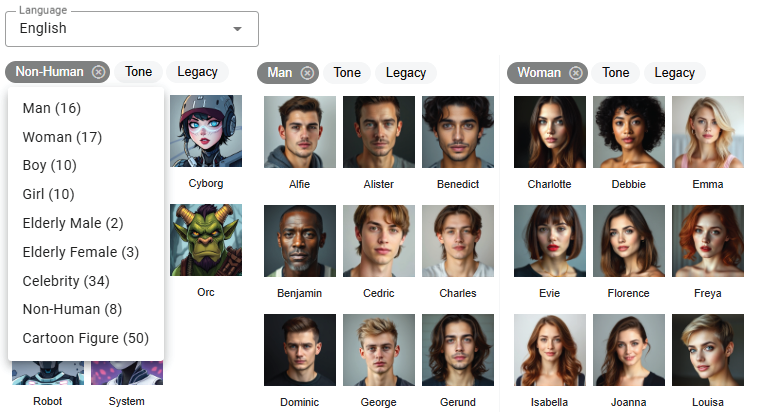
  2. Customize AI Human Voices:

    • Customize the AI human voices to match the tone and style of your flipbook. Adjust the voice settings to ensure a natural and professional narration.

Step 5: Previewing and Publishing Your Flipbook

  1. Preview the Flipbook:

    • Preview your flipbook to ensure it meets your expectations. Check the layout, interactive elements, and animations to make sure everything is in place.
  2. Publish the Flipbook:

    • Once satisfied, click on the “Publish” button to make your flipbook live. You can share the flipbook with your audience by providing a link or embedding it on your website 24.

Step 6: Organizing Your Flipbooks

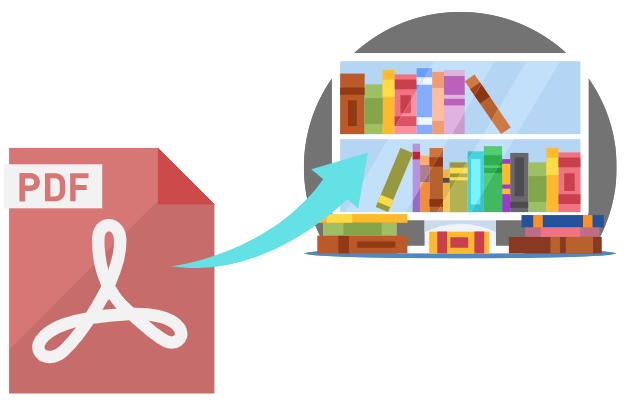
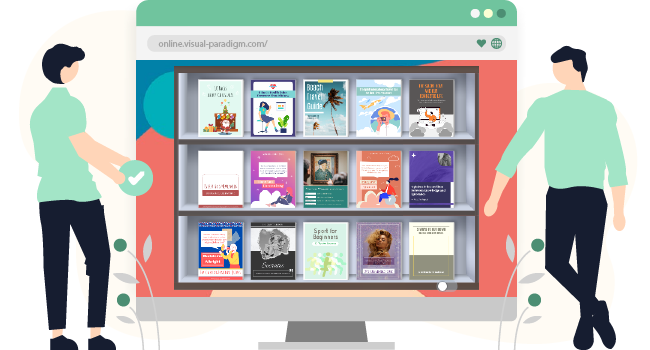
  1. Create a Virtual Bookshelf:

    • Navigate to the virtual bookshelf feature in Visual Paradigm Online.
    • Create a new bookshelf and customize its appearance to match your branding or personal style.
  2. Add Flipbooks to the Bookshelf:

    • Add your published flipbooks to the virtual bookshelf. Organize them by category, topic, or any other criteria that make sense for your content.
    • Customize the thumbnails and descriptions of each flipbook to make them visually appealing and informative.
  3. Share Your Virtual Bookshelf:

    • Share your virtual bookshelf with your audience by providing a link or embedding it on your website.
    • Promote your bookshelf through social media, email newsletters, and other marketing channels to reach a wider audience.

Flipping Book Animation Software - Visual Paradigm Blog

Conclusion

Converting a PDF to a wonderful flipbook using Visual Paradigm Online is a straightforward and engaging way to present your content. With features like customizable templates, interactive elements, animations, text-to-speech (TTS), and AI human voices, you can create captivating flipbooks that stand out. Whether for educational content, business presentations, or personal projects, Visual Paradigm’s tools offer a comprehensive suite of features to bring your ideas to life and captivate your audience. By following this tutorial, you can transform your static PDFs into dynamic and interactive flipbooks, enhancing the presentation and engagement of your content with ease.

Comprehensive Guide to Creating Flipbooks and Organizing Them into a Beautiful Virtual Bookshelf

Introduction

Creating flipbooks with Visual Paradigm Online is a seamless and engaging way to present your content. Whether you’re designing educational materials, business presentations, or personal projects, Visual Paradigm’s tools offer a comprehensive suite of features to bring your ideas to life. This guide will walk you through the process of creating flipbooks, incorporating 2D and 3D animations, text-to-speech (TTS), and AI human voices, and organizing them into a beautiful virtual bookshelf.

Fliplify:Visual Paradigm Online的翻页书设计大师| 學習EA, Agile & UML 和使用Visual Paradigm 技能- 點部落

Step 1: Getting Started with Visual Paradigm Online

  1. Sign Up and Log In:

    • Visit the Visual Paradigm Online website and sign up for an account if you don’t already have one.
    • Log in to access the suite of tools, including Fliplify for creating flipbooks and AniFuzion for adding animations.
  2. Explore the Dashboard:

    • Familiarize yourself with the dashboard, which provides access to various tools and features.
    • Navigate to the Fliplify section to start creating your flipbook.

Make Your Flipbook Stand Out with AniFuzion - Fliplify

Step 2: Creating a Flipbook with Fliplify

  1. Choose a Template or Start from Scratch:

    • Browse through the available flipbook templates or choose to start from scratch. Templates provide a foundation for your design, while starting from scratch allows for more customization 26.
  2. Design Your Flipbook:

    • Use the intuitive interface to design your flipbook. Add pages, customize the layout, and incorporate interactive elements such as annotations, highlights, and comments 24.
    • Utilize the advanced design tools to ensure a polished and professional presentation.
  3. Integrate 2D and 3D Animations:

    • Use AniFuzion to create or import 2D and 3D animations. These animations can be seamlessly integrated into your flipbook to enhance engagement and visual appeal 20.
    • Ensure that the animations flow seamlessly with the rest of the content, using the interactive features of Fliplify to enhance comprehension 25.

Visual Paradigm Online: Revolutionizing Digital Content Creation - Cybermedian

  1. Add Text-to-Speech (TTS) and AI Human Voices:

    • Incorporate TTS and AI human voices to narrate your flipbook. This feature enhances the interactive experience, making the content more engaging and accessible 20.
    • Customize the voice settings to match the tone and style of your flipbook.

Bring Your Characters to Life with Enhanced TTS Support - Visual Paradigm  News

  1. Preview and Publish:

    • Preview your flipbook to ensure it meets your expectations. Make any necessary adjustments to the design and content.
    • Once satisfied, publish the flipbook and share it with your audience 24.

Step 3: Organizing Flipbooks into a Virtual Bookshelf

  1. Create a Virtual Bookshelf:

    • Navigate to the virtual bookshelf feature in Visual Paradigm Online.
    • Create a new bookshelf and customize its appearance to match your branding or personal style.
  2. Add Flipbooks to the Bookshelf:

    • Add your published flipbooks to the virtual bookshelf. Organize them by category, topic, or any other criteria that make sense for your content.
    • Customize the thumbnails and descriptions of each flipbook to make them visually appealing and informative.
  3. Customize the Bookshelf Layout:

    • Arrange the flipbooks on the bookshelf in a visually appealing manner. Use the layout tools to adjust the positioning and spacing of the flipbooks.
    • Add interactive elements, such as links to related content or additional resources, to enhance the user experience.
  4. Share Your Virtual Bookshelf:

    • Share your virtual bookshelf with your audience by providing a link or embedding it on your website.
    • Promote your bookshelf through social media, email newsletters, and other marketing channels to reach a wider audience.

Step 4: Enhancing Engagement with Interactive Features

  1. Interactive Annotations:

    • Add annotations, highlights, and comments to your flipbooks to enhance engagement and comprehension. These interactive elements make the content more dynamic and personalized 25.
  2. Quizzes and Polls:

    • Incorporate quizzes and polls within your flipbooks to engage your audience and gather feedback. This feature is particularly useful for educational content and business presentations.
  3. Multimedia Integration:

    • Integrate multimedia elements, such as videos, images, and audio clips, to enhance the visual appeal and engagement of your flipbooks.
    • Ensure that the multimedia elements are seamlessly integrated with the rest of the content, using the interactive features of Fliplify to enhance comprehension 25.

How to Add Voice to Characters by Text-to-Speech with Perfect Lip Sync-  AniFuzion


Conclusion

Creating flipbooks with Visual Paradigm Online and organizing them into a beautiful virtual bookshelf is a powerful way to present your content engagingly and interactively. With features like 2D and 3D animations, TTS, and AI human voices, you can enhance the visual appeal and engagement of your flipbooks. Whether for educational content, business presentations, or personal projects, Visual Paradigm’s tools offer a comprehensive suite of features to bring your ideas to life and captivate your audience.

Comprehensive Tutorial for Creating Wonderful Animation Flipbooks with Visual Paradigm’s AniFuzion and Fliplify

Introduction

Creating an animation flipbook combines the engaging nature of animations with the interactive experience of flipbooks. Visual Paradigm’s AniFuzion and Fliplify tools offer a seamless way to achieve this, allowing users to create captivating content that stands out. This tutorial will guide you through the process of creating an animation flipbook, highlighting why these tools are an excellent choice and how they can make your content more attractive and engaging.

Why Choose Visual Paradigm’s AniFuzion and Fliplify?

Elevate Your Animations with Sound in AniFuzion - AniFuzion

  1. User-Friendly Interface:

    • Both AniFuzion and Fliplify provide intuitive interfaces that make it easy for users, regardless of their technical expertise, to create professional-quality animations and flipbooks 2024.
  2. Comprehensive Toolkit:

    • These tools offer a wide range of features, including 2D and 3D animation, customizable templates, and interactive elements, ensuring that users have everything they need to create engaging content 2126.
  3. Seamless Integration:

    • AniFuzion and Fliplify integrate seamlessly with each other and with other features of Visual Paradigm Online, creating a comprehensive suite for all your creative needs 2126.
  4. High-Quality Output:

    • The tools ensure that the final output is of high quality, with polished and professional-looking animations and flipbooks that captivate audiences 2024.
  5. Customer Support:

    • Visual Paradigm provides excellent customer support, assisting users with any issues or questions they may have while using the tools 27.

How Animated Flipbooks Make Content Attractive and Engaging

Flipping Book Animation Software - Visual Paradigm Blog

  1. Visual Appeal:

    • Animated flipbooks combine the visual appeal of animations with the interactive experience of flipbooks, making the content more engaging and visually appealing 20.
  2. Interactive Experience:

    • The interactive nature of flipbooks allows users to engage with the content in a more dynamic way, enhancing comprehension and retention 25.
  3. Storytelling:

    • Animated flipbooks enable users to tell stories in a more compelling way, using animations to bring characters and scenes to life 21.
  4. Versatility:

    • Animated flipbooks can be used for a wide range of purposes, from educational content and business presentations to marketing materials and personal projects 2426.

Tutorial: Creating an Animation Flipbook with AniFuzion and Fliplify

Visual Paradigm Flipbook Maker: Elevate Your Digital Presence with Dynamic and Engaging Flipbooks - Visual Paradigm Blog

Step 1: Create Animations with AniFuzion
  1. Sign Up and Log In:

    • Sign up for a Visual Paradigm Online account and log in to access AniFuzion.
  2. Choose a Template or Start from Scratch:

    • Browse through the available templates or choose to start from scratch. Templates provide a foundation for your animation, while starting from scratch allows for more customization 21.
  3. Design Your Animation:

    • Use the intuitive interface to design your animation. Add characters, scenes, and props, and customize their appearance and actions. Utilize the 2D and 3D animation features to bring your vision to life 20.
  4. Add Interactive Elements:

    • Incorporate interactive elements, such as annotations, highlights, and comments, to enhance engagement and comprehension 25.
  5. Preview and Export:

    • Preview your animation to ensure it meets your expectations. Once satisfied, export the animation in the desired format 20.
Step 2: Create a Flipbook with Fliplify
  1. Upload Your Animation:

    • Log in to Visual Paradigm Online and access Fliplify. Upload your exported animation to use as content for your flipbook 24.
  2. Choose a Template or Start from Scratch:

    • Browse through the available flipbook templates or choose to start from scratch. Templates provide a foundation for your flipbook, while starting from scratch allows for more customization 26.
  3. Design Your Flipbook:

    • Use the intuitive interface to design your flipbook. Add pages, customize the layout, and incorporate interactive elements, such as annotations and highlights 24.
  4. Integrate Your Animation:

    • Integrate your animation into the flipbook, ensuring that it flows seamlessly with the rest of the content. Utilize the interactive features of Fliplify to enhance the engagement and comprehension of the animation 25.
  5. Preview and Publish:

    • Preview your flipbook to ensure it meets your expectations. Once satisfied, publish the flipbook and share it with your audience 24.

Conclusion

Creating an animation flipbook with Visual Paradigm’s AniFuzion and Fliplify is a powerful way to make your content more attractive and engaging. With their user-friendly interfaces, comprehensive toolkits, seamless integration, and high-quality output, these tools provide everything needed to create captivating animation flipbooks. Whether for educational content, business presentations, marketing materials, or personal projects, AniFuzion and Fliplify offer a seamless and productive experience, making them an ideal choice for all your creative needs.