
Mastering Browser-Based Modeling: A Guide to PlantUML in Visual Paradigm VPasCode
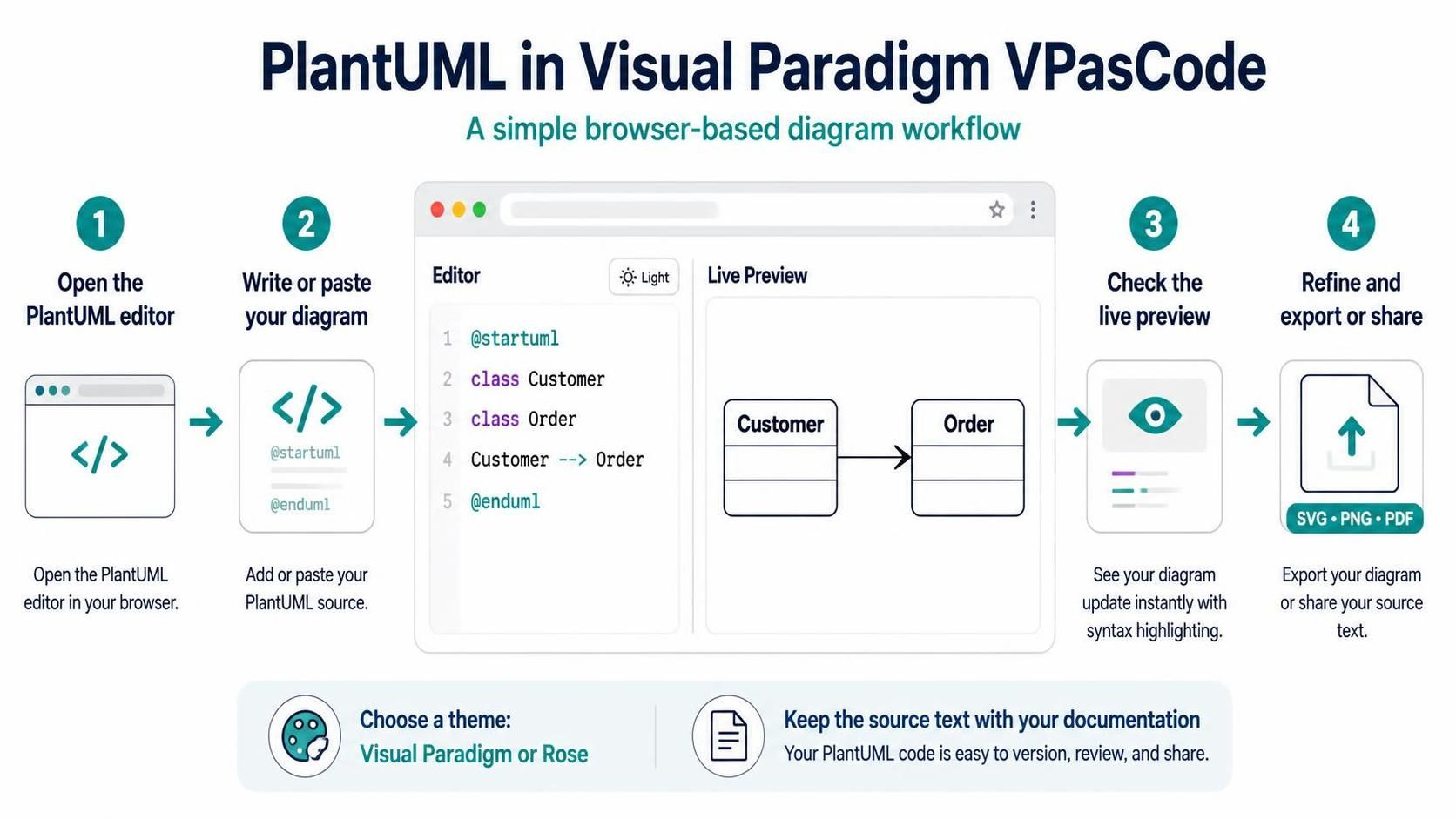
In the modern software development lifecycle, the gap between design and implementation is often bridged by documentation. Visual Paradigm VPasCode represents a significant shift in this paradigm, moving away from heavy, mouse-driven drawing tools to a lightweight, text-centric approach. This tutorial explores how VPasCode leverages the power of “Diagram as Code” through PlantUML, enabling developers and architects to visualize system architectures directly within their browser.
The Philosophy of Diagram as Code
Traditionally, creating a UML class diagram required dragging and dropping boxes onto a canvas. While intuitive, this method often leads to “layout drift,” where the visual representation becomes unmanageable as the system grows, and the diagram becomes disconnected from the source code. VPasCode addresses this by treating the diagram definition as text.
This approach offers several distinct advantages:
- Version Control Friendly: Text files are easy to diff and merge in Git.
- Lightweight: No installation or heavy software requirements; it runs entirely in the browser.
- Speed: Writing code is often faster than drawing shapes and connecting lines manually.
Step-by-Step: The VPasCode Workflow
1. Open the PlantUML Editor
The workflow begins by accessing the VPasCode tool in your web browser. Unlike traditional IDE plugins, VPasCode is a standalone browser-based text editor designed specifically for visualizing PlantUML syntax. It provides a clean interface where you can focus entirely on the logic of your diagram.
2. Write or Paste Your Diagram
Once inside the editor, you will see a split-pane view. On the left is the Editor pane, and on the right is the Live Preview. To create a diagram, you write valid PlantUML syntax. The workflow typically involves starting with the mandatory delimiters
@startuml</code> and <code>@enduml.
Consider the following example of defining a simple relationship between a Customer and an Order:
@startuml
class Customer
class Order

Customer --> Order
@enduml
In this snippet:
class Customerandclass Orderdefine the entities (classes) in your system.Customer–> Order defines the relationship. The arrow indicates that a Customer “has” or is associated with an Order.
3. Check the Live Preview
One of the most powerful features of VPasCode is the real-time rendering engine. As you type, the system attempts to parse your text. If the syntax is correct, the diagram updates instantly on the right side of the screen. If there is an error—such as a missing semicolon or a typo in a keyword—the tool provides syntax highlighting and often points to the specific line causing the issue.
4. Refine and Export
Once the diagram renders correctly, you can refine the presentation. VPasCode allows you to export the diagram in multiple formats to suit your documentation needs:
- SVG: Vector graphics, perfect for embedding in responsive web pages or scaling without quality loss.
- PNG: Raster graphics, ideal for quick screenshots or embedding in PDF documents.
- PDF: High-fidelity documents for formal reports.
Theming and Consistency
Visual consistency is crucial in enterprise modeling. VPasCode simplifies this by offering a theme-selection interface. You can switch between different visual styles, such as the standard Visual Paradigm theme or the Rose theme, with a single click. This ensures that diagrams generated by different team members look uniform, regardless of the specific syntax variations they might use.
Conclusion
VPasCode bridges the gap between technical specification and visual communication. By adopting a text-based workflow, teams can maintain high-quality architectural diagrams with minimal overhead. Whether you are sketching a quick idea or documenting a complex enterprise system, the “write, check, and export” loop of VPasCode makes it an essential tool for the modern developer.