


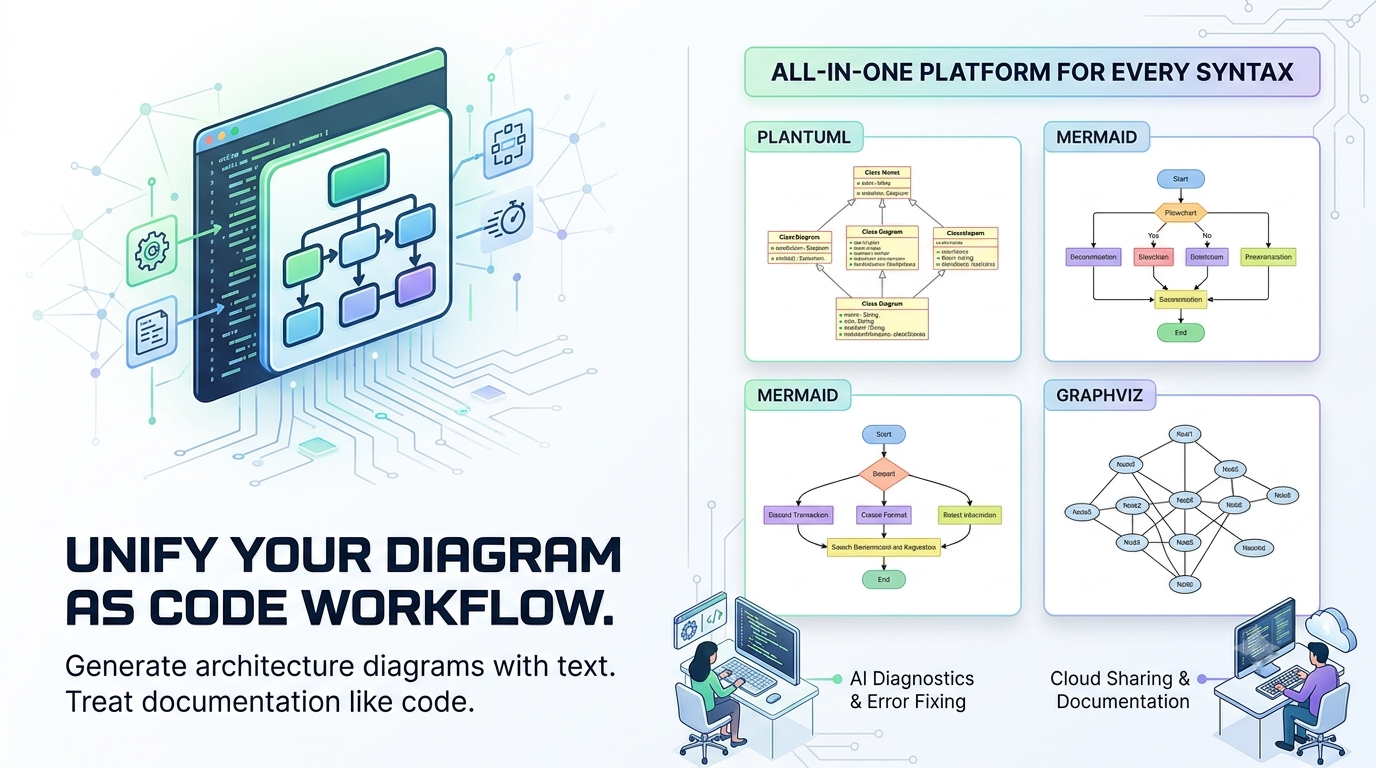
As software systems become more complex, traditional drag-and-drop design tools are slowing developers down. Version controlling visual shapes is nearly impossible, which is why engineering teams are rapidly shifting toward a diagram as code workflow. Writing architecture as text allows you to track changes via Git, automate documentation, and keep your diagrams perfectly synced with your codebase.
However, choosing the right diagram as code tool or diagram as code software usually comes with a frustrating catch: you are forced to lock yourself into a single syntax standard. Whether you prefer PlantUML, Mermaid, or Graphviz, switching between them usually means juggling entirely different ecosystems.
Enter Visual Paradigm VPasCode—the definitive, multi-engine platform built to unify text-to-diagram workflows within a comprehensive Visual Paradigm AI Ecosystem.
What is a Diagram as Code Tool?
A diagram as code tool allows engineers to generate structural visualizations purely by writing text. Instead of manually aligning boxes and arrows, you write structured markup language, and an engine instantly renders the visual layout. It is essentially an online text to diagram tool that treats documentation exactly like software development.
When searching for the ideal code-based diagramming software, developers typically look for three things: speed, syntax flexibility, and deep support for UML modeling standards. VPasCode delivers on all three as a completely free diagram as code tool for core diagram editing.
One Platform, Every Syntax: Unifying PlantUML, Mermaid, and Graphviz
The biggest limitation of a typical text-to-diagram tool is syntax lock-in. If your DevOps team uses Mermaid for flowcharts, but your system architects prefer PlantUML for complex structures, your documentation becomes fragmented.
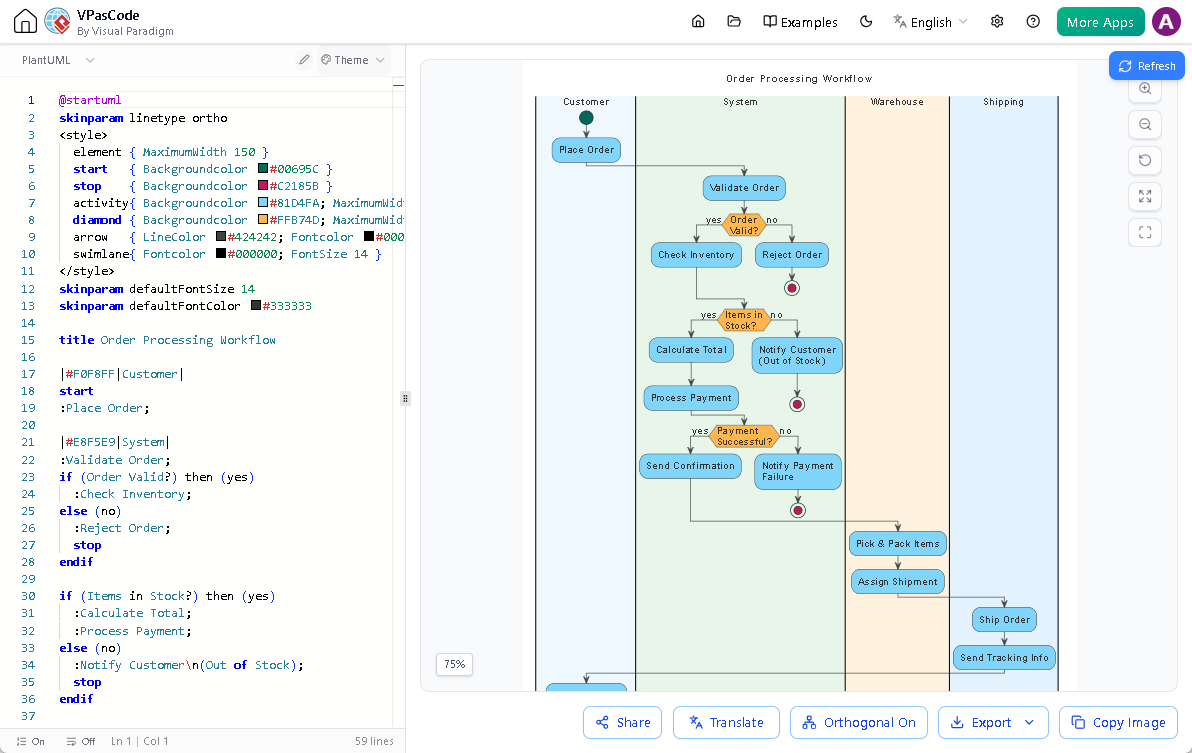
VPasCode solves this by acting as a universal playground. It allows you to create diagram from text across multiple industry standards seamlessly inside a single interface:
- PlantUML Support: Perfect for rigorous engineering documentation. Easily execute advanced text-based UML diagram editing for structural and behavioral models. You can quickly generate a detailed class diagram, sequence diagram, use case diagram, activity diagram, or a state diagram. It also handles advanced system architecture definitions like a component diagram, deployment diagram, timing diagram, and object diagram.
- Mermaid Support: Ideal for rapid markdown integration. Build dynamic flowcharts, Git graphs, requirement diagrams, project Gantt charts, and timeline quadrants natively.
- Graphviz Support: Optimized for graph visualization. Render highly customized network topologies, digraphs, data flow structures, and organizational charts using dot syntax.
- Extended Formats: Beyond standard markup, VPasCode extends its capabilities to map out data relations with direct support for Markmap, ECharts, JSON, and SQL.
Leveraging the Visual Paradigm AI Ecosystem
VPasCode is not just a passive editor; it is a smart text-based UML tool backed by advanced artificial intelligence. Writing code-based diagrams can sometimes result in frustrating syntax errors that break the entire visual render. VPasCode eliminates this bottleneck with smart AI functionalities:
- AI Code Error Fixing: If your syntax breaks, the built-in AI diagnostics identify the issue and correct the code automatically so your render never skips a beat.
- AI Content Translation: Translate diagram content into different languages effortlessly on the fly (e.g., instantly translating “Car” to “汽車” for localized engineering documentation).
- Seamless AI Chatbot Integration: You can generate your initial layouts using the Visual Paradigm AI Diagramming Chatbot. With a single click on the “Edit in VPasCode” button, you can immediately touch up, modify, and expand the generated code within the specialized editor.
Enterprise Documentation and Sharing
Once you create diagram from text, the utility of your documentation depends entirely on how easily it can be shared with stakeholders. Because VPasCode is fully integrated into the broader Visual Paradigm environment, you can instantly publish your finalized visual models directly to Visual Paradigm OpenDocs. This ensures that your technical documentation, system specifications, and knowledge sharing remain organized, secure, and accessible across your entire enterprise.
Get Started with Free Diagram as Code Editing
You do not need to spend hours configuring local environments, downloading command-line tools, or installing heavy IDE extensions just to update your project documentation.
VPasCode offers a frictionless, zero-setup environment. The core editing features are completely free to use, allowing you to build everything from an intricate sequence diagram to a comprehensive deployment diagram without hitting a paywall. Premium AI assistance features are available whenever you need an extra boost of automated productivity.
Stop fighting syntax constraints. Experience the freedom of an all-in-one diagram as code software ecosystem today.