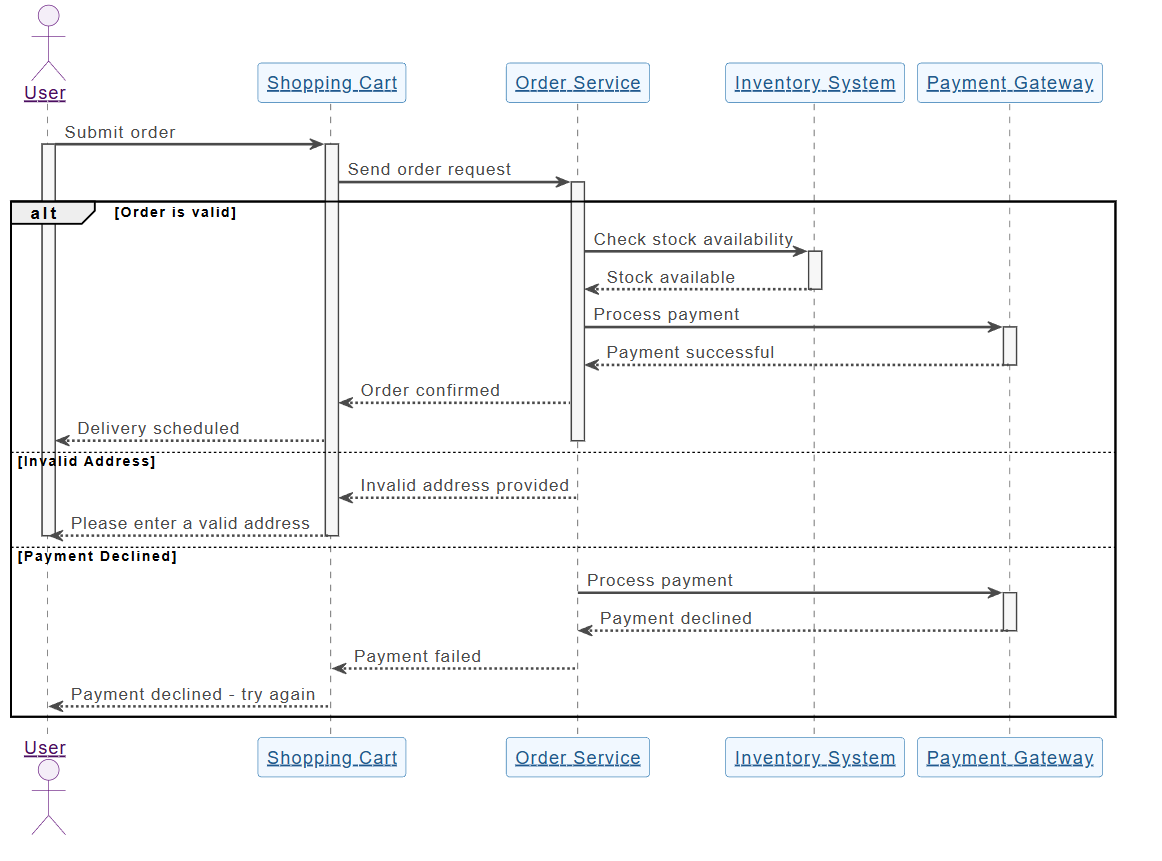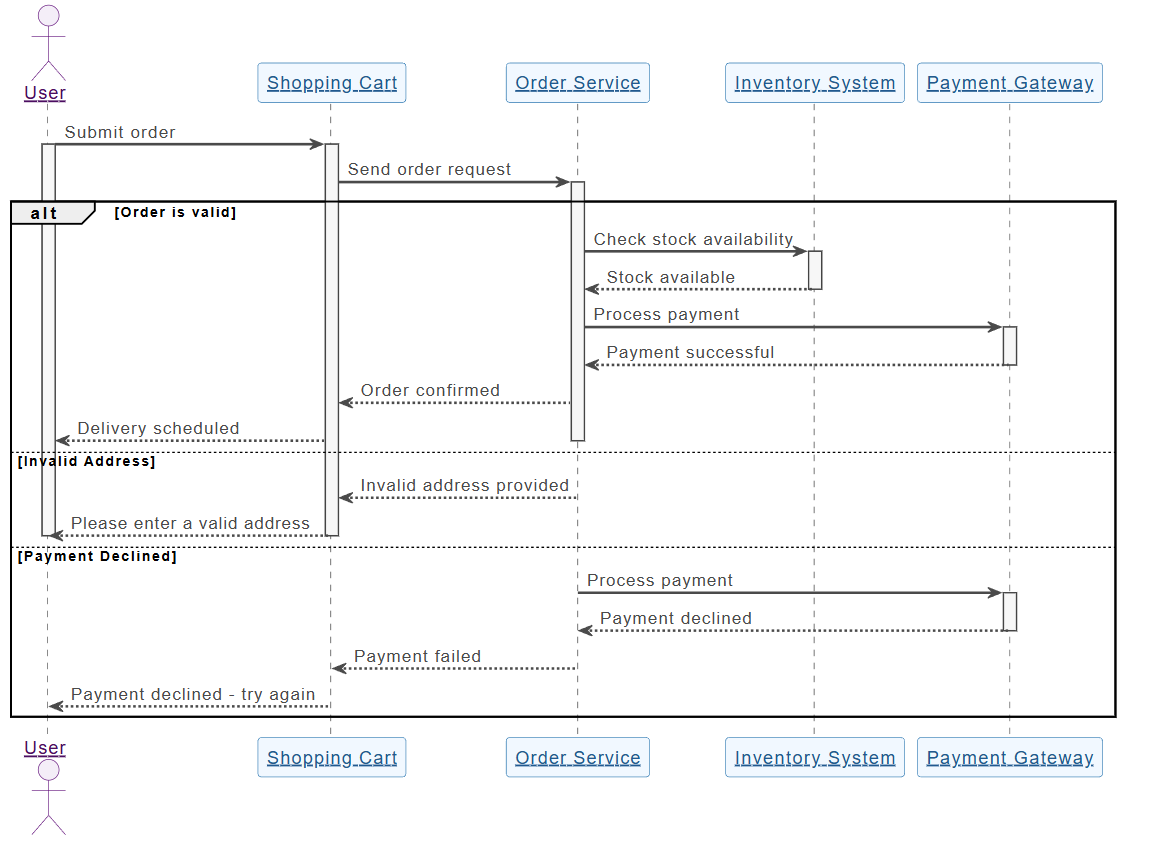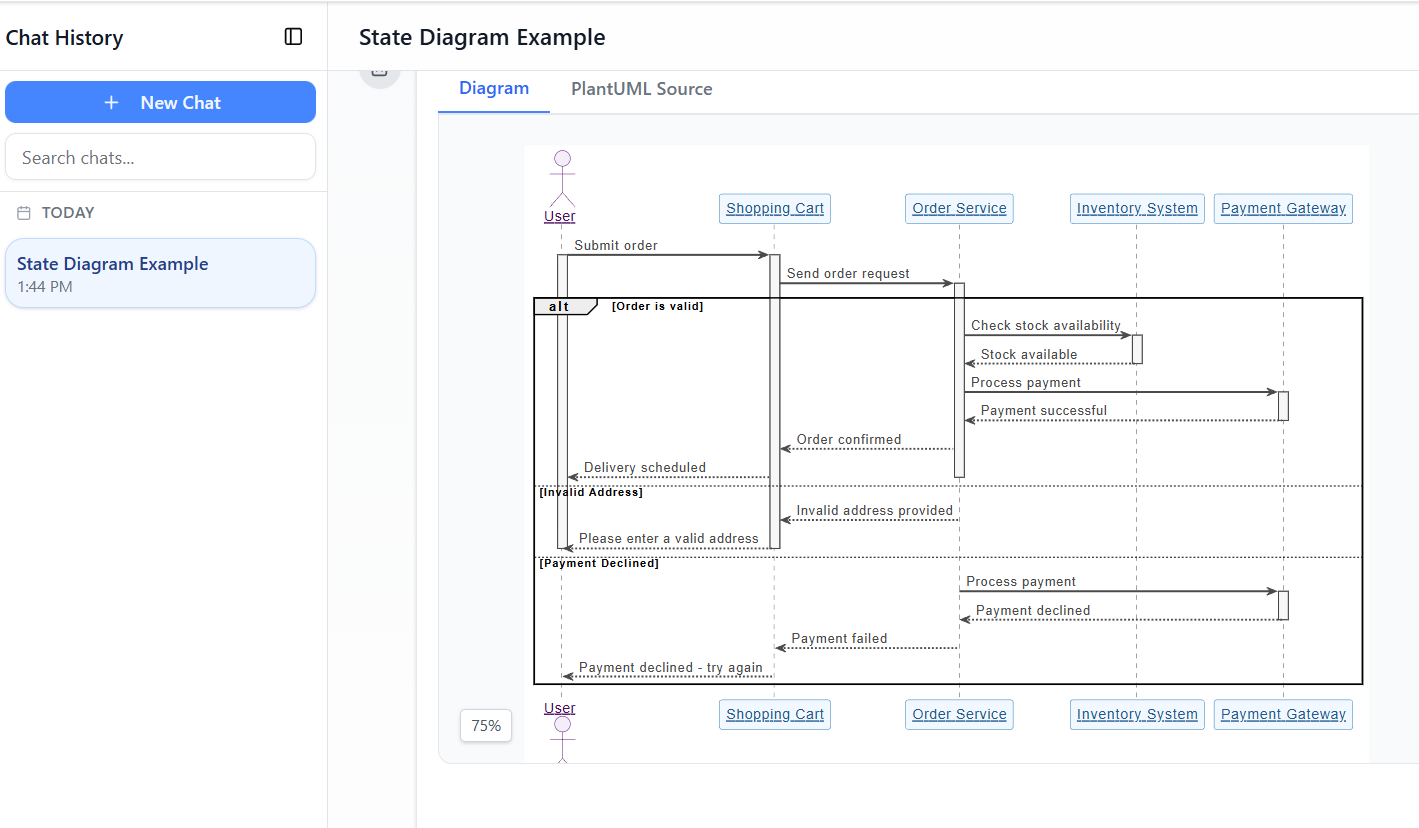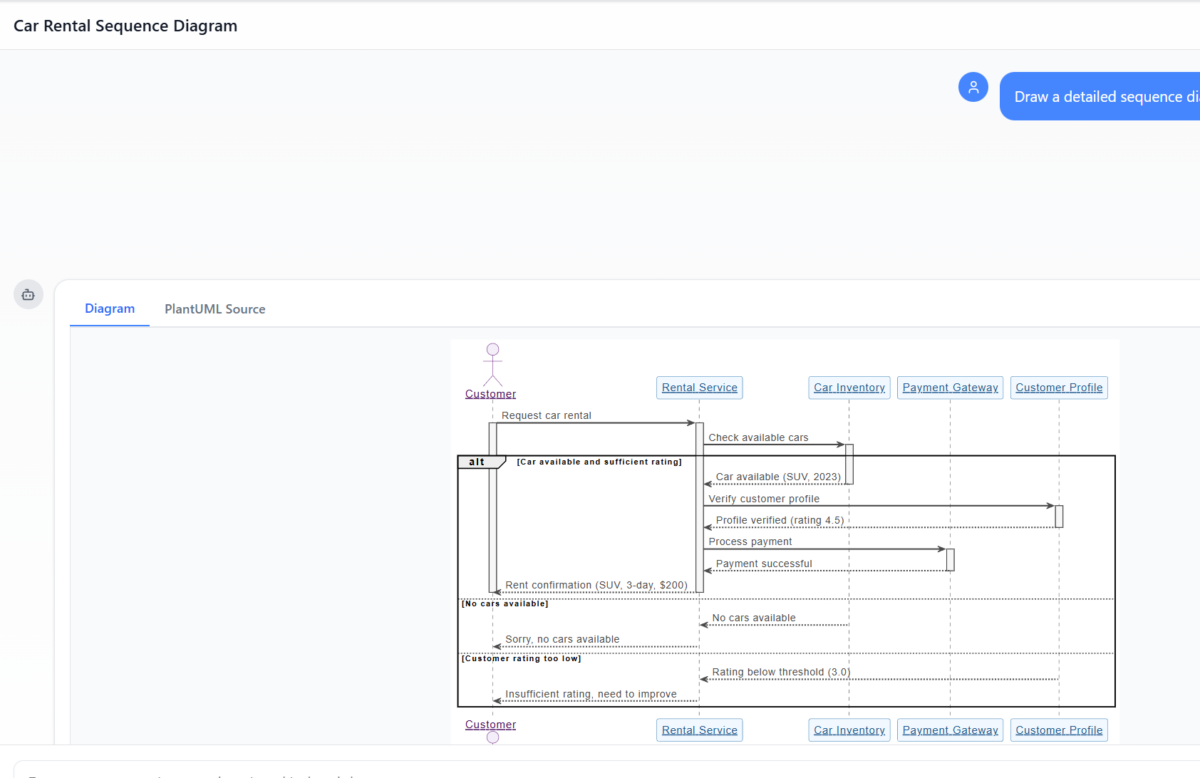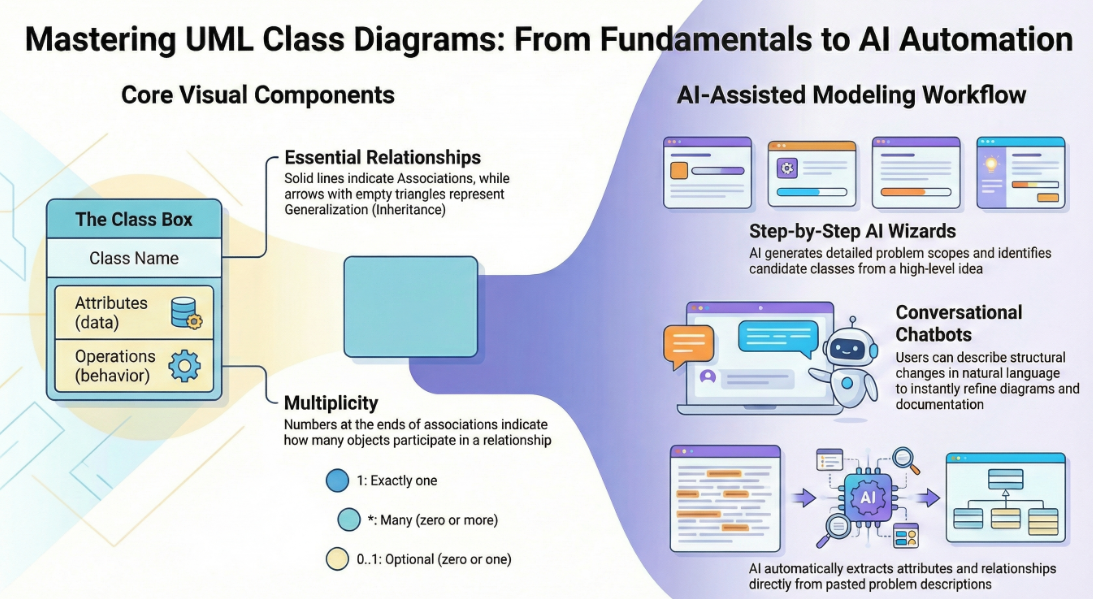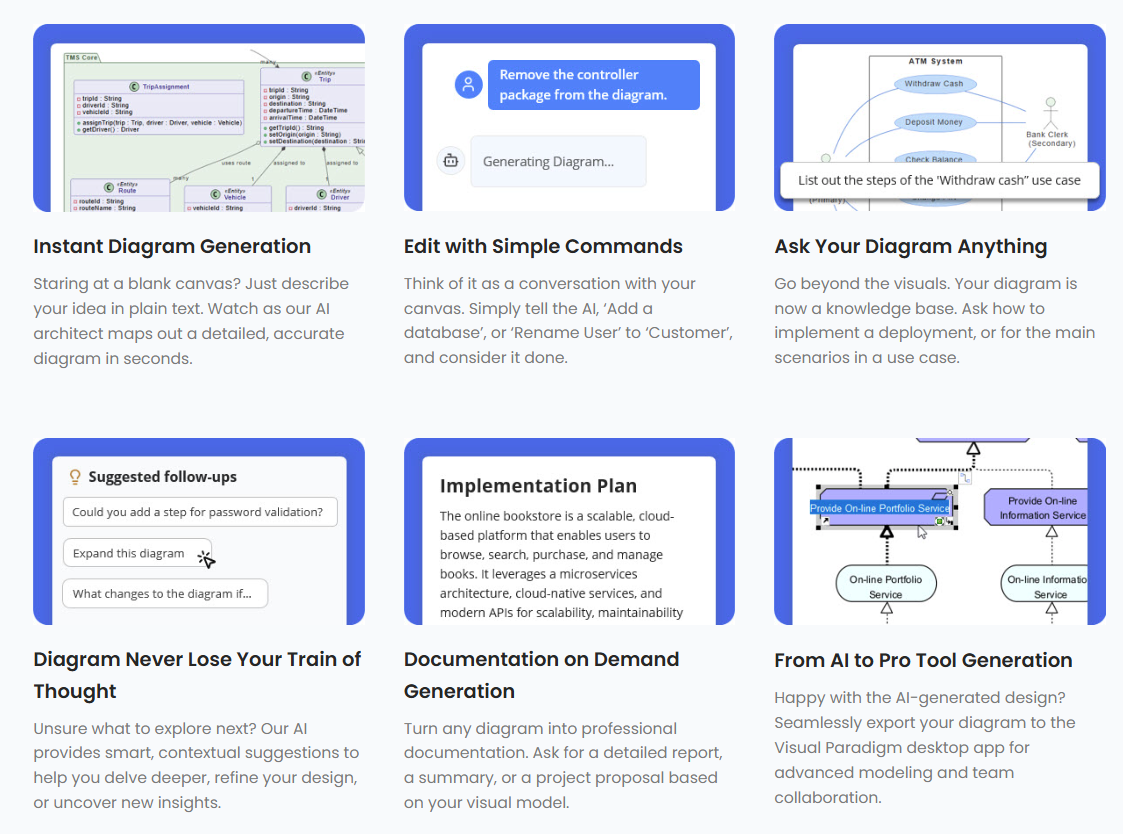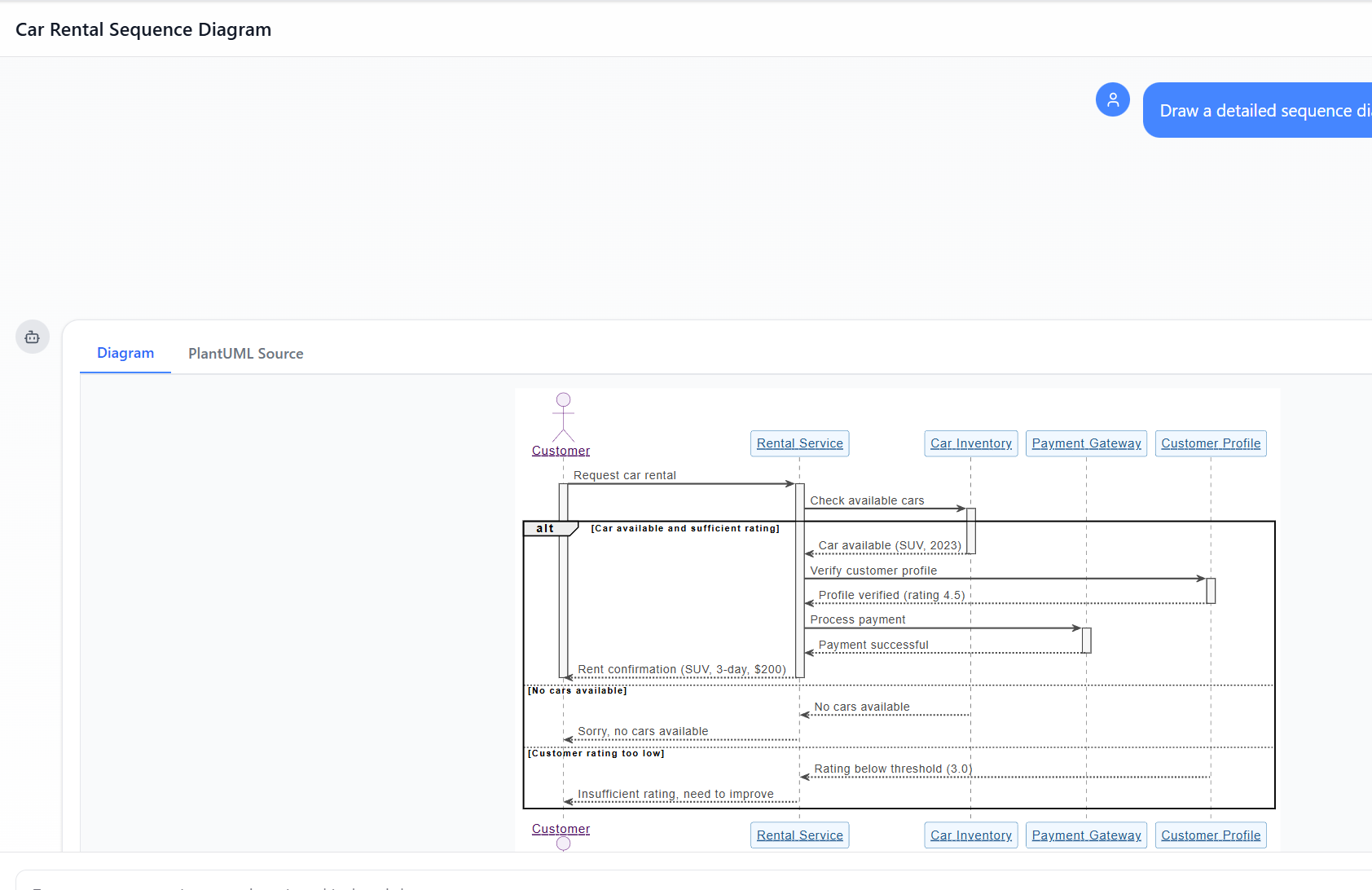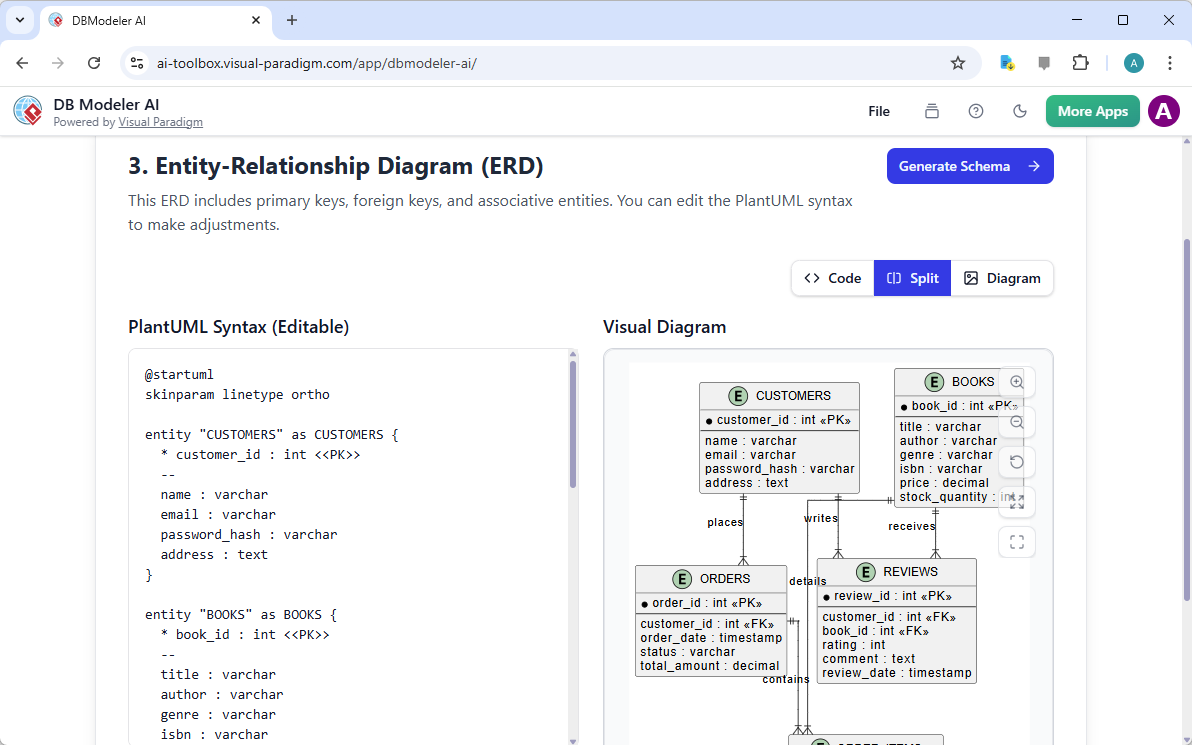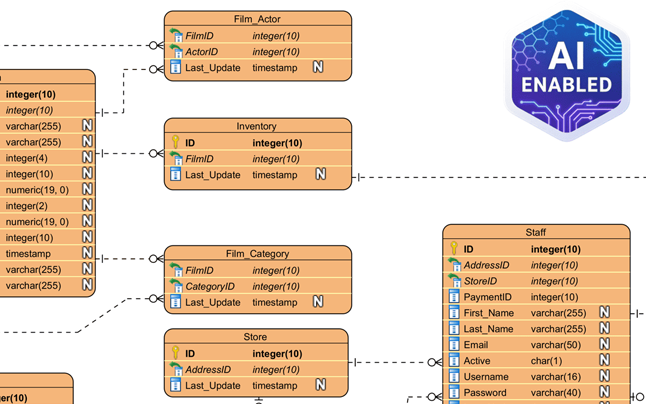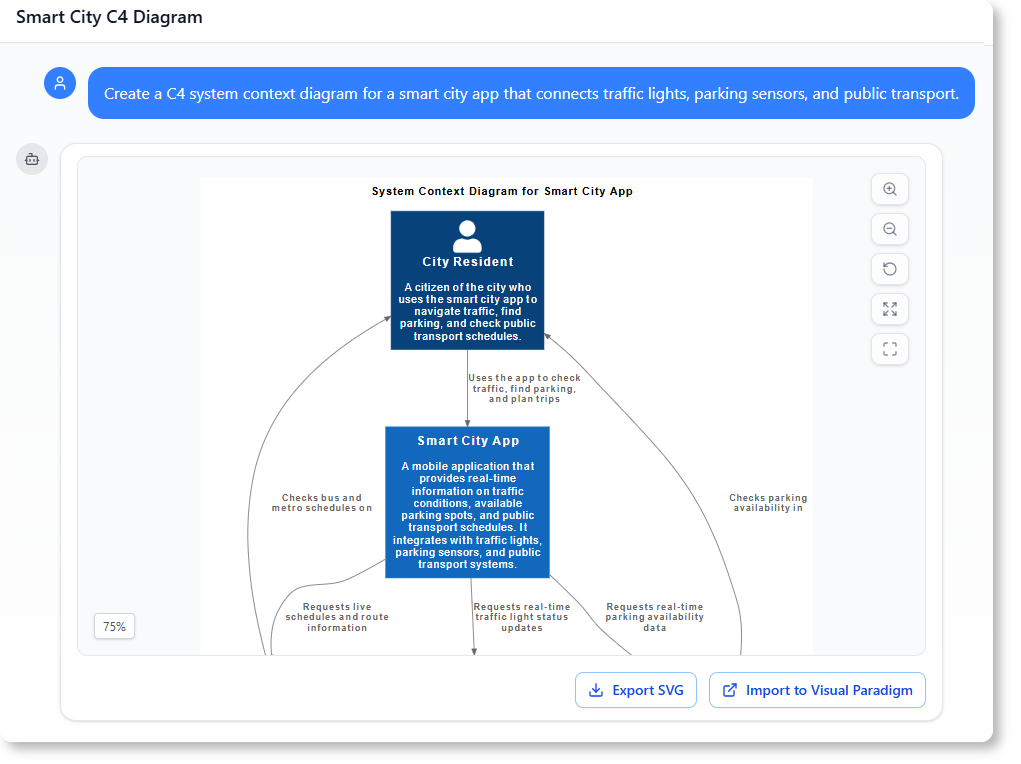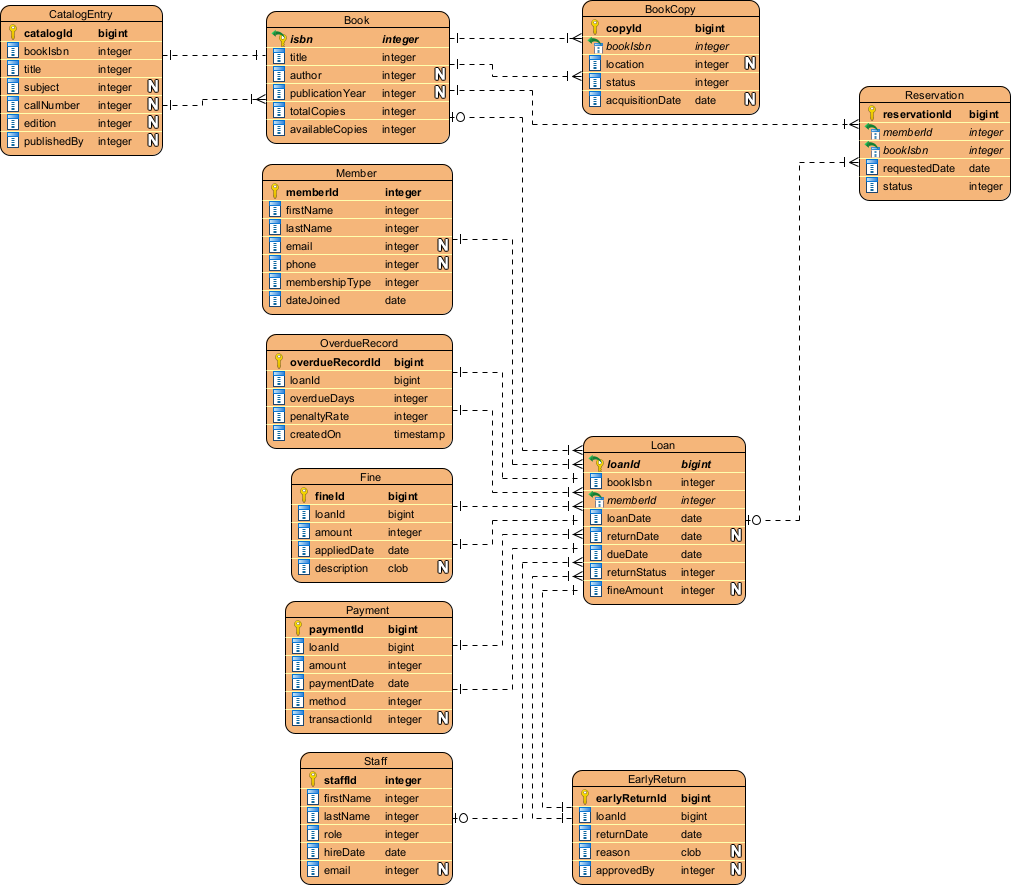
Di Luar Sketsa: Mengapa AI LLM Kasual Gagal dalam Pemodelan Visual dan Bagaimana Visual Paradigm Menjembatani Kesenjangan

Dalam lingkungan rekayasa perangkat lunak modern, transisi dari ide-ide abstrak ke desain sistem yang konkret sering terasa seperti memecahkan sebuah “labirin tanpa peta”. Meskipun model bahasa besar (LLM) umum telah merevolusi penciptaan konten awal, mereka jauh tertinggal saat diterapkan pada pemodelan visual profesional. Artikel ini mengeksplorasi elemen-elemen yang hilang dalam pembuatan diagram AI kasual dan bagaimana ekosistem AI Visual Paradigm (VP)mengubah tantangan-tantangan ini menjadi mesin berkecepatan tinggi untuk kesuksesan arsitektur.

1. Masalah ‘Seniman Sketsa’: Apa yang Hilang dalam AI LLM Kasual

Keterbatasan mendasar LLM umum dalam pembuatan diagram berasal dari perbedaan antara generasi teks dan pemodelan visual yang distandarkan. Sumber-sumber menggambarkan LLM umum sebagai “seniman sketsa” yang kekurangan “kode bangunan” dan “sistem CAD”yang diperlukan untuk rekayasa profesional.

  • Kurangnya Mesin Rendering:LLM umum dirancang terutama untuk memproses dan menghasilkan teks. Meskipun mereka dapat menghasilkan ‘kode pemodelan diagram’ (seperti Mermaid atau PlantUML), mereka tidak memiliki mesin renderinguntuk mengubah kode tersebut menjadi grafik vektor berkualitas tinggi yang dapat diedit, seperti SVG.
  • Pelanggaran Semantik dan Standar:Model AI umum sering menghasilkan ‘sketsa yang cantik’ yang melanggar aturan teknisdari pemodelan formal. Mereka sering salah memahami istilah teknis yang kompleks seperti “agregasi,” “komposisi,” atau “polimorfisme,”yang menghasilkan gambar hiasan daripada artefak rekayasa yang fungsional.
  • Ketidakhadiran Manajemen Status:LLM kasual tidak memiliki struktur visual yang tetap. Jika pengguna meminta AI berbasis teks untuk mengubah satu detail, model sering kali harus menghasilkan ulang seluruh diagram, yang mengakibatkan koneksi terputus, tata letak tidak sejajar, atau kehilangan total detail sebelumnya.

2. Masalah yang Dihadapi dalam Pembuatan Diagram AI Kasual

Mengandalkan generasi AI kasual menimbulkan beberapa risiko yang dapat mengancam integritas proyek:

  • Kesenjangan “Desain-Implementasi”:Tanpa gambaran visual yang ketat, logika tetap “tersebar” dan
  • Hambatan Kepakaran Sintaks:Jika AI menghasilkan kode mentah, pengguna harus memiliki keahlian teknis mendalamdalam sintaks tertentu (misalnya, PlantUML) untuk melakukan modifikasi manual, yang menggagalkan tujuan alat AI yang “mudah”.
  • Terisolasi dari Alur Kerja:Potongan teks dari LLM umum terisolasi dari proses rekayasa sebenarnya, memerlukan salin-tempel manual dan tidak menyediakan kontrol versi atau integrasi dengan jenis model lainnya.
  • Kegagalan Prompt “Satu Kali Klik”:Satu prompt jarang cukup untuk memenuhi 100% kebutuhan pengguna terhadap sistem yang rinci. Ide awal sering kali

3. Bagaimana Visual Paradigm AI Mencapai Integritas Profesional

Visual Paradigm AI menangani masalah warisan ini dengan mengubah pemodelan dari sebuah “pekerjaan menggambar yang melelahkan” menjadi alur kerja yang intuitif, berbincang-bincang, dan otomatis.

A. “Sentuhan Diagram” dan Struktur yang Tetap

Tidak seperti alat umum, VP AI mempertahankan diagram sebagai objek yang tetap. Melalui teknologi khusus teknologi “Sentuhan Diagram”, pengguna dapat mengeluarkan perintah berbincang seperti “tambahkan langkah otentikasi dua faktor” atau “ganti nama aktor ini,” dan AI memperbarui struktur visualsegera sambil mempertahankan integritas tata letak.

B. Kecerdasan yang Diseragamkan

Visual Paradigm AI adalah secara unik dilatih berdasarkan standar pemodelan yang telah ditetapkan, termasuk UML 2.5, ArchiMate 3, dan C4. Ia memahami aturan semantik dan strukturaturan semantik dan strukturdi balik kata-kata, memastikan bahwa hubungan dan konvensi penamaan merupakan gambaran teknis yang valid siap untuk dibangun.

C. Analisis Berbasis Langkah Khusus

Untuk menutup kesenjangan antara kebutuhan dan desain, ekosistem menyediakan aplikasi sistematis:

  • Analisis Teks Berbasis AI:Secara otomatis mengekstrakkelas domain kandidat, atribut, dan hubungandari deskripsi masalah yang tidak terstruktursebelumsebuah garis pun digambar.
  • Wizard AI 10 Langkah:Memandu pengguna melalui urutan logis—dari menentukan tujuan hingga mengidentifikasi operasi—memastikanvalidasi “manusia dalam loop”untuk mencegah kesalahan yang umum terjadi pada generasi AI “satu kali”.

D. Kritik Arsitektur sebagai Konsultan

Di luar generasi sederhana, AI berperan sebagaiasisten desain sistematis. Ia dapat menganalisis desain yang ada untuk mengidentifikasititik-titik kegagalan tunggal, celah logika, atau menyarankan pola standar industri sepertiMVC (Model-Tampilan-Kontroler)untuk meningkatkan kualitas sistem.

E. Integrasi Ekosistem yang Mulus

Model yang dihasilkan oleh AI adalahhasil karya fungsional, bukan gambar yang terisolasi. Mereka dapat diimpor ke dalamVisual Paradigm Desktop atau Online suite untuk pengeditan lanjutan, pengelolaan versi, danrekayasa kode (termasuk pembuatan basis data dan integrasi Hibernate ORM), memastikan desain visual secara langsung mengarahkan implementasi perangkat lunak.

Kesimpulan: Dari Pahat Tangan ke Cetak 3D

Pemodelan tradisional sepertimemahat patung marmer dengan tangan, di mana setiap goresan merupakan usaha manual berisiko tinggi. Sebaliknya, Visual Paradigm AI seperti menggunakan mesin cetak 3D kelas atas: Anda memberikan spesifikasi dalam bahasa Inggris yang sederhana, dan sistem secara tepat membangun struktur yang teknisnya kuat, memungkinkan Anda fokus padakeputusan desain strategis. Dengan mengintegrasikan strategi, pemodelan bisnis, dan desain teknis ke dalam satu platform yang diperkuat AI, Visual Paradigm menghilangkan masalah ‘kanvas kosong’ dan memastikan semua pemangku kepentingan bekerja dari basis konseptual yang samadasar konseptual.
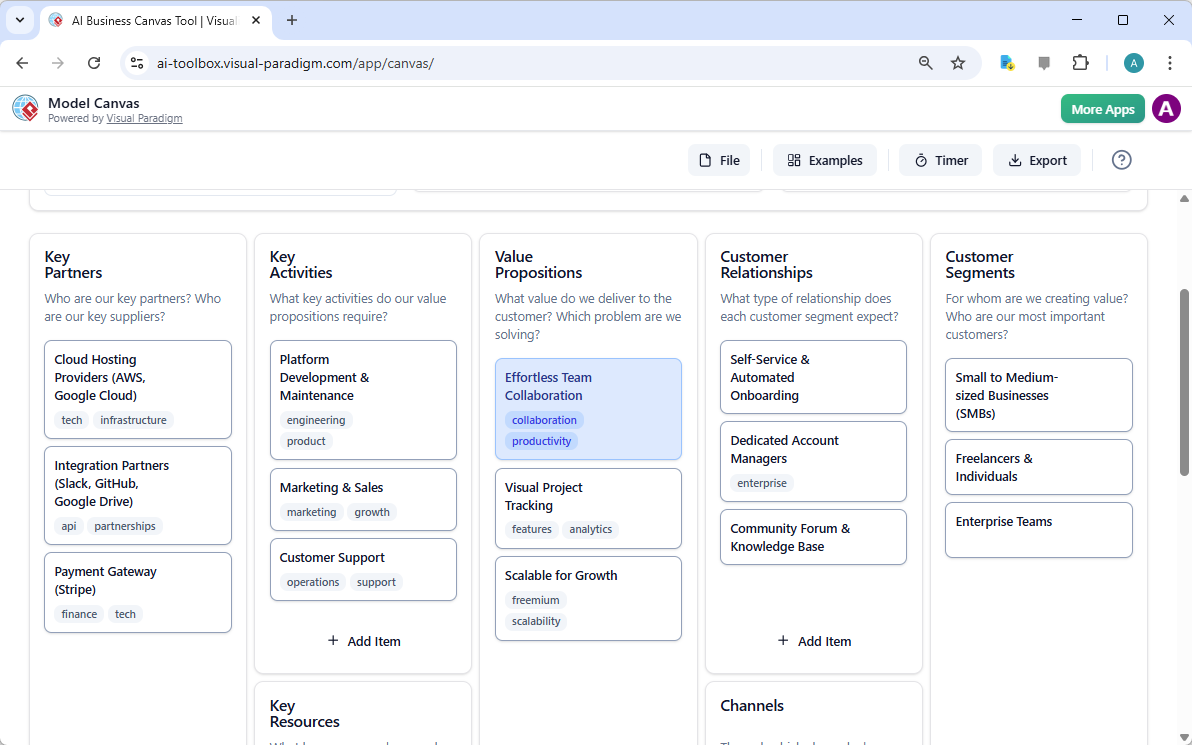
Posted on Categories AI

Dari Masalah ke Laporan: Bagaimana AI Memandu Perjalanan Use Case Anda

Discover how AI guides your use case journey from problem to report with Visual Paradigm’s intelligent development assistant.

Bayangkan Anda seorang manajer proyek yang ditugaskan untuk meluncurkan platform kursus online baru. Tantangan pertama adalah menggambarkan masalah dengan jelas, lalu menerjemahkannya menjadi sistem yang fungsional. Di sinilah Asisten Pengembangan Berbasis Use Case, sebuah alat berbasis AI dari Visual Paradigm, masuk ke dalam proses. Alat ini tidak hanya membantu Anda menulis dokumen; ia memandu Anda melalui alur kerja yang lengkap dan terstruktur untuk mengubah ide yang samar menjadi rencana proyek yang rinci dan dapat dijalankan. Proses ini begitu intuitif, seolah-olah Anda memiliki seorang analis bisnis berpengalaman dan arsitek teknis yang bekerja berdampingan dengan Anda. Penjelajahan mendalam ini mengungkap fitur inti dari alat yang kuat ini, menggunakan contoh nyata platform kursus online untuk menunjukkan bagaimana alat ini menyederhanakan seluruh siklus hidup use case.

Ringkasan Cepat: Poin-Poin Utama dari Asisten Pengembangan Berbasis Use Case

  • Mulailah dengan pernyataan masalah yang jelas untuk menentukan tujuan inti proyek.

  • Gunakan AI untuk secara otomatis menghasilkan daftar use case dan aktor kandidat.

  • Visualisasikan fungsi sistem dengan Diagram Use Case dan Diagram Aktivitas.

  • Prioritaskan fitur menggunakan metode MoSCoW terstruktur untuk fokus pada pekerjaan bernilai tinggi.

  • Hasilkan deskripsi use case yang rinci dan skenario uji Gherkin yang dapat dieksekusi.

  • Buat laporan komprehensif untuk menyampaikan cakupan dan rencana proyek.

  • Lacak kemajuan dan pertahankan satu sumber kebenaran dengan dashboard pusat.

Langkah 1: Mendefinisikan Masalah dengan AI

Setiap proyek yang sukses dimulai dengan pemahaman yang jelas tentang masalah yang ingin dipecahkan. Perjalanan bersama Asisten Pengembangan Berbasis Use Case dimulai di tab “Pernyataan Masalah”. Di sini, Anda memasukkan nama proyek dan deskripsi singkat. AI kemudian memanfaatkan informasi ini untuk menghasilkan pernyataan masalah yang komprehensif. Seperti terlihat pada Gambar 1, alat ini telah mengambil nama proyek “Platform Kursus Online” dan deskripsi singkat “Sebuah pasar bagi instruktur untuk membuat dan menjual kursus, serta bagi siswa untuk mendaftar dan belajar” untuk menghasilkan narasi yang rinci. Narasi ini mengidentifikasi masalah inti: siswa kesulitan menemukan kursus yang relevan, sementara instruktur menghadapi tantangan dalam menjangkau audiens yang luas dan menghasilkan uang dari keahlian mereka. Pernyataan masalah yang dihasilkan AI ini menjadi dasar proyek, memastikan semua anggota tim memiliki pemahaman yang seragam sejak awal.

This is a screenshot of Visual Paradigm's AI Powered Use Case Driven Development Assistant. we are now in step 1. It shows th
Langkah 2: Mengidentifikasi Use Case dengan Bantuan AI

Setelah masalah didefinisikan, langkah logis berikutnya adalah mengidentifikasi fungsi utama yang harus disediakan sistem. Tab “Use Case Kandidat” dari asisten, seperti terlihat pada Gambar 2, mengotomatisasi proses ini. Setelah menganalisis pernyataan masalah, AI mengusulkan daftar use case, masing-masing terkait dengan seorang aktor (seperti Instruktur, Siswa, atau Admin). Untuk platform kursus online kami, AI mengusulkan use case seperti “Buat Kursus Baru”, “Unggah Konten Kursus”, “Telusuri dan Cari Kursus”, dan “Daftar ke Kursus”. Daftar ini memberikan dasar yang kuat, menghemat waktu dan usaha yang seharusnya digunakan dalam sesi brainstorming. Anda kemudian dapat menyempurnakan saran ini, menambahkan yang baru, atau menghapus yang tidak relevan untuk menciptakan daftar komprehensif tentang fungsi sistem.

This is a screenshot of Visual Paradigm's AI Powered Use Case Driven Development Assistant. We are now in step 2. It shows a

Langkah 3: Memvisualisasikan Sistem dengan Diagram Use Case

Setelah mengidentifikasi use case, sangat penting untuk memvisualisasikan bagaimana mereka berinteraksi dengan aktor sistem. Tab “Diagram Use Case” yang digambarkan dalam Gambar 3, mengambil daftar use case dan aktor serta secara otomatis menghasilkan representasi grafis yang jelas. Diagram ini menunjukkan hubungan antara aktor (Instruktur, Siswa, Admin) dan fungsi sistem (Buat Kursus Baru, dll). Generasi berbasis AI memastikan diagram ini akurat dan diformat secara profesional. Bantuan visual ini sangat berharga untuk komunikasi, memungkinkan para pemangku kepentingan, pengembang, dan desainer untuk memahami cepat cakupan dan fungsi sistem tanpa harus membaca dokumen yang penuh teks.

This is a screenshot of Visual Paradigm's AI Powered Use Case Driven Development Assistant. We are now in step 3. It shows a

Langkah 4: Memrioritaskan Fitur untuk Dampak Maksimal

Tidak semua use case sama. Keberhasilan suatu proyek sering kali bergantung pada fokus pada fitur-fitur paling kritis terlebih dahulu. Tab “Memrioritaskan Use Case”, seperti yang ditampilkan pada Gambar 4, menyediakan kerangka kerja yang kuat untuk hal ini. Ini memungkinkan Anda menetapkan nilai pengguna dan nilai bisnis (pada skala 0-10) untuk setiap kasus penggunaan, lalu menerapkan metode prioritas MoSCoW (Harus Ada, Harus Dibutuhkan, Bisa Ada, Tidak Akan Ada). Dalam contoh kami, AI telah membantu mengidentifikasi bahwa fitur “Buat Kursus Baru” dan “Unggah Konten Kursus” adalah fitur “Harus Ada”, karena sangat penting bagi fungsi inti platform. Prioritas yang terstruktur ini memastikan tim pengembangan fokus pada memberikan nilai tertinggi bagi pengguna dan bisnis, menghindari pemborosan usaha pada fitur dengan prioritas rendah.

This is a screenshot of Visual Paradigm's AI Powered Use Case Driven Development Assistant. We are now in step 4. It shows th

Langkah 5: Mendetailkan Kasus Penggunaan dan Menghasilkan Diagram Aktivitas

Dengan tampilan tingkat tinggi yang telah ditetapkan, langkah berikutnya adalah memperdalam detail setiap kasus penggunaan. Tab “Detail Kasus Penggunaan”, seperti yang ditampilkan di Gambar 5, memungkinkan Anda membuat templat komprehensif untuk kasus penggunaan yang dipilih. AI dapat menghasilkan deskripsi rinci, termasuk prasyarat, alur utama, dan alur alternatif. Untuk kasus penggunaan “Buat Kursus Baru”, AI menyediakan templat terstruktur yang menguraikan langkah-langkah yang diperlukan. Untuk memperjelas pemahaman lebih lanjut, asisten dapat menghasilkan “Diagram Aktivitas” untuk kasus penggunaan yang sama, seperti yang terlihat di Gambar 6. Diagram ini secara visual memetakan alur kerja langkah demi langkah, menunjukkan urutan tindakan dari instruktur masuk hingga kursus disimpan. Tingkat detail ini sangat penting bagi tim pengembang dan tim QA.

This is a screenshot of Visual Paradigm's AI Powered Use Case Driven Development Assistant. We are now in step 5. It shows thThis is a screenshot of Visual Paradigm's AI Powered Use Case Driven Development Assistant. We are still in step 5. It shows

Langkah 6: Menghasilkan Skenario Uji dan Diagram Urutan

Bagi tim pengembangan, langkah kritis berikutnya adalah membuat skenario yang dapat diuji. Tab “Skenario”, seperti yang ditampilkan di Gambar 7, memungkinkan Anda menghasilkan skenario Gherkin yang dapat dieksekusi langsung dari deskripsi kasus penggunaan Anda. Skenario ini, ditulis dalam format bahasa sehari-hari (Diberikan-Jika-Maka), sangat ideal untuk pengujian otomatis. AI dapat menghasilkan skenario utama dan skenario alternatif, seperti salah satu untuk judul yang tidak valid. Untuk memperjelas cara kerja internal sistem, asisten dapat menghasilkan “Diagram Urutan“, seperti yang terlihat di Gambar 8. Diagram ini menunjukkan interaksi antara instruktur, dasbor web, API backend, basis data, dan layanan pemberitahuan, memberikan gambaran jelas mengenai arsitektur sistem dan alur data.

This is a screenshot of Visual Paradigm's AI Powered Use Case Driven Development Assistant. We are in step 6. It shows the AIThis is a screenshot of Visual Paradigm's AI Powered Use Case Driven Development Assistant. We are still in step 6. It shows

Langkah 7: Membuat Laporan Proyek yang Komprehensif

Sepanjang proses pengembangan, sangat penting untuk menyampaikan status dan rencana proyek kepada berbagai pemangku kepentingan. Tab “Hasilkan Laporan”, seperti yang ditampilkan di Gambar 9, memudahkan hal ini. Anda dapat menghasilkan berbagai jenis laporan, seperti “Gambaran Umum Proyek”, “Rencana Implementasi”, “Rencana Pengujian QA”, atau “Daftar Tugas Pengembang”. Laporan-laporan ini dihasilkan dengan bantuan AI, memastikan konsistensi dan kelengkapan. Sebagai contoh, laporan “Gambaran Umum Proyek” merangkum seluruh proyek, termasuk ringkasan eksekutif, fitur utama, dan alasan di balik prioritas. Sumber tunggal ini memastikan semua pihak selaras dan terinformasi.

This is a screenshot of Visual Paradigm's AI Powered Use Case Driven Development Assistant. We are in step 7. It shows a repo

Langkah 8: Melacak Kemajuan dengan Dashboard

Akhirnya, perjalanan ini berakhir pada “Dashboard”, seperti yang terlihat di Gambar 10. Pusat utama ini memberikan gambaran tingkat tinggi mengenai status proyek. Ini menampilkan persentase penyelesaian proyek, jumlah total kasus penggunaan, dan jumlah item “Harus Ada”. Daftar periksa proyek memungkinkan Anda melacak kemajuan Anda, dengan setiap langkah yang selesai ditandai sebagai “Selesai”. Visibilitas real-time terhadap kesehatan proyek ini sangat berharga bagi manajer proyek dan kepala tim, memungkinkan mereka mengidentifikasi hambatan dan memastikan proyek tetap berjalan sesuai rencana.

This is a screenshot of Visual Paradigm's AI Powered Use Case Driven Development Assistant. We are in step 8. It shows the da

Asisten Pengembangan Berbasis Kasus Penggunaan lebih dari sekadar alat; ini adalah alur kerja komprehensif yang membawa kejelasan dan efisiensi ke proses pengembangan perangkat lunak. Dengan memanfaatkan AI di setiap tahap—mulai dari mendefinisikan masalah hingga menghasilkan laporan—alat ini membantu tim beralih dari kebutuhan ke implementasi lebih cepat dan dengan akurasi yang lebih tinggi. Hasilnya adalah proyek yang terstruktur dengan baik, terdokumentasi dengan baik, dan selaras dengan tujuan bisnis serta kebutuhan pengguna. Jika Anda ingin menyederhanakan proses pengembangan kasus penggunaan Anda, alat berbasis AI ini adalah solusi yang kuat.

Siap melihat bagaimana Asisten Pengembangan Berbasis Kasus Penggunaandapat mengubah proyek Anda berikutnya? Coba sekarang.

Tautan Terkait

Pemodelan kasus penggunaan adalah teknik rekayasa perangkat lunak dasar yang digunakan untuk menangkap kebutuhan fungsional dengan memvisualisasikan interaksi antara eksternal aktor dan fungsi internal suatu sistem. Platform modern kini mengintegrasikan otomasi berbasis AI untuk menyempurnakan diagram, menghasilkan deskripsi kasus penggunaan, dan mengubah model menjadi kasus uji atau diagram aktivitas untuk menjaga konsistensi desain dan pelacakan. Alat canggih seperti editor Alur Kejadian dan Penganalisis Skenario memungkinkan tim pengembangan untuk memvalidasi dan mendokumentasikan urutan kejadian terstruktur untuk meningkatkan kejelasan sistem secara keseluruhan.

  1. Apa Itu Diagram Kasus Penggunaan? – Panduan Lengkap tentang Pemodelan UML: Tinjauan mendalam yang mencakup elemen-elemen penting komponen, tujuan, dan praktik terbaik untuk pemodelan kebutuhan.

  2. Tutorial Diagram Kasus Penggunaan Langkah demi Langkah – Dari Pemula hingga Ahli: Sumber daya praktis yang memandu pengguna melalui teknik dasar hingga teknik lanjutan untuk membuat diagram kasus penggunaan yang efektif.

  3. Semua yang Perlu Anda Ketahui tentang Pemodelan Kasus Penggunaan: Penjelajahan komprehensif tentang prinsip dan aplikasipemodelan kasus penggunaan dalam desain sistem.

  4. Visual Paradigm – Fitur Deskripsi Kasus Penggunaan: Detail alat khusus yang digunakan untuk mendokumentasikan interaksi pengguna secara tepat dan perilaku sistem yang terstruktur.

  5. Menguasai Diagram Kasus Pengguna yang Didorong AI dengan Visual Paradigm: Tutorial tentang memanfaatkan AI untuk membuat diagram cerdas dan dinamis untuk sistem perangkat lunak modern.

  6. Panduan Penggunaan Editor Alur Peristiwa di Visual Paradigm: Petunjuk langkah demi langkah untuk mendokumentasikan urutan peristiwa yang terstruktur dalam sebuah skenario kasus pengguna.

  7. Memecahkan Skenario dengan Analyzer Skenario Kasus Pengguna: Panduan tentang menggunakan analyzer untuk memeriksa dan memperbaiki alur interaksi untuk meningkatkan kejelasan sistem.

  8. Mengubah Kasus Pengguna menjadi Diagram Aktivitas – Transformasi Berbasis AI: Sumber daya yang menjelaskan konversi otomatis dari kasus pengguna menjadi alur kerja sistem yang rinci.

  9. Menghasilkan Skenario dan Kasus Uji dari Diagram Kasus Pengguna Menggunakan AI: Penjelajahan tentang bagaimana alat AI mengotomatisasi pembuatan prosedur uji yang didorong kebutuhan.

  10. Galeri Diagram Kasus Pengguna – Templat & Contoh: Koleksi yang dipilih secara khusus dari contoh dunia nyata untuk inspirasi, pembelajaran, dan prototipe cepat.

Panduan Lengkap tentang Diagram Urutan UML untuk Pengembangan Berbasis Kasus Pengguna: Apa, Mengapa, Bagaimana, dan Bagaimana AI Membuatnya Lebih Mudah

Dalam pengembangan perangkat lunak modern, desain berbasis kasus pengguna adalah fondasi utama dari pemodelan sistem yang efektif. Ini berfokus pada pengambilan tujuan pengguna dan perilaku sistem melalui skenario dunia nyata. Di inti pendekatan ini terletak pada diagram urutan UML—alat visual yang kuat yang menghidupkan kasus pengguna dengan menunjukkan bagaimana objek berinteraksi seiring waktu.

Online Sequence Diagram Tool

Panduan komprehensif ini dirancang untuk pemula dan tim yang ingin memahami:

  • Apa itu diagram urutan dan mengapa hal itu penting

  • Bagaimana membuatnya menggunakan pendekatan berbasis kasus pengguna

  • Konsep kunci dan contoh dunia nyata

  • Bagaimana Pembuat Diagram Urutan AI Visual Paradigm mempercepat seluruh proses—membuat pemodelan lebih cepat, lebih cerdas, dan lebih kolaboratif.


🎯 Apa Itu Pendekatan Berbasis Kasus Pengguna?

Sebuah pendekatan berbasis kasus pengguna mengedepankan desain sistem di sekitar tujuan pengguna. Setiap kasus pengguna menggambarkan interaksi tertentu antara pengguna (aktor) dan sistem untuk mencapai hasil yang bermakna.

Contoh:
“Sebagai pelanggan, saya ingin masuk ke akun saya agar saya dapat melihat riwayat pesanan saya.”

Kasus penggunaan bukan hanya dokumentasi—mereka adalahblueprint untuk fungsionalitas, dandiagram urutanadalah cara ideal untuk memvisualisasikan bagaimana kasus penggunaan tersebut terungkap secara real time.


🧩 Mengapa menggunakan diagram urutan dalam pengembangan berbasis kasus pengguna?

Diagram urutan secara unik cocok untuk mendukung pemodelan kasus pengguna karena mereka:

✅ Menunjukkan alur dinamisinteraksi
✅ Menyoroti waktu dan urutanpesan
✅ Mengklarifikasi tanggung jawabantara objek
✅ Mengungkap kasus tepi (misalnya, input tidak valid, waktu habis)
✅ Mendukung validasikasus penggunaan selama desain dan pengujian
✅ Meningkatkan komunikasiantara pengembang, penguji, dan pemangku kepentingan

🔍 Tanpa diagram urutan, kasus penggunaan bisa tetap abstrak. Dengan mereka, mereka menjadiblueprint yang dapat dieksekusi.


📌 Konsep Kunci Diagram Urutan UML (Ramah Pemula)

Sebelum terjun ke kasus penggunaan, mari kita kuasai blok pembangun utamanya:

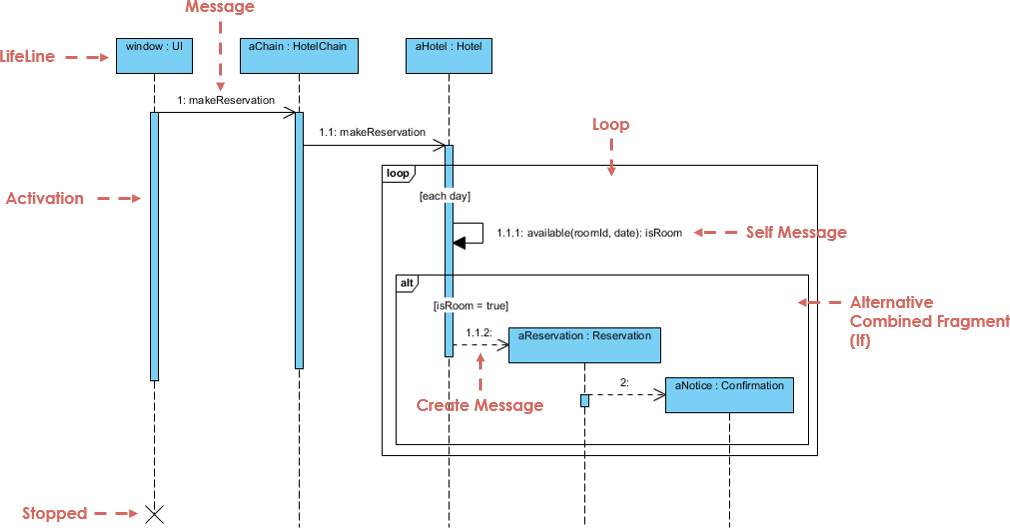
Sequence Diagram Example

Elemen Deskripsi Visual
Lifeline Garis putus-putus vertikal yang mewakili objek atau aktor. Menunjukkan eksistensi sepanjang waktu. ───────────────
Pesan Panah horizontal antar lifeline. Menunjukkan komunikasi.
  • Sinkron Panah padat dengan kepala terisi. Pemanggil menunggu respons.
  • Asinkron Panah padat dengan kepala terbuka. Tidak menunggu.
  • Kembali Panah putus-putus (respons).
  • Pesan diri Panah yang kembali ke lifeline yang sama (pemrosesan internal).
Batang Aktivasi Persegi panjang tipis pada lifeline yang menunjukkan kapan suatu objek aktif. ▯▯▯
Fragment Gabungan Kotak yang mewakili logika kontrol:
  • alt Alternatif (jika/else) alt: sukses / gagal
  • opsi Opsional (dapat terjadi atau tidak) opsi: cetak struk
  • ulang Perulangan (misalnya, perulangan while) ulang: coba lagi 3 kali
  • par Eksekusi paralel par: periksa pembayaran & stok
Pembuatan/Penghapusan buatpesan atau “X” di akhir garis kehidupan buat: PenggunaatauX

💡 Tips: Selalu mulai dengan kasus penggunaan, lalu petakan ke diagram urutan.


🔄 Cara Membuat Diagram Urutan dari Kasus Penggunaan (Langkah demi Langkah)

Mari kita bahas contoh dunia nyata menggunakan pendekatan berbasis kasus penggunaan.

Free AI Sequence Diagram Refinement Tool - Visual Paradigm AI


📌 Contoh: Kasus Penggunaan – “Pengguna Masuk ke Sistem”

Teks Kasus Penggunaan:

Sebagai pengguna, saya ingin masuk ke akun saya menggunakan nama pengguna dan kata sandi saya agar saya dapat mengakses profil saya.

Langkah 1: Mengidentifikasi Aktor dan Objek

  • AktorPengguna

  • ObjekLoginViewLoginControllerDatabase

Langkah 2: Menentukan Alur Utama

  1. Pengguna → LoginView: Memasukkan nama pengguna/kata sandi

  2. LoginView → LoginController: Mengirim kredensial

  3. LoginController → Database: Memeriksa apakah pengguna ada

  4. Database → LoginController: Mengembalikan hasil

  5. LoginController → LoginView: Mengirim sukses/gagal

  6. LoginView → Pengguna: Menampilkan pesan

Langkah 3: Tambahkan Logika Kontrol dengan Fragmen Gabungan

Gunakan alt fragmen untuk menampilkan:

  • Jalur sukses: “Login berhasil”

  • Jalur gagal: “Kredensial tidak valid”

✅ Ini menangkap titik keputusan dalam kasus penggunaan.

Langkah 4: Tambahkan Batang Aktivasi

  • Tambahkan batang aktivasi ke LoginController dan Database untuk menampilkan waktu pemrosesan.

Langkah 5: Diagram Akhir

Sekarang Anda memiliki diagram urutan yang lengkap, diagram urutan yang selaras dengan kasus penggunaan yang mencerminkan perilaku sistem nyata.

🔗 Lihat ini dalam aksi: Diagram Urutan UML Berbasis AI


📌 Contoh 2: Kasus Penggunaan – “Pelanggan Menarik Uang dari ATM”

Teks Kasus Penggunaan:

Sebagai pelanggan, saya ingin menarik uang dari ATM agar dapat mengakses uang saya. Jika saldo tidak mencukupi, saya ingin diberi notifikasi.

Langkah 1: Mengidentifikasi Peserta

  • AktorPelanggan

  • ObjekATMPembaca KartuServer BankPengeluarkan Uang

Langkah 2: Alur Utama

  1. Pelanggan → ATM: Memasukkan kartu

  2. ATM → Pembaca Kartu: Membaca kartu

  3. ATM → Pelanggan: Meminta PIN

  4. Pelanggan → ATM: Memasukkan PIN

  5. ATM → Server Bank: Memvalidasi PIN

  6. Server Bank → ATM: Mengonfirmasi valid

  7. ATM → Pelanggan: Meminta jumlah

  8. Pelanggan → ATM: Memasukkan jumlah

  9. ATM → Server Bank: Memeriksa saldo

  10. Server Bank → ATM: Mengembalikan saldo

  11. ATM → Penarik Tunai: Mencairkan uang tunai

  12. ATM → Pelanggan: Menampilkan opsi kwitansi

Langkah 3: Tambahkan Fragmen

  • ulang: Untuk percobaan ulang setelah PIN salah

  • opsi: Untuk pencetakan kwitansi

  • alternatif: Untuk “dana tidak mencukupi” vs. “sukses”

🔗 Lihat bagaimana AI menangani ini: Sederhanakan Alur Kerja yang Kompleks dengan Alat Diagram Urutan AI


📌 Contoh 3: Kasus Penggunaan – “Pelanggan Menyelesaikan Check-out E-Commerce”

Teks Kasus Penggunaan:

Sebagai pelanggan, saya ingin menambahkan barang ke keranjang saya, melanjutkan ke proses checkout, dan menyelesaikan pembayaran agar saya bisa menerima pesanan saya.

Langkah 1: Peserta

  • PelangganKeranjang BelanjaGerbang PembayaranSistem PersediaanKonfirmasi Pesanan

Langkah 2: Alur dengan Paralelisme

  1. Pelanggan → KeranjangBelanja: Menambahkan item →ulanguntuk beberapa item

  2. KeranjangBelanja → Pelanggan: Menampilkan total

  3. Pelanggan → GerbangPembayaran: Memulai pembayaran

  4. Pelanggan → SistemInventaris: Meminta pengecekan stok

  5. GerbangPembayaran → Bank: Memproses pembayaran →pardengan pengecekan inventaris

  6. SistemInventaris → GerbangPembayaran: Mengonfirmasi ketersediaan

  7. GerbangPembayaran → Keranjang Belanja: Mengonfirmasi pesanan

  8. Keranjang Belanja → Konfirmasi Pesanan: Mengirim konfirmasi

✅ Gunakan par fragmen untuk menunjukkan pemrosesan bersamaan.

🔗 Lihat tutorial lengkap: Menguasai Diagram Urutan dengan Chatbot AI: Studi Kasus E-commerce


🤖 Bagaimana Generator Diagram Urutan AI Visual Paradigm Membantu Tim

Alat pemodelan tradisional mengharuskan pengguna untuk menyeret lifeline secara manual, menggambar pesan, dan menempatkan fragmen—memakan waktu dan rentan terhadap kesalahan.

AI Diagram Generation Guide: Instantly Create System Models with Visual Paradigm's AI - Visual Paradigm Guides

Visual Paradigm’s Alat berbasis AI menghilangkan hambatan ini, terutama untuk tim yang menggunakan pendekatan berbasis kasus penggunaan.

✨ 1. Chatbot AI: Hasilkan Diagram dari Teks Kasus Penggunaan dalam Hitungan Detik

Alih-alih menggambar secara manual, jelaskan kasus penggunaan Anda dalam bahasa Inggris sederhana:

📝 Prompt:
“Hasilkan diagram urutan untuk pengguna masuk dengan nama pengguna/kata sandi, termasuk penanganan kesalahan dan coba lagi setelah 3 percobaan gagal.”

AI:

  • Mengidentifikasi aktor dan objek

  • Memetakan alur kasus penggunaan ke lifeline dan pesan

  • Menerapkan altloop, dan opt fragmen secara otomatis

  • Menghasilkan diagram yang bersih dan profesional dalam dibawah 10 detik

🔗 Coba sekarang: Diagram Urutan UML Berbasis AI


✨ 2. Alat Penyempurna Diagram Urutan AI: Ubah Kerangka Awal menjadi Model Profesional

Bahkan jika Anda memulai dengan sketsa kasar, maka Alat Penyempurna Diagram Urutan AI meningkatkannya:

  • Menambahkan batang aktivasi di tempat yang dibutuhkan

  • Menyarankan penggunaan fragmen yang benar (altlooppar)

  • Menerapkan pola desain (contoh: MVC: Tampilan → Kontroler → Model)

  • Mendeteksi jalur kesalahan yang hilang dan kasus-kasus tepi

  • Meningkatkan keterbacaan dan konsistensi

🔗 Pelajari cara: Tutorial Lengkap: Menggunakan Alat Pemantapan Diagram Urutan AI


✨ 3. Dari Deskripsi Kasus Penggunaan ke Diagram: Tanpa Penerjemahan Manual

Tidak perlu lagi menerjemahkan teks kasus penggunaan menjadi diagram secara manual.

AI secara otomatis mengubah kasus penggunaan teks menjadi diagram urutan yang akurat, mengurangi:

  • Usaha manual

  • Kesalahan pemahaman

  • Ketidakkonsistenan

🔗 Lihat dalam aksi: Pemantapan Diagram Urutan Berbasis AI dari Deskripsi Kasus Penggunaan


✨ 4. Pemantapan Iteratif dengan AI Percakapan

Ingin memperbaiki diagram Anda? Cukup berbicara dengan AI:

  • “Tambahkan opsi ‘Lupa Kata Sandi’ setelah 3 percobaan login gagal.”

  • “Ubah ‘Pengguna’ menjadi ‘Pelanggan’.”

  • “Tampilkan pesan kesalahan dalam warna merah.”

Setiap permintaan memperbarui diagram secara real-time—tidak perlu menggambar ulang, tidak ada frustrasi.

🔗 Jelajahi antarmuka: Antarmuka Alat Pemantapan Diagram Urutan AI


✨ 5. Kolaborasi Tim yang Mudah

  • Pihak yang tidak teknis (pengelola produk, klien) dapat berkontribusi melalui bahasa alami.

  • Pengembang dapat menyempurnakan diagram dengan cepat selama sprint.

  • Pengujicoba dapat menggunakan diagram untuk menulis kasus pengujian.

  • Desainer dapat memvalidasi alur sebelum pemrograman.

✅ Ideal untuk tim agile menggunakan cerita pengguna dan kasus penggunaan.


🚀 Mengapa Tim Suka AI Visual Paradigm untuk Pemodelan Kasus Penggunaan

Manfaat Dampak
⏱️ Kecepatan Hasilkan diagram dalam hitungan detik alih-alih jam
🧠 Batasan Keterampilan Rendah Tidak perlu keahlian UML untuk memulai
🔄 Desain Iteratif Sempurnakan diagram secara real time melalui obrolan
🛠️ Pengurangan Kesalahan AI menangkap alur yang hilang, fragmen yang tidak valid
📦 Ekspor & Bagikan Ekspor ke PNG, SVG, PDF, atau sisipkan di Confluence/Notion
🤝 Kolaborasi Semua orang dapat berkontribusi, bahkan anggota non-teknis

📚 Sumber Daya Terbaik untuk Pemula dan Tim

Sumber Daya URL
Diagram Urutan UML Berbasis AI https://blog.visual-paradigm.com/generate-uml-sequence-diagrams-instantly-with-ai/
Alat Pemantapan Diagram Urutan Berbasis AI https://www.visual-paradigm.com/features/ai-sequence-diagram-refinement-tool/
Tutorial Lengkap: Menggunakan Alat Pemantapan Diagram Urutan Berbasis AI https://www.archimetric.com/comprehensive-tutorial-using-the-ai-sequence-diagram-refinement-tool/
Pemantapan Diagram Urutan Berbasis AI dari Deskripsi Kasus Penggunaan https://www.cybermedian.com/refining-sequence-diagrams-from-use-case-descriptions-using-visual-paradigms-ai-sequence-diagram-refinement-tool/
Sederhanakan Alur Kerja yang Kompleks dengan Alat Diagram Urutan Berbasis AI https://www.cybermedian.com/🚀-simplify-complex-workflows-with-visual-paradigm-ai-sequence-diagram-tool/
Antarmuka Alat Pemantapan Diagram Urutan Berbasis AI https://ai.visual-paradigm.com/tool/sequence-diagram-refinement-tool/
Tutorial Pemula: Buat Diagram Urutan Profesional dalam Hitungan Menit https://www.anifuzion.com/beginners-tutorial-create-your-first-professional-sequence-diagram-in-minutes-using-visual-paradigm-ai-chatbot/
Dari Sederhana ke Canggih: Evolusi Pemodelan Berbasis AI https://guides.visual-paradigm.com/from-simple-to-sophisticated-what-is-the-ai-powered-sequence-diagram-refinement-tool/
Menguasai Diagram Urutan dengan Chatbot Berbasis AI: Studi Kasus E-commerce https://www.archimetric.com/mastering-sequence-diagrams-with-visual-paradigm-ai-chatbot-a-beginners-tutorial-with-a-real-world-e-commerce-case-study/
Contoh Diagram Urutan Berbasis AI: Inisiasi Putar Streaming Video https://chat.visual-paradigm.com/ai-diagram-example/ai-sequence-diagram-video-streaming-playback/

✅ Tips Akhir untuk Tim yang Menggunakan Desain Berbasis Kasus Penggunaan

  1. Mulailah dengan kasus penggunaan yang jelas – tentukan tujuan pengguna terlebih dahulu.

  2. Gunakan diagram urutan untuk memvalidasi alur sebelum melakukan pemrograman.

  3. Libatkan pemangku kepentingan sejak awal – gunakan diagram untuk mendapatkan masukan.

  4. Manfaatkan AI untuk mengurangi pekerjaan manual – biarkan alat melakukan pekerjaan beratnya.

  5. Jaga agar diagram tetap diperbarui – perbarui sesuai perkembangan kebutuhan.


🎁 Mulai Secara Gratis

Anda tidak perlu lisensi berbayar untuk merasakan kekuatan pemodelan berbasis AI.


📌 Kesimpulan

pendekatan yang didorong oleh kasus penggunaan adalah fondasi dari desain perangkat lunak yang berpusat pada pengguna. diagram urutan UML menghidupkan kasus penggunaan tersebut—menunjukkan siapa yang melakukan apa, kapan, dan bagaimana.

Dengan Pembuat Diagram Urutan AI Visual Paradigm, tim dapat:

  • Menghasilkan diagram dari bahasa sehari-hari

  • Memperbaikinya secara real time

  • Memastikan konsistensi dan akurasi

  • Berkolaborasi lintas peran

🚀 Dari kasus penggunaan ke diagram dalam hitungan detik—tidak perlu keahlian UML.

👉 Mulai hari ini dengan edisi komunitas gratis dan ubah alur kerja pemodelan tim Anda.


🌟 Masa depan desain sistem bukan hanya visual—tetapi cerdas.
Biarkan AI menjadi mitra pemodelan Anda.

Pemodelan Basis Data Platform Media Sosial: Generasi ERD Berbasis AI di Visual Paradigm

Learn how to use Visual Paradigm’s AI to instantly generate professional ER diagrams for a social media platform database from simple text prompts.

Marilah kita jujur: memulai desain basis data dari kanvas kosong bisa menjadi tugas yang menakutkan. Baik Anda seorang arsitek perangkat lunak berpengalaman atau seorang mahasiswa yang belajar pemodelan data, menggambar entitas secara manual, menentukan atribut, dan menghubungkan garis hubungan membutuhkan usaha yang signifikan. Di sinilah generasi Diagram Hubungan Entitas (ERD) berbasis AImengubah permainan. Dengan hanya menjelaskan ide proyek Anda—seperti ‘Platform Media Sosial’—Anda dapat menggunakan Visual Paradigm Desktopuntuk langsung mengubah bahasa alami menjadi model data profesional yang sesuai standar.

Fitur ini bukan hanya tentang mempercepat proses; tetapi tentang menjembatani kesenjangan antara kebutuhan bisnis dan skema teknis. Dalam penjelasan mendalam ini, kita akan melihat bagaimana Anda dapat beralih dari prompt teks sederhana menjadi diagram basis data yang sepenuhnya terstruktur yang berisi pengguna, pos, dan komentar hanya dalam hitungan detik menggunakan ini alat desain basis data cerdas.

Ringkasan cepat: poin-poin utama

  • Efisiensi Text-to-Model:Ubah deskripsi bahasa Inggris biasa menjadi diagram ER kompleks secara instan.
  • Deteksi Cerdas:AI secara otomatis mengidentifikasi entitas, atribut, kunci utama, dan hubungan.
  • Notasi Standar:Menghasilkan diagram yang mengikuti konvensi ER standar industri (Crow’s Foot, dll.).
  • Dapat diedit sepenuhnya:Hasilnya adalah diagram Visual Paradigm asli, siap untuk penyempurnaan lebih lanjut dan generasi SQL.

Langkah 1: Menentukan Lingkup dengan Bahasa Alami

Proses dimulai dengan konsep sederhana. Anda tidak perlu menguasai sintaks SQL atau menyeret dan menjatuhkan puluhan kotak secara manual. Sebaliknya, Anda mengakses fitur Generasi Diagram AIfitur dalam alat ini. Seperti yang ditunjukkan dalam alur kerja di bawah ini, Anda cukup memilih ‘Diagram Hubungan Entitas’ sebagai output target. Kekuatan terletak pada prompt.

Dalam contoh kami, kami ingin memvisualisasikan backend dari jaringan sosial. Kami memasukkan prompt: “Visualisasikan ERD yang menggambarkan struktur basis data dari platform media sosial”. Teks biasa ini adalah semua yang dibutuhkan AI untuk memahami kebutuhan domain, menyimpulkan bahwa platform sosial biasanya membutuhkan pengguna, konten, interaksi, dan notifikasi.

This is a screenshot of Visual Paradigm (aka. Visual Paradigm Desktop). It is now showing the use of AI diagram generation to

Langkah 2: Menganalisis Model Data yang Dihasilkan AI

Begitu Anda menekan ‘OK’, AI menganalisis teks Anda untuk mengidentifikasi entitas inti (tabel) dan asosiasinya. AI tidak hanya meletakkan kotak acak di kanvas; ia menerapkan deteksi hubungan dan kardinalitas cerdasuntuk merancang logika data. Dalam hitungan detik, Anda akan disajikan dengan diagram lengkap yang tampaknya membutuhkan berjam-jam untuk dirancang secara manual.

Melihat hasil di bawah ini, Anda dapat melihat bahwa AI dengan benar menghasilkan skema yang sangat cocok untuk aplikasi media sosial. Ia menciptakan sebuah Pengguna entitas dengan atribut standar seperti nama_pengguna, email, dan kata_sandi. Secara logis menghubungkan Pengguna dengan entitas Pos entitas (hubungan satu-ke-banyak), mengakui bahwa satu pengguna membuat banyak pos. Bahkan memperjelas detail dengan menambahkan Komentar, Suka, dan Pemberitahuan entitas, lengkap dengan kunci asing (misalnya, id_pos, id_penulis) dan tipe data yang sesuai seperti varchar, clob, dan integer.

This is the screenshot of Visual Paradigm Desktop. It shows a Entity Relationship Diagram generated by AI, based on the descr

Mengapa Fitur AI Ini Wajib Dimiliki oleh Pemodel

Keindahan menggunakan alat pemodelan basis data berbasis AI adalah bahwa alat ini menangani beban berat dari tata letak dan organisasi. Seperti yang terlihat pada diagram yang dihasilkan, entitas disusun untuk meminimalkan garis yang saling bersilangan, sehingga struktur data menjadi mudah dibaca dan divalidasi.

Penugasan Atribut dan Kunci Otomatis

Perhatikan bagaimana AI secara otomatis menetapkan Kunci Utama (PK) untuk setiap entitas, yang direpresentasikan oleh ikon kunci. AI juga membuat tebakan cerdas mengenai tipe data—menetapkan clob (Objek Besar Karakter) untuk “konten” dari sebuah pos karena AI tahu bahwa pos bisa panjang, sementara tetap menjaga “username” sebagai standar varchar(50). Ini menghemat Anda dari kebosanan menetapkan properti secara manual untuk setiap kolom selama tahap konseptual.

Dari Gambar Statis ke Proyek Fungsional

Berbeda dengan pembuat gambar sederhana, hasil di sini adalah diagram native yang sepenuhnya dapat dieditdiagram native yang sepenuhnya dapat diedit. Jika nanti Anda memutuskan bahwa sebuah “Pos” juga harus memiliki “Kategori”, Anda dapat dengan mudah menambahkan atribut tersebut menggunakan editor diagram. Transisi tanpa hambatan ke implementasi berarti Anda dapat menggunakan diagram ini sebagai dasar untuk menghasilkan skrip DDL untuk MySQL, PostgreSQL, atau Oracle, secara efektif berpindah dari ide kasar ke skema basis data fisik dalam satu alur kerja.

Cara Membuat ERD AI Anda Sendiri

Siap mencoba ini pembuat ERD yang mudah digunakan? Berikut adalah alur kerja sederhana untuk mereplikasi hasil yang ditampilkan di atas:

  1. Jalankan Visual Paradigm: Buka proyek baru atau yang sudah ada.
  2. Buka Alat AI:Navigasi ke Alat > Generasi Diagram AI.
  3. Pilih Jenis Diagram: Pilih “Diagram Hubungan Entitas” dari menu tarik-turun.
  4. Masukkan Deskripsi: Ketik deskripsi yang jelas mengenai sistem Anda (misalnya, “Sistem perpustakaan dengan buku, anggota, dan pinjaman”).
  5. Hasilkan: Klik OK dan saksikan diagram Anda muncul.
  6. Sempurnakan: Gunakan editor untuk menyesuaikan hubungan atau menambahkan batasan khusus jika diperlukan.

Kesimpulan

Generasi Diagram Hubungan Entitas AI dari Visual Paradigm mengubah cara kita mendekati pemodelan data. Dengan mengubah kalimat sederhana tentang “platform media sosial” menjadi ERD yang komprehensif dan akurat secara teknis, alat ini menghilangkan hambatan masuk untuk desain basis data. Baik Anda sedang membuat prototipe aplikasi baru atau mendokumentasikan sistem yang sudah ada, alat ini memberikan titik awal yang kuat dan profesional secara instan.

Berhenti menggambar kotak satu per satu. Rasakan kecepatan pemodelan yang didukung AI sekarang juga.

Unduh Visual Paradigm Desktop dan coba pembuatan diagram AI sekarang


Tautan Terkait

Visual Paradigm menyediakan suite komprehensif dari Alat ERD (Diagram Entitas-Relasi) yang memfasilitasi desain skema basis data yang dapat diskalakan melalui editor visual tradisional dan otomatisasi yang didorong oleh AI. Alat ini mendukung berbagai notasi, seperti notasi Chen, dan memungkinkan transisi mulus dari pemodelan konseptual ke implementasi basis data fisik dan rekayasa balik.

  1. Alat ERD Visual Paradigm – Buat Diagram Entitas-Relasi Secara Online: Alat berbasis web yang memungkinkan desain intuitif desain seret-dan-lepasdari skema basis data profesional.
  2. Desain Basis Data dengan Alat ERD – Panduan Visual Paradigm: Sumber daya bagi arsitek yang fokus pada pembangunan basis data yang dapat diskalakan dan tangguh menggunakan praktik terbaik pemodelan data.
  3. DBModeler AI: Alat Pemodelan Basis Data Cerdas: Aplikasi yang didorong oleh AI yang dirancang untuk pemodelan basis data otomatis, generasi skema, dan pengujian SQL langsung.
  4. Alat ERD Gratis – Desain Basis Data Secara Online dengan Visual Paradigm: Menawarkan solusi tanpa instalasi, berbasis browser untuk membuat diagram entitas-relasi profesional tanpa biaya.
  5. Editor ERD Notasi Chen – Pemodelan Entitas-Relasi Tingkat Lanjut: Editor khusus yang memberikan dukungan penuh untuk entitas, atribut, hubungan, dan kardinalitas menggunakan notasi Chen yang tepat.
  6. Alat Visual Paradigm ERD untuk Desain Basis Data – Solusi Lengkap: Alat komprehensif untuk pengembang dan arsitek untukmemodelkan, memvisualisasikan, dan menghasilkanbasis data dengan efisiensi tinggi.
  7. Jenis Diagram Baru Ditambahkan ke Generator Diagram AI: DFD dan ERD: Rilis ini menyoroti kemampuan untuk menghasilkanERD secara instan dari permintaan bahasa alami menggunakan AI.
  8. Menyederhanakan Pemodelan Entitas-Relasi dengan Visual Paradigm: Artikel yang menjelaskan cara menyederhanakan proses pemodelan darikonsep awal hingga penyebaran basis data akhir.
  9. Pengantar Pemodelan Data: ERD, Generasi Kode & Rekayasa Balik: Panduan pengantar yang mencakup siklus hidup penting daripembuatan diagram dan rekayasa balikbasis data.
  10. Apa itu Diagram Entitas-Relasi (ERD)? – Panduan Visual Paradigm: Panduan penjelasan yang mencakup intikomponen dan signifikansidari ERD dalam konteks yang lebih luas dari desain basis data.

From Problem to Report: How AI Guides Your Use Case Journey

Discover how AI guides your use case journey from problem to report with Visual Paradigm’s intelligent development assistant.

Imagine you’re a project manager tasked with launching a new online course platform. The first challenge is to articulate the problem clearly and then translate it into a functional system. This is where the Use Case Driven Development Assistant, an AI-powered tool from Visual Paradigm, steps in. It doesn’t just help you write documents; it guides you through a complete, structured workflow to transform a vague idea into a detailed, actionable project plan. The process is so intuitive, it feels like having a seasoned business analyst and a technical architect working side-by-side with you. This deep dive explores the core features of this powerful tool, using a real-world example of an online course platform to show how it streamlines the entire use case lifecycle.

Quick Summary: Key Takeaways from the Use Case Driven Development Assistant

  • Start with a clear problem statement to define the project’s core objective.

  • Use AI to automatically generate a list of candidate use cases and actors.

  • Visualize system functionality with AI-generated Use Case and Activity Diagrams.

  • Prioritize features using a structured MoSCoW method to focus on high-value work.

  • Generate detailed use case descriptions and executable Gherkin test scenarios.

  • Create comprehensive reports to communicate project scope and plans.

  • Track progress and maintain a single source of truth with a central dashboard.

Step 1: Defining the Problem with AI

Every successful project begins with a clear understanding of the problem it aims to solve. The journey with the Use Case Driven Development Assistant starts in the “Problem Statement” tab. Here, you input a project name and a short description. The AI then leverages this information to generate a comprehensive problem statement. As seen in Image 1, the tool has taken the project name “Online Course Platform” and the short description “A marketplace for instructors to create and sell courses, and for students to enroll and learn” to produce a detailed narrative. This narrative identifies the core pain points: students struggle to find relevant courses, while instructors face challenges in reaching a broad audience and monetizing their expertise. This AI-generated problem statement serves as the project’s foundation, ensuring everyone on the team shares a unified understanding from the very beginning.

This is a screenshot of Visual Paradigm's AI Powered Use Case Driven Development Assistant. we are now in step 1. It shows th

Step 2: Identifying Use Cases with AI Assistance

Once the problem is defined, the next logical step is to identify the key functionalities the system must provide. The assistant’s “Candidate Use Cases” tab, shown in Image 2, automates this process. After analyzing the problem statement, the AI suggests a list of use cases, each associated with an actor (like Instructor, Student, or Admin). For our online course platform, the AI proposes use cases such as “Create a New Course,” “Upload Course Content,” “Browse and Search Courses,” and “Enroll in a Course.” This list provides a solid starting point, saving significant time and effort that would otherwise be spent on brainstorming sessions. You can then refine these suggestions, add new ones, or delete irrelevant ones to create a comprehensive list of system functionalities.

This is a screenshot of Visual Paradigm's AI Powered Use Case Driven Development Assistant. We are now in step 2. It shows a

Step 3: Visualizing the System with a Use Case Diagram

After identifying the use cases, it’s crucial to visualize how they interact with the system’s actors. The “Use Case Diagram” tab, illustrated in Image 3, takes the list of use cases and actors and automatically generates a clear, graphical representation. This diagram shows the relationships between the actors (Instructor, Student, Admin) and the system’s functions (Create a New Course, etc.). The AI-powered generation ensures that the diagram is accurate and professionally formatted. This visual aid is invaluable for communication, allowing stakeholders, developers, and designers to quickly grasp the system’s scope and functionality without wading through text-heavy documents.

This is a screenshot of Visual Paradigm's AI Powered Use Case Driven Development Assistant. We are now in step 3. It shows a

Step 4: Prioritizing Features for Maximum Impact

Not all use cases are created equal. A project’s success often hinges on focusing on the most critical features first. The “Prioritize Use Cases” tab, as shown in Image 4, provides a powerful framework for this. It allows you to assign a user value and business value (on a scale of 0-10) to each use case and then apply the MoSCoW prioritization method (Must Have, Should Have, Could Have, Won’t Have). In our example, the AI has helped identify that “Create a New Course” and “Upload Course Content” are “Must Have” features, as they are essential for the platform’s core function. This structured prioritization ensures that the development team focuses on delivering the highest value to users and the business, avoiding wasted effort on low-priority features.

This is a screenshot of Visual Paradigm's AI Powered Use Case Driven Development Assistant. We are now in step 4. It shows th

Step 5: Detailing Use Cases and Generating Activity Diagrams

With the high-level view established, the next step is to dive into the details of each use case. The “Use Case Details” tab, shown in Image 5, allows you to create a comprehensive template for a selected use case. The AI can generate a detailed description, including pre-conditions, main flow, and alternative flows. For the “Create a New Course” use case, the AI provides a structured template that outlines the necessary steps. To further enhance understanding, the assistant can generate an “Activity Diagram” for the same use case, as seen in Image 6. This diagram visually maps out the step-by-step workflow, showing the sequence of actions from the instructor logging in to the course being saved. This level of detail is essential for both developers and QA teams.

This is a screenshot of Visual Paradigm's AI Powered Use Case Driven Development Assistant. We are now in step 5. It shows thThis is a screenshot of Visual Paradigm's AI Powered Use Case Driven Development Assistant. We are still in step 5. It shows

Step 6: Generating Test Scenarios and Sequence Diagrams

For a development team, the next critical step is to create testable scenarios. The “Scenarios” tab, shown in Image 7, allows you to generate executable Gherkin scenarios directly from your use case descriptions. These scenarios, written in a plain-language format (Given-When-Then), are perfect for automated testing. The AI can generate a main scenario and alternative scenarios, such as one for an invalid title. To further clarify the system’s internal workings, the assistant can generate a “Sequence Diagram,” as seen in Image 8. This diagram shows the interaction between the instructor, the web dashboard, the backend API, the database, and the notification service, providing a clear picture of the system’s architecture and data flow.

This is a screenshot of Visual Paradigm's AI Powered Use Case Driven Development Assistant. We are in step 6. It shows the AIThis is a screenshot of Visual Paradigm's AI Powered Use Case Driven Development Assistant. We are still in step 6. It shows

Step 7: Creating Comprehensive Project Reports

Throughout the development process, it’s essential to communicate the project’s status and plans to various stakeholders. The “Generate Report” tab, as shown in Image 9, makes this easy. You can generate a variety of reports, such as a “Project Overview,” “Implementation Plan,” “QA Test Plan,” or a “Developer Task List.” These reports are generated with AI assistance, ensuring they are consistent and comprehensive. For example, the “Project Overview” report summarizes the entire project, including the executive summary, key features, and the rationale behind the prioritization. This single source of truth ensures everyone is aligned and informed.

This is a screenshot of Visual Paradigm's AI Powered Use Case Driven Development Assistant. We are in step 7. It shows a repo

Step 8: Tracking Progress with the Dashboard

Finally, the journey culminates in the “Dashboard,” as seen in Image 10. This central hub provides a high-level overview of the project’s status. It shows the project completion percentage, the total number of use cases, and the number of “Must Have” items. The project checklist allows you to track your progress, with each completed step marked as “Done.” This real-time visibility into the project’s health is invaluable for project managers and team leads, enabling them to identify bottlenecks and ensure the project stays on track.

This is a screenshot of Visual Paradigm's AI Powered Use Case Driven Development Assistant. We are in step 8. It shows the da

The Use Case Driven Development Assistant is more than just a tool; it’s a comprehensive workflow that brings clarity and efficiency to the software development process. By leveraging AI at every stage—from defining the problem to generating reports—it helps teams move from requirements to implementation faster and with greater accuracy. The result is a well-structured, well-documented project that is aligned with business goals and user needs. If you’re looking to streamline your use case development process, this AI-powered tool is a powerful solution.

Ready to see how the Use Case Driven Development Assistant can transform your next project? Try it now.

Related Links

Use case modeling is a fundamental software engineering technique used to capture functional requirements by visualizing the interactions between external actors and a system’s internal functions. Modern platforms now incorporate AI-powered automation to refine diagrams, generate comprehensive use case descriptions, and convert models into test cases or activity diagrams to maintain design consistency and traceability. Advanced tools like the Flow of Events editor and Scenario Analyzer allow development teams to validate and document structured event sequences to improve overall system clarity.

  1. What Is a Use Case Diagram? – A Complete Guide to UML Modeling: An in-depth overview covering essential components, purposes, and best practices for requirements modeling.

  2. Step-by-Step Use Case Diagram Tutorial – From Beginner to Pro: A practical resource that guides users through foundational to advanced techniques for creating effective use case diagrams.

  3. All You Need to Know About Use Case Modeling: A comprehensive exploration of the principles and applications of use case modeling in system design.

  4. Visual Paradigm – Use Case Description Features: Details specialized tools used to precisely document user interactions and structured system behavior.

  5. Mastering AI-Driven Use Case Diagrams with Visual Paradigm: A tutorial on leveraging AI to create intelligent, dynamic diagrams for modern software systems.

  6. Guide to Using the Flow of Events Editor in Visual Paradigm: Step-by-step instructions for documenting structured event sequences within a use case scenario.

  7. Unraveling Scenarios with the Use Case Scenario Analyzer: A guide on using analyzers to examine and refine interaction flows for increased system clarity.

  8. Convert Use Case to Activity Diagram – AI-Powered Transformation: A resource explaining the automated conversion of use cases into detailed system workflows.

  9. Generating Scenarios and Test Cases from Use Case Diagrams Using AI: An exploration of how AI tools automate the creation of requirement-driven test procedures.

  10. Use Case Diagram Gallery – Templates & Examples: A curated collection of real-world examples for inspiration, learning, and rapid prototyping.

Beyond the Sketch: Why Casual AI LLMs Fail at Visual Modeling and How Visual Paradigm Bridges the Gap

In the modern software engineering landscape, the transition from abstract ideas to concrete system designs often feels like solving a “maze without a map”. While general Large Language Models (LLMs) have revolutionized initial content creation, they fall significantly short when applied to professional visual modeling. This article explores the missing elements of casual AI diagram generation and how the Visual Paradigm (VP) AI ecosystem transforms these challenges into a high-speed engine for architectural success.

1. The “Sketch Artist” Problem: What is Missing in Casual AI LLMs

The fundamental limitation of general LLMs in diagramming stems from the difference between textual generation and standardized visual modeling. The sources characterize general LLMs as “sketch artists” who lack the “building codes” and “CAD systems” necessary for professional engineering.

  • Lack of Rendering Engines: General LLMs are primarily designed to process and produce text. While they can generate “diagramming code” (such as Mermaid or PlantUML), they lack built-in rendering engines to convert that code into high-quality, editable vector graphics like SVG.
  • Semantic and Standard Violations: Generic AI models often produce “pretty sketches” that violate the technical rules of formal modeling. They frequently misinterpret complex technical jargon such as “aggregation,” “composition,” or “polymorphism,” resulting in decorative drawings rather than functional engineering artifacts.
  • Absence of State Management: Casual LLMs lack a persistent visual structure. If a user asks a text-based AI to change a single detail, the model often has to regenerate the entire diagram, leading to broken connectors, misaligned layouts, or the total loss of previous details.

2. Problems Encountered in Casual AI Diagramming

Relying on casual AI generation introduces several risks that can compromise project integrity:

  • The “Design-Implementation Gap”: Without a rigorous visual blueprint, logic remains “scattered” and “vague,” often leading to code that is a “mess” and meetings that end without shared understanding.
  • Syntax Expertise Barriers: If an AI generates raw code, the user must possess deep technical expertise in that specific syntax (e.g., PlantUML) to make manual modifications, defeating the purpose of an “easy” AI tool.
  • Isolation from Workflow: Text snippets from general LLMs are isolated from the actual engineering process, requiring manual copy-pasting and offering no version control or integration with other model types.
  • The Failure of “One-Shot” Prompts: A single prompt is rarely sufficient to fit 100% of a user’s requirements for a detailed system. Initial ideas are often “scattered,” and users frequently realize they missed critical details—like load balancers or error-handling states—only after seeing a first draft.

3. How Visual Paradigm AI Achieves Professional Integrity

Visual Paradigm AI addresses these legacy issues by transforming modeling from a “labor-intensive drawing chore” into an intuitive, conversational, and automated workflow.

A. “Diagram Touch-Up” and Persistent Structure

Unlike generic tools, VP AI maintains the diagram as a persistent object. Through proprietary “Diagram Touch-Up” technology, users can issue conversational commands like “add a two-factor authentication step” or “rename this actor,” and the AI updates the visual structure immediately while maintaining layout integrity.

B. Standardized Intelligence

Visual Paradigm AI is uniquely trained on established modeling standards, including UML 2.5, ArchiMate 3, and C4. It understands the semantic rules and structure behind words, ensuring that relationships and naming conventions are technically valid blueprints ready for construction.

C. Specialized Step-Based Analysis

To bridge the gap between requirements and design, the ecosystem provides systematic apps:

  • AI-Powered Textual Analysis: Automatically extracts candidate domain classes, attributes, and relationships from unstructured problem descriptions before a single line is drawn.
  • 10-Step AI Wizard: Guides users through a logical sequence—from defining purpose to identifying operations—ensuring “human-in-the-loop” validation to prevent the errors common in “one-shot” AI generation.

D. Architectural Critique as a Consultant

Beyond simple generation, the AI acts as a systematic design assistant. It can analyze existing designs to identify single points of failure, logic gaps, or suggest industry-standard patterns like MVC (Model-View-Controller) to improve system quality.

E. Seamless Ecosystem Integration

AI-generated models are functional artifacts, not isolated images. They can be imported into the Visual Paradigm Desktop or Online suites for advanced editing, versioning, and code engineering (including database generation and Hibernate ORM integration), ensuring the visual design directly drives the software implementation.

Conclusion: From Hand-Chiseling to 3D Printing

Traditional modeling is like hand-chiseling a marble statue, where every stroke is a high-risk manual effort. In contrast, Visual Paradigm AI is like using a high-end 3D printer: you provide the specifications in plain English, and the system precisely builds a technically sound structure, allowing you to focus on strategic design decisions. By unifying strategy, business modeling, and technical design into a single AI-enhanced platform, Visual Paradigm eliminates the “blank canvas” problem and ensures all stakeholders work from the same conceptual baseline.

Posted on Categories AI

Beyond the Sketch: Why Casual AI LLMs Fail at Visual Modeling and How Visual Paradigm Bridges the Gap

In today’s fast-paced software engineering and enterprise architecture world, turning abstract requirements into precise, actionable designs remains challenging. General-purpose Large Language Models (LLMs) excel at brainstorming and text generation but struggle with professional visual modeling. They produce “sketches” rather than engineered blueprints. Visual Paradigm’s AI-powered ecosystem changes this by delivering standards-aware, persistent, and iterative diagramming that accelerates architectural work from idea to implementation.

1. The “Sketch Artist” Problem: Limitations of Casual AI LLMs

Casual AI tools (e.g., ChatGPT, Claude) treat diagramming as an extension of text generation. They output code in formats like Mermaid or PlantUML, but lack depth for professional use.

Key limitations include:

  • No Native Rendering or Editing Engine LLMs generate text-based syntax (e.g., Mermaid flowchart code), but offer no built-in viewer or editor for high-quality vector graphics (SVG). Users paste code into external renderers, losing interactivity. Changes require full regeneration.
  • Semantic Inaccuracies and Standard Violations Generic models misinterpret UML/ArchiMate concepts. For example, they confuse aggregation (shared ownership) with composition (exclusive ownership), or draw invalid inheritance arrows. Results look attractive but fail as engineering artifacts—e.g., a class diagram might show bidirectional associations where unidirectional is correct.
  • Lack of Persistent State and Incremental Updates Each prompt regenerates the diagram from scratch. Asking “add error handling to this sequence diagram” often breaks layouts, loses connectors, or forgets prior elements. No memory of visual structure exists.

Example: Prompting ChatGPT for a “UML class diagram of an online banking system with accounts, transactions, and two-factor authentication” yields Mermaid code. Adding “include fraud detection module” regenerates everything—potentially rearranging classes, dropping associations, or introducing syntax errors.

These issues create “pretty pictures” instead of maintainable models.

2. Real-World Problems When Relying on Casual AI Diagramming

Using general LLMs introduces risks that undermine project quality:

  • The Design-Implementation Gap Vague or incorrect visuals lead to misaligned code. Teams waste time in meetings clarifying intent because diagrams lack precision.
  • Syntax Dependency and Expertise Barrier Editing Mermaid/PlantUML requires learning specialized syntax—ironic for “AI-assisted” tools. Non-experts struggle with manual fixes.
  • Workflow Isolation Diagrams are static images or code snippets, disconnected from version control, collaboration, or downstream tasks (e.g., code generation, database schemas).
  • “One-Shot” Prompt Failure Complex systems need iteration. Users spot omissions (e.g., missing load balancers, caching layers, or exception flows) only after the first output, but regeneration discards progress.

Example: In system design interviews or early architecture sessions, developers use ChatGPT to generate C4 model diagrams via Mermaid. Initial outputs miss key boundaries or relationships. Iterative prompting yields inconsistent versions, frustrating teams and delaying decisions.

3. How Visual Paradigm AI Delivers Professional-Grade Modeling

Visual Paradigm transforms diagramming into a conversational, standards-driven, and integrated process. Its AI understands UML 2.5, ArchiMate 3, C4, BPMN, SysML, and more, producing compliant, editable models.

A. Persistent Structure with “Diagram Touch-Up” Technology

VP maintains diagrams as living objects. Users issue natural language commands to update specific parts without regeneration.

  • Conversational edits: “Add two-factor authentication step after login” or “Rename Customer actor to User” instantly adjust layout, connectors, and semantics while preserving integrity.

This eliminates broken links and layout chaos common in casual tools.

B. Standards-Compliant Intelligence

Trained on formal notations, VP AI enforces rules:

  • Correct multiplicity in associations
  • Proper use of stereotypes
  • Valid ArchiMate viewpoints (e.g., Capability Map, Technology Usage)

Diagrams are technically sound “blueprints” rather than approximations.

C. Systematic Step-Based Analysis and Guidance

VP provides structured apps to bridge requirements to design:

  • AI-Powered Textual Analysis — Analyzes unstructured text (e.g., requirements docs, user stories) to extract candidate classes, attributes, operations, and relationships. It generates initial class diagrams automatically.

    Example: Input a description: “An e-commerce platform allows customers to browse products, add to cart, checkout with payment gateway, and track orders.” AI identifies classes (Customer, Product, Cart, Order, PaymentGateway), attributes (e.g., price, quantity), and associations (Customer places Order).

  • 10-Step AI Wizard (for UML class diagrams and similar) — Guides users logically: define purpose → scope → classes → attributes → relationships → operations → review → generate. Human-in-the-loop validation prevents one-shot errors.

D. AI as Architectural Consultant

Beyond generation, VP AI critiques designs:

  • Detects single points of failure
  • Identifies logic gaps
  • Suggests patterns (e.g., MVC, Repository, Observer)

It acts as an expert reviewer.

E. Seamless Integration into Professional Workflows

Models are not isolated images:

  • Fully editable in Visual Paradigm Desktop/Online
  • Support versioning and collaboration
  • Enable code engineering (e.g., generate Java/Hibernate ORM, database schemas)
  • Export/import across tools

This closes the loop from design to code.

Example: Generate an ArchiMate viewpoint for “Technology Layer” via prompt: “Create ArchiMate diagram for cloud-based microservices architecture with AWS components.” AI produces a compliant diagram. Use “Diagram Touch-Up” to add security controls. Export to desktop for team review and code gen.

Conclusion: From Manual Chiseling to AI-Powered 3D Printing

Traditional diagramming feels like chiseling marble—slow, error-prone, and irreversible. Casual AI LLMs improve speed but remain “sketch artists” producing inconsistent, non-persistent visuals.

Visual Paradigm AI is like a high-precision 3D printer: input plain English specifications, receive standards-compliant, editable structures, iterate conversationally, and drive implementation directly. By unifying business, enterprise, and technical modeling in one AI-enhanced platform, it eliminates the blank-canvas paralysis and ensures stakeholders share a precise, actionable baseline.

For software architects, enterprise teams, and developers tired of regenerating broken Mermaid snippets, Visual Paradigm represents the next evolution: intelligent modeling that respects standards, preserves intent, and accelerates delivery.

Posted on Categories AI

Mastering UML Deployment Diagrams: A Hybrid Approach with Visual Paradigm AI

In the fast-paced world of software architecture, the ability to accurately document system infrastructure is crucial. For years, architects have relied on manual drafting to create UML Deployment Diagrams—a process known for its precision but also its tediousness. However, the landscape has shifted in 2026. With the integration of Artificial Intelligence into tools like Visual Paradigm, the workflow has evolved from purely manual dragging and dropping to a sophisticated conversation with AI.

Deployment Diagram for Embedded System

This guide explores the strengths and weaknesses of both traditional manual modeling and AI-powered generation, ultimately advocating for a hybrid approach. By mixing the speed of AI with the precision of human oversight, architects can achieve results that are both rapid and professional.

UML Component Diagram: A Definitive Guide to Designing Modular Software  with AI - AI Chatbot

The Traditional Approach: Manual Modeling

For many teams, the classic approach remains the default. This involves opening the editor, selecting the Deployment Diagram type, and building the infrastructure topology from a blank canvas.

The Manual Workflow

Creating a diagram manually is a granular process involving several specific steps:

  • Node Placement: Architects manually drag 3D node boxes onto the canvas to represent servers, devices, execution environments, or cloud resources such as <<AWS EC2>> or <<Kubernetes Cluster>>.
  • Artifact Management: Files like .war, .jar, or database schemas are explicitly placed onto nodes to show where code is deployed.
  • Connection Drawing: Communication paths are drawn using solid lines, requiring manual selection of stereotypes like <<HTTP>> or <<TCP/IP>>.
  • Visual Organization: The user must manually align shapes, color-code security zones, and manage nested nodes for VPCs or data centers.

Strengths of the Old School

Despite being labor-intensive, manual modeling has persisted because it offers total control. Every decision regarding layout and stereotypes is deliberate, forcing the architect to think deeply about topology, performance bottlenecks, and failover strategies. It is particularly effective for the final polish required for compliance documents or high-stakes architecture reviews.

The Pain Points

However, the downsides are significant, especially for complex cloud deployments:

  • Time Intensity: A realistic setup involving load balancers, auto-scaling groups, databases, and CDNs can take 45 to 90 minutes for a first draft.
  • Iteration Fatigue: Minor changes, such as adding a firewall or changing a protocol, often require tedious dragging, reconnecting, and realigning of elements.
  • Onboarding Issues: Junior developers often struggle with the strict syntax of UML notation, leading to inconsistencies.

The AI Revolution: Fast Prototyping with Guardrails

Visual Paradigm’s AI chatbot and diagram generator have introduced a paradigm shift. Instead of drawing, the architect describes the system in plain English, and the tool generates the visual representation.

How AI Modeling Works

The process is conversational and iterative:

  1. Description: The user provides a text prompt, such as: “Generate a UML Deployment Diagram for a microservices e-commerce platform on AWS with an Internet-facing ALB, EC2 instances, RDS PostgreSQL, and S3.”
  2. Generation: The AI produces a complete diagram in seconds, correctly identifying nodes, artifacts, and relationships.
  3. Refinement: The user iterates via chat commands like “Add a bastion host in a public subnet” or “Make the database highly available with read replicas.”

Why Architects Are Adopting AI

The immediate benefit is blazing speed. A draft that previously took nearly an hour can now be generated in under two minutes. Furthermore, the AI adheres to semantic correctness, ensuring proper UML rules are followed regarding node versus execution environment distinctions. It also serves as a knowledge booster, offering suggestions for high availability or security when prompted.

However, AI is not without limitations. The layout prioritizes correctness over aesthetics, often requiring cleanup. Additionally, highly bespoke elements or custom hardware icons may be missed, and there is a risk of over-reliance where subtle errors in dependency direction might go unnoticed if not reviewed.

The Winning Strategy: The Hybrid Approach

The most effective workflow today is not choosing between manual and AI, but blending them. This Hybrid Approach leverages the best of both worlds to maximize productivity and quality.

Phase 1: AI for the Heavy Lifting (80-90%)

Start every project with the AI tools. Use natural language to describe your infrastructure. This phase is dedicated to speed, exploration, and establishing the semantic structure of the diagram. It allows for rapid “what-if” scenarios and creates a solid foundation without the drudgery of dragging initial shapes.

Phase 2: Manual for the Final Mile (10-20%)

Once the AI draft is ready, export it into the full Visual Paradigm editor. This is where human expertise shines. Architects should:

  • Fine-tune the layout for readability.
  • Add custom notes, constraints, and specific visual cues (icons/swimlanes).
  • Adjust colors to match corporate branding or specific architectural standards.
  • Ensure the diagram effectively communicates the narrative required for stakeholders.

Phase 3: The Iterative Loop

When major structural changes occur—such as a migration to multi-cloud or the addition of a new security zone—architects can jump back to the AI chat for quick regeneration, then polish manually again. This is significantly faster than redrawing complex diagrams from scratch.

Comparison: Manual vs. AI vs. Hybrid

Feature Manual Modeling AI-Powered Hybrid Approach
Speed Slow (45+ mins) Instant (< 2 mins) Fast (5-10 mins)
Control High (Pixel perfect) Moderate (Prompt-based) Maximum (Best of both)
Consistency Variable (Human error) High (Rule-based) High (AI draft + Human check)
Flexibility Low (Hard to refactor) High (Regenerate instantly) High (Iterative flow)

Conclusion: Elevation, Not Replacement

The introduction ofAI into deployment diagramming does not render the architect’s skills obsolete; rather, it elevates them. Traditional manual skills provide the necessary foundation for precision and review, while AI provides unprecedented speed and accessibility.

In 2026, the competitive advantage lies in the deliberate mix of these methods. By using AI as an accelerator and applying human judgment for refinement, architects can produce higher-quality documentation in a fraction of the time. If you are still dragging every node manually, it is time to embrace the hybrid future.

Deployment Diagram Archives - AI Chatbot

Visual Paradigm AI Powered Deployment Diagram Resource

The following articles and resources provide detailed information on using AI-powered tools to create and manage deployment diagrams within the Visual Paradigm platform:

Posted on Categories AI

Visual Paradigm AI Package Diagram Generator: Text to UML Packages

You’re architecting a new content management system, staring at layers, modules, and dependencies — presentation, business rules, persistence, security — but the high-level structure stays fuzzy. Manually creating packages, subpackages, and dependency arrows feels like overkill for a first draft. Enter Visual Paradigm’s AI Package Diagram Generator: describe your system in plain words, and get a clean, standards-compliant UML package diagram in seconds. It’s the fast lane from mental model to visual blueprint.

Why This AI Changes Software Architecture

  • Natural language → full UML package diagram instantly
  • Auto-identifies packages, subpackages, dependencies, and stereotypes
  • Handles layered, modular, and microservices-style structures
  • Fully editable native model — refine, add notes, merge packages
  • Desktop precision + browser chatbot for rapid iteration

1. Desktop: Prompt → Structured Architecture

In Visual Paradigm Desktop:

Tools → AI Diagram Generation → select “Package Diagram” → describe your system:

“Generate a UML Package Diagram for a content management system with Presentation Layer (Web UI, Mobile App), Business Logic Layer (Content Service, User Management, Workflow Engine), Data Access Layer (Repository, Audit Logging), and show dependencies between layers.”

The input dialog keeps it simple and focused:

Visual Paradigm Desktop AI Package Diagram generation prompt interface

AI builds:

  • Top-level packages: Presentation Layer, Business Logic Layer, Data Access Layer
  • Subpackages: Web UI, Mobile App, Content Service, Repository
  • Clear dependency arrows (dashed) showing flow between layers

Resulting content management system package diagram — logical, layered, and ready for review:

AI-generated UML Package Diagram for Content Management System

Immediately edit: add security package, adjust dependencies, or integrate with class diagrams.

2. Chatbot: Conversational Architecture on the Go

For quick sketches or remote brainstorming, open the Visual Paradigm AI Chatbot:

“Create UML Package Diagram for a banking system: Core Banking Services, Account Management, Customer Management, Transaction Processing, Compliance & Auditing.”

The chatbot generates it live — packages, subpackages, and dependencies appear instantly. Example output for a banking system:

AI-generated UML Package Diagram for Banking System via Chatbot

Refine in conversation: “Add Payment Gateway package with dependency to Transaction Processing.” Instant update. Perfect for early design sessions or teaching UML.

Why Package Diagrams + AI Matter in 2026

Good architecture starts with clear boundaries. Package diagrams show modularity, layers, and dependencies before a single line of code is written. Manual creation slows you down; AI removes the friction.

Use cases that shine:

  • Layered enterprise apps
  • Microservices boundaries
  • Teaching modular design
  • Quick refactoring planning

Change scope mid-discussion? Regenerate. New module needed? Add it. That speed keeps architecture agile and team communication sharp.

Ready to Visualize Your System Structure?

Visual Paradigm’s AI Package Diagram Generator turns vague ideas into professional UML packages fast — whether for CMS, banking, e-commerce, or any modular system.

  • Download Visual Paradigm Desktop → Full modeling power: Get Desktop Now
  • Try AI Chatbot Online → Instant architecture sketches: Start Chatting

Stop wrestling with boxes and arrows. Start designing smarter — today.

Related Links

These articles explain how artificial intelligence is applied to UML package diagrams to automate the logical grouping of system elements, enabling developers to instantly generate architectural structures from natural language prompts to better manage software dependencies and system scalability.

  1. AI Diagram Generator Now Supports Package Diagrams in Visual Paradigm: This article details the release of new features that allow for the AI-powered generation of package diagrams to improve software architecture visualization.
  2. Generate UML Package Diagrams Instantly with Visual Paradigm AI: This guide focuses on utilizing AI-driven tools to create professional UML package diagrams with minimal manual effort.
  3. Interactive UML Package Diagram Generator: This resource provides access to an interactive tool for creating and editing package diagrams in real time through a conversational AI interface.
  4. UML Package Diagram: A Definitive Guide to Structuring Your Codebase with AI: This comprehensive guide explains how AI assists in structuring codebases, managing complex dependencies, and maintaining architectural integrity.
  5. Generating UML Package Diagrams from Text Prompts: This article explores how to transform raw ideas and textual prompts into detailed UML package diagrams using advanced AI modeling features.
  6. UML Package Diagram Tutorial Using Visual Paradigm: This tutorial provides a step-by-step approach to using package diagrams to structure software components and visualize their relationships effectively.
  7. Features of Package Diagram Software – Visual Paradigm Online: This overview highlights the online tools available for collaborative package diagram management, including version control and real-time editing.
  8. What is a Package Diagram in UML? – Visual Paradigm Guide: This foundational resource introduces the role of package diagrams in organizing complex software systems through logical grouping.
  9. Modeling Software Architecture with UML Package Diagrams: This article discusses best practices for using package diagrams to organize and communicate the modular structure of a system’s architecture.
  10. Package Diagram Examples & Templates – Visual Paradigm Gallery: This gallery offers a collection of real-world templates and examples to inspire and accelerate modular software design.

Creating a Professional Resume in Minutes with AI-Powered Site Builder

Discover how Visual Paradigm’s AI-powered site builder creates professional resumes in seconds from simple text prompts.

Visual Paradigm’s AI-Powered Site Builder is revolutionizing the way professionals create their online presence, from landing pages to comprehensive portfolios. The tool’s core strength lies in its ability to transform a simple text prompt into a fully designed, multi-section website in seconds. This capability is vividly demonstrated in the provided image, which showcases a professional resume generated from the prompt “Resume for a senior marketing manager with 10 years experience.” The result is a polished, modern digital profile for “Alex Johnson,” complete with a professional headshot, a compelling summary, contact information, and a section for skills and expertise. This is not just a template; it is a dynamic, AI-generated webpage that can be customized and published instantly. For professionals seeking a modern, professional online identity, this AI-powered site builder offers a powerful solution that eliminates the traditional barriers of design and development.

At the heart of this transformation is the AI Generator, a feature that allows users to define their website’s purpose with a simple text description. The user inputs a clear prompt, and the AI instantly constructs a complete page layout. The generated content, as seen in the image, is not generic; it is tailored to the specific role and experience level mentioned in the prompt. This intelligent approach ensures that the initial draft is highly relevant, providing a strong foundation for further personalization. The process is intuitive and efficient, allowing users to focus on refining their content rather than struggling with the mechanics of design. This powerful combination of AI and a visual, block-based editor makes the creation of professional websites accessible to anyone, regardless of their technical skills.

This is a screenshot of Visual Paradigm's AI-Powered Site Builder. It shows the web page generated from the prompt 'Resume fo

How the AI-Powered Site Builder Works

The process of creating a website with the AI-Powered Site Builder is designed to be as simple as possible, leveraging the power of artificial intelligence to handle the most complex part of the process: the initial design. The workflow begins with the user defining their goal in a text box. The AI then analyzes this prompt and generates a complete, multi-section webpage. This is not a simple template; the AI understands the context and creates a layout that is appropriate for the content. For instance, a resume prompt generates a page with a professional header, a profile section, a detailed bio, and a skills section, all arranged in a visually appealing and logical manner. This eliminates the “blank page” problem that often hinders the creative process.

From Prompt to Publication: A Seamless Workflow

Once the AI has generated the initial design, the user is presented with a fully interactive, visual editor. The interface, as seen in the image, features a central canvas where the website is displayed and a sidebar with tools and options. The user can then begin to customize the site. Clicking on any element, such as the “Senior Marketing Manager” title or the “Results-driven marketing professional” text, opens a properties panel. This panel allows for direct editing of the text, uploading of images, and adjustment of styles. This “what you see is what you get” (WYSIWYG) experience ensures that changes are immediate and visible. The user can then add more blocks, such as a “Skills & Expertise” section or a “Contact” form, by dragging and dropping them from the sidebar. The entire process is designed to be intuitive and efficient, allowing users to build a professional website in minutes.

Key Benefits of the AI-Powered Site Builder

The AI-Powered Site Builder offers several significant advantages for users who need a professional website quickly and easily. The most prominent benefit is speed. Instead of spending hours or days designing a site from scratch, users can go from a simple idea to a fully designed, functional website in a matter of minutes. This is made possible by the AI’s ability to generate a complete layout and content based on a single prompt. This efficiency is particularly valuable for professionals who need to update their online presence frequently or for businesses that require new landing pages for marketing campaigns.

Accessibility and Professionalism

Another major benefit is accessibility. The tool requires no coding knowledge, making it accessible to a broad audience. The visual, block-based editor allows users to build complex pages by simply dragging and dropping pre-designed components, such as hero sections, galleries, and pricing tables. This approach democratizes web design, empowering entrepreneurs, freelancers, and small business owners to create professional websites without hiring a developer. The AI-generated content is also built on modern design principles, ensuring that the final product looks polished and professional right out of the box. Users can then customize the site to perfectly match their brand and personal style, giving them full control over the final outcome.

Practical Applications and Use Cases

The versatility of the AI-Powered Site Builder makes it suitable for a wide range of applications. The image of the resume demonstrates one powerful use case: creating a professional online profile for a job seeker. This tool is ideal for anyone looking to build a personal portfolio, a business website, or a marketing landing page. For example, a freelance graphic designer could use the tool to create a portfolio site showcasing their best work. A startup founder could generate a landing page for a new product launch. A small business owner could build a simple website to attract local customers. The AI generator can be prompted with a description of the desired site, and it will create a tailored layout. The user then has the freedom to customize every detail, from the text and images to the color scheme and overall structure.

Creating a Multi-Page Website

While the image shows a single-page resume, the tool’s capabilities extend beyond a single page. Users can create multi-page websites by adding new pages to their project. For instance, a professional might create a main “Home” page with a resume and a separate “About” page with a detailed biography. The “Pages” tab in the sidebar allows users to manage all pages within a single project, making it easy to structure a complete website. This feature is essential for creating a comprehensive online presence that can guide visitors through a narrative, from a brief introduction to a detailed portfolio.

Conclusion

The AI-Powered Site Builder from Visual Paradigm represents a significant leap forward in website creation. It empowers users to generate professional, responsive websites quickly and easily, without requiring any technical skills. The tool’s ability to transform a simple text prompt into a fully designed, multi-section webpage is a testament to the power of AI in simplifying complex tasks. The example of the senior marketing manager’s resume demonstrates the tool’s effectiveness in creating a polished and professional digital profile. For anyone looking to establish a strong online presence, this tool offers a fast, efficient, and accessible solution.

Ready to create your own professional website? Try the AI-Powered Site Builder today and see how quickly you can turn your ideas into a live, professional website.

Try Now

Related Links