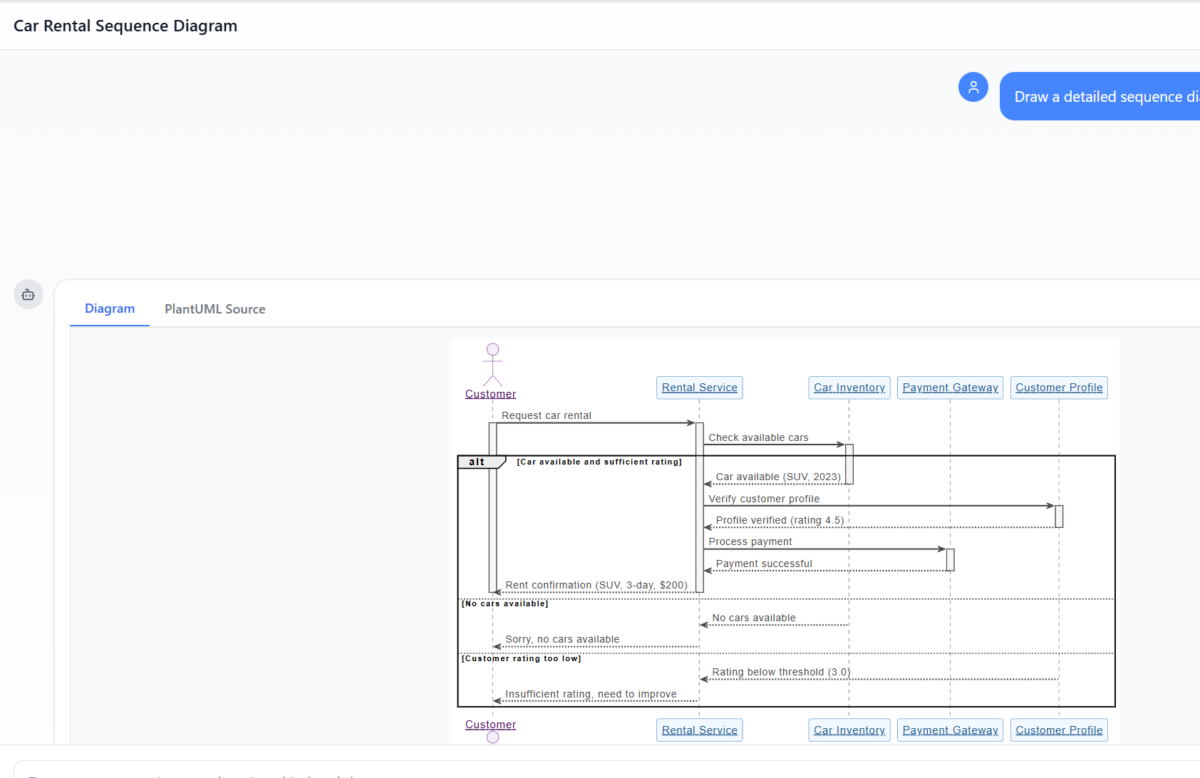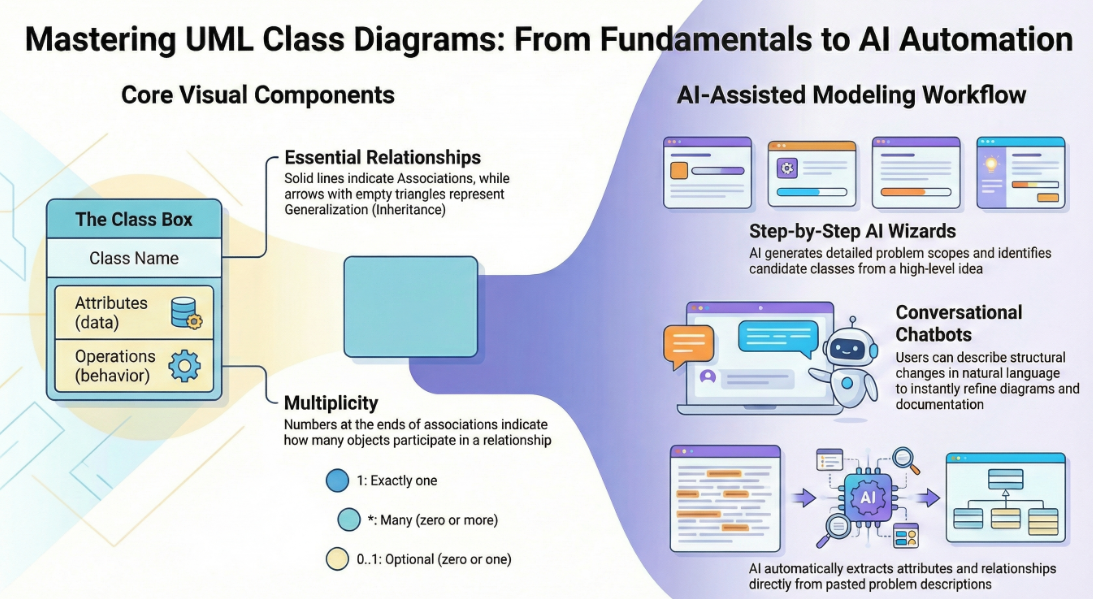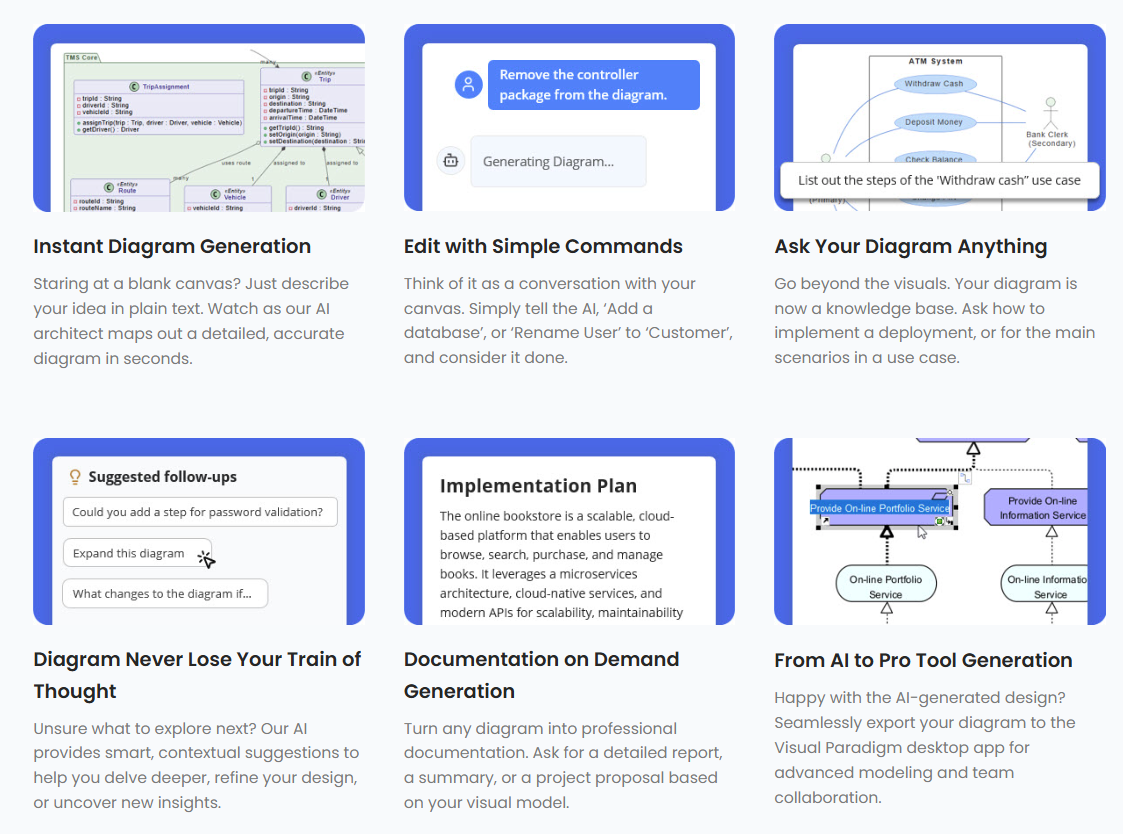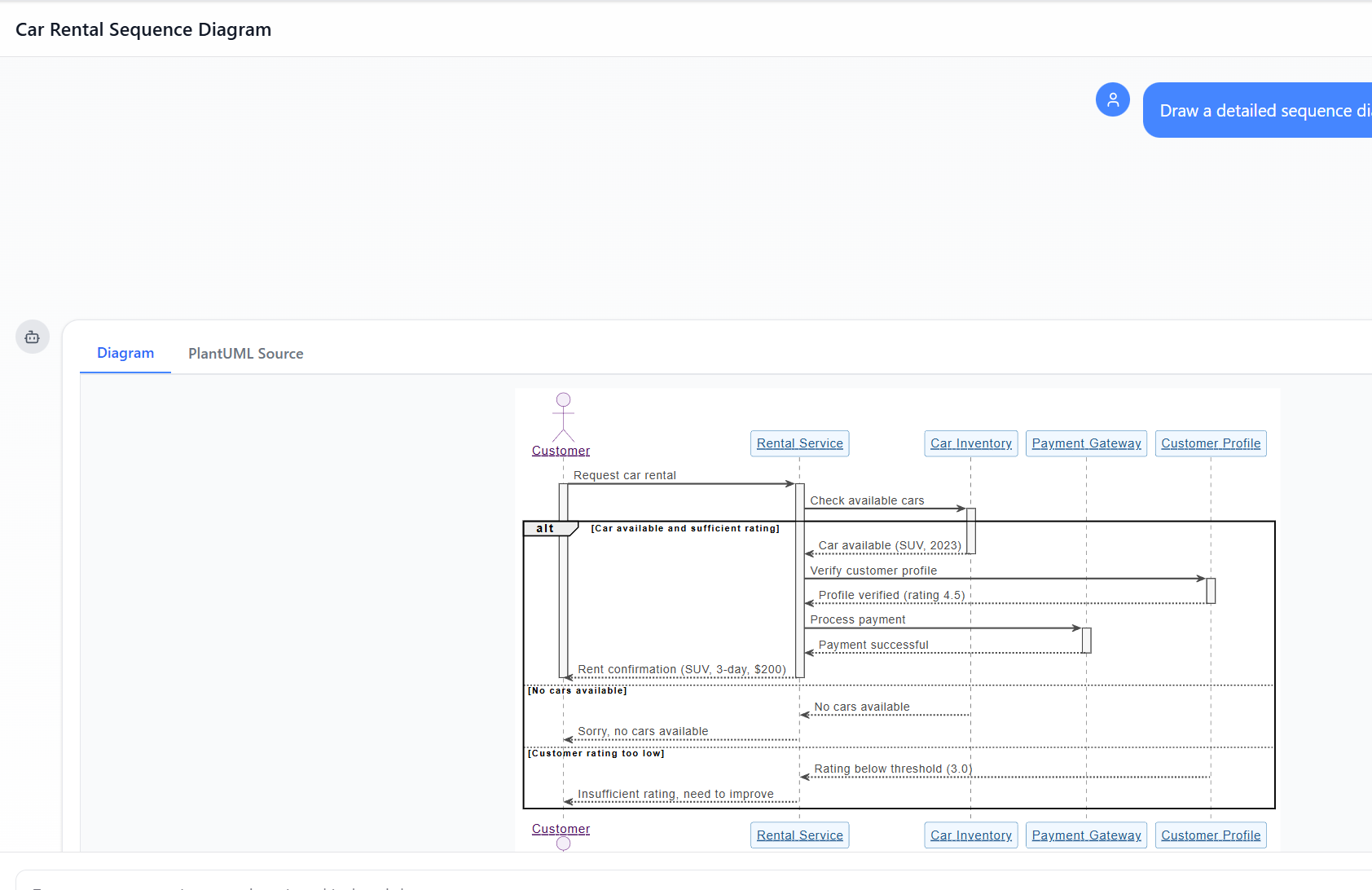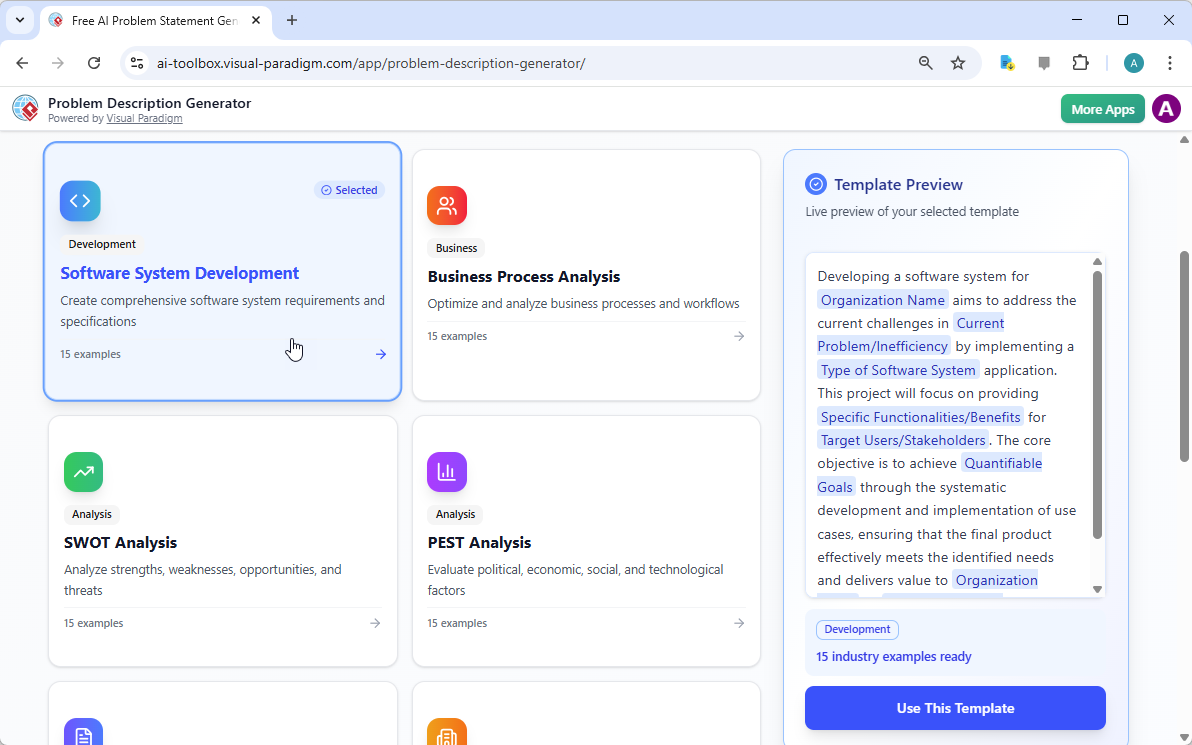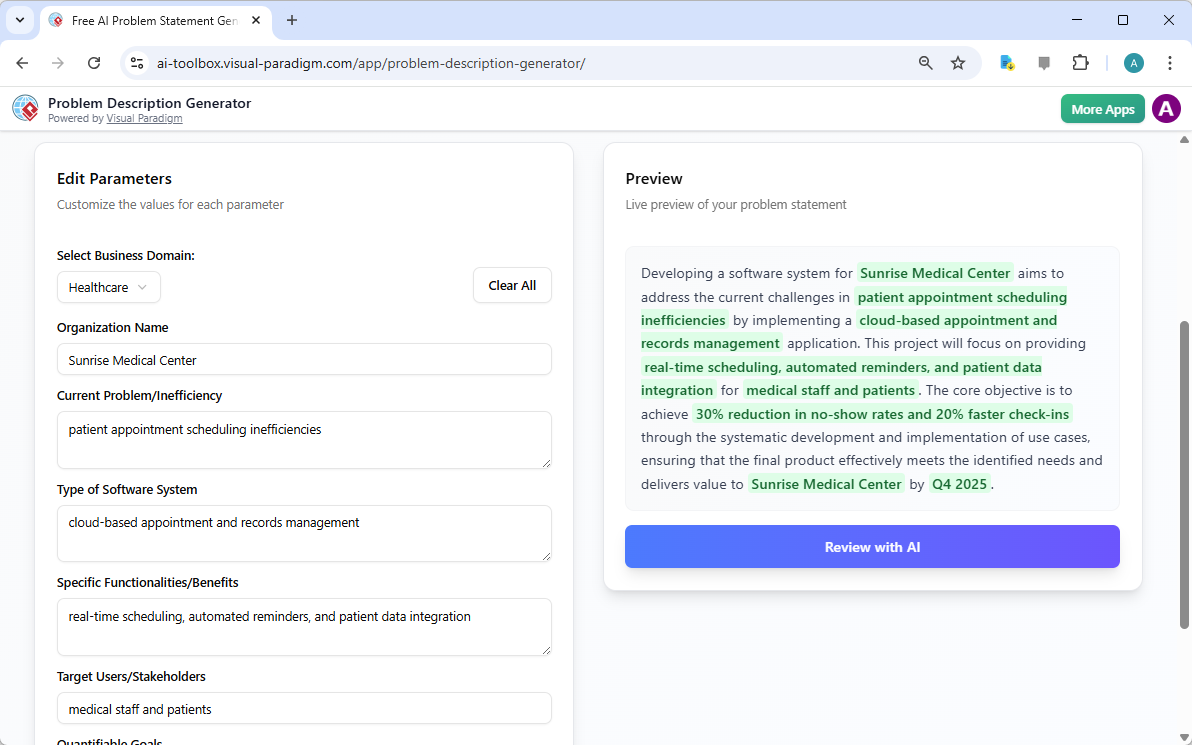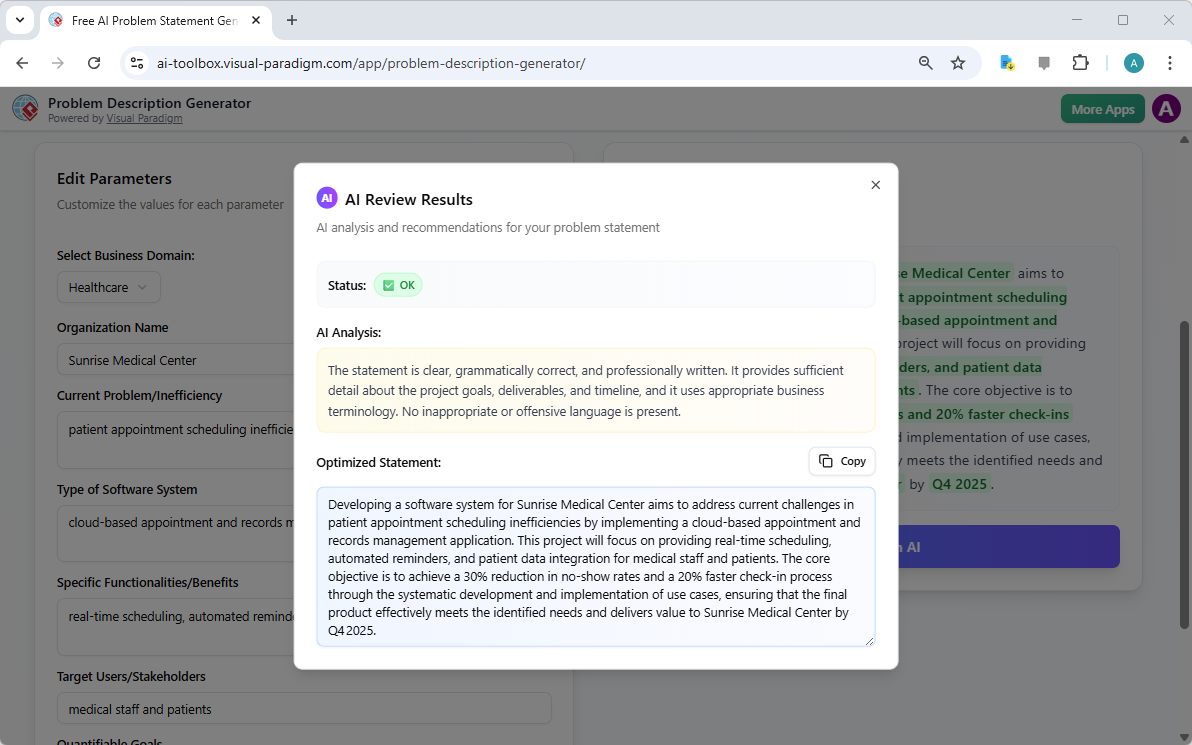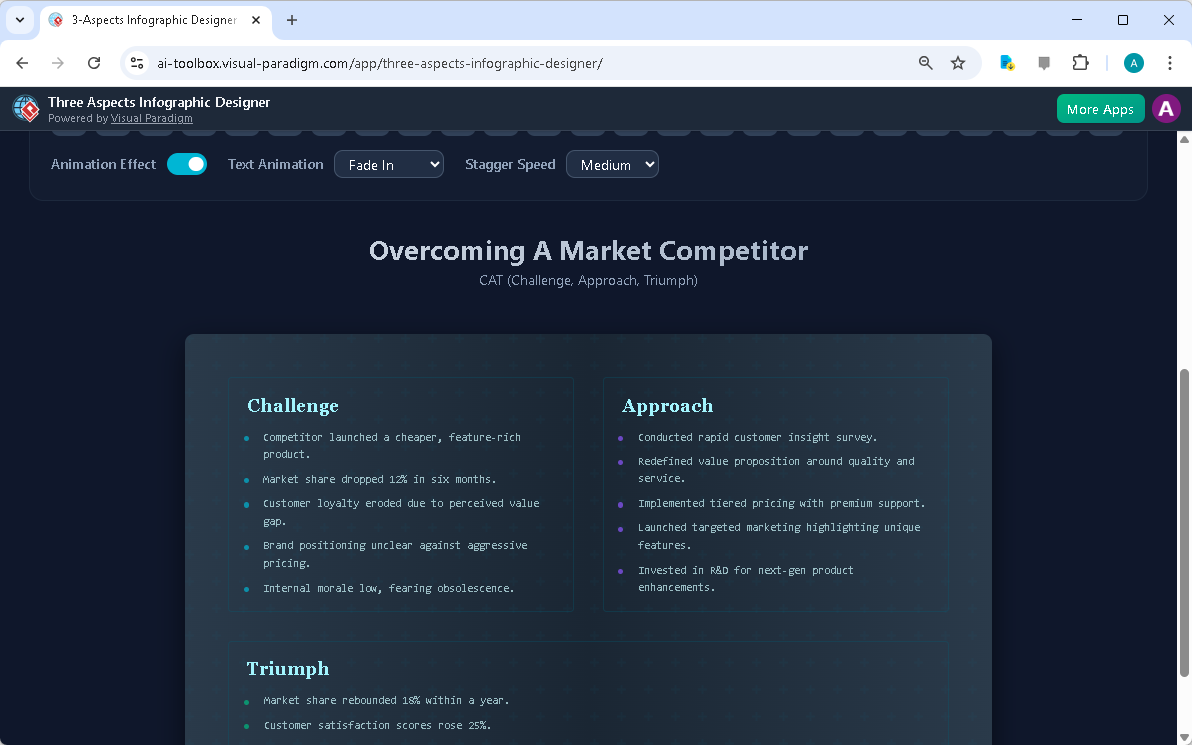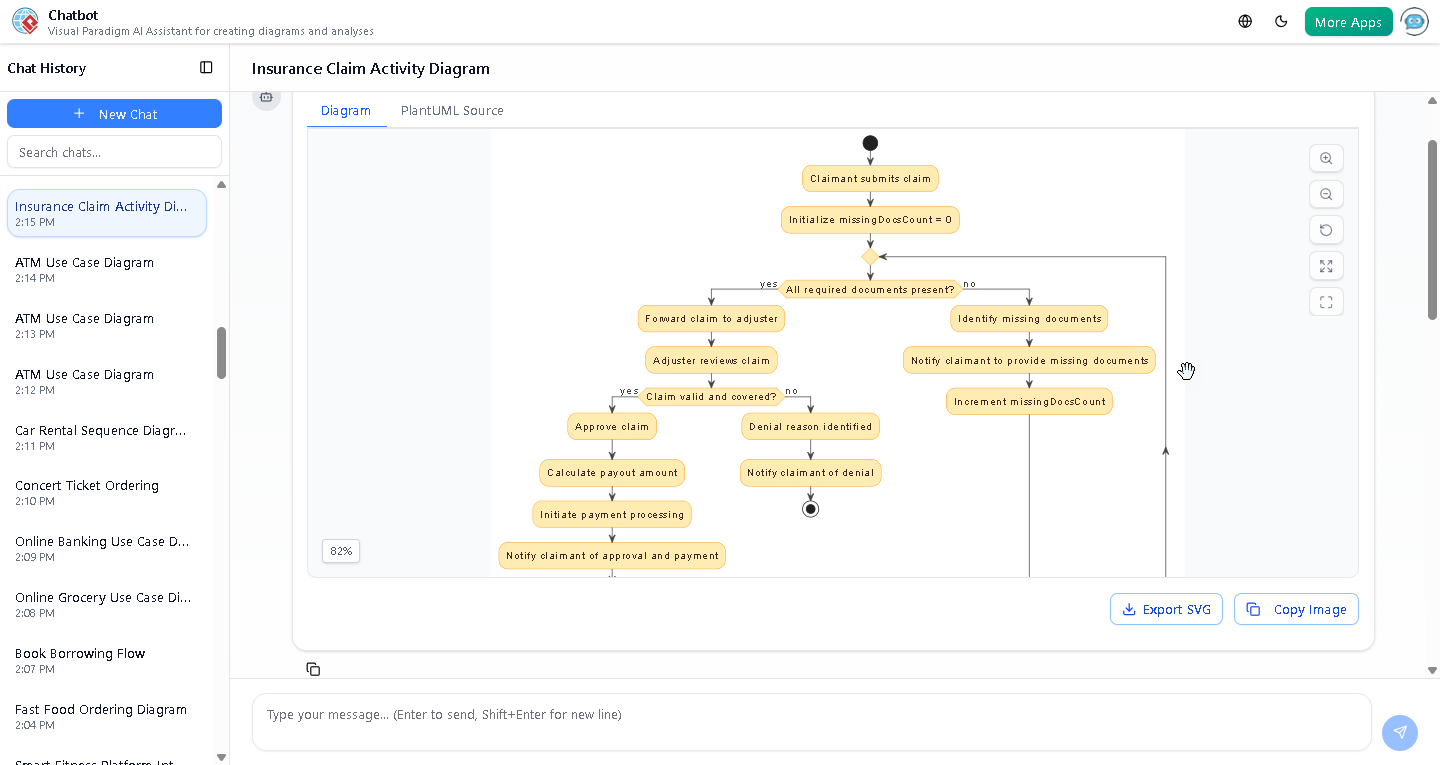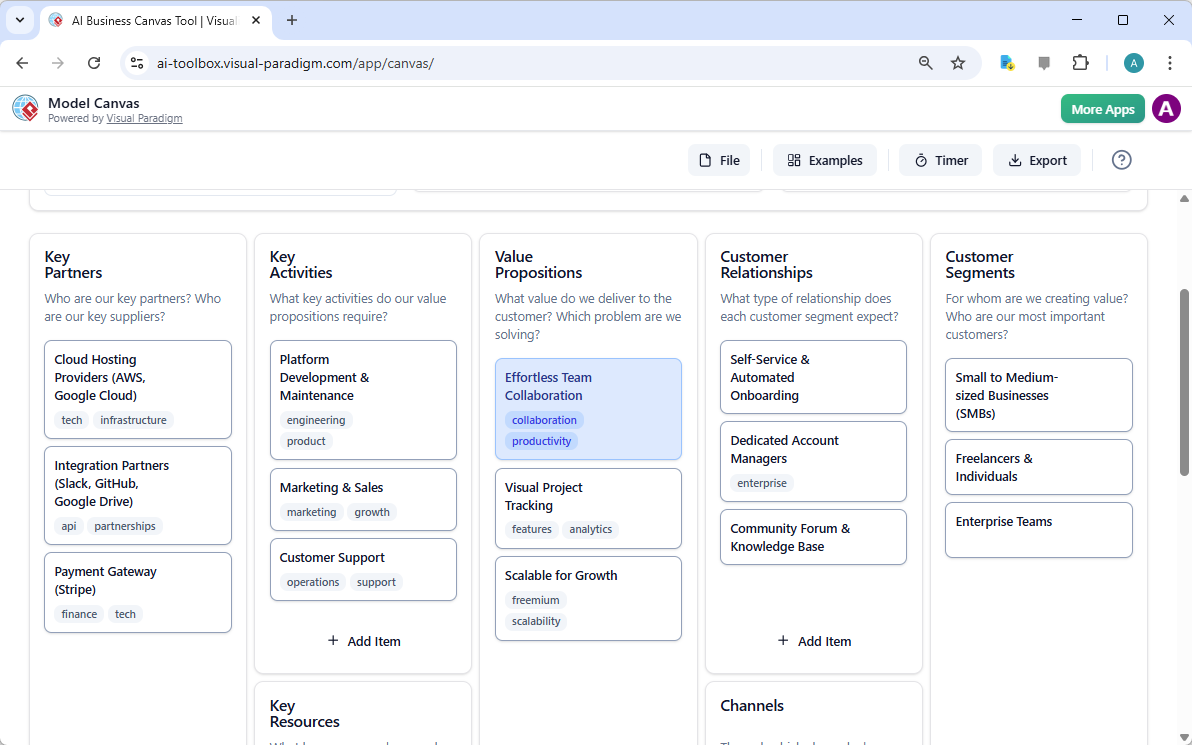
Poza szkicem: Dlaczego przypadkowe AI LLM nie radzą sobie z modelowaniem wizualnym i jak Visual Paradigm zamyka tę lukę

W nowoczesnym środowisku inżynierii oprogramowania przejście od abstrakcyjnych idei do konkretnych projektów systemów często wydaje się rozwiązaniem „labiryntu bez mapy”. Choć ogólne modele językowe (LLM) przełamały nowoczesne podejście do tworzenia treści, znacznie zawiodły w zastosowaniach do profesjonalnego modelowania wizualnego. Niniejszy artykuł bada brakujące elementy generowania diagramów przez przypadkowe AI oraz jak ekosystem AI Visual Paradigm (VP)przekształca te wyzwania w szybki silnik sukcesu architektonicznego.
1. Problem „artysty szkiców”: Co brakuje w przypadkowych AI LLM

Podstawowa ograniczoność ogólnych LLM w modelowaniu wynika z różnicy międzygenerowaniem tekstów istandardowym modelowaniem wizualnym. Źródła charakteryzują ogólne LLM jako„artystów szkiców”, którzy nie posiadają„kodów budowlanych” i„systemów CAD”potrzebnych do profesjonalnej inżynierii.

  • Brak silników renderowania:Ogólne LLM są przede wszystkim zaprojektowane do przetwarzania i generowania tekstu. Choć mogą generować „kod diagramów” (np. Mermaid lub PlantUML), nie posiadają wbudowanychsilników renderowaniaw celu przekształcenia tego kodu w wysokiej jakości, edytowalne grafiki wektorowe, takie jak SVG.
  • Naruszenia semantyczne i standardów:Zwykłe modele AI często generują „ładne szkice”, którenaruszają zasady techniczneformalnego modelowania. Często niepoprawnie interpretują skomplikowane terminy techniczne, takie jak„agregacja,” „kompozycja,”lub„polimorfizm,”co prowadzi do dekoracyjnych rysunków zamiast funkcjonalnych artefaktów inżynierskich.
  • Brak zarządzania stanem:Zwykłe LLM nie mają trwałej struktury wizualnej. Jeśli użytkownik poprosi AI opartą na tekście o zmianę pojedynczego szczegółu, model często musiprzegenerować całą diagram, co prowadzi do uszkodzonych połączeń, niezgodnych układów lub całkowitej utraty poprzednich szczegółów.

2. Problemy napotykane podczas casualnego tworzenia diagramów przez AI

Opieranie się na casualnym generowaniu przez AI wprowadza kilka ryzyk, które mogą naruszyć integralność projektu:

  • Pęknięcie „projektowanie-realizacja”:Bez rygorystycznego wizualnego projektu logika pozostaje „rozproszona” i „niejasna”, często prowadząc do kodu, który jest „chaos”, oraz spotkań kończących się bez wspólnego zrozumienia.
  • Barierę wiedzy syntaktycznej:Jeśli AI generuje kod surowy, użytkownik musi posiadaćgłęboką wiedzę technicznąw tej konkretnej składni (np. PlantUML), aby dokonać modyfikacji ręcznych, co niszczy cel „łatwej” narzędzia AI.
  • Odizolowanie od procesu pracy:Fragmenty tekstu z ogólnych LLM są odizolowane od rzeczywistego procesu inżynierskiego, wymagając ręcznego kopiowania i wklejania oraz nie oferując kontroli wersji ani integracji z innymi typami modeli.
  • Niepowodzenie „jednokrotnych” promptów:Jeden prompt rzadko jest wystarczający, aby spełnić 100% wymagań użytkownika dotyczącego szczegółowego systemu. Początkowe pomysły są często „rozproszone”, a użytkownicy często dopiero po zobaczeniu pierwszego szkicu uświadamiają sobie, że pominęli kluczowe detale – takie jak balansery obciążenia lub stany obsługi błędów.

3. Jak Visual Paradigm AI osiąga profesjonalną integralność

Visual Paradigm AI rozwiązuje te kwestie dziedziczne, przekształcając modelowanie z „ciężkiej pracy rysowania” wintuicyjny, rozmowny i automatyzowany proces pracy.

A. „Dokładanie diagramu” i trwała struktura

W przeciwieństwie do ogólnych narzędzi, VP AI utrzymuje diagram jakotrwały obiekt. Poprzez własnątechnologię „Dokładania diagramu”, użytkownicy mogą wysyłać rozmowne polecenia, takie jak „dodaj krok uwierzytelniania dwuetapowego” lub „zmień nazwę tego aktora”, a AI aktualizujestrukturę wizualnąod razu, przy jednoczesnymutrzymując integralność układu.

B. Znormalizowana inteligencja

Visual Paradigm AI tounikalnie szkolony na ustanowionych standardach modelowania, w tym UML 2.5, ArchiMate 3 i C4. Rozumiereguły semantyczne i strukturęza słowami, zapewniając, że relacje i konwencje nazewnictwa są technicznie poprawnymi projektami gotowymi do budowy.

C. Specjalistyczna analiza oparta na krokach

Aby zlikwidować lukę między wymaganiami a projektem, ekosystem oferuje systematyczne aplikacje:

  • Analiza tekstowa z wykorzystaniem AI:Automatycznie wyodrębniakandydatów do klas dziedziny, atrybutów i relacjiz nieuporządkowanych opisów problemówprzednarysowaniem jednej linii.
  • 10-krokowy czarodziej AI:prowadzi użytkowników przez logiczny ciąg — od definiowania celu po identyfikację operacji — zapewniającweryfikację „człowiek w pętli”aby zapobiec błędom typowym dla generowania AI „w jednym kroku”.

D. Krytyka architektoniczna jako konsultant

Poza prostym generowaniem, AI działa jakosystematyczny asystent projektowy. Może analizować istniejące projekty w celu wykryciajedynych punktów awarii, luk w logice lub sugerować standardowe wzorce branżowe, takie jakMVC (Model-View-Controller)w celu poprawy jakości systemu.

E. Bezproblemowa integracja z ekosystemem

Modele generowane przez AI tofunkcjonalne artefakty, a nie izolowane obrazy. Mogą być importowane doVisual Paradigm Desktop lub Online zestawy do zaawansowanego edytowania, zarządzania wersjami i inżynieria kodu (w tym generowanie bazy danych i integracja z Hibernate ORM), zapewniając, że projekt wizualny bezpośrednio kieruje implementacją oprogramowania.

Wnioski: od dłutowania ręcznego do druku 3D

Tradycyjne modelowanie to jakdłutowanie marmurowej statuy, gdzie każdy ruch to wysokie ryzyko ręcznej pracy. W przeciwieństwie do tego,Visual Paradigm AI to jak korzystanie z zaawansowanego drukarka 3D: podajesz specyfikacje po prostu po języku angielskim, a system precyzyjnie buduje strukturę technicznie poprawną, pozwalając Ci skupić się nadecyzjach strategicznych projektowania. Poprzez połączenie strategii, modelowania biznesowego i projektowania technicznego w jednej platformie wspomaganej AI, Visual Paradigm eliminuje problem „pustej płótna” i zapewnia, że wszyscy uczestnicy pracują na tej samejpodstawie koncepcyjnej.

Data publikacji Kategorie AI

Od problemu do raportu: Jak AI prowadzi Cię przez podróż przypadku użycia

Discover how AI guides your use case journey from problem to report with Visual Paradigm’s intelligent development assistant.

Wyobraź sobie, że jesteś menedżerem projektu odpowiedzialnym za uruchomienie nowej platformy kursów online. Pierwszym wyzwaniem jest jasne sformułowanie problemu, a następnie jego przekształcenie w funkcjonalny system. Tutaj zaczyna się Asystent do rozwoju opartego na przypadkach użycia, narzędzie zasilane sztuczną inteligencją od Visual Paradigm, wchodzi w grę. Nie tylko pomaga Ci pisać dokumenty, ale prowadzi Cię przez kompletny, strukturalny proces przekształcania niejasnej idei w szczegółowy, wykonalny plan projektu. Proces jest tak intuicyjny, jakbyś miał obok siebie doświadczonego analityka biznesowego i architekta technicznego. Ten szczegółowy przegląd pozwala poznać podstawowe funkcje tego potężnego narzędzia, wykorzystując rzeczywisty przykład platformy kursów online, aby pokazać, jak ułatwia ono cały cykl życia przypadków użycia.

Szybki podsumowanie: Kluczowe wnioski z Asystenta do rozwoju opartego na przypadkach użycia

  • Zacznij od jasnego sformułowania problemu, aby określić podstawowy cel projektu.

  • Wykorzystaj AI do automatycznego generowania listy kandydatów do przypadków użycia i aktorów.

  • Wizualizuj funkcjonalność systemu za pomocą diagramów przypadków użycia i Diagramów czynności.

  • Priorytetyzuj funkcje za pomocą strukturalnej metody MoSCoW, aby skupić się na pracach o wysokim znaczeniu.

  • Generuj szczegółowe opisy przypadków użycia i wykonywalne scenariusze testów Gherkin.

  • Twórz kompleksowe raporty, aby przekazywać zakres i plany projektu.

  • Śledź postępy i utrzymuj jedno jedyne źródło prawdy za pomocą centralnego pulpitu.

Krok 1: Definiowanie problemu za pomocą AI

Każdy sukces projektu zaczyna się od jasnego zrozumienia problemu, który ma zostać rozwiązany. Droga z Asystentem do rozwoju opartego na przypadkach użycia zaczyna się na karcie „Sformułowanie problemu”. Tutaj wpisujesz nazwę projektu i krótki opis. Następnie AI wykorzystuje te informacje do wygenerowania kompleksowego sformułowania problemu. Jak widać w Obraz 1, narzędzie wykorzystało nazwę projektu „Platforma kursów online” i krótki opis „Rynek dla instruktorów do tworzenia i sprzedawania kursów, oraz dla uczniów do zapisywania się i uczęszczania” w celu wygenerowania szczegółowej narracji. Ta narracja identyfikuje kluczowe problemy: uczniowie mają trudności z znalezieniem odpowiednich kursów, podczas gdy instruktorzy napotykają trudności z dotarciem do szerokiego odbiorcy i monetizacją swojej wiedzy. To AI-generowane sformułowanie problemu stanowi fundament projektu, zapewniając, że wszyscy członkowie zespołu mają jednolite zrozumienie od samego początku.

This is a screenshot of Visual Paradigm's AI Powered Use Case Driven Development Assistant. we are now in step 1. It shows th

Krok 2: Identyfikacja przypadków użycia z pomocą AI

Po zdefiniowaniu problemu kolejnym logicznym krokiem jest identyfikacja kluczowych funkcjonalności, które system musi zapewnić. Karta „Kandydatów do przypadków użycia” asystenta, pokazana w Obraz 2, automatyzuje ten proces. Po analizie sformułowania problemu AI proponuje listę przypadków użycia, każdy powiązany z aktorem (np. Instruktor, Uczeń lub Administrator). Dla naszej platformy kursów online AI proponuje przypadki użycia takie jak „Utwórz nowy kurs”, „Prześlij zawartość kursu”, „Przeglądaj i wyszukuj kursy” oraz „Zapisz się na kurs”. Ta lista stanowi solidny punkt wyjścia, oszczędzając znaczną ilość czasu i wysiłku, które inaczej zużylibyśmy na sesje mózgowego sztormu. Możesz następnie dopasować te propozycje, dodać nowe lub usunąć nieaktualne, aby stworzyć kompletną listę funkcjonalności systemu.

This is a screenshot of Visual Paradigm's AI Powered Use Case Driven Development Assistant. We are now in step 2. It shows a

Krok 3: Wizualizacja systemu za pomocą diagramu przypadków użycia

Po zidentyfikowaniu przypadków użycia, kluczowe jest wizualizowanie, jak oddziałują one z aktorami systemu. Karta „Diagram przypadków użycia”, przedstawiona na Obraz 3, pobiera listę przypadków użycia i aktorów i automatycznie generuje jasny, graficzny obraz. Ten diagram pokazuje relacje między aktorami (Instruktor, Uczeń, Administrator) a funkcjami systemu (Utwórz nowy kurs itd.). Generowanie za pomocą AI zapewnia dokładność i profesjonalne formatowanie. Ten element wizualny jest nieoceniony w komunikacji, pozwalając stakeholderom, programistom i projektantom szybko zrozumieć zakres i funkcjonalność systemu, nie wnikając w gęste dokumenty tekstowe.

This is a screenshot of Visual Paradigm's AI Powered Use Case Driven Development Assistant. We are now in step 3. It shows a

Krok 4: Priorytetyzacja funkcji w celu maksymalnego wpływu

Nie wszystkie przypadki użycia są równe. Sukces projektu często zależy od skupienia się najpierw na najważniejszych funkcjach. Karta „Priorytetyzacja przypadków użycia”, jak pokazano w Obraz 4, zapewnia potężny framework do tego. Pozwala przypisać wartość użytkownika i wartość biznesową (w skali 0–10) do każdego przypadku użycia, a następnie zastosować metodę priorytetyzacji MoSCoW (Muszą mieć, Powinny mieć, Mogą mieć, Nie będą mieć). W naszym przykładzie AI pomógł zidentyfikować, że funkcje „Utwórz nowy kurs” i „Prześlij zawartość kursu” to funkcje „Muszą mieć”, ponieważ są one istotne dla podstawowej funkcjonalności platformy. Ta strukturalna priorytetyzacja zapewnia, że zespół deweloperski skupia się na dostarczaniu najwyższej wartości dla użytkowników i biznesu, unikając marnowania wysiłku na funkcjach o niskim priorytecie.

This is a screenshot of Visual Paradigm's AI Powered Use Case Driven Development Assistant. We are now in step 4. It shows th

Krok 5: Szczegółowe opisywanie przypadków użycia i generowanie diagramów działań

Po ustaleniu ogólnego obrazu kolejnym krokiem jest szczegółowe omówienie każdego przypadku użycia. Kartka „Szczegóły przypadku użycia”, pokazana w Obraz 5, pozwala stworzyć kompletny szablon dla wybranego przypadku użycia. AI może wygenerować szczegółowe opisy, w tym warunki wstępne, główny przebieg i alternatywne przebiegi. Dla przypadku użycia „Utwórz nowy kurs” AI dostarcza strukturalny szablon, który przedstawia konieczne kroki. Aby dalej ułatwić zrozumienie, asystent może wygenerować „Diagram działania” dla tego samego przypadku użycia, jak pokazano w Obraz 6. Ten diagram wizualnie przedstawia krok po kroku przebieg działania, pokazując sekwencję czynności od zalogowania się nauczyciela po zapisanie kursu. Taki poziom szczegółowości jest kluczowy zarówno dla programistów, jak i zespołów testowych.

This is a screenshot of Visual Paradigm's AI Powered Use Case Driven Development Assistant. We are now in step 5. It shows thThis is a screenshot of Visual Paradigm's AI Powered Use Case Driven Development Assistant. We are still in step 5. It shows

Krok 6: Generowanie scenariuszy testowych i diagramów sekwencji

Dla zespołu deweloperskiego kolejnym krytycznym krokiem jest stworzenie testowalnych scenariuszy. Karta „Scenariusze”, pokazana w Obraz 7, pozwala generować wykonywalne scenariusze Gherkin bezpośrednio z opisów przypadków użycia. Te scenariusze, napisane w języku potocznym (Dane-When-Then), są idealne do testów automatycznych. AI może wygenerować główny scenariusz oraz scenariusze alternatywne, np. dla niepoprawnego tytułu. Aby dalej wyjaśnić wewnętrzną pracę systemu, asystent może wygenerować „Diagram sekwencji”, jak pokazano w Obraz 8. Ten diagram pokazuje interakcję między nauczycielem, panelem internetowym, interfejsem API serwera backend, bazą danych i usługą powiadomień, dając jasny obraz architektury systemu i przepływu danych.

This is a screenshot of Visual Paradigm's AI Powered Use Case Driven Development Assistant. We are in step 6. It shows the AIThis is a screenshot of Visual Paradigm's AI Powered Use Case Driven Development Assistant. We are still in step 6. It shows

Krok 7: Tworzenie kompleksowych raportów projektowych

W trakcie całego procesu rozwoju jest kluczowe komunikowanie postępu projektu i jego planów dla różnych stakeholderów. Karta „Generuj raport”, jak pokazano w Obraz 9, ułatwia to. Możesz generować różne raporty, takie jak „Przegląd projektu”, „Plan wdrożenia”, „Plan testów QA” lub „Lista zadań dla programistów”. Te raporty są generowane z pomocą AI, zapewniając ich spójność i kompleksowość. Na przykład raport „Przegląd projektu” podsumowuje cały projekt, w tym podsumowanie dla kierownictwa, kluczowe funkcje oraz uzasadnienie priorytetyzacji. Jeden, jedyny źródło informacji zapewnia, że wszyscy są zgodni i poinformowani.

This is a screenshot of Visual Paradigm's AI Powered Use Case Driven Development Assistant. We are in step 7. It shows a repo

Krok 8: Śledzenie postępu za pomocą pulpitu

Na końcu podróż kończy się na „Pulpicie”, jak pokazano w Obraz 10. Ten centralny punkt zapewnia ogólny przegląd stanu projektu. Pokazuje procent ukończenia projektu, całkowitą liczbę przypadków użycia oraz liczbę elementów „Muszą mieć”. Lista kontrolna projektu pozwala śledzić postęp, przy czym każdy ukończony krok oznaczony jest jako „Zrobione”. Ta rzeczywista wizualizacja stanu projektu jest nieoceniona dla menedżerów projektów i liderów zespołów, umożliwiając identyfikację węzłów zatorów i zapewnienie, że projekt pozostaje na właściwym torze.

This is a screenshot of Visual Paradigm's AI Powered Use Case Driven Development Assistant. We are in step 8. It shows the da

Asystent do rozwoju opartego na przypadkach użycia to więcej niż tylko narzędzie; to kompleksowy przepływ pracy, który wprowadza przejrzystość i efektywność w procesie tworzenia oprogramowania. Wykorzystując AI na każdym etapie – od definiowania problemu po generowanie raportów – pomaga zespołom szybciej i dokładniej przechodzić od wymagań do wdrożenia. Wynikiem jest dobrze zorganizowany, dobrze dokumentowany projekt zgodny z celami biznesowymi i potrzebami użytkowników. Jeśli szukasz sposobu na zoptymalizowanie procesu tworzenia przypadków użycia, to narzędzie wspomagane przez AI to potężne rozwiązanie.

Gotowy zobaczyć, jak Asystent do rozwoju opartego na przypadkach użycia może przekształcić Twój następny projekt? Wypróbuj teraz.

Linki powiązane

Modelowanie przypadków użycia to podstawowa technika inżynierii oprogramowania używana do zapisywania wymagań funkcjonalnych poprzez wizualizację interakcji między zewnętrznymi aktorami a wewnętrznymi funkcjami systemu. Nowoczesne platformy teraz wykorzystują automatyzację opartą na technologii AI w celu dopracowania diagramów, generowania kompleksowych opisów przypadków użycia, a konwersji modeli na przypadki testowe lub diagramy aktywności w celu utrzymania spójności projektu i śledzenia. Zaawansowane narzędzia takie jak edytor przebiegu zdarzeń i analizator scenariuszy pozwalają zespołom programistycznym na weryfikację i dokumentowanie uporządkowanych sekwencji zdarzeń w celu poprawy ogólnej przejrzystości systemu.

  1. Co to jest diagram przypadków użycia? – Kompletny przewodnik po modelowaniu UML: szczegółowy przegląd obejmujący kluczowe elementy, cele i najlepsze praktyki do modelowania wymagań.

  2. Poradnik krok po kroku – Diagramy przypadków użycia – od początkującego do eksperta: praktyczny zasób, który prowadzi użytkowników przez podstawowe do zaawansowanych technik tworzenia skutecznych diagramów przypadków użycia.

  3. Wszystko, co musisz wiedzieć o modelowaniu przypadków użycia: kompleksowe omówienie zasad i zastosowańmodelowania przypadków użycia w projektowaniu systemów.

  4. Visual Paradigm – Funkcje opisu przypadków użycia: Szczegóły specjalistycznych narzędzi używanych do precyzyjnego dokumentowania interakcji użytkownikai zorganizowanego zachowania systemu.

  5. Opanowanie diagramów przypadków użycia sterowanych AI za pomocą Visual Paradigm: Poradnik dotyczący wykorzystania AI do tworzenia inteligentnych, dynamicznych diagramówdla nowoczesnych systemów oprogramowania.

  6. Przewodnik po używaniu edytora przebiegu zdarzeń w Visual Paradigm: Krok po kroku instrukcje dokumentowania zorganizowanych sekwencji zdarzeńw ramach scenariusza przypadku użycia.

  7. Rozwijanie scenariuszy za pomocą analizatora scenariuszy przypadków użycia: Przewodnik dotyczący używania analizatorów do badania i doskonalenia przepływów interakcjiw celu zwiększenia przejrzystości systemu.

  8. Konwersja przypadku użycia na diagram działania – przekształcenie wspomagane AI: Zasób wyjaśniający automatyczną konwersjęprzypadków użycia na szczegółowe przepływy systemowe.

  9. Generowanie scenariuszy i przypadków testowych z diagramów przypadków użycia za pomocą AI: Przegląd, jak narzędzia AI automatyzują tworzenie procedur testowych opartych na wymaganiach.

  10. Galeria diagramów przypadków użycia – szablony i przykłady: Wybór przykładów z rzeczywistego światado inspirowania, nauki i szybkiego prototypowania.

Kompleksowy przewodnik po diagramach sekwencji UML w projektowaniu opartym na przypadkach użycia: co, dlaczego, jak i jak AI ułatwia to zadanie

W nowoczesnej metodologii tworzenia oprogramowaniaprojektowanie oparte na przypadkach użyciajest fundamentem skutecznego modelowania systemów. Skupia się na zapisywaniucelów użytkownikaizachowań systemupoprzez scenariusze z życia codziennego. W centrum tego podejścia leżydiagram sekwencji UML—potężne narzędzie wizualne, które ożywia przypadki użycia, pokazującjak obiekty współdziałają w czasie.

Online Sequence Diagram Tool

Ten kompleksowy przewodnik został stworzony dlapoczątkujących i zespołów, którzy chcą zrozumieć:

  • Co to są diagramy sekwencji i dlaczego mają znaczenie

  • Jak je tworzyć za pomocą podejściaoparte na przypadkach użycia

  • Kluczowe koncepcje i przykłady z życia

  • JakGenerator diagramów sekwencji AI firmy Visual Paradigmprzyspiesza cały proces — sprawiając, że modelowanie jest szybsze, inteligentniejsze i bardziej wspólne.


🎯 Co to jest podejście oparte na przypadkach użycia?

Podejścieoparte na przypadkach użyciaskupia projektowanie systemu wokółcelów użytkownika. Każdy przypadek użycia opisuje konkretną interakcję między użytkownikiem (aktorem) a systemem w celu osiągnięcia znaczącego wyniku.

Przykład:
„Jako klient, chcę zalogować się do swojego konta, aby móc zobaczyć historię moich zamówień.”

Przypadki użycia to nie tylko dokumentacja — toszkice funkcjonalności, adiagramy sekwencjisą idealnym sposobem wizualizacji tego, jak te przypadki użycia rozgrywają się w czasie rzeczywistym.


🧩 Dlaczego używać diagramów sekwencji w rozwoju opartym na przypadkach użycia?

Diagramy sekwencji są wyjątkowo odpowiednie do wspierania modelowania przypadków użycia, ponieważ pozwalają na:

✅ Pokazują dynamiczny przepływinterakcji
✅ Wyróżniają czas i kolejnośćwiadomości
✅ Ujednolisz odpowiedzialnościmiędzy obiektami
✅ Wykrywają przypadki graniczne(np. nieprawidłowe dane wejściowe, przekroczenie czasu)
✅ Wspierają weryfikacjęprzypadków użycia podczas projektowania i testowania
✅ Ulepszają komunikacjęmiędzy programistami, testerami i stakeholderami

🔍 Bez diagramów sekwencji przypadki użycia mogą pozostawać abstrakcyjne. Z ich pomocą stają sięwykonywalnymi szkicami.


📌 Kluczowe koncepcje diagramów sekwencji UML (dla początkujących)

Zanim przejdziemy do przypadków użycia, opanujmy podstawowe elementy budowlane:

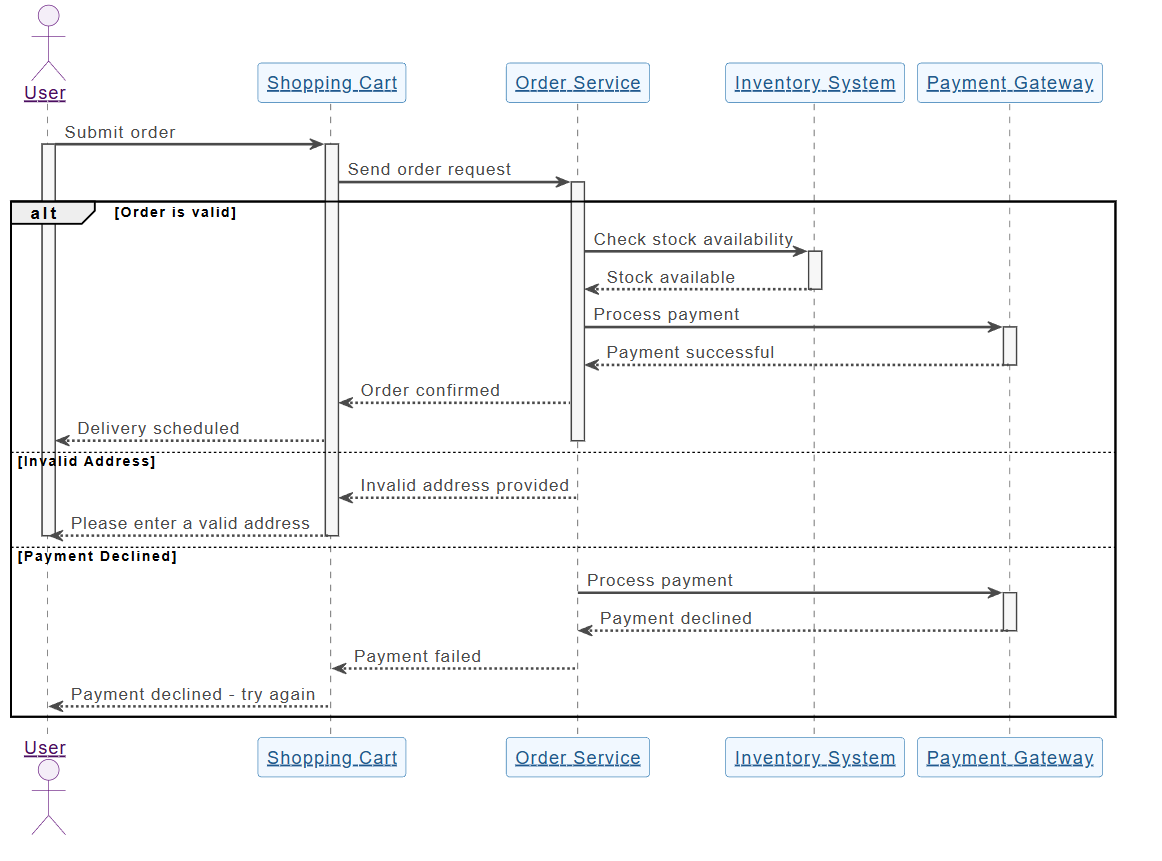
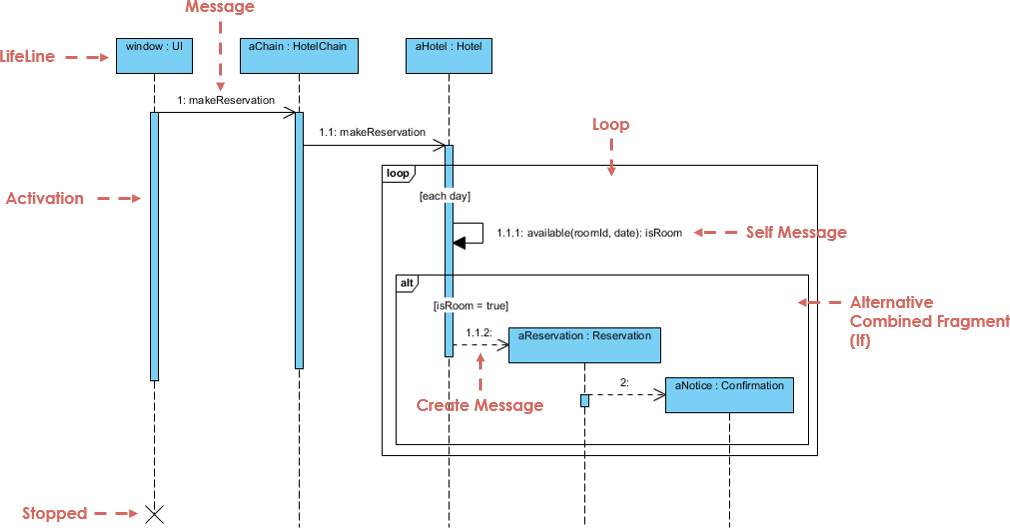
Sequence Diagram Example

Element Opis Wizualny
Linie życia Pionowe linie kreskowane reprezentujące obiekty lub aktory. Pokazuje istnienie w czasie. ───────────────
Komunikaty Poziome strzałki między liniami życia. Pokazują komunikację.
  • Synchroniczny Pełna strzałka z zatopionym końcem. Wywołujący oczekuje odpowiedzi.
  • Asynchroniczny Pełna strzałka z otwartym końcem. Brak oczekiwania.
  • Zwracanie Przerywana strzałka (odpowiedź).
  • Komunikat własny Strzałka zwracająca się do tej samej linii życia (przetwarzanie wewnętrzne).
Paski aktywacji Cienkie prostokąty na liniach życia pokazujące, kiedy obiekt jest aktywny. ▯▯▯
Złożone fragmenty Prostokąty reprezentujące logikę sterowania:
  • alt Alternatywy (jeśli/else) alt: sukces / porażka
  • opcjonalnie Opcjonalnie (może się zdarzyć, a może nie) opcjonalnie: wydrukuj paragon
  • pętla Powtarzanie (np. pętla while) pętla: spróbuj ponownie 3 razy
  • równolegle Wykonywanie równoległe równolegle: sprawdź płatność i stan magazynowy
Tworzenie/Usuwanie utwórzwiadomość lub „X” na końcu linii życia utwórz: UżytkowniklubX

💡 Wskazówka: Zawsze zacznij odprzypadek użycia, a następnieprzypisz go do diagramu sekwencji.


🔄 Jak stworzyć diagram sekwencji na podstawie przypadku użycia (krok po kroku)

Przejdźmy przez przykład z życia wzięty, korzystając zmetody opartej na przypadkach użycia.

Free AI Sequence Diagram Refinement Tool - Visual Paradigm AI


📌 Przykład: Przypadek użycia – „Użytkownik loguje się do systemu”

Tekst przypadku użycia:

Jako użytkownik chcę zalogować się do swojego konta przy użyciu nazwy użytkownika i hasła, aby mieć dostęp do swojego profilu.

Krok 1: Zidentyfikuj aktorów i obiekty

  • AktorUżytkownik

  • ObiektyWyświetlaczLogowaniaControllerLogowaniaBazaDanych

Krok 2: Zdefiniuj główny przepływ

  1. Użytkownik → WyświetlaczLogowania: Wpisuje nazwę użytkownika/hasło

  2. WyświetlaczLogowania → ControllerLogowania: Wysyła dane uwierzytelniające

  3. ControllerLogowania → BazaDanych: Sprawdza, czy użytkownik istnieje

  4. BazaDanych → ControllerLogowania: Zwraca wynik

  5. ControllerLogowania → Wyświetlacz logowania: Wysyła sukces/porażkę

  6. Wyświetlacz logowania → Użytkownik: Wyświetla komunikat

Krok 3: Dodaj logikę sterowania za pomocą połączonych fragmentów

Użyj alt fragment aby pokazać:

  • Ścieżka sukcesu: „Logowanie powiodło się”

  • Ścieżka porażki: „Nieprawidłowe dane logowania”

✅ To uchwyca punkt decyzyjny w przypadku użycia.

Krok 4: Dodaj paski aktywacji

  • Dodaj paski aktywacji do LoginController i Baza danych aby pokazać czas przetwarzania.

Krok 5: Ostateczny diagram

Teraz masz kompletny, diagram sekwencji zgodny z przypadkiem użycia odzwierciedlający rzeczywiste zachowanie systemu.

🔗 Zobacz to w działaniu: Diagramy sekwencji UML zasilane AI


📌 Przykład 2: Przypadek użycia – „Klient wypłaca gotówkę z bankomatu”

Tekst przypadku użycia:

Jako klient, chcę wypłacić gotówkę z bankomatu, aby mieć dostęp do swoich środków. Jeśli saldo jest niewystarczające, chcę zostać poinformowany.

Krok 1: Zidentyfikuj uczestników

  • UczestnikKlient

  • ObiektyBankomatCzytnik kartSerwer bankowyWydawca gotówki

Krok 2: Główny przebieg

  1. Klient → Bankomat: Wkłada kartę

  2. Bankomat → Czytnik kart: Czyta kartę

  3. Bankomat → Klient: Wymaga wpisania kodu PIN

  4. Klient → Bankomat: Wprowadza PIN

  5. Bankomat → Serwer bankowy: Weryfikuje PIN

  6. Serwer bankowy → Bankomat: Potwierdza poprawność

  7. Bankomat → Klient: Prosi o kwotę

  8. Klient → Bankomat: Wprowadza kwotę

  9. Bankomat → Serwer bankowy: Sprawdza stan konta

  10. Serwer bankowy → Bankomat: Zwraca stan konta

  11. Bankomat → Wydawca gotówki: Wydaje gotówkę

  12. Bankomat → Klient: Pokazuje opcję paragonu

Krok 3: Dodaj fragmenty

  • pętla: Dla prób ponownego wpisania PIN po błędzie

  • opcja: Dla drukowania paragonu

  • alternatywa: Dla „niewystarczające środki” w porównaniu do „sukces”

🔗 Zobacz, jak AI radzi sobie z tym: Uprość skomplikowane przepływy pracy za pomocą narzędzia do diagramów sekwencji z AI


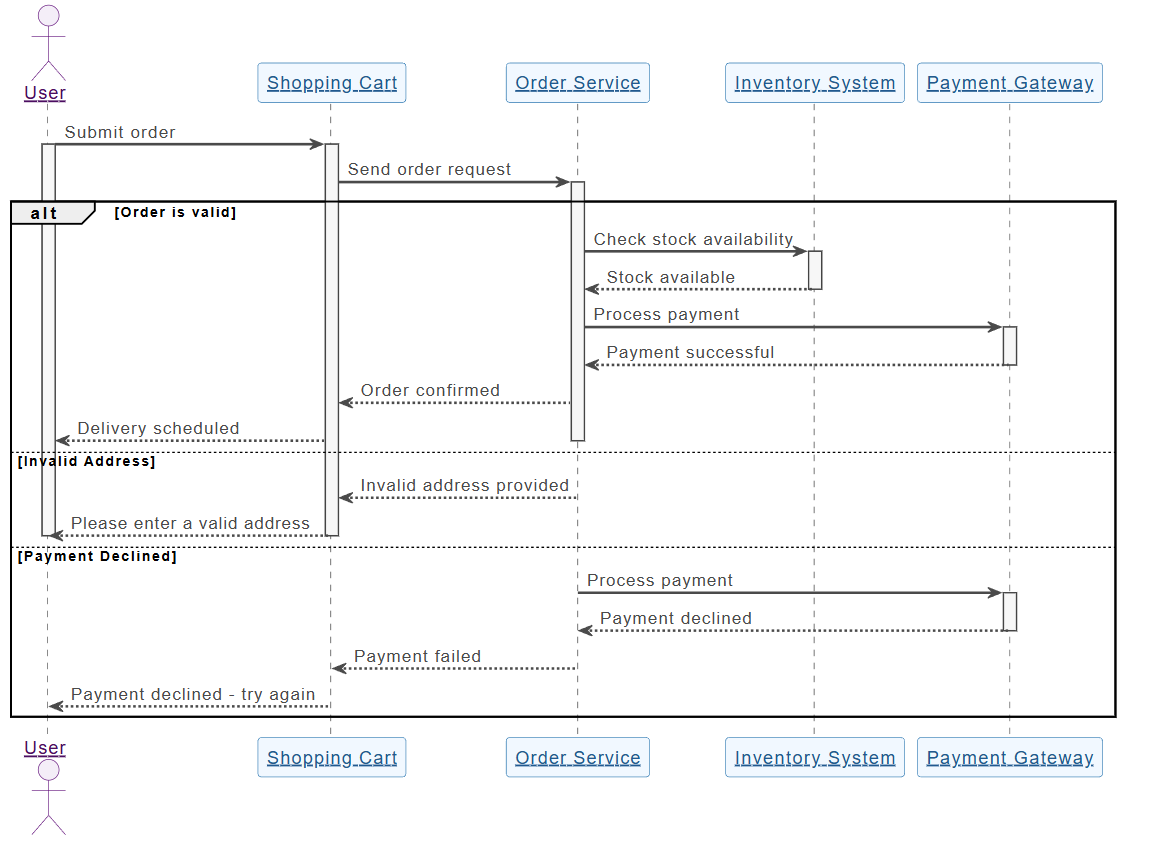
📌 Przykład 3: Przypadek użycia – „Klient dokonuje płatności w sklepie internetowym”

Tekst przypadku użycia:

Jako klient chcę dodać przedmioty do koszyka, przejść do kasy i zakończyć płatność, aby otrzymać moje zamówienie.

Krok 1: Uczestnicy

  • KlientKoszyk zakupowyBrama płatnościSystem magazynowyPotwierdzenie zamówienia

Krok 2: Przepływ z równoległością

  1. Klient → Koszyk zakupowy: Dodaje przedmiot(y) →pętladla wielu przedmiotów

  2. Koszyk zakupowy → Klient: Pokazuje sumę

  3. Klient → Brama płatności: Inicjuje płatność

  4. Klient → System magazynowy: Prosi o sprawdzenie stanu

  5. Brama płatności → Bank: Przetwarza płatność →parz kontrolą stanu

  6. System magazynowy → Brama płatności: Potwierdza dostępność

  7. Brama płatności → Koszyk zakupów: Potwierdza zamówienie

  8. Koszyk zakupów → Potwierdzenie zamówienia: Wysyła potwierdzenie

✅ Użyj par fragment aby pokazać przetwarzanie równoległe.

🔗 Zobacz pełny tutorial: Opanowanie diagramów sekwencji za pomocą czatbotu z AI: Studium przypadku e-commerce


🤖 Jak generator diagramów sekwencji z AI firmy Visual Paradigm pomaga zespołom

Tradycyjne narzędzia modelowania wymagają od użytkowników ręcznego przeciągania linii życia, rysowania wiadomości i umieszczania fragmentów — proces czasochłonny i podatny na błędy.

AI Diagram Generation Guide: Instantly Create System Models with Visual Paradigm's AI - Visual Paradigm Guides

Narzędzia firmy Visual Paradigm narzędzia zasilane AI usuwa te wąskie gardła, szczególnie dla zespołów korzystających z metodyki opartej na przypadkach użycia.

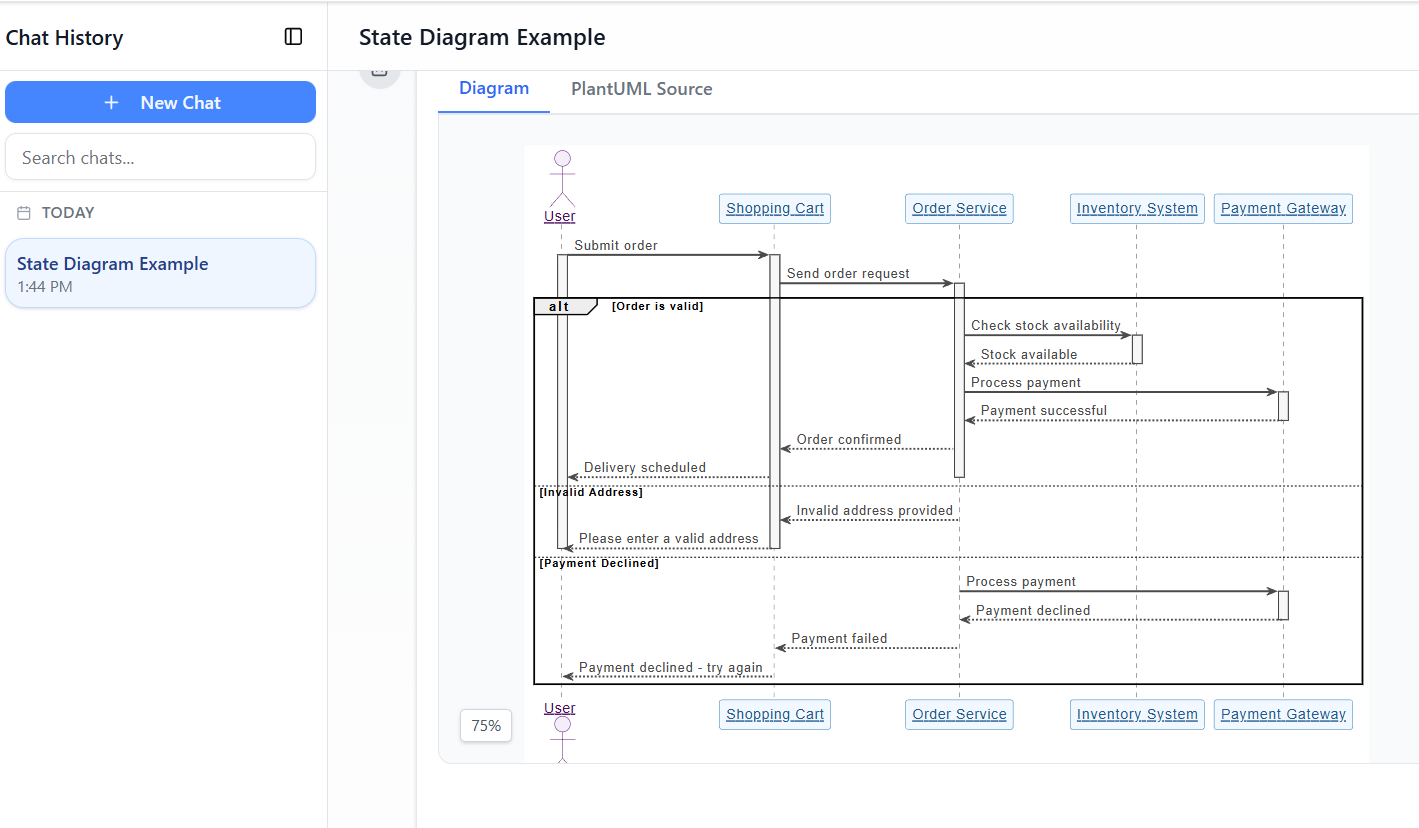
✨ 1. Czatbot z AI: generuj diagramy z tekstu przypadku użycia w ciągu sekund

Zamiast rysować ręcznie, opisz swój przypadek użycia po prostu po angielsku:

📝 Prompt:
„Wygeneruj diagram sekwencji dla użytkownika logującego się przy użyciu nazwy użytkownika i hasła, w tym obsługi błędów i ponownej próby po 3 nieudanych próbach.”

AI:

  • Identyfikuje aktorów i obiekty

  • Mapuje przepływ przypadku użycia na linie życia i wiadomości

  • Zastosowuje altpetla, i opt fragmenty automatycznie

  • Wydaje czysty, profesjonalny diagram w w mniej niż 10 sekund

🔗 Spróbuj: Wykresy sekwencji UML zasilane AI


✨ 2. Narzędzie do doskonalenia wykresów sekwencji AI: przekształć szkice w profesjonalne modele

Nawet jeśli zaczniesz od szkicu, to Narzędzie do doskonalenia wykresów sekwencji AI doskonalą go:

  • Dodaje paski aktywacji w odpowiednich miejscach

  • Sugestuje poprawne użycie fragmentów (altpetlapar)

  • Wymusza szablony projektowe (np. MVC: Widok → Kontroler → Model)

  • Wykrywa brakujące ścieżki błędów i przypadki graniczne

  • Poprawia czytelność i spójność

🔗 Dowiedz się jak: Kompletny przewodnik: Korzystanie z narzędzia do poprawy diagramów sekwencji z AI


✨ 3. Od opisów przypadków użycia do diagramów: zerowa ręczna konwersja

Nie ma już potrzeby ręcznej konwersji tekstu przypadków użycia na diagramy.

AI automatycznie konwertuje przypadki użycia w formie tekstu na dokładne diagramy sekwencji, redukując:

  • Wydatek ręczny

  • Nieporozumienie

  • Niespójności

🔗 Zobacz w działaniu: Poprawa diagramów sekwencji z AI na podstawie opisów przypadków użycia


✨ 4. Iteracyjna poprawa za pomocą rozmownego AI

Chcesz poprawić swój diagram? Po prostu porozmawiaj z AI:

  • „Dodaj opcję „Zapomniałem hasła” po 3 nieudanych próbach logowania.”

  • „Zmień „Użytkownik” na „Klient”.”

  • „Pokaż komunikat o błędzie na czerwono.”

Każdy prompt aktualizuje diagram w czasie rzeczywistym — bez ponownego rysowania, bez frustracji.

🔗 Eksploruj interfejs: Interfejs narzędzia do poprawy diagramów sekwencji z AI


✨ 5. Łatwa współpraca w zespole

  • Stakeholderzy niebędący specjalistami technicznymi (managerzy produktu, klienci) mogą przyczyniać się za pomocą języka naturalnego.
  • Programiści mogą szybko poprawiać diagramy podczas sprintów.

  • Testery może używać diagramów do tworzenia przypadków testowych.

  • Dizajnerzy może weryfikować przebiegi przed kodowaniem.

✅ Idealne dlazespoły agilne używając historii użytkownika i przypadków użycia.


🚀 Dlaczego zespoły kochają AI Visual Paradigm do modelowania przypadków użycia

Zysk Wpływ
⏱️ Szybkość Generuj diagramy w sekundach zamiast godzin
🧠 Niskie progi umiejętności Nie potrzebujesz ekspertyzy w UML, by zacząć
🔄 Iteracyjny projekt Doskonal diagramy w czasie rzeczywistym przez czat
🛠️ Zmniejszenie błędów AI wykrywa brakujące przebiegi, nieprawidłowe fragmenty
📦 Eksport i udostępnianie Eksport do PNG, SVG, PDF lub osadzenie w Confluence/Notion
🤝 Współpraca Wszyscy mogą przyczyniać się, nawet członkowie niebędący technicznymi

📚 Najlepsze zasoby dla początkujących i zespołów

Zasób URL
Wykresy sekwencji UML z wykorzystaniem AI https://blog.visual-paradigm.com/generate-uml-sequence-diagrams-instantly-with-ai/
Narzędzie do doskonalenia wykresów sekwencji z wykorzystaniem AI https://www.visual-paradigm.com/features/ai-sequence-diagram-refinement-tool/
Kompletny przewodnik: korzystanie z narzędzia do doskonalenia wykresów sekwencji z wykorzystaniem AI https://www.archimetric.com/comprehensive-tutorial-using-the-ai-sequence-diagram-refinement-tool/
Doskonalenie wykresów sekwencji z wykorzystaniem AI na podstawie opisów przypadków użycia https://www.cybermedian.com/refining-sequence-diagrams-from-use-case-descriptions-using-visual-paradigms-ai-sequence-diagram-refinement-tool/
Uprość złożone przepływy pracy za pomocą narzędzia do wykresów sekwencji z wykorzystaniem AI https://www.cybermedian.com/🚀-simplify-complex-workflows-with-visual-paradigm-ai-sequence-diagram-tool/
Interfejs narzędzia do doskonalenia wykresów sekwencji z wykorzystaniem AI https://ai.visual-paradigm.com/tool/sequence-diagram-refinement-tool/
Przewodnik dla początkujących: tworzenie profesjonalnych wykresów sekwencji w ciągu minut https://www.anifuzion.com/beginners-tutorial-create-your-first-professional-sequence-diagram-in-minutes-using-visual-paradigm-ai-chatbot/
Od prostego do zaawansowanego: ewolucja modelowania z wykorzystaniem AI https://guides.visual-paradigm.com/from-simple-to-sophisticated-what-is-the-ai-powered-sequence-diagram-refinement-tool/
Opanowanie wykresów sekwencji za pomocą czatbotu z wykorzystaniem AI: studium przypadku e-commerce https://www.archimetric.com/mastering-sequence-diagrams-with-visual-paradigm-ai-chatbot-a-beginners-tutorial-with-a-real-world-e-commerce-case-study/
Przykład wykresu sekwencji z wykorzystaniem AI: uruchomienie odtwarzania strumieniowego wideo https://chat.visual-paradigm.com/ai-diagram-example/ai-sequence-diagram-video-streaming-playback/

✅ Ostateczne porady dla zespołów korzystających z projektowania opartego na przypadkach użycia

  1. Zacznij od jasnego przypadku użycia – najpierw określ cel użytkownika.

  2. Użyj wykresów sekwencji do weryfikacji przepływu przed kodowaniem.

  3. Zaangażuj stakeholderów na wczesnym etapie – użyj wykresów do uzyskiwania opinii.

  4. Wykorzystaj AI, aby zmniejszyć pracę ręczną – pozwól narzędziu wykonywać ciężką pracę.

  5. Utrzymuj wykresy aktualne – aktualizuj je wraz z rozwojem wymagań.


🎁 Zaczynaj bezpłatnie

Nie potrzebujesz płatnej licencji, aby poznać moc modelowania opartego na AI.


📌 Wnioski

kierowany przypadkami użycia podejście jest podstawą projektowania oprogramowania zorientowanego na użytkownika. Diagramy sekwencji UML przybliżają te przypadki użycia—pokazując kto co robi, kiedy i jak.

Generator diagramów sekwencji AI Visual Paradigm, zespoły mogą:

  • Twórz diagramy z języka potocznego

  • Doskonal ich w czasie rzeczywistym

  • Zapewnij spójność i poprawność

  • Współpracuj między rolami

🚀 Od przypadku użycia do diagramu w sekundę — nie potrzebujesz specjalistycznej wiedzy z zakresu UML.

👉 Rozpocznij dziś z bezpłatną wersją społecznościową i przekształć proces modelowania zespołu.


🌟 Przyszłość projektowania systemów to nie tylko wizualna — to inteligentna.
Niech AI będzie Twoim partnerem modelowania.

Modelowanie bazy danych platformy społecznościowej: generowanie diagramu ER z wykorzystaniem AI w programie Visual Paradigm

Learn how to use Visual Paradigm’s AI to instantly generate professional ER diagrams for a social media platform database from simple text prompts.

Powiedzmy szczerze: rozpoczęcie projektowania bazy danych od czystej kartki może być zadaniem straszliwym. Niezależnie od tego, czy jesteś doświadczonym architektem oprogramowania, czy studentem uczącym się modelowania danych, ręczne rysowanie encji, definiowanie atrybutów i łączenie linii relacji wymaga znacznych nakładów pracy. Oto gdzie generowanie diagramu relacji encji (ERD) z wykorzystaniem AI zmienia grę. Po prostu opisując swoje pomysły projektowe – np. „Platforma społecznościowa” – możesz użyć Visual Paradigm Desktop aby natychmiast przekształcić język naturalny w profesjonalny, zgodny z normami model danych.

Ta funkcja nie dotyczy tylko przyspieszania procesu; dotyczy mostu między wymaganiem biznesowym a schematem technicznym. W tym szczegółowym omówieniu zobaczysz, jak przejść od prostego promptu tekstowego do kompletnego diagramu bazy danych zawierającego użytkowników, posty i komentarze w zaledwie kilka sekund, korzystając z tego inteligentnego narzędzia do projektowania bazy danych.

Szybki podsumowanie: kluczowe wnioski

  • Efektywność przekształcania tekstu na model: Przekształć proste opisy w języku angielskim w złożone diagramy ER natychmiast.
  • Inteligentne wykrywanie: AI automatycznie identyfikuje encje, atrybuty, klucze główne i relacje.
  • Standardowa notacja: Generuje diagramy zgodne z branżowymi standardami notacji ER (np. notacja Crow’s Foot).
  • Pełna edytowalność: Wynik to natywny diagram Visual Paradigm, gotowy do dalszej poprawy i generowania kodu SQL.

Krok 1: Określanie zakresu za pomocą języka naturalnego

Proces zaczyna się od prostego pojęcia. Nie musisz znać składni SQL ani ręcznie przeciągać dziesiątek pól. Zamiast tego uzyskujesz dostęp do funkcji Generowania diagramów z wykorzystaniem AI w narzędziu. Jak pokazano na poniższej ścieżce działania, po prostu wybierasz „Diagram relacji encji” jako docelowy wynik. Moc tkwi w promptie.

W naszym przykładzie chcieliśmy wizualizować backend sieci społecznościowej. Wprowadziłem prompt: „Wizualizuj diagram ER opisujący strukturę bazy danych platformy społecznościowej”. Ten prosty tekst to wszystko, czego AI potrzebuje, by zrozumieć wymagania dziedziny, wnioskując, że platforma społecznościowa zwykle wymaga użytkowników, treści, interakcji i powiadomień.

This is a screenshot of Visual Paradigm (aka. Visual Paradigm Desktop). It is now showing the use of AI diagram generation to

Krok 2: Analiza modelu danych wygenerowanego przez AI

Po naciśnięciu „OK” AI analizuje Twój tekst, aby zidentyfikować podstawowe encje (tabelki) i ich powiązania. Nie po prostu rzuca losowe pola na płótnie; stosuje inteligentne wykrywanie relacji i liczności aby zorganizować logikę danych. W ciągu chwili otrzymujesz kompletny diagram, który wygląda jakby został ręcznie zaprojektowany przez godziny.

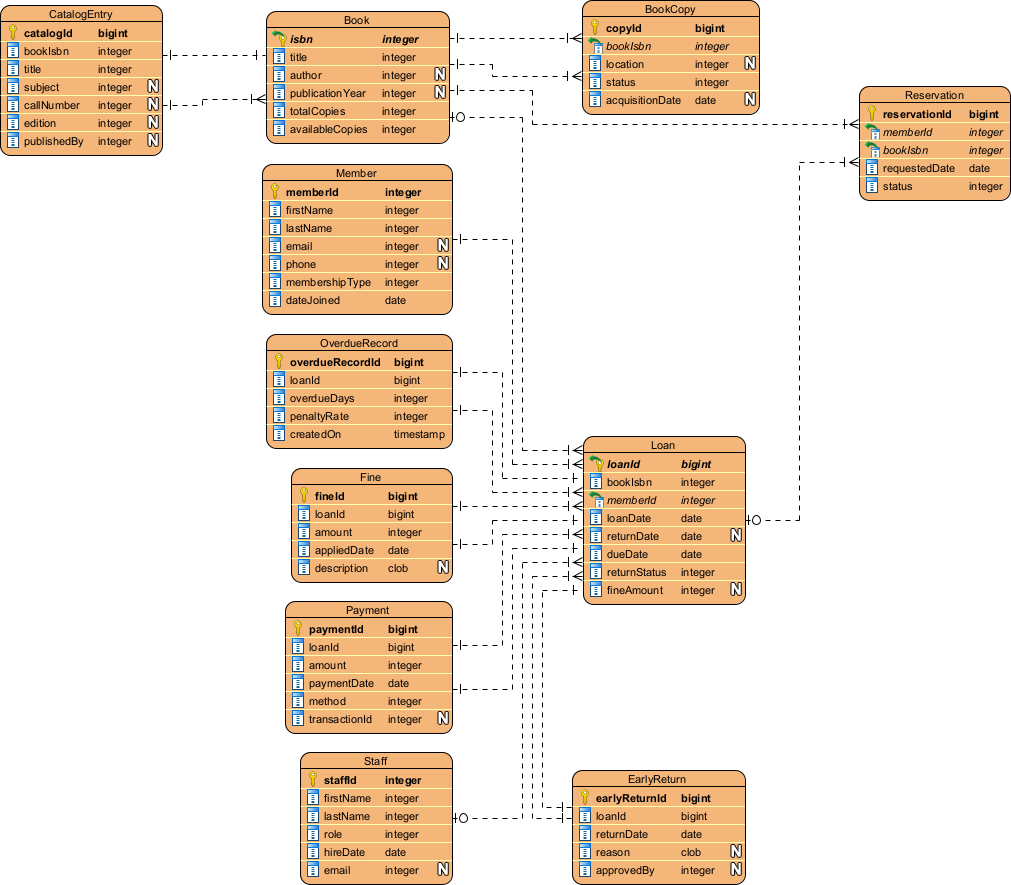
Patrząc na wynik poniżej, możesz zobaczyć, że AI poprawnie wygenerowało schemat idealnie dopasowany do aplikacji społecznościowej. Stworzyło Użytkownik encja z typowymi atrybutami takimi jak nazwa_użytkownika, email, i hasło. Logicznie połączyło użytkownika z encją Post (relacja jeden do wielu), uwzględniając, że jeden użytkownik tworzy wiele postów. Dodatkowo uzupełniło szczegóły, dodając Komentarz, Lajk, i Powiadomienie encje, wraz z kluczami obcymi (np. id_posta, id_autora) i odpowiednie typy danych takie jak varchar, clob, i integer.

This is the screenshot of Visual Paradigm Desktop. It shows a Entity Relationship Diagram generated by AI, based on the descr

Dlaczego ta funkcja AI jest niezwykle ważna dla modelistów

Piękno korzystania z narzędzia do modelowania bazy danych zasilanego AInarzędzia do modelowania bazy danych zasilanego AI polega na tym, że zajmuje się ciężką pracą związanej z układem i organizacją. Jak widać na wygenerowanym diagramie, encje są ułożone w taki sposób, aby zminimalizować przecięcia linii, co ułatwia odczytywanie i weryfikację struktury danych.

Automatyczne przypisywanie atrybutów i kluczy

Zwróć uwagę, jak AI automatycznie przypisało klucze podstawowe (PK) do każdego obiektu, oznaczone ikoną klucza. Zrobiło również inteligentne przypuszczenia dotyczące typów danych — przypisując clob (Obiekt znakowy dużego rozmiaru) do „treści” posta, ponieważ wie, że posty mogą być długie, jednocześnie pozostawiając „username” jako standardowy varchar(50). Dzięki temu oszczędzasz sobie kłopotu ręcznego ustawiania właściwości dla każdego kolumny w fazie koncepcyjnej.

Od statycznego obrazu do funkcjonalnego projektu

W przeciwieństwie do prostych generatorów obrazów, wynik to pełnie edytowalny diagram natywny. Jeśli później zdecydujesz, że „Post” powinien mieć również „Kategorię”, możesz po prostu dodać tę atrybutu za pomocą edytora diagramu. Ta płynna przejście do implementacji oznacza, że możesz użyć tego diagramu jako podstawy do generowania skryptów DDL dla MySQL, PostgreSQL lub Oracle, efektywnie przechodząc od poglądowego pomysłu do fizycznej struktury bazy danych w jednym procesie.

Jak stworzyć własny AI ERD

Gotowy na wypróbowanie tego łatwo używane narzędzie do tworzenia ERD? Oto prosty przepływ pracy, aby odtworzyć wyniki pokazane powyżej:

  1. Uruchom Visual Paradigm: Otwórz nowy lub istniejący projekt.
  2. Otwórz narzędzie AI: Przejdź do Narzędzia > Generowanie diagramu AI.
  3. Wybierz typ diagramu: Wybierz „Diagram relacji encji” z menu rozwijanego.
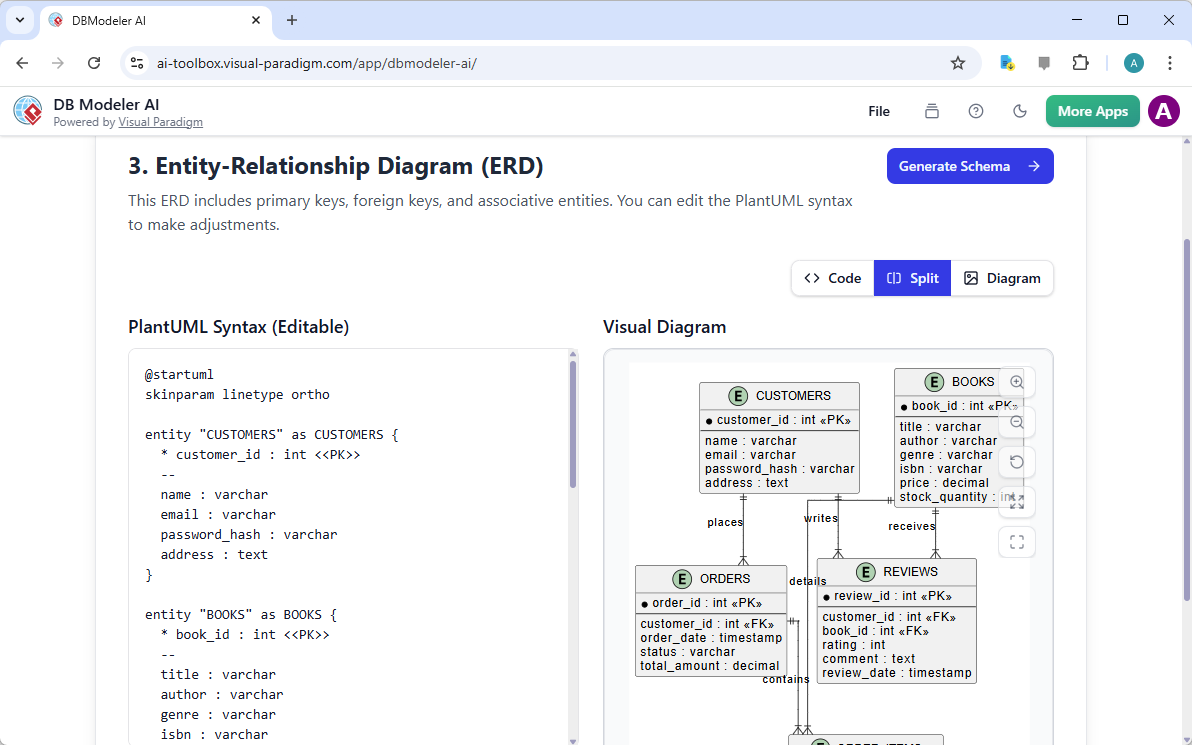
  4. Wprowadź opis: Wprowadź jasny opis swojego systemu (np. „System biblioteczny z książkami, członkami i wypożyczeniami”).
  5. Generuj: Kliknij OK i obserwuj, jak pojawia się Twój diagram.
  6. Dostosuj: Użyj edytora, aby dostosować relacje lub dodać konkretne ograniczenia, jeśli to konieczne.

Wnioski

Generowanie diagramu relacji encji AI w Visual Paradigm zmienia sposób podejścia do modelowania danych. Przekształcając prosty zdanie o „platformie społecznościowej” w kompletny, technicznie dokładny ERD, usuwa bariery wejściowe dla projektowania baz danych. Niezależnie od tego, czy prototypujesz nową aplikację, czy dokumentujesz istniejący system, to narzędzie oferuje solidny, profesjonalny punkt wyjścia od razu.

Przestań rysować prostokąty po kolei. Doświadcz szybkości modelowania wspomaganego AI już dziś.

Pobierz Visual Paradigm Desktop i wypróbuj generowanie diagramów z pomocą AI już teraz


Linki powiązane

Visual Paradigm oferuje kompleksowy zestaw narzędzi ERD (diagramów relacji encji) ułatwiający projektowanie skalowalnych schematów baz danych za pomocą zarówno tradycyjnych edytorów wizualnych, jak i automatyzacji opartej na AI. Te narzędzia wspierają różne notacje, takie jak notacja Chen, i umożliwiają płynny przejście od modelowania koncepcyjnego do implementacji fizycznej bazy danych oraz inżynierii wstecznej.

  1. Narzędzie ERD Visual Paradigm – twórz diagramy relacji encji online: Narzędzie oparte na przeglądarce, które umożliwia intuicyjne przeciąganie i upuszczanie projektowania profesjonalnych schematów baz danych.
  2. Projektowanie bazy danych za pomocą narzędzi ERD – przewodnik Visual Paradigm: Zasób dla architektów skupiających się na budowaniu skalowalnych i wytrzymały bazy danychz wykorzystaniem najlepszych praktyk modelowania danych.
  3. DBModeler AI: inteligentne narzędzie do modelowania baz danych: Aplikacja oparta na AI zaprojektowana do automatycznego modelowania baz danych, generowania schematów i testowania SQL w czasie rzeczywistym.
  4. Bezpłatne narzędzie ERD – projektuj bazy danych online za pomocą Visual Paradigm: Oferuje rozwiązanie bez instalacji, działające w przeglądarce, umożliwiające tworzenie profesjonalnych diagramów relacji encji bezpłatnie.
  5. Edytor ERD w notacji Chen – zaawansowane modelowanie relacji encji: Specjalistyczny edytor zapewniający pełną obsługę dla obiekty, atrybuty, relacje i liczność używając dokładnej notacji Chen.
  6. Narzędzie Visual Paradigm ERD do projektowania baz danych – kompletny rozwiązań: Kompletny narzędzie dla programistów i architektów domodelowania, wizualizacji i generowaniabaz danych z wysoką efektywnością.
  7. Nowe typy diagramów dodane do generatora diagramów AI: DFD i ERD: W tej wersji podkreślono możliwość generowaniaERD natychmiastowo na podstawie zapytań w języku naturalnym z wykorzystaniem AI.
  8. Uproszczenie modelowania relacji między obiektami za pomocą Visual Paradigm: Artykuł opisujący sposób uproszczenia procesu modelowania odpoczątkowej koncepcji do końcowego wdrożenia bazy danych.
  9. Wprowadzenie do modelowania danych: ERD, generowanie kodu i inżynieria wsteczna: Wprowadzenie obejmujące kluczowy cykl życiarysowania diagramów i inżynierii wstecznejbaz danych.
  10. Co to jest diagram relacji między obiektami (ERD)? – Przewodnik Visual Paradigm: Przewodnik wyjaśniający podstawoweelementy i znaczenieERD w szerszym kontekście projektowania baz danych.

From Problem to Report: How AI Guides Your Use Case Journey

Discover how AI guides your use case journey from problem to report with Visual Paradigm’s intelligent development assistant.

Imagine you’re a project manager tasked with launching a new online course platform. The first challenge is to articulate the problem clearly and then translate it into a functional system. This is where the Use Case Driven Development Assistant, an AI-powered tool from Visual Paradigm, steps in. It doesn’t just help you write documents; it guides you through a complete, structured workflow to transform a vague idea into a detailed, actionable project plan. The process is so intuitive, it feels like having a seasoned business analyst and a technical architect working side-by-side with you. This deep dive explores the core features of this powerful tool, using a real-world example of an online course platform to show how it streamlines the entire use case lifecycle.

Quick Summary: Key Takeaways from the Use Case Driven Development Assistant

  • Start with a clear problem statement to define the project’s core objective.

  • Use AI to automatically generate a list of candidate use cases and actors.

  • Visualize system functionality with AI-generated Use Case and Activity Diagrams.

  • Prioritize features using a structured MoSCoW method to focus on high-value work.

  • Generate detailed use case descriptions and executable Gherkin test scenarios.

  • Create comprehensive reports to communicate project scope and plans.

  • Track progress and maintain a single source of truth with a central dashboard.

Step 1: Defining the Problem with AI

Every successful project begins with a clear understanding of the problem it aims to solve. The journey with the Use Case Driven Development Assistant starts in the “Problem Statement” tab. Here, you input a project name and a short description. The AI then leverages this information to generate a comprehensive problem statement. As seen in Image 1, the tool has taken the project name “Online Course Platform” and the short description “A marketplace for instructors to create and sell courses, and for students to enroll and learn” to produce a detailed narrative. This narrative identifies the core pain points: students struggle to find relevant courses, while instructors face challenges in reaching a broad audience and monetizing their expertise. This AI-generated problem statement serves as the project’s foundation, ensuring everyone on the team shares a unified understanding from the very beginning.

This is a screenshot of Visual Paradigm's AI Powered Use Case Driven Development Assistant. we are now in step 1. It shows th

Step 2: Identifying Use Cases with AI Assistance

Once the problem is defined, the next logical step is to identify the key functionalities the system must provide. The assistant’s “Candidate Use Cases” tab, shown in Image 2, automates this process. After analyzing the problem statement, the AI suggests a list of use cases, each associated with an actor (like Instructor, Student, or Admin). For our online course platform, the AI proposes use cases such as “Create a New Course,” “Upload Course Content,” “Browse and Search Courses,” and “Enroll in a Course.” This list provides a solid starting point, saving significant time and effort that would otherwise be spent on brainstorming sessions. You can then refine these suggestions, add new ones, or delete irrelevant ones to create a comprehensive list of system functionalities.

This is a screenshot of Visual Paradigm's AI Powered Use Case Driven Development Assistant. We are now in step 2. It shows a

Step 3: Visualizing the System with a Use Case Diagram

After identifying the use cases, it’s crucial to visualize how they interact with the system’s actors. The “Use Case Diagram” tab, illustrated in Image 3, takes the list of use cases and actors and automatically generates a clear, graphical representation. This diagram shows the relationships between the actors (Instructor, Student, Admin) and the system’s functions (Create a New Course, etc.). The AI-powered generation ensures that the diagram is accurate and professionally formatted. This visual aid is invaluable for communication, allowing stakeholders, developers, and designers to quickly grasp the system’s scope and functionality without wading through text-heavy documents.

This is a screenshot of Visual Paradigm's AI Powered Use Case Driven Development Assistant. We are now in step 3. It shows a

Step 4: Prioritizing Features for Maximum Impact

Not all use cases are created equal. A project’s success often hinges on focusing on the most critical features first. The “Prioritize Use Cases” tab, as shown in Image 4, provides a powerful framework for this. It allows you to assign a user value and business value (on a scale of 0-10) to each use case and then apply the MoSCoW prioritization method (Must Have, Should Have, Could Have, Won’t Have). In our example, the AI has helped identify that “Create a New Course” and “Upload Course Content” are “Must Have” features, as they are essential for the platform’s core function. This structured prioritization ensures that the development team focuses on delivering the highest value to users and the business, avoiding wasted effort on low-priority features.

This is a screenshot of Visual Paradigm's AI Powered Use Case Driven Development Assistant. We are now in step 4. It shows th

Step 5: Detailing Use Cases and Generating Activity Diagrams

With the high-level view established, the next step is to dive into the details of each use case. The “Use Case Details” tab, shown in Image 5, allows you to create a comprehensive template for a selected use case. The AI can generate a detailed description, including pre-conditions, main flow, and alternative flows. For the “Create a New Course” use case, the AI provides a structured template that outlines the necessary steps. To further enhance understanding, the assistant can generate an “Activity Diagram” for the same use case, as seen in Image 6. This diagram visually maps out the step-by-step workflow, showing the sequence of actions from the instructor logging in to the course being saved. This level of detail is essential for both developers and QA teams.

This is a screenshot of Visual Paradigm's AI Powered Use Case Driven Development Assistant. We are now in step 5. It shows thThis is a screenshot of Visual Paradigm's AI Powered Use Case Driven Development Assistant. We are still in step 5. It shows

Step 6: Generating Test Scenarios and Sequence Diagrams

For a development team, the next critical step is to create testable scenarios. The “Scenarios” tab, shown in Image 7, allows you to generate executable Gherkin scenarios directly from your use case descriptions. These scenarios, written in a plain-language format (Given-When-Then), are perfect for automated testing. The AI can generate a main scenario and alternative scenarios, such as one for an invalid title. To further clarify the system’s internal workings, the assistant can generate a “Sequence Diagram,” as seen in Image 8. This diagram shows the interaction between the instructor, the web dashboard, the backend API, the database, and the notification service, providing a clear picture of the system’s architecture and data flow.

This is a screenshot of Visual Paradigm's AI Powered Use Case Driven Development Assistant. We are in step 6. It shows the AIThis is a screenshot of Visual Paradigm's AI Powered Use Case Driven Development Assistant. We are still in step 6. It shows

Step 7: Creating Comprehensive Project Reports

Throughout the development process, it’s essential to communicate the project’s status and plans to various stakeholders. The “Generate Report” tab, as shown in Image 9, makes this easy. You can generate a variety of reports, such as a “Project Overview,” “Implementation Plan,” “QA Test Plan,” or a “Developer Task List.” These reports are generated with AI assistance, ensuring they are consistent and comprehensive. For example, the “Project Overview” report summarizes the entire project, including the executive summary, key features, and the rationale behind the prioritization. This single source of truth ensures everyone is aligned and informed.

This is a screenshot of Visual Paradigm's AI Powered Use Case Driven Development Assistant. We are in step 7. It shows a repo

Step 8: Tracking Progress with the Dashboard

Finally, the journey culminates in the “Dashboard,” as seen in Image 10. This central hub provides a high-level overview of the project’s status. It shows the project completion percentage, the total number of use cases, and the number of “Must Have” items. The project checklist allows you to track your progress, with each completed step marked as “Done.” This real-time visibility into the project’s health is invaluable for project managers and team leads, enabling them to identify bottlenecks and ensure the project stays on track.

This is a screenshot of Visual Paradigm's AI Powered Use Case Driven Development Assistant. We are in step 8. It shows the da

The Use Case Driven Development Assistant is more than just a tool; it’s a comprehensive workflow that brings clarity and efficiency to the software development process. By leveraging AI at every stage—from defining the problem to generating reports—it helps teams move from requirements to implementation faster and with greater accuracy. The result is a well-structured, well-documented project that is aligned with business goals and user needs. If you’re looking to streamline your use case development process, this AI-powered tool is a powerful solution.

Ready to see how the Use Case Driven Development Assistant can transform your next project? Try it now.

Related Links

Use case modeling is a fundamental software engineering technique used to capture functional requirements by visualizing the interactions between external actors and a system’s internal functions. Modern platforms now incorporate AI-powered automation to refine diagrams, generate comprehensive use case descriptions, and convert models into test cases or activity diagrams to maintain design consistency and traceability. Advanced tools like the Flow of Events editor and Scenario Analyzer allow development teams to validate and document structured event sequences to improve overall system clarity.

  1. What Is a Use Case Diagram? – A Complete Guide to UML Modeling: An in-depth overview covering essential components, purposes, and best practices for requirements modeling.

  2. Step-by-Step Use Case Diagram Tutorial – From Beginner to Pro: A practical resource that guides users through foundational to advanced techniques for creating effective use case diagrams.

  3. All You Need to Know About Use Case Modeling: A comprehensive exploration of the principles and applications of use case modeling in system design.

  4. Visual Paradigm – Use Case Description Features: Details specialized tools used to precisely document user interactions and structured system behavior.

  5. Mastering AI-Driven Use Case Diagrams with Visual Paradigm: A tutorial on leveraging AI to create intelligent, dynamic diagrams for modern software systems.

  6. Guide to Using the Flow of Events Editor in Visual Paradigm: Step-by-step instructions for documenting structured event sequences within a use case scenario.

  7. Unraveling Scenarios with the Use Case Scenario Analyzer: A guide on using analyzers to examine and refine interaction flows for increased system clarity.
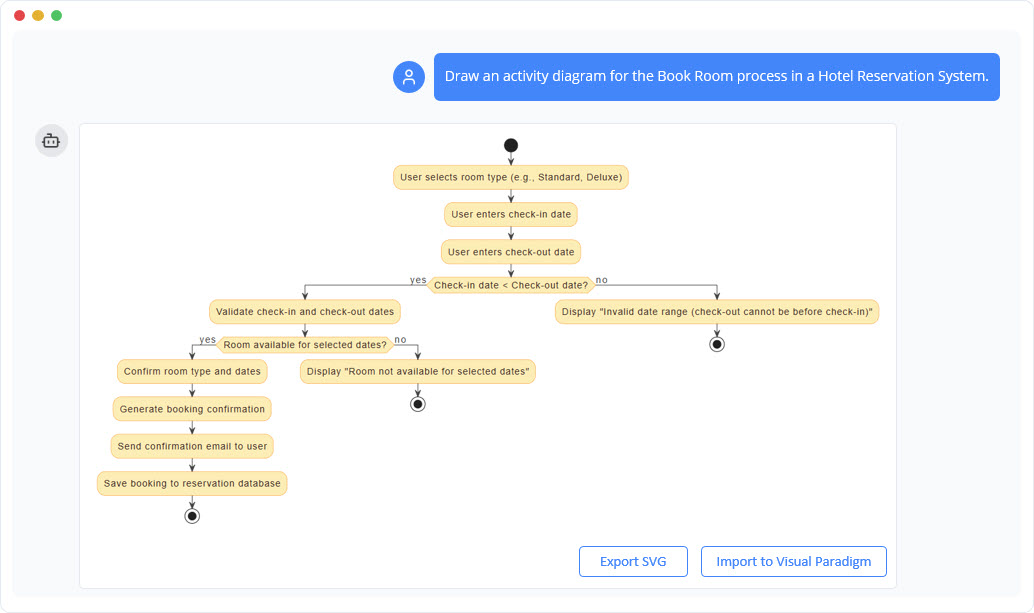
  8. Convert Use Case to Activity Diagram – AI-Powered Transformation: A resource explaining the automated conversion of use cases into detailed system workflows.

  9. Generating Scenarios and Test Cases from Use Case Diagrams Using AI: An exploration of how AI tools automate the creation of requirement-driven test procedures.

  10. Use Case Diagram Gallery – Templates & Examples: A curated collection of real-world examples for inspiration, learning, and rapid prototyping.

Beyond the Sketch: Why Casual AI LLMs Fail at Visual Modeling and How Visual Paradigm Bridges the Gap

In the modern software engineering landscape, the transition from abstract ideas to concrete system designs often feels like solving a “maze without a map”. While general Large Language Models (LLMs) have revolutionized initial content creation, they fall significantly short when applied to professional visual modeling. This article explores the missing elements of casual AI diagram generation and how the Visual Paradigm (VP) AI ecosystem transforms these challenges into a high-speed engine for architectural success.

1. The “Sketch Artist” Problem: What is Missing in Casual AI LLMs

The fundamental limitation of general LLMs in diagramming stems from the difference between textual generation and standardized visual modeling. The sources characterize general LLMs as “sketch artists” who lack the “building codes” and “CAD systems” necessary for professional engineering.

  • Lack of Rendering Engines: General LLMs are primarily designed to process and produce text. While they can generate “diagramming code” (such as Mermaid or PlantUML), they lack built-in rendering engines to convert that code into high-quality, editable vector graphics like SVG.
  • Semantic and Standard Violations: Generic AI models often produce “pretty sketches” that violate the technical rules of formal modeling. They frequently misinterpret complex technical jargon such as “aggregation,” “composition,” or “polymorphism,” resulting in decorative drawings rather than functional engineering artifacts.
  • Absence of State Management: Casual LLMs lack a persistent visual structure. If a user asks a text-based AI to change a single detail, the model often has to regenerate the entire diagram, leading to broken connectors, misaligned layouts, or the total loss of previous details.

2. Problems Encountered in Casual AI Diagramming

Relying on casual AI generation introduces several risks that can compromise project integrity:

  • The “Design-Implementation Gap”: Without a rigorous visual blueprint, logic remains “scattered” and “vague,” often leading to code that is a “mess” and meetings that end without shared understanding.
  • Syntax Expertise Barriers: If an AI generates raw code, the user must possess deep technical expertise in that specific syntax (e.g., PlantUML) to make manual modifications, defeating the purpose of an “easy” AI tool.
  • Isolation from Workflow: Text snippets from general LLMs are isolated from the actual engineering process, requiring manual copy-pasting and offering no version control or integration with other model types.
  • The Failure of “One-Shot” Prompts: A single prompt is rarely sufficient to fit 100% of a user’s requirements for a detailed system. Initial ideas are often “scattered,” and users frequently realize they missed critical details—like load balancers or error-handling states—only after seeing a first draft.

3. How Visual Paradigm AI Achieves Professional Integrity

Visual Paradigm AI addresses these legacy issues by transforming modeling from a “labor-intensive drawing chore” into an intuitive, conversational, and automated workflow.

A. “Diagram Touch-Up” and Persistent Structure

Unlike generic tools, VP AI maintains the diagram as a persistent object. Through proprietary “Diagram Touch-Up” technology, users can issue conversational commands like “add a two-factor authentication step” or “rename this actor,” and the AI updates the visual structure immediately while maintaining layout integrity.

B. Standardized Intelligence

Visual Paradigm AI is uniquely trained on established modeling standards, including UML 2.5, ArchiMate 3, and C4. It understands the semantic rules and structure behind words, ensuring that relationships and naming conventions are technically valid blueprints ready for construction.

C. Specialized Step-Based Analysis

To bridge the gap between requirements and design, the ecosystem provides systematic apps:

  • AI-Powered Textual Analysis: Automatically extracts candidate domain classes, attributes, and relationships from unstructured problem descriptions before a single line is drawn.
  • 10-Step AI Wizard: Guides users through a logical sequence—from defining purpose to identifying operations—ensuring “human-in-the-loop” validation to prevent the errors common in “one-shot” AI generation.

D. Architectural Critique as a Consultant

Beyond simple generation, the AI acts as a systematic design assistant. It can analyze existing designs to identify single points of failure, logic gaps, or suggest industry-standard patterns like MVC (Model-View-Controller) to improve system quality.

E. Seamless Ecosystem Integration

AI-generated models are functional artifacts, not isolated images. They can be imported into the Visual Paradigm Desktop or Online suites for advanced editing, versioning, and code engineering (including database generation and Hibernate ORM integration), ensuring the visual design directly drives the software implementation.

Conclusion: From Hand-Chiseling to 3D Printing

Traditional modeling is like hand-chiseling a marble statue, where every stroke is a high-risk manual effort. In contrast, Visual Paradigm AI is like using a high-end 3D printer: you provide the specifications in plain English, and the system precisely builds a technically sound structure, allowing you to focus on strategic design decisions. By unifying strategy, business modeling, and technical design into a single AI-enhanced platform, Visual Paradigm eliminates the “blank canvas” problem and ensures all stakeholders work from the same conceptual baseline.

Data publikacji Kategorie AI

Beyond the Sketch: Why Casual AI LLMs Fail at Visual Modeling and How Visual Paradigm Bridges the Gap

In today’s fast-paced software engineering and enterprise architecture world, turning abstract requirements into precise, actionable designs remains challenging. General-purpose Large Language Models (LLMs) excel at brainstorming and text generation but struggle with professional visual modeling. They produce “sketches” rather than engineered blueprints. Visual Paradigm’s AI-powered ecosystem changes this by delivering standards-aware, persistent, and iterative diagramming that accelerates architectural work from idea to implementation.

1. The “Sketch Artist” Problem: Limitations of Casual AI LLMs

Casual AI tools (e.g., ChatGPT, Claude) treat diagramming as an extension of text generation. They output code in formats like Mermaid or PlantUML, but lack depth for professional use.

Key limitations include:

  • No Native Rendering or Editing Engine LLMs generate text-based syntax (e.g., Mermaid flowchart code), but offer no built-in viewer or editor for high-quality vector graphics (SVG). Users paste code into external renderers, losing interactivity. Changes require full regeneration.
  • Semantic Inaccuracies and Standard Violations Generic models misinterpret UML/ArchiMate concepts. For example, they confuse aggregation (shared ownership) with composition (exclusive ownership), or draw invalid inheritance arrows. Results look attractive but fail as engineering artifacts—e.g., a class diagram might show bidirectional associations where unidirectional is correct.
  • Lack of Persistent State and Incremental Updates Each prompt regenerates the diagram from scratch. Asking “add error handling to this sequence diagram” often breaks layouts, loses connectors, or forgets prior elements. No memory of visual structure exists.

Example: Prompting ChatGPT for a “UML class diagram of an online banking system with accounts, transactions, and two-factor authentication” yields Mermaid code. Adding “include fraud detection module” regenerates everything—potentially rearranging classes, dropping associations, or introducing syntax errors.

These issues create “pretty pictures” instead of maintainable models.

2. Real-World Problems When Relying on Casual AI Diagramming

Using general LLMs introduces risks that undermine project quality:

  • The Design-Implementation Gap Vague or incorrect visuals lead to misaligned code. Teams waste time in meetings clarifying intent because diagrams lack precision.
  • Syntax Dependency and Expertise Barrier Editing Mermaid/PlantUML requires learning specialized syntax—ironic for “AI-assisted” tools. Non-experts struggle with manual fixes.
  • Workflow Isolation Diagrams are static images or code snippets, disconnected from version control, collaboration, or downstream tasks (e.g., code generation, database schemas).
  • “One-Shot” Prompt Failure Complex systems need iteration. Users spot omissions (e.g., missing load balancers, caching layers, or exception flows) only after the first output, but regeneration discards progress.

Example: In system design interviews or early architecture sessions, developers use ChatGPT to generate C4 model diagrams via Mermaid. Initial outputs miss key boundaries or relationships. Iterative prompting yields inconsistent versions, frustrating teams and delaying decisions.

3. How Visual Paradigm AI Delivers Professional-Grade Modeling

Visual Paradigm transforms diagramming into a conversational, standards-driven, and integrated process. Its AI understands UML 2.5, ArchiMate 3, C4, BPMN, SysML, and more, producing compliant, editable models.

A. Persistent Structure with “Diagram Touch-Up” Technology

VP maintains diagrams as living objects. Users issue natural language commands to update specific parts without regeneration.

  • Conversational edits: “Add two-factor authentication step after login” or “Rename Customer actor to User” instantly adjust layout, connectors, and semantics while preserving integrity.

This eliminates broken links and layout chaos common in casual tools.

B. Standards-Compliant Intelligence

Trained on formal notations, VP AI enforces rules:

  • Correct multiplicity in associations
  • Proper use of stereotypes
  • Valid ArchiMate viewpoints (e.g., Capability Map, Technology Usage)

Diagrams are technically sound “blueprints” rather than approximations.

C. Systematic Step-Based Analysis and Guidance

VP provides structured apps to bridge requirements to design:

  • AI-Powered Textual Analysis — Analyzes unstructured text (e.g., requirements docs, user stories) to extract candidate classes, attributes, operations, and relationships. It generates initial class diagrams automatically.

    Example: Input a description: “An e-commerce platform allows customers to browse products, add to cart, checkout with payment gateway, and track orders.” AI identifies classes (Customer, Product, Cart, Order, PaymentGateway), attributes (e.g., price, quantity), and associations (Customer places Order).

  • 10-Step AI Wizard (for UML class diagrams and similar) — Guides users logically: define purpose → scope → classes → attributes → relationships → operations → review → generate. Human-in-the-loop validation prevents one-shot errors.

D. AI as Architectural Consultant

Beyond generation, VP AI critiques designs:

  • Detects single points of failure
  • Identifies logic gaps
  • Suggests patterns (e.g., MVC, Repository, Observer)

It acts as an expert reviewer.

E. Seamless Integration into Professional Workflows

Models are not isolated images:

  • Fully editable in Visual Paradigm Desktop/Online
  • Support versioning and collaboration
  • Enable code engineering (e.g., generate Java/Hibernate ORM, database schemas)
  • Export/import across tools

This closes the loop from design to code.

Example: Generate an ArchiMate viewpoint for “Technology Layer” via prompt: “Create ArchiMate diagram for cloud-based microservices architecture with AWS components.” AI produces a compliant diagram. Use “Diagram Touch-Up” to add security controls. Export to desktop for team review and code gen.

Conclusion: From Manual Chiseling to AI-Powered 3D Printing

Traditional diagramming feels like chiseling marble—slow, error-prone, and irreversible. Casual AI LLMs improve speed but remain “sketch artists” producing inconsistent, non-persistent visuals.

Visual Paradigm AI is like a high-precision 3D printer: input plain English specifications, receive standards-compliant, editable structures, iterate conversationally, and drive implementation directly. By unifying business, enterprise, and technical modeling in one AI-enhanced platform, it eliminates the blank-canvas paralysis and ensures stakeholders share a precise, actionable baseline.

For software architects, enterprise teams, and developers tired of regenerating broken Mermaid snippets, Visual Paradigm represents the next evolution: intelligent modeling that respects standards, preserves intent, and accelerates delivery.

Data publikacji Kategorie AI

Mastering UML Deployment Diagrams: A Hybrid Approach with Visual Paradigm AI

In the fast-paced world of software architecture, the ability to accurately document system infrastructure is crucial. For years, architects have relied on manual drafting to create UML Deployment Diagrams—a process known for its precision but also its tediousness. However, the landscape has shifted in 2026. With the integration of Artificial Intelligence into tools like Visual Paradigm, the workflow has evolved from purely manual dragging and dropping to a sophisticated conversation with AI.

Deployment Diagram for Embedded System

This guide explores the strengths and weaknesses of both traditional manual modeling and AI-powered generation, ultimately advocating for a hybrid approach. By mixing the speed of AI with the precision of human oversight, architects can achieve results that are both rapid and professional.

UML Component Diagram: A Definitive Guide to Designing Modular Software  with AI - AI Chatbot

The Traditional Approach: Manual Modeling

For many teams, the classic approach remains the default. This involves opening the editor, selecting the Deployment Diagram type, and building the infrastructure topology from a blank canvas.

The Manual Workflow

Creating a diagram manually is a granular process involving several specific steps:

  • Node Placement: Architects manually drag 3D node boxes onto the canvas to represent servers, devices, execution environments, or cloud resources such as <<AWS EC2>> or <<Kubernetes Cluster>>.
  • Artifact Management: Files like .war, .jar, or database schemas are explicitly placed onto nodes to show where code is deployed.
  • Connection Drawing: Communication paths are drawn using solid lines, requiring manual selection of stereotypes like <<HTTP>> or <<TCP/IP>>.
  • Visual Organization: The user must manually align shapes, color-code security zones, and manage nested nodes for VPCs or data centers.

Strengths of the Old School

Despite being labor-intensive, manual modeling has persisted because it offers total control. Every decision regarding layout and stereotypes is deliberate, forcing the architect to think deeply about topology, performance bottlenecks, and failover strategies. It is particularly effective for the final polish required for compliance documents or high-stakes architecture reviews.

The Pain Points

However, the downsides are significant, especially for complex cloud deployments:

  • Time Intensity: A realistic setup involving load balancers, auto-scaling groups, databases, and CDNs can take 45 to 90 minutes for a first draft.
  • Iteration Fatigue: Minor changes, such as adding a firewall or changing a protocol, often require tedious dragging, reconnecting, and realigning of elements.
  • Onboarding Issues: Junior developers often struggle with the strict syntax of UML notation, leading to inconsistencies.

The AI Revolution: Fast Prototyping with Guardrails

Visual Paradigm’s AI chatbot and diagram generator have introduced a paradigm shift. Instead of drawing, the architect describes the system in plain English, and the tool generates the visual representation.

How AI Modeling Works

The process is conversational and iterative:

  1. Description: The user provides a text prompt, such as: “Generate a UML Deployment Diagram for a microservices e-commerce platform on AWS with an Internet-facing ALB, EC2 instances, RDS PostgreSQL, and S3.”
  2. Generation: The AI produces a complete diagram in seconds, correctly identifying nodes, artifacts, and relationships.
  3. Refinement: The user iterates via chat commands like “Add a bastion host in a public subnet” or “Make the database highly available with read replicas.”

Why Architects Are Adopting AI

The immediate benefit is blazing speed. A draft that previously took nearly an hour can now be generated in under two minutes. Furthermore, the AI adheres to semantic correctness, ensuring proper UML rules are followed regarding node versus execution environment distinctions. It also serves as a knowledge booster, offering suggestions for high availability or security when prompted.

However, AI is not without limitations. The layout prioritizes correctness over aesthetics, often requiring cleanup. Additionally, highly bespoke elements or custom hardware icons may be missed, and there is a risk of over-reliance where subtle errors in dependency direction might go unnoticed if not reviewed.

The Winning Strategy: The Hybrid Approach

The most effective workflow today is not choosing between manual and AI, but blending them. This Hybrid Approach leverages the best of both worlds to maximize productivity and quality.

Phase 1: AI for the Heavy Lifting (80-90%)

Start every project with the AI tools. Use natural language to describe your infrastructure. This phase is dedicated to speed, exploration, and establishing the semantic structure of the diagram. It allows for rapid “what-if” scenarios and creates a solid foundation without the drudgery of dragging initial shapes.

Phase 2: Manual for the Final Mile (10-20%)

Once the AI draft is ready, export it into the full Visual Paradigm editor. This is where human expertise shines. Architects should:

  • Fine-tune the layout for readability.
  • Add custom notes, constraints, and specific visual cues (icons/swimlanes).
  • Adjust colors to match corporate branding or specific architectural standards.
  • Ensure the diagram effectively communicates the narrative required for stakeholders.

Phase 3: The Iterative Loop

When major structural changes occur—such as a migration to multi-cloud or the addition of a new security zone—architects can jump back to the AI chat for quick regeneration, then polish manually again. This is significantly faster than redrawing complex diagrams from scratch.

Comparison: Manual vs. AI vs. Hybrid

Feature Manual Modeling AI-Powered Hybrid Approach
Speed Slow (45+ mins) Instant (< 2 mins) Fast (5-10 mins)
Control High (Pixel perfect) Moderate (Prompt-based) Maximum (Best of both)
Consistency Variable (Human error) High (Rule-based) High (AI draft + Human check)
Flexibility Low (Hard to refactor) High (Regenerate instantly) High (Iterative flow)

Conclusion: Elevation, Not Replacement

The introduction ofAI into deployment diagramming does not render the architect’s skills obsolete; rather, it elevates them. Traditional manual skills provide the necessary foundation for precision and review, while AI provides unprecedented speed and accessibility.

In 2026, the competitive advantage lies in the deliberate mix of these methods. By using AI as an accelerator and applying human judgment for refinement, architects can produce higher-quality documentation in a fraction of the time. If you are still dragging every node manually, it is time to embrace the hybrid future.

Deployment Diagram Archives - AI Chatbot

Visual Paradigm AI Powered Deployment Diagram Resource

The following articles and resources provide detailed information on using AI-powered tools to create and manage deployment diagrams within the Visual Paradigm platform:

Data publikacji Kategorie AI

Visual Paradigm AI Package Diagram Generator: Text to UML Packages

You’re architecting a new content management system, staring at layers, modules, and dependencies — presentation, business rules, persistence, security — but the high-level structure stays fuzzy. Manually creating packages, subpackages, and dependency arrows feels like overkill for a first draft. Enter Visual Paradigm’s AI Package Diagram Generator: describe your system in plain words, and get a clean, standards-compliant UML package diagram in seconds. It’s the fast lane from mental model to visual blueprint.

Why This AI Changes Software Architecture

  • Natural language → full UML package diagram instantly
  • Auto-identifies packages, subpackages, dependencies, and stereotypes
  • Handles layered, modular, and microservices-style structures
  • Fully editable native model — refine, add notes, merge packages
  • Desktop precision + browser chatbot for rapid iteration

1. Desktop: Prompt → Structured Architecture

In Visual Paradigm Desktop:

Tools → AI Diagram Generation → select “Package Diagram” → describe your system:

“Generate a UML Package Diagram for a content management system with Presentation Layer (Web UI, Mobile App), Business Logic Layer (Content Service, User Management, Workflow Engine), Data Access Layer (Repository, Audit Logging), and show dependencies between layers.”

The input dialog keeps it simple and focused:

Visual Paradigm Desktop AI Package Diagram generation prompt interface

AI builds:

  • Top-level packages: Presentation Layer, Business Logic Layer, Data Access Layer
  • Subpackages: Web UI, Mobile App, Content Service, Repository
  • Clear dependency arrows (dashed) showing flow between layers

Resulting content management system package diagram — logical, layered, and ready for review:

AI-generated UML Package Diagram for Content Management System

Immediately edit: add security package, adjust dependencies, or integrate with class diagrams.

2. Chatbot: Conversational Architecture on the Go

For quick sketches or remote brainstorming, open the Visual Paradigm AI Chatbot:

“Create UML Package Diagram for a banking system: Core Banking Services, Account Management, Customer Management, Transaction Processing, Compliance & Auditing.”

The chatbot generates it live — packages, subpackages, and dependencies appear instantly. Example output for a banking system:

AI-generated UML Package Diagram for Banking System via Chatbot

Refine in conversation: “Add Payment Gateway package with dependency to Transaction Processing.” Instant update. Perfect for early design sessions or teaching UML.

Why Package Diagrams + AI Matter in 2026

Good architecture starts with clear boundaries. Package diagrams show modularity, layers, and dependencies before a single line of code is written. Manual creation slows you down; AI removes the friction.

Use cases that shine:

  • Layered enterprise apps
  • Microservices boundaries
  • Teaching modular design
  • Quick refactoring planning

Change scope mid-discussion? Regenerate. New module needed? Add it. That speed keeps architecture agile and team communication sharp.

Ready to Visualize Your System Structure?

Visual Paradigm’s AI Package Diagram Generator turns vague ideas into professional UML packages fast — whether for CMS, banking, e-commerce, or any modular system.

  • Download Visual Paradigm Desktop → Full modeling power: Get Desktop Now
  • Try AI Chatbot Online → Instant architecture sketches: Start Chatting

Stop wrestling with boxes and arrows. Start designing smarter — today.

Related Links

These articles explain how artificial intelligence is applied to UML package diagrams to automate the logical grouping of system elements, enabling developers to instantly generate architectural structures from natural language prompts to better manage software dependencies and system scalability.

  1. AI Diagram Generator Now Supports Package Diagrams in Visual Paradigm: This article details the release of new features that allow for the AI-powered generation of package diagrams to improve software architecture visualization.
  2. Generate UML Package Diagrams Instantly with Visual Paradigm AI: This guide focuses on utilizing AI-driven tools to create professional UML package diagrams with minimal manual effort.
  3. Interactive UML Package Diagram Generator: This resource provides access to an interactive tool for creating and editing package diagrams in real time through a conversational AI interface.
  4. UML Package Diagram: A Definitive Guide to Structuring Your Codebase with AI: This comprehensive guide explains how AI assists in structuring codebases, managing complex dependencies, and maintaining architectural integrity.
  5. Generating UML Package Diagrams from Text Prompts: This article explores how to transform raw ideas and textual prompts into detailed UML package diagrams using advanced AI modeling features.
  6. UML Package Diagram Tutorial Using Visual Paradigm: This tutorial provides a step-by-step approach to using package diagrams to structure software components and visualize their relationships effectively.
  7. Features of Package Diagram Software – Visual Paradigm Online: This overview highlights the online tools available for collaborative package diagram management, including version control and real-time editing.
  8. What is a Package Diagram in UML? – Visual Paradigm Guide: This foundational resource introduces the role of package diagrams in organizing complex software systems through logical grouping.
  9. Modeling Software Architecture with UML Package Diagrams: This article discusses best practices for using package diagrams to organize and communicate the modular structure of a system’s architecture.
  10. Package Diagram Examples & Templates – Visual Paradigm Gallery: This gallery offers a collection of real-world templates and examples to inspire and accelerate modular software design.

Creating a Professional Resume in Minutes with AI-Powered Site Builder

Discover how Visual Paradigm’s AI-powered site builder creates professional resumes in seconds from simple text prompts.

Visual Paradigm’s AI-Powered Site Builder is revolutionizing the way professionals create their online presence, from landing pages to comprehensive portfolios. The tool’s core strength lies in its ability to transform a simple text prompt into a fully designed, multi-section website in seconds. This capability is vividly demonstrated in the provided image, which showcases a professional resume generated from the prompt “Resume for a senior marketing manager with 10 years experience.” The result is a polished, modern digital profile for “Alex Johnson,” complete with a professional headshot, a compelling summary, contact information, and a section for skills and expertise. This is not just a template; it is a dynamic, AI-generated webpage that can be customized and published instantly. For professionals seeking a modern, professional online identity, this AI-powered site builder offers a powerful solution that eliminates the traditional barriers of design and development.

At the heart of this transformation is the AI Generator, a feature that allows users to define their website’s purpose with a simple text description. The user inputs a clear prompt, and the AI instantly constructs a complete page layout. The generated content, as seen in the image, is not generic; it is tailored to the specific role and experience level mentioned in the prompt. This intelligent approach ensures that the initial draft is highly relevant, providing a strong foundation for further personalization. The process is intuitive and efficient, allowing users to focus on refining their content rather than struggling with the mechanics of design. This powerful combination of AI and a visual, block-based editor makes the creation of professional websites accessible to anyone, regardless of their technical skills.

This is a screenshot of Visual Paradigm's AI-Powered Site Builder. It shows the web page generated from the prompt 'Resume fo

How the AI-Powered Site Builder Works

The process of creating a website with the AI-Powered Site Builder is designed to be as simple as possible, leveraging the power of artificial intelligence to handle the most complex part of the process: the initial design. The workflow begins with the user defining their goal in a text box. The AI then analyzes this prompt and generates a complete, multi-section webpage. This is not a simple template; the AI understands the context and creates a layout that is appropriate for the content. For instance, a resume prompt generates a page with a professional header, a profile section, a detailed bio, and a skills section, all arranged in a visually appealing and logical manner. This eliminates the “blank page” problem that often hinders the creative process.

From Prompt to Publication: A Seamless Workflow

Once the AI has generated the initial design, the user is presented with a fully interactive, visual editor. The interface, as seen in the image, features a central canvas where the website is displayed and a sidebar with tools and options. The user can then begin to customize the site. Clicking on any element, such as the “Senior Marketing Manager” title or the “Results-driven marketing professional” text, opens a properties panel. This panel allows for direct editing of the text, uploading of images, and adjustment of styles. This “what you see is what you get” (WYSIWYG) experience ensures that changes are immediate and visible. The user can then add more blocks, such as a “Skills & Expertise” section or a “Contact” form, by dragging and dropping them from the sidebar. The entire process is designed to be intuitive and efficient, allowing users to build a professional website in minutes.

Key Benefits of the AI-Powered Site Builder

The AI-Powered Site Builder offers several significant advantages for users who need a professional website quickly and easily. The most prominent benefit is speed. Instead of spending hours or days designing a site from scratch, users can go from a simple idea to a fully designed, functional website in a matter of minutes. This is made possible by the AI’s ability to generate a complete layout and content based on a single prompt. This efficiency is particularly valuable for professionals who need to update their online presence frequently or for businesses that require new landing pages for marketing campaigns.

Accessibility and Professionalism

Another major benefit is accessibility. The tool requires no coding knowledge, making it accessible to a broad audience. The visual, block-based editor allows users to build complex pages by simply dragging and dropping pre-designed components, such as hero sections, galleries, and pricing tables. This approach democratizes web design, empowering entrepreneurs, freelancers, and small business owners to create professional websites without hiring a developer. The AI-generated content is also built on modern design principles, ensuring that the final product looks polished and professional right out of the box. Users can then customize the site to perfectly match their brand and personal style, giving them full control over the final outcome.

Practical Applications and Use Cases

The versatility of the AI-Powered Site Builder makes it suitable for a wide range of applications. The image of the resume demonstrates one powerful use case: creating a professional online profile for a job seeker. This tool is ideal for anyone looking to build a personal portfolio, a business website, or a marketing landing page. For example, a freelance graphic designer could use the tool to create a portfolio site showcasing their best work. A startup founder could generate a landing page for a new product launch. A small business owner could build a simple website to attract local customers. The AI generator can be prompted with a description of the desired site, and it will create a tailored layout. The user then has the freedom to customize every detail, from the text and images to the color scheme and overall structure.

Creating a Multi-Page Website

While the image shows a single-page resume, the tool’s capabilities extend beyond a single page. Users can create multi-page websites by adding new pages to their project. For instance, a professional might create a main “Home” page with a resume and a separate “About” page with a detailed biography. The “Pages” tab in the sidebar allows users to manage all pages within a single project, making it easy to structure a complete website. This feature is essential for creating a comprehensive online presence that can guide visitors through a narrative, from a brief introduction to a detailed portfolio.

Conclusion

The AI-Powered Site Builder from Visual Paradigm represents a significant leap forward in website creation. It empowers users to generate professional, responsive websites quickly and easily, without requiring any technical skills. The tool’s ability to transform a simple text prompt into a fully designed, multi-section webpage is a testament to the power of AI in simplifying complex tasks. The example of the senior marketing manager’s resume demonstrates the tool’s effectiveness in creating a polished and professional digital profile. For anyone looking to establish a strong online presence, this tool offers a fast, efficient, and accessible solution.

Ready to create your own professional website? Try the AI-Powered Site Builder today and see how quickly you can turn your ideas into a live, professional website.

Try Now

Related Links