
Enterprise architecture is the backbone of organizational strategy, providing a structured view of how business, applications, and technology interact. The ArchiMate modeling language serves as a standard for this discipline, offering a clear way to document and communicate complex systems. However, creating and maintaining these models introduces specific challenges. Issues often arise regarding consistency, relationship integrity, and scalability. This guide addresses the most frequent problems encountered when working with ArchiMate models and provides actionable solutions.
🔍 Understanding the Complexity of Enterprise Models
Building a robust architecture model is not merely about drawing boxes and lines. It requires a deep understanding of the relationships between different elements. When models become complex, the likelihood of errors increases. These errors can range from simple syntax issues to deep semantic inconsistencies that affect decision-making. Troubleshooting begins with recognizing the symptoms.
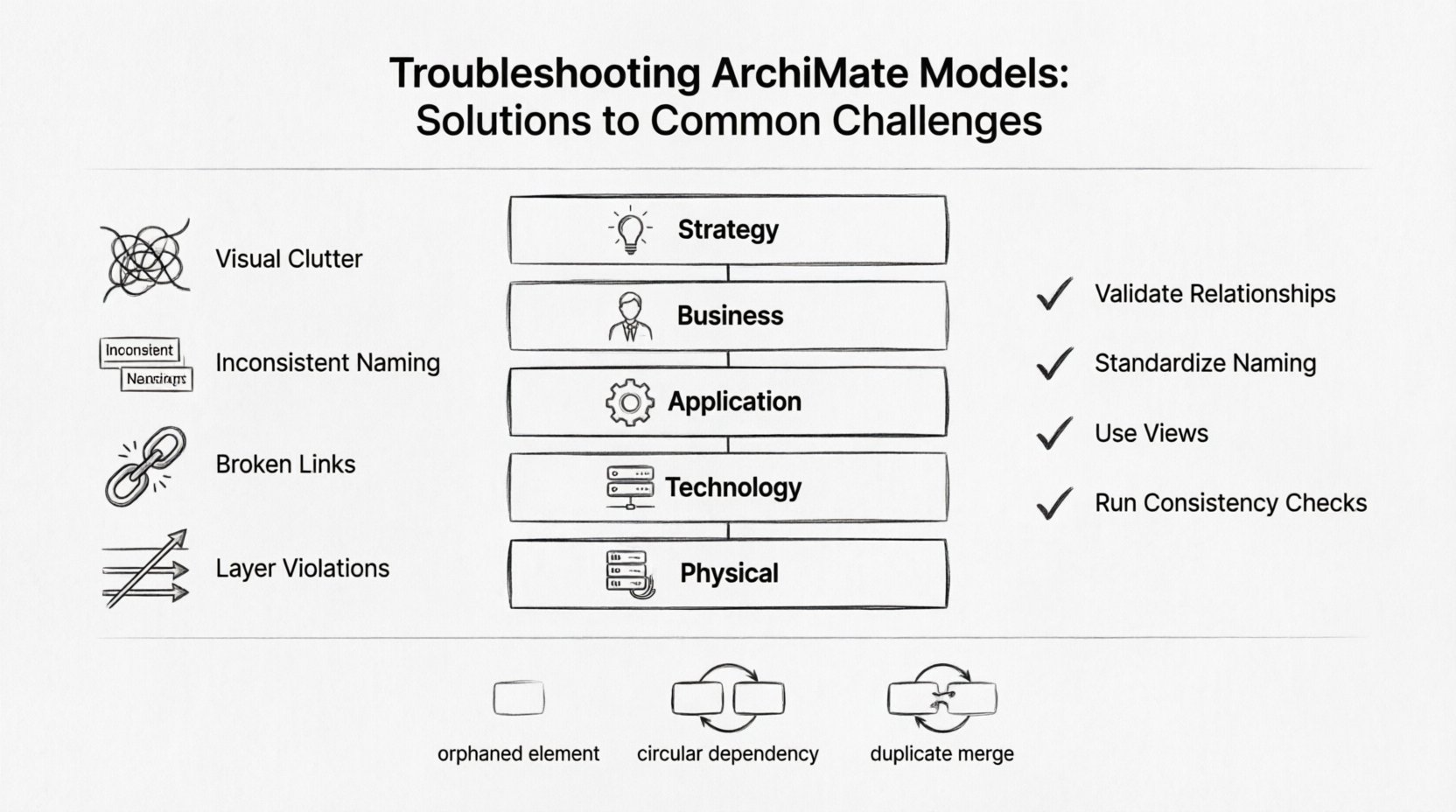
- Visual Clutter: Diagrams that are too dense make relationships hard to follow.
- Inconsistent Naming: Elements sharing similar names but holding different meanings.
- Broken Links: Relationships pointing to non-existent elements.
- Layer Violations: Elements placed incorrectly within the architecture layers.
Addressing these issues requires a systematic approach. It is essential to validate the model regularly rather than waiting until the end of a project. Proactive maintenance ensures the architecture remains a reliable source of truth.
🏗️ Layer Consistency and Structural Integrity
The ArchiMate framework is built on a layered approach. These layers include Strategy, Business, Application, Technology, and Physical. Each layer represents a specific abstraction level. A common troubleshooting area involves ensuring elements are placed in their correct layers. Mixing layers can lead to confusion and logical errors.
1. Identifying Layer Violations
Violations occur when a relationship crosses layers inappropriately. For example, a Business Function should not directly influence a Technology Component without passing through the Application layer. This violates the logical flow of the architecture.
- Check Relationship Types: Ensure that delegation, assignment, and realization relationships are used correctly across boundaries.
- Review Layer Definitions: Refer to the official specification to confirm the intended scope of each element type.
- Analyze Flow: Trace the path of data or control to ensure it respects the architectural layers.
2. Resolving Cross-Layer Conflicts
When conflicts are detected, the modeler must determine the intent of the relationship. Sometimes, a direct link is valid, such as a realization relationship. In other cases, an intermediate element is required. Adding an Application Service or a Business Process can bridge the gap between high-level strategy and low-level technology.
🔗 Relationship Troubleshooting
Relationships define the interaction between elements. There are ten distinct relationship types in the standard specification. Errors in these relationships are the most common source of model inaccuracy. Understanding the specific constraints of each relationship type is crucial.
Common Relationship Errors
| Relationship Type | Common Error | Solution |
|---|---|---|
| Flow | Used between two Business Objects | Change to Association or use a Business Process |
| Access | Used between Technology and Strategy layers | Ensure intermediate layers connect the elements |
| Assignment | Used between two Application Components | Use Association; Assignment is for Actors and Business Functions |
| Serving | Direction is reversed | Check the arrow direction; Services serve Processes |
When troubleshooting relationship errors, focus on the source and target of the connection. A relationship is only valid if the source and target are compatible. For instance, a Physical Element cannot directly access a Business Actor. The chain of relationships must be logical.
Directionality and Cardinality
Relationships often have specific directions. A flow of information moves from a source to a destination. If the arrow points the wrong way, the model implies the opposite intent. Cardinality rules also apply. A single Business Process might be assigned to multiple Business Roles, but a specific instance of a Role usually performs one specific Process at a time.
- Verify Arrow Heads: Ensure the arrow points from the provider to the consumer where applicable.
- Check Multiplicity: Ensure the number of connections makes sense for the business context.
- Validate Aggregation: Ensure the whole-part relationship is clear and does not imply circular dependency.
📝 Naming Conventions and Semantics
Clarity in naming is vital for model maintenance. Ambiguous names lead to misunderstandings among stakeholders. If two elements have similar names but different meanings, the model becomes unreliable. Troubleshooting often involves cleaning up the vocabulary.
Standardizing Terminology
Adopt a consistent naming convention across the entire model. This includes prefixes, suffixes, and casing. For example, use “Business Process: Order Processing” instead of “Order Processing” alone. This helps distinguish the element type immediately.
- Use Unique Identifiers: Ensure every element has a unique ID within the model.
- Avoid Acronyms: Use full terms unless the acronym is universally understood within the organization.
- Define Glossaries: Maintain a dictionary for key terms to ensure everyone uses them consistently.
Resolving Semantic Conflicts
Sometimes, an element name is technically correct but contextually wrong. This happens when a model grows over time and new elements are added without reviewing old ones. A common issue is the “God Element,” where one element tries to represent too many concepts.
To fix this, split the element. Create specific sub-elements that represent distinct functions. This improves granularity and makes the model easier to navigate. Document the reason for the split to maintain traceability.
✅ Validation and Compliance
Validation ensures the model adheres to the ArchiMate standard rules. Most modeling environments provide automated checks. However, these checks do not catch every issue. Manual review is still necessary.
Running Consistency Checks
Use the built-in validation features to scan for structural errors. These tools can identify broken links, missing attributes, and invalid relationships. Regularly running these checks prevents errors from accumulating.
- Check Unused Elements: Remove elements that are no longer referenced in any diagram.
- Verify Completeness: Ensure all required attributes are filled for critical elements.
- Review Constraints: Check if the model complies with specific organizational constraints.
Compliance with Standards
Archimate has evolved over time. Version 3.0 introduced significant changes compared to Version 2.2. Models created in older versions may need updating to comply with new standards. This involves mapping old elements to new types and updating relationship definitions.
When migrating or updating, perform a side-by-side comparison. Ensure that the logical structure remains intact even if the visual representation changes. This preserves the value of the model while ensuring it remains current.
🚀 Performance and Scalability
As the organization grows, so does the model. Large models can become sluggish or difficult to manage. Performance issues often stem from the sheer volume of elements and relationships. Optimization is key to maintaining efficiency.
Managing Large Models
Divide the model into manageable sub-models or views. This reduces the cognitive load on the architect and the processing load on the software. Group related elements together, such as all Application Services or all Business Processes.
- Use Views: Create specific views for different stakeholders. Do not show the entire model in one diagram.
- Filter Elements: Hide irrelevant elements when working on a specific area.
- Archive Old Versions: Move completed projects to an archive to keep the active model lean.
Optimizing Diagram Layouts
Diagram clutter makes troubleshooting difficult. Use automatic layout tools to organize elements logically. Manual adjustment can help fine-tune the position of critical elements. Ensure that lines do not cross unnecessarily, as this reduces readability.
🤝 Collaboration and Version Control
Enterprise architecture is often a team effort. Multiple architects working on the same model can lead to conflicts. Version control systems are essential for tracking changes and merging contributions.
Handling Concurrent Edits
When multiple users edit the model simultaneously, conflicts may arise. A common issue is overwriting changes. Use a locking mechanism where a specific element is locked during editing.
- Check Out Elements: Lock elements before making significant changes.
- Review Change Logs: Monitor who made changes and when.
- Resolve Conflicts: Merge changes carefully, ensuring no data is lost.
Documentation of Changes
Every change should be documented. This includes the reason for the change, the impact analysis, and the approval status. This audit trail is crucial for accountability and future troubleshooting.
Communication is key. Hold regular reviews to discuss model updates. This ensures that everyone is aligned on the current state of the architecture. It also provides an opportunity to catch errors early before they become entrenched.
🛠️ Specific Troubleshooting Scenarios
Below are specific scenarios that often arise during model maintenance and how to address them.
Scenario 1: Orphaned Elements
Sometimes, elements appear in the model but are not connected to anything. These orphaned elements add noise without value.
Action: Run a report to find elements with no incoming or outgoing relationships. Review each one. If it is not needed, delete it. If it is needed, connect it to the appropriate parent or process.
Scenario 2: Circular Dependencies
A circular dependency occurs when Element A depends on Element B, which depends on Element A. This creates a loop that is hard to resolve logically.
Action: Trace the dependency chain. Identify where the loop starts. Break the cycle by introducing an intermediate element or redefining the relationship type. Ensure the flow is unidirectional where possible.
Scenario 3: Duplicate Elements
Duplicates happen when the same concept is modeled twice under different names.
Action: Search for similar names and definitions. Merge the duplicates. Update all relationships pointing to the old element to point to the new one. Archive the duplicate to maintain history.
📈 Continuous Improvement
Troubleshooting is not a one-time task. It is an ongoing process. As the business changes, the model must evolve. Regular audits help identify drift from the intended architecture.
- Schedule Reviews: Set a recurring calendar event for model reviews.
- Feedback Loops: Encourage stakeholders to report issues they find in the diagrams.
- Training: Ensure all modelers are trained on the latest standards and best practices.
By following these steps, organizations can maintain high-quality architecture models. These models serve as a strategic asset, guiding digital transformation and operational efficiency. The effort invested in troubleshooting pays off in clarity and decision-making speed.