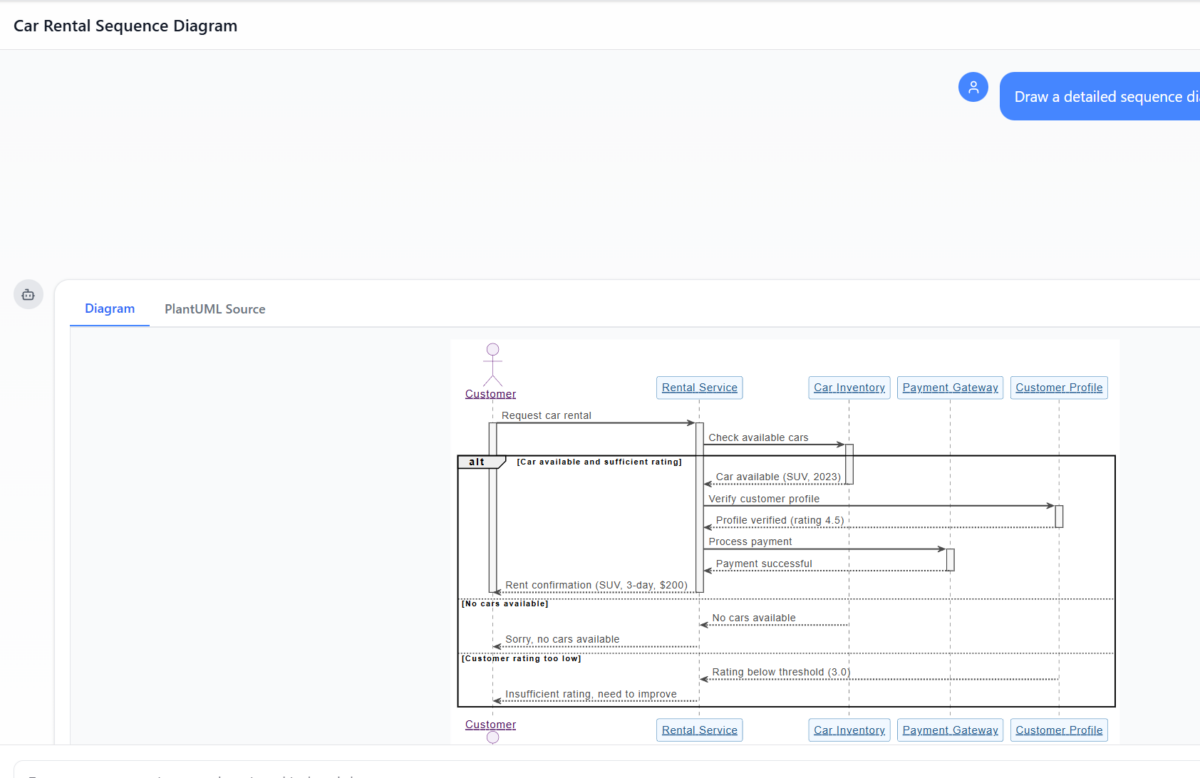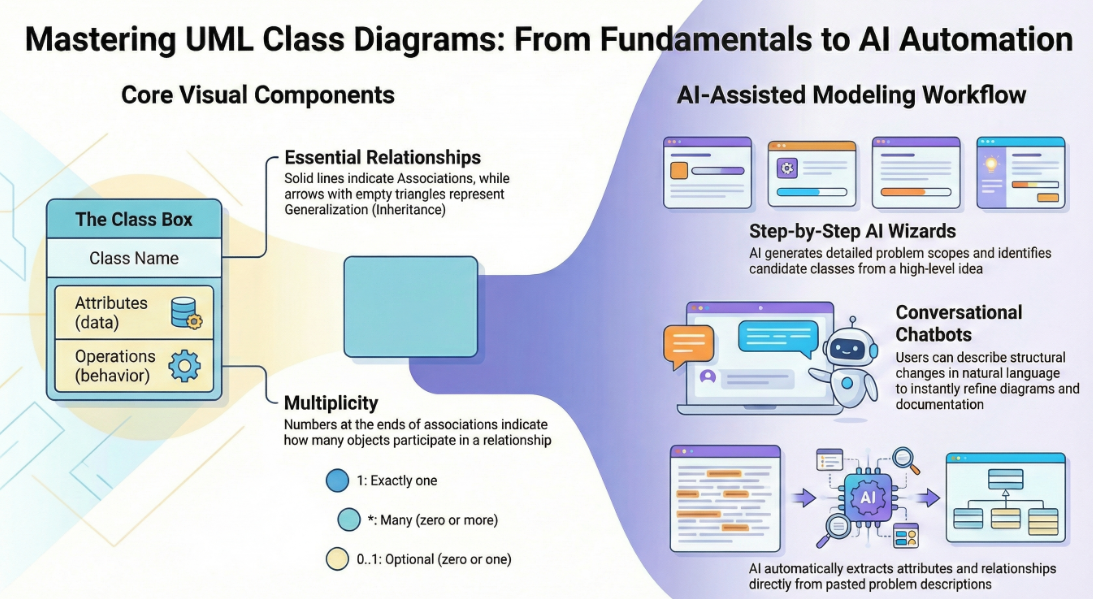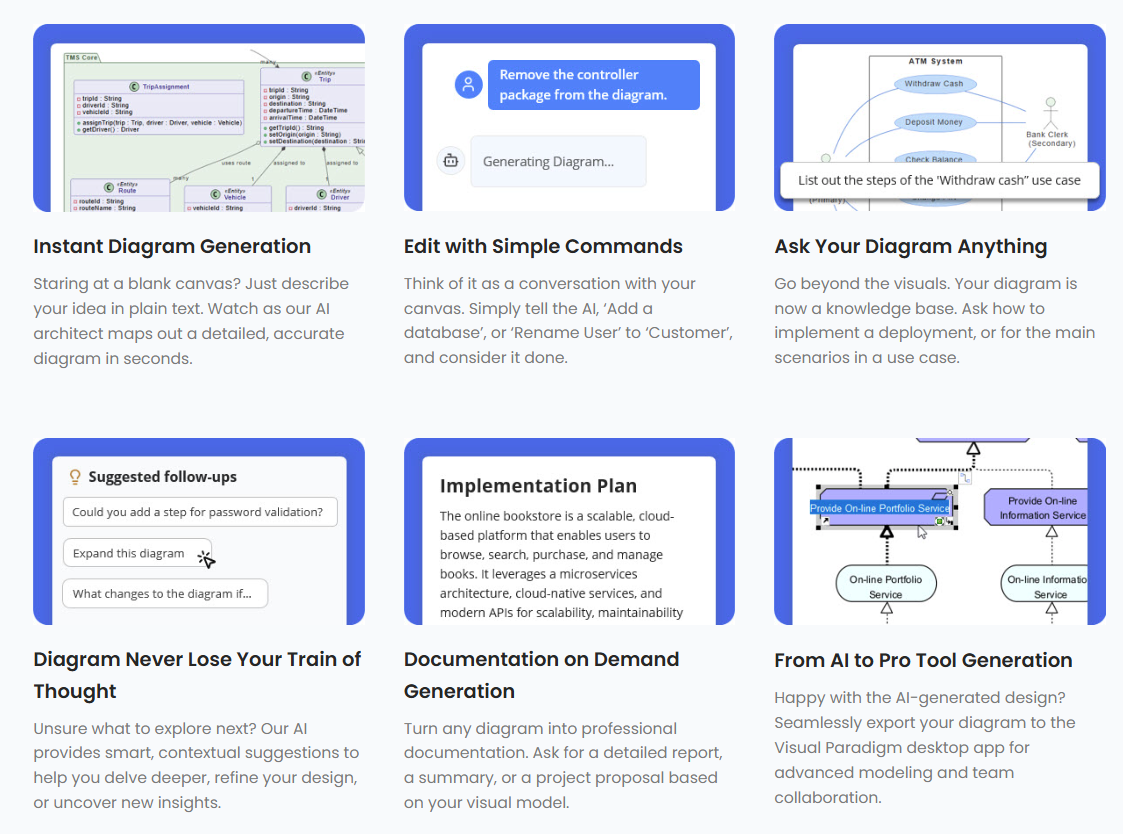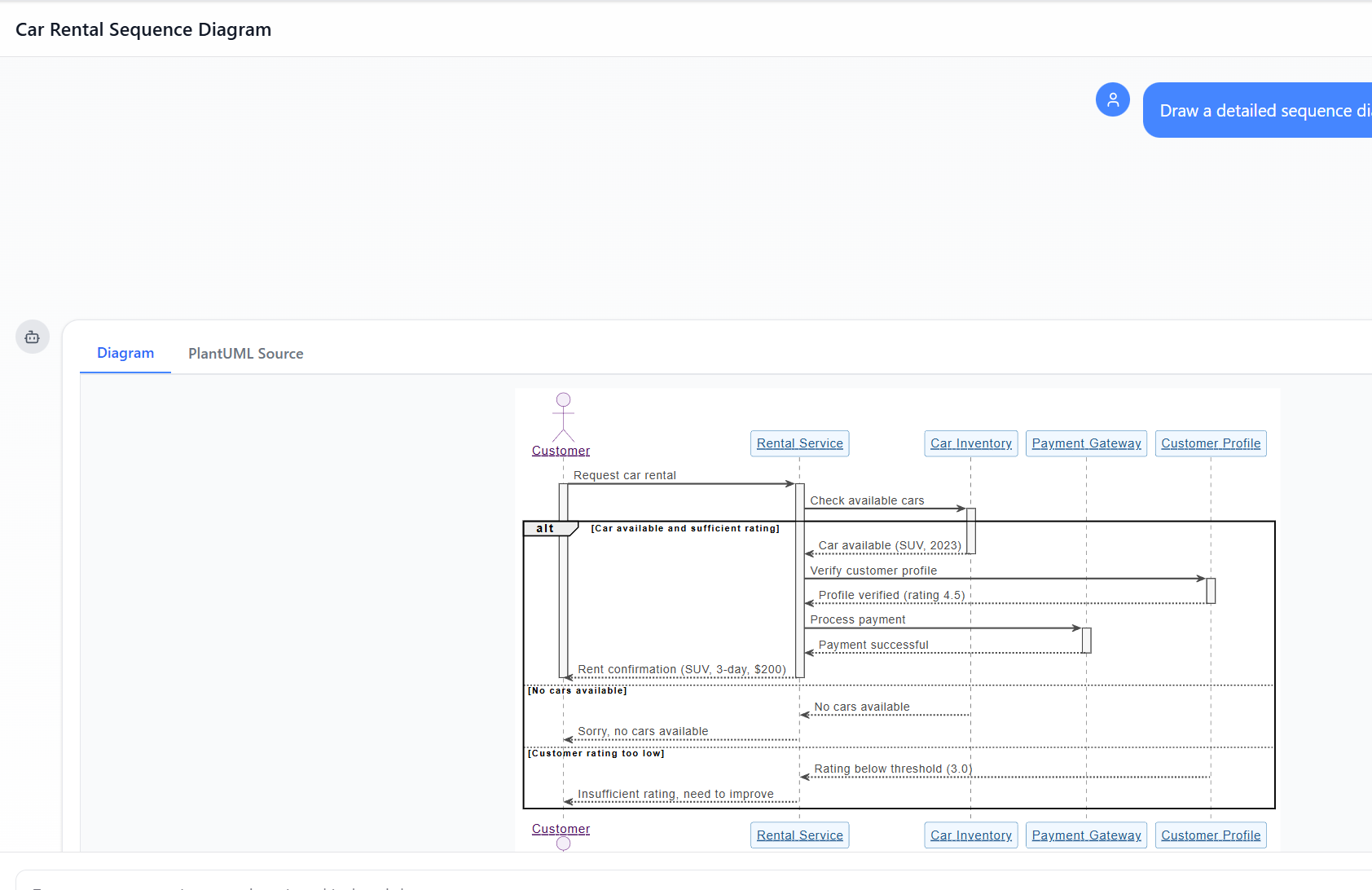
Vượt qua bản phác thảo: Tại sao các mô hình LLM AI casual thất bại trong mô hình hóa trực quan và Visual Paradigm vượt qua khoảng cách này như thế nào

Trong thế giới kỹ thuật phần mềm và kiến trúc doanh nghiệp với nhịp độ nhanh ngày nay, chuyển đổi các yêu cầu trừu tượng thành các thiết kế chính xác và có thể hành động vẫn là một thách thức. Các mô hình ngôn ngữ quy mô lớn (LLMs) chuyên dụng thường xuất sắc trong việc phát ý tưởng và tạo văn bản, nhưng lại gặp khó khăn trong việc mô hình hóa trực quan chuyên nghiệp. Chúng tạo ra những bản phác thảo thay vì bản vẽ kỹ thuật chi tiết. Hệ sinh thái được hỗ trợ bởi AI của Visual Paradigm thay đổi điều này bằng cách cung cấp các công cụ vẽ sơ đồ chuẩn mực, bền vững và lặp lại, giúp đẩy nhanh quá trình kiến trúc từ ý tưởng đến triển khai.

1. Vấn đề ‘Nghệ sĩ phác thảo’: Những hạn chế của các mô hình LLM AI casual

Các công cụ AI casual (ví dụ: ChatGPT, Claude) coi việc vẽ sơ đồ như một phần mở rộng của việc tạo văn bản. Chúng xuất ra mã theo các định dạng nhưMermaid hoặc PlantUML, nhưng thiếu chiều sâu để sử dụng chuyên nghiệp.

Những hạn chế chính bao gồm:

  • Không có bộ xử lý hiển thị hoặc trình chỉnh sửa tích hợpCác mô hình LLM tạo ra cú pháp dựa trên văn bản (ví dụ: mã sơ đồ luồng Mermaid), nhưng không cung cấp trình xem hoặc trình chỉnh sửa tích hợp cho các đồ họa vector chất lượng cao (SVG). Người dùng phải dán mã vào các công cụ hiển thị bên ngoài, làm mất tính tương tác. Mọi thay đổi đều yêu cầu tái tạo toàn bộ.
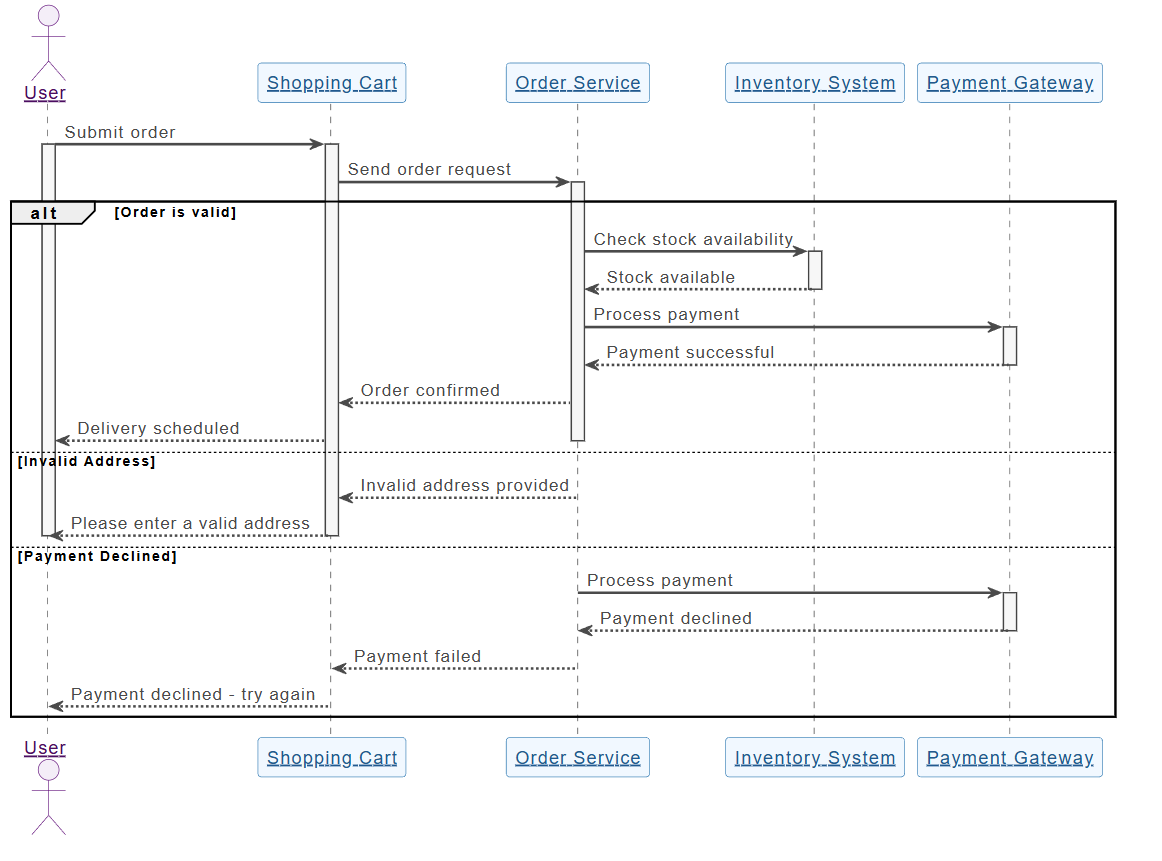
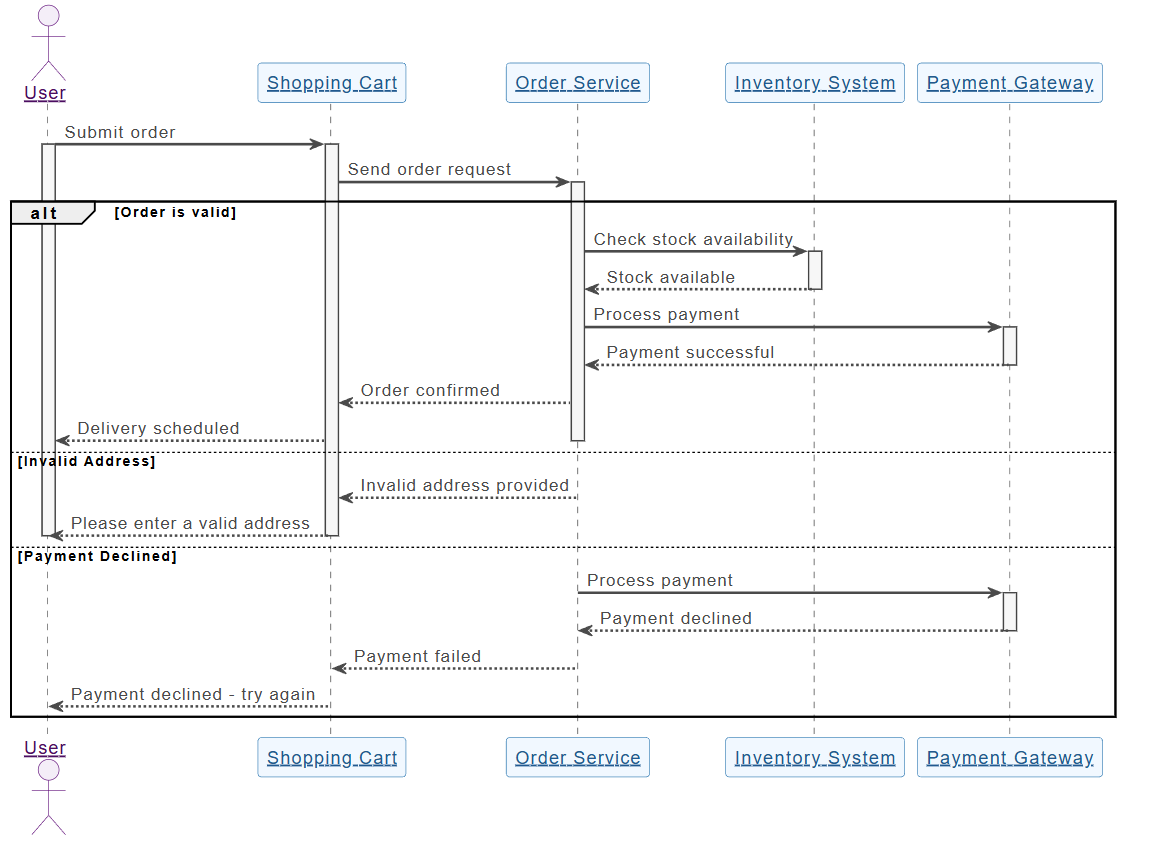
  • Sai sót về ngữ nghĩa và vi phạm chuẩnCác mô hình chung hiểu sai các khái niệm UML/ArchiMate. Ví dụ, chúng nhầm lẫnsự tích hợp (sở hữu chung) vớisự kết hợp (sở hữu riêng), hoặc vẽ các mũi tên kế thừa không hợp lệ. Kết quả trông hấp dẫn nhưng không thể dùng như tài liệu kỹ thuật—ví dụ, một sơ đồ lớp có thể thể hiện các mối quan hệ hai chiều trong khi chỉ cần một chiều là đúng.
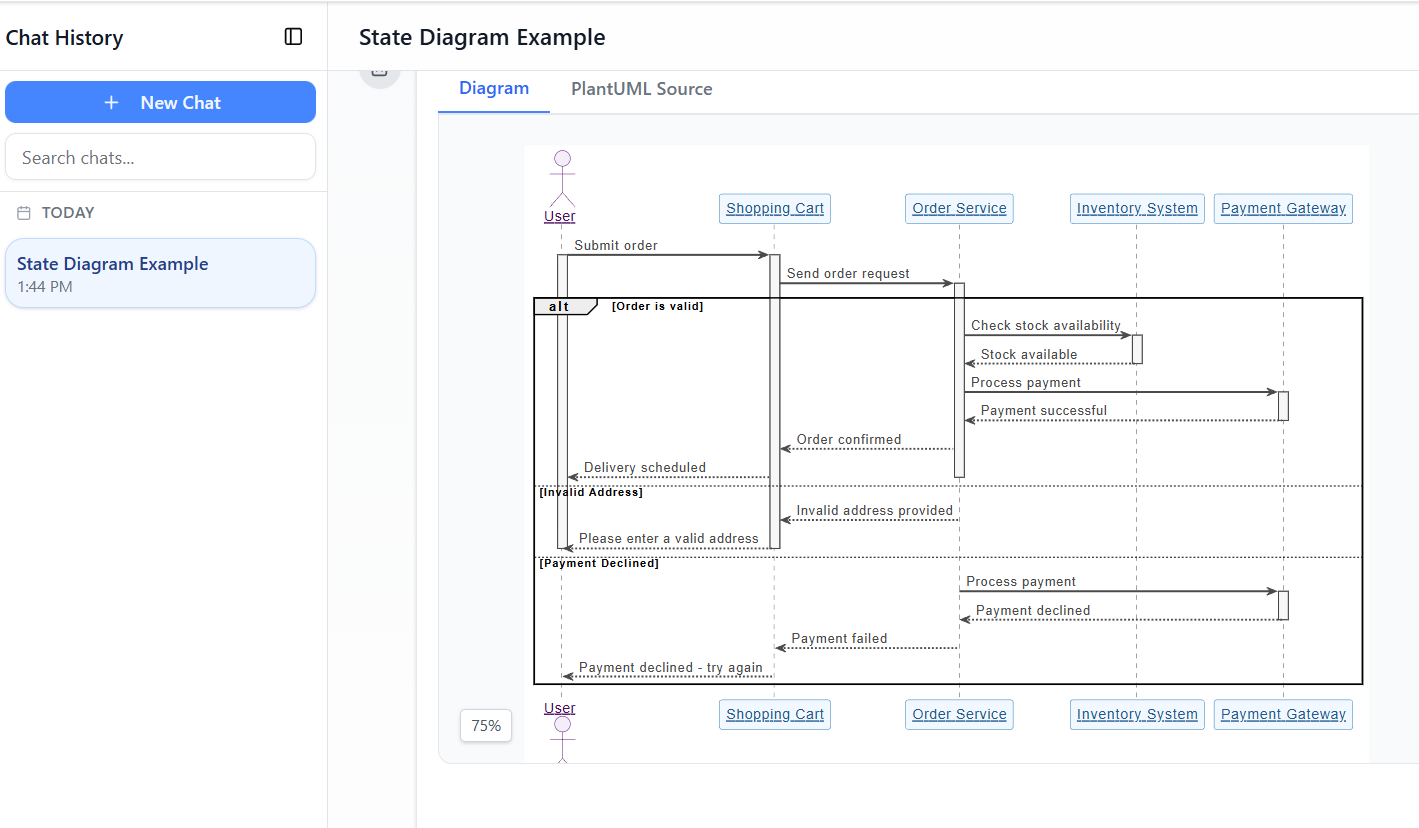
  • Thiếu trạng thái bền vững và cập nhật từng bướcMỗi lời nhắc đều tái tạo sơ đồ từ đầu. Yêu cầu “thêm xử lý lỗi vào sơ đồ tuần tự này” thường làm hỏng bố cục, mất các kết nối hoặc quên các thành phần trước đó. Không có bộ nhớ về cấu trúc trực quan nào tồn tại.

Ví dụ: Yêu cầu ChatGPT tạo một “sơ đồ lớp UML của hệ thống ngân hàng trực tuyến với tài khoản, giao dịch và xác thực hai yếu tố” sẽ cho ra mã Mermaid. Khi thêm “bao gồm mô-đun phát hiện gian lận”, toàn bộ sơ đồ sẽ được tái tạo—có thể sắp xếp lại các lớp, bỏ mất các mối quan hệ hoặc tạo lỗi cú pháp.

Những vấn đề này tạo ra những bức tranh đẹp mắt thay vì các mô hình có thể duy trì.

2. Những vấn đề thực tế khi phụ thuộc vào việc vẽ sơ đồ bằng AI casual

Việc sử dụng các mô hình LLM chung sẽ tạo ra các rủi ro làm suy giảm chất lượng dự án:

  • Khoảng cách giữa thiết kế và triển khaiCác hình ảnh mơ hồ hoặc sai lệch dẫn đến mã nguồn không đồng bộ. Các nhóm phải tốn thời gian trong các cuộc họp để làm rõ ý định vì sơ đồ thiếu độ chính xác.
  • Phụ thuộc vào cú pháp và rào cản về chuyên mônViệc chỉnh sửa Mermaid/PlantUML đòi hỏi phải học cú pháp chuyên biệt—điều mỉa mai đối với các công cụ “hỗ trợ bởi AI”. Người không chuyên gặp khó khăn khi sửa chữa thủ công.
  • Tách biệt quy trình làm việcCác sơ đồ là hình ảnh tĩnh hoặc đoạn mã, tách rời khỏi kiểm soát phiên bản, hợp tác hoặc các công việc tiếp theo (ví dụ: sinh mã, sơ đồ cơ sở dữ liệu).
  • Thất bại với lời nhắc ‘một lần’Các hệ thống phức tạp cần phải lặp lại. Người dùng chỉ phát hiện các thiếu sót (ví dụ: thiếu cân bằng tải, lớp bộ nhớ đệm hoặc luồng xử lý ngoại lệ) sau khi nhận được đầu ra đầu tiên, nhưng việc tái tạo lại sẽ làm mất đi tiến độ đã đạt được.

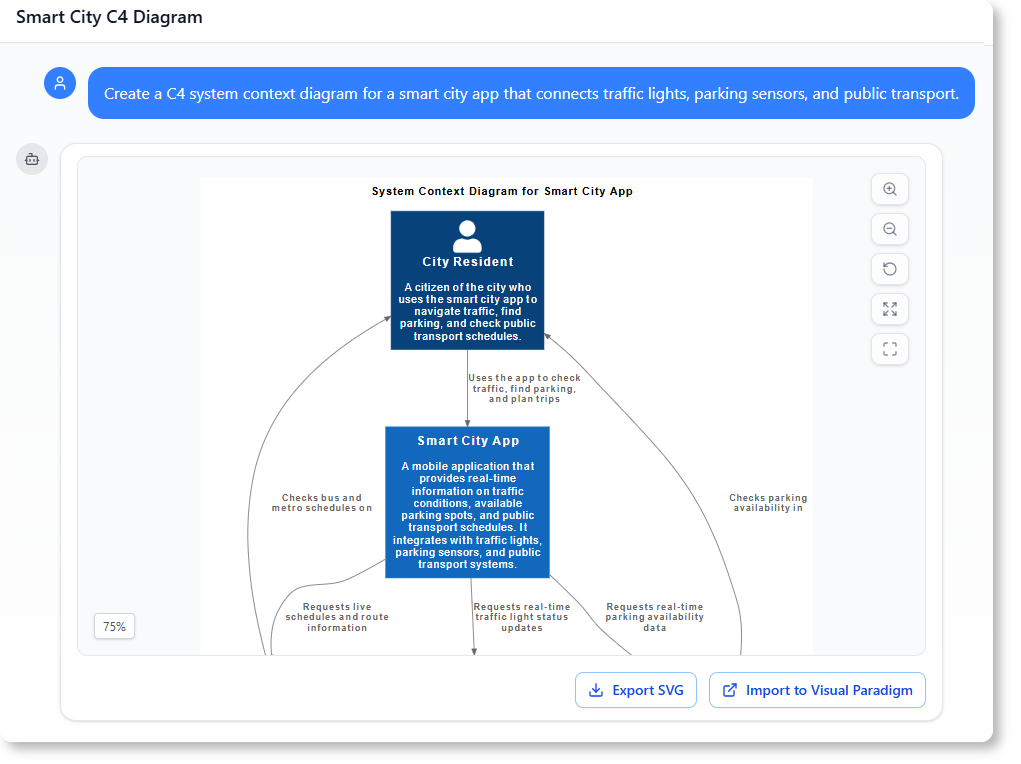
Ví dụ: Trong các buổi phỏng vấn thiết kế hệ thống hoặc các buổi họp kiến trúc ban đầu, các nhà phát triển sử dụng ChatGPT để tạo sơ đồ mô hình C4 thông qua Mermaid. Các đầu ra ban đầu bỏ sót các ranh giới hoặc mối quan hệ quan trọng. Việc nhắc nhở lặp lại dẫn đến các phiên bản không nhất quán, gây thất vọng cho đội ngũ và làm chậm quyết định.

3. Visual Paradigm AI mang đến mô hình hóa chất lượng chuyên nghiệp như thế nào

Visual Paradigm biến việc vẽ sơ đồ thành mộtquá trình đối thoại, dựa trên tiêu chuẩn và tích hợpquá trình. Trí tuệ nhân tạo của nó hiểu được UML 2.5, ArchiMate 3, C4, BPMN, SysML và nhiều hơn nữa, tạo ra các mô hình tuân thủ và có thể chỉnh sửa.

A. Cấu trúc bền vững với công nghệ ‘Chỉnh sửa sơ đồ’

VP duy trì các sơ đồ nhưcác đối tượng sống động. Người dùng đưa ra lệnh bằng ngôn ngữ tự nhiên để cập nhật các phần cụ thể mà không cần tái tạo lại.

  • Chỉnh sửa theo cách đối thoại: ‘Thêm bước xác thực hai yếu tố sau khi đăng nhập’ hoặc ‘Đổi tên tác nhân Khách hàng thành Người dùng’ sẽ ngay lập tức điều chỉnh bố cục, kết nối và ngữ nghĩa mà vẫn giữ nguyên tính toàn vẹn.

Điều này loại bỏ các liên kết bị hỏng và hỗn loạn về bố cục thường gặp trong các công cụ thông thường.

B. Trí tuệ tuân thủ tiêu chuẩn

Được huấn luyện trên các ký hiệu chính thức, AI của VP thực thi các quy tắc:

  • Số lượng đúng trong các mối quan hệ
  • Sử dụng đúng các kiểu đặc trưng
  • Các quan điểm ArchiMate hợp lệ (ví dụ: Bản đồ năng lực, Sử dụng công nghệ)

Các sơ đồ là những ‘bản vẽ kỹ thuật’ vững chắc thay vì những bản phác sơ sài.

C. Phân tích và hướng dẫn theo từng bước hệ thống

VP cung cấp các ứng dụng có cấu trúc để nối kết yêu cầu với thiết kế:

  • Phân tích văn bản được hỗ trợ AI — Phân tích văn bản không cấu trúc (ví dụ: tài liệu yêu cầu, câu chuyện người dùng) để trích xuất các lớp, thuộc tính, thao tác và mối quan hệ tiềm năng. Nó tự động tạo sơ đồ lớp ban đầu.

    Ví dụ: Nhập mô tả: ‘Một nền tảng thương mại điện tử cho phép khách hàng duyệt sản phẩm, thêm vào giỏ hàng, thanh toán qua cổng thanh toán và theo dõi đơn hàng.’ AI xác định các lớp (Khách hàng, Sản phẩm, Giỏ hàng, Đơn hàng, Cổng thanh toán), thuộc tính (ví dụ: giá, số lượng) và các mối quan hệ (Khách hàng đặt Đơn hàng).

  • Bộ công cụ AI 10 bước (dành cho sơ đồ lớp UML và tương tự) — Hướng dẫn người dùng một cách logic: xác định mục đích → phạm vi → lớp → thuộc tính → mối quan hệ → thao tác → xem xét → tạo. Xác minh có sự tham gia của con người giúp ngăn ngừa lỗi do một lần nhắc nhở.

D. AI như một cố vấn kiến trúc

Không chỉ dừng lại ở việc tạo ra, AI của VP còn đánh giá các thiết kế:

  • Phát hiện các điểm lỗi đơn lẻ
  • Xác định các khoảng trống về logic
  • Gợi ý các mẫu (ví dụ: MVC, Repository, Observer)

Nó hoạt động như một chuyên gia đánh giá.

E. Tích hợp liền mạch vào các quy trình làm việc chuyên nghiệp

Các mô hình không phải là những hình ảnh tách biệt:

  • Có thể chỉnh sửa hoàn toàn trên Visual Paradigm Desktop/Online
  • Hỗ trợ quản lý phiên bản và hợp tác
  • Cho phép kỹ thuật mã hóa (ví dụ: tạo mã Java/Hibernate ORM, lược đồ cơ sở dữ liệu)
  • Xuất/nhập giữa các công cụ

Điều này khép kín vòng từ thiết kế đến mã hóa.

Ví dụ: Tạo một góc nhìn ArchiMate cho “Lớp Công nghệ” thông qua lời nhắc: “Tạo sơ đồ ArchiMate cho kiến trúc microservices dựa trên đám mây với các thành phần AWS.” AI sẽ tạo ra một sơ đồ tuân thủ chuẩn. Sử dụng tính năng “Chỉnh sửa sơ đồ” để thêm các kiểm soát bảo mật. Xuất ra máy tính để bàn để nhóm xem xét và sinh mã.

Kết luận: Từ việc đục đẽo thủ công đến in 3D được hỗ trợ bởi AI

Việc vẽ sơ đồ truyền thống giống như đục đá cẩm thạch—chậm, dễ sai sót và không thể đảo ngược. Các mô hình AI LLM thông thường cải thiện tốc độ nhưng vẫn chỉ là “nghệ sĩ phác họa”, tạo ra hình ảnh không nhất quán và không bền vững.

Visual Paradigm AI giống như một máy in 3D độ chính xác cao: nhập các yêu cầu bằng tiếng Anh thuần túy, nhận được các cấu trúc tuân thủ chuẩn, có thể chỉnh sửa, tương tác theo cách trò chuyện, và trực tiếp thúc đẩy triển khai. Bằng cách tích hợp mô hình hóa kinh doanh, doanh nghiệp và kỹ thuật trong một nền tảng được hỗ trợ AI, nó loại bỏ trạng thái bế tắc khi bắt đầu từ trang trắng và đảm bảo các bên liên quan chia sẻ một cơ sở chuẩn xác và có thể hành động.

Đối với các kiến trúc sư phần mềm, các đội ngũ doanh nghiệp và nhà phát triển mệt mỏi vì phải tái tạo các đoạn mã Mermaid bị hỏng, Visual Paradigm đại diện cho bước tiến tiếp theo: mô hình hóa thông minh tuân thủ chuẩn, bảo tồn ý định và đẩy nhanh tiến độ.

Đăng ngày Chuyên mục AI

Vượt ngoài bản phác thảo: Tại sao các mô hình LLM AI casual thất bại trong mô hình hóa trực quan và cách Visual Paradigm lấp đầy khoảng cách này

Trong bối cảnh kỹ thuật phần mềm hiện đại, việc chuyển từ những ý tưởng trừu tượng sang các thiết kế hệ thống cụ thể thường cảm giác như giải một “lộn xộn mà không có bản đồ”. Trong khi các mô hình ngôn ngữ quy mô lớn (LLM) tổng quát đã cách mạng hóa việc tạo nội dung ban đầu, chúng lại thiếu hụt đáng kể khi áp dụng vào mô hình hóa trực quan chuyên nghiệp. Bài viết này khám phá những yếu tố thiếu vắng trong việc tạo sơ đồ AI casual và cách mà sinh thái AI của Visual Paradigm (VP)biến những thách thức này thành động cơ tốc độ cao cho thành công trong kiến trúc.

1. Vấn đề “nghệ sĩ phác thảo”: Điều gì đang thiếu trong các mô hình LLM AI casual

Hạn chế cốt lõi của các mô hình LLM tổng quát trong việc vẽ sơ đồ xuất phát từ sự khác biệt giữa tạo nội dung văn bảnmô hình hóa trực quan chuẩn hóa. Các nguồn mô tả các mô hình LLM tổng quát như “nghệ sĩ phác thảo” những người thiếu “các quy chuẩn xây dựng”“các hệ thống CAD”cần thiết cho kỹ thuật chuyên nghiệp.

  • Thiếu động cơ hiển thị:Các mô hình LLM tổng quát chủ yếu được thiết kế để xử lý và tạo ra văn bản. Mặc dù chúng có thể tạo mã “vẽ sơ đồ” (như Mermaid hoặc PlantUML), nhưng chúng thiếu động cơ hiển thịđể chuyển mã đó thành các đồ họa vector chất lượng cao, có thể chỉnh sửa như SVG.
  • Vi phạm về ngữ nghĩa và chuẩn mực:Các mô hình AI phổ thông thường tạo ra những “bản phác thảo đẹp mắt” mà vi phạm các quy tắc kỹ thuậtcủa mô hình hóa chính thức. Chúng thường hiểu sai các thuật ngữ kỹ thuật phức tạp như “tập hợp,” “thành phần,” hoặc “đa hình,”dẫn đến những bản vẽ trang trí thay vì các sản phẩm kỹ thuật có chức năng.
  • Thiếu quản lý trạng thái:Các mô hình LLM thông thường thiếu cấu trúc hình ảnh bền vững. Nếu người dùng yêu cầu AI dựa trên văn bản thay đổi một chi tiết duy nhất, mô hình thường phảitái tạo toàn bộ sơ đồ, dẫn đến các kết nối bị đứt gãy, bố cục không đồng nhất hoặc mất hoàn toàn các chi tiết trước đó.

2. Những vấn đề gặp phải trong việc vẽ sơ đồ bằng AI thông thường

Dựa vào việc tạo sơ đồ bằng AI thông thường mang lại một số rủi ro có thể làm ảnh hưởng đến tính toàn vẹn của dự án:

  • Khoảng cách giữa “Thiết kế – Triển khai”:Không có bản vẽ hình ảnh nghiêm ngặt, logic vẫn còn “rải rác” và “mập mờ”, thường dẫn đến mã nguồn hỗn loạn và các cuộc họp kết thúc mà không có sự hiểu biết chung.
  • Rào cản về chuyên môn cú pháp:Nếu AI tạo mã nguồn thô, người dùng phải cókiến thức kỹ thuật sâu rộngvề cú pháp cụ thể đó (ví dụ: PlantUML) để thực hiện các thay đổi thủ công, làm mất đi mục đích của một công cụ AI “dễ sử dụng”.
  • Tách biệt khỏi quy trình làm việc:Các đoạn văn bản từ LLM thông thường bị tách biệt khỏi quy trình kỹ thuật thực tế, buộc phải sao chép dán thủ công và không cung cấp kiểm soát phiên bản hay tích hợp với các loại mô hình khác.
  • Sự thất bại của các lời nhắc “một lần”:Một lời nhắc duy nhất hiếm khi đủ để đáp ứng 100% yêu cầu của người dùng đối với một hệ thống chi tiết. Những ý tưởng ban đầu thường “rải rác”, và người dùng thường chỉ nhận ra mình đã bỏ sót các chi tiết quan trọng—như bộ cân bằng tải hoặc trạng thái xử lý lỗi—sau khi xem bản nháp đầu tiên.

3. Cách Visual Paradigm AI đạt được tính toàn vẹn chuyên nghiệp

Visual Paradigm AI giải quyết những vấn đề cũ bằng cách chuyển đổi việc mô hình hóa từ một công việc vẽ tay tốn kém công sức thành mộtquy trình làm việc trực quan, giao tiếp tự nhiên và được tự động hóa.

A. “Sửa chữa sơ đồ” và cấu trúc bền vững

Khác với các công cụ thông thường, VP AI duy trì sơ đồ như mộtđối tượng bền vững. Thông qua công nghệ“Sửa chữa sơ đồ” độc quyền, người dùng có thể đưa ra các lệnh giao tiếp như “thêm bước xác thực hai yếu tố” hoặc “đổi tên tác nhân này”, và AI sẽ cập nhậtcấu trúc hình ảnhngay lập tức trong khiduy trì tính toàn vẹn bố cục.

B. Trí tuệ chuẩn hóa

Visual Paradigm AI là được huấn luyện đặc biệt trên các tiêu chuẩn mô hình hóa đã được xác lập, bao gồm UML 2.5, ArchiMate 3 và C4. Nó hiểu được các quy tắc ngữ nghĩa và cấu trúcnằm đằng sau các từ ngữ, đảm bảo rằng các mối quan hệ và quy ước đặt tên là bản vẽ kỹ thuật hợp lệ, sẵn sàng để xây dựng.

C. Phân tích theo bước chuyên biệt

Để thu hẹp khoảng cách giữa yêu cầu và thiết kế, hệ sinh thái cung cấp các ứng dụng có hệ thống:

  • Phân tích văn bản được hỗ trợ bởi AI:Tự động trích xuất các lớp miền, thuộc tính và mối quan hệ tiềm năngtừ các mô tả vấn đề không cấu trúctrước khimột đường nét nào được vẽ.
  • Bộ trợ lý AI 10 bước:Hướng dẫn người dùng qua một trình tự hợp lý—từ xác định mục đích đến xác định các thao tác—đảm bảokiểm tra “người trong vòng lặp”để ngăn ngừa những lỗi phổ biến trong việc tạo AI “một lần duy nhất”.

D. Đánh giá kiến trúc như một chuyên gia tư vấn

Vượt xa việc tạo đơn thuần, AI đóng vai trò như một trợ lý thiết kế có hệ thống. Nó có thể phân tích các thiết kế hiện có để xác địnhcác điểm lỗi duy nhất, các khoảng trống logic, hoặc đề xuất các mẫu tiêu chuẩn ngành nhưMVC (Mô hình-Giao diện-Điều khiển)để cải thiện chất lượng hệ thống.

E. Tích hợp hệ sinh thái liền mạch

Các mô hình được tạo bởi AI làcác sản phẩm chức năng, không phải là những hình ảnh tách biệt. Chúng có thể được nhập vàoVisual Paradigm Desktop hoặc Online các bộ công cụ cho chỉnh sửa nâng cao, quản lý phiên bản vàkỹ thuật mã hóa (bao gồm sinh cơ sở dữ liệu và tích hợp Hibernate ORM), đảm bảo thiết kế trực quan trực tiếp điều khiển việc triển khai phần mềm.

Kết luận: Từ chạm khắc thủ công đến in 3D

Mô hình hóa truyền thống giống nhưchạm khắc một bức tượng bằng đá cẩm thạch, nơi mỗi nét chạm là một nỗ lực thủ công rủi ro cao. Ngược lại,Visual Paradigm AI giống như sử dụng máy in 3D cao cấp: bạn cung cấp các thông số bằng tiếng Anh đơn giản, và hệ thống sẽ xây dựng chính xác một cấu trúc kỹ thuật vững chắc, giúp bạn tập trung vàocác quyết định thiết kế chiến lược. Bằng cách tích hợp chiến lược, mô hình hóa kinh doanh và thiết kế kỹ thuật vào một nền tảng được tăng cường AI, Visual Paradigm loại bỏ vấn đề ‘bản vẽ trống’ và đảm bảo tất cả các bên liên quan làm việc trên cùng mộtcơ sở khái niệm.

Đăng ngày Chuyên mục AI

Từ Vấn đề đến Báo cáo: Cách AI Hỗ trợ Hành trình Sử dụng Trường Hợp của Bạn

Discover how AI guides your use case journey from problem to report with Visual Paradigm’s intelligent development assistant.

Hãy tưởng tượng bạn là một quản lý dự án được giao nhiệm vụ ra mắt một nền tảng khóa học trực tuyến mới. Thách thức đầu tiên là diễn giải rõ ràng vấn đề và sau đó chuyển đổi nó thành một hệ thống chức năng. Đây chính là lúc Trợ lý Phát triển Dựa trên Trường Hợp Sử dụng, một công cụ được hỗ trợ bởi AI từ Visual Paradigm, bước vào vai trò. Nó không chỉ giúp bạn viết tài liệu; mà còn dẫn dắt bạn qua một quy trình có cấu trúc hoàn chỉnh để biến một ý tưởng mơ hồ thành một kế hoạch dự án chi tiết và khả thi. Quy trình này quá trực quan, đến mức cảm giác như đang có một chuyên gia phân tích kinh doanh giàu kinh nghiệm và một kiến trúc sư kỹ thuật làm việc song hành cùng bạn. Bài phân tích sâu này khám phá các tính năng cốt lõi của công cụ mạnh mẽ này, bằng cách sử dụng một ví dụ thực tế về nền tảng khóa học trực tuyến để minh chứng cách nó tối ưu hóa toàn bộ vòng đời sử dụng trường hợp.

Tóm tắt nhanh: Những điểm chính từ Trợ lý Phát triển Dựa trên Trường Hợp Sử dụng

  • Bắt đầu bằng một tuyên bố vấn đề rõ ràng để xác định mục tiêu cốt lõi của dự án.

  • Sử dụng AI để tự động tạo danh sách các trường hợp sử dụng và các tác nhân tiềm năng.

  • Trực quan hóa chức năng hệ thống bằng sơ đồ Trường hợp Sử dụng và Sơ đồ Hoạt động.

  • Ưu tiên các tính năng bằng phương pháp MoSCoW có cấu trúc để tập trung vào công việc có giá trị cao.

  • Tạo mô tả chi tiết về các trường hợp sử dụng và các kịch bản kiểm thử Gherkin thực thi được.

  • Tạo báo cáo toàn diện để truyền đạt phạm vi và kế hoạch dự án.

  • Theo dõi tiến độ và duy trì một nguồn thông tin duy nhất bằng bảng điều khiển trung tâm.

Bước 1: Xác định Vấn đề với AI

Mọi dự án thành công đều bắt đầu bằng việc hiểu rõ vấn đề mà nó hướng đến giải quyết. Hành trình với Trợ lý Phát triển Dựa trên Trường Hợp Sử dụng bắt đầu từ tab “Tuyên bố Vấn đề”. Ở đây, bạn nhập tên dự án và một mô tả ngắn. Sau đó, AI sẽ tận dụng thông tin này để tạo ra một tuyên bố vấn đề toàn diện. Như được thấy trong Hình ảnh 1, công cụ đã lấy tên dự án “Nền tảng Khóa học Trực tuyến” và mô tả ngắn “Một thị trường cho các giảng viên tạo và bán khóa học, và cho học sinh đăng ký và học tập” để tạo ra một bản tường thuật chi tiết. Bản tường thuật này xác định các điểm đau cốt lõi: học sinh gặp khó khăn trong việc tìm kiếm các khóa học phù hợp, trong khi các giảng viên đối mặt với thách thức trong việc tiếp cận đối tượng rộng lớn và khai thác giá trị chuyên môn của mình. Tuyên bố vấn đề do AI tạo ra này đóng vai trò nền tảng cho dự án, đảm bảo mọi thành viên trong nhóm đều có cùng một hiểu biết thống nhất ngay từ đầu.

This is a screenshot of Visual Paradigm's AI Powered Use Case Driven Development Assistant. we are now in step 1. It shows th

Bước 2: Xác định Các Trường Hợp Sử dụng với Sự Hỗ trợ của AI

Sau khi vấn đề đã được xác định, bước tiếp theo hợp lý là xác định các chức năng chính mà hệ thống cần cung cấp. Tab “Các Trường Hợp Sử dụng Tiềm năng” của trợ lý, như được hiển thị trong Hình ảnh 2, tự động hóa quá trình này. Sau khi phân tích tuyên bố vấn đề, AI đề xuất một danh sách các trường hợp sử dụng, mỗi trường hợp được liên kết với một tác nhân (như Giảng viên, Học sinh hoặc Quản trị viên). Đối với nền tảng khóa học trực tuyến của chúng ta, AI đề xuất các trường hợp sử dụng như “Tạo một khóa học mới”, “Tải lên nội dung khóa học”, “Duyệt và tìm kiếm khóa học”, và “Đăng ký tham gia khóa học”. Danh sách này cung cấp một điểm khởi đầu vững chắc, tiết kiệm đáng kể thời gian và công sức mà thường phải bỏ ra trong các buổi thảo luận ý tưởng. Sau đó, bạn có thể tinh chỉnh các đề xuất này, thêm các ý tưởng mới hoặc xóa những ý tưởng không liên quan để tạo ra danh sách toàn diện các chức năng hệ thống.

This is a screenshot of Visual Paradigm's AI Powered Use Case Driven Development Assistant. We are now in step 2. It shows a

Bước 3: Trực quan hóa Hệ thống bằng Sơ đồ Trường Hợp Sử dụng

Sau khi xác định các trường hợp sử dụng, điều quan trọng là phải trực quan hóa cách chúng tương tác với các tác nhân của hệ thống. Tab “Sơ đồ Trường Hợp Sử dụng” , minh họa trong Hình ảnh 3, lấy danh sách các trường hợp sử dụng và các tác nhân để tự động tạo ra một biểu đồ trực quan, rõ ràng. Biểu đồ này thể hiện mối quan hệ giữa các tác nhân (Giảng viên, Học sinh, Quản trị viên) và các chức năng của hệ thống (Tạo một khóa học mới, v.v.). Việc tạo ra bằng AI đảm bảo biểu đồ chính xác và được định dạng chuyên nghiệp. Công cụ trực quan này vô cùng quý giá trong giao tiếp, giúp các bên liên quan, nhà phát triển và nhà thiết kế nhanh chóng nắm bắt phạm vi và chức năng của hệ thống mà không cần phải lướt qua các tài liệu dày đặc văn bản.

This is a screenshot of Visual Paradigm's AI Powered Use Case Driven Development Assistant. We are now in step 3. It shows a

Bước 4: Ưu tiên Tính năng để Tạo Tác động Tối Đa

Không phải mọi trường hợp sử dụng nào cũng có giá trị như nhau. Thành công của một dự án thường phụ thuộc vào việc tập trung vào các tính năng quan trọng nhất trước tiên. Tab “Ưu tiên Các Trường Hợp Sử dụng”, như được hiển thị trong Hình ảnh 4, cung cấp một khung lý thuyết mạnh mẽ cho điều này. Nó cho phép bạn gán giá trị người dùng và giá trị kinh doanh (trên thang điểm từ 0-10) cho mỗi trường hợp sử dụng, sau đó áp dụng phương pháp ưu tiên MoSCoW (Phải có, Nên có, Có thể có, Không có). Trong ví dụ của chúng tôi, AI đã giúp xác định rằng các tính năng “Tạo khóa học mới” và “Tải nội dung khóa học” là các tính năng “Phải có”, vì chúng là thiết yếu cho chức năng cốt lõi của nền tảng. Việc ưu tiên có cấu trúc này đảm bảo rằng đội phát triển tập trung vào việc mang lại giá trị cao nhất cho người dùng và doanh nghiệp, tránh lãng phí công sức vào các tính năng ít ưu tiên.

This is a screenshot of Visual Paradigm's AI Powered Use Case Driven Development Assistant. We are now in step 4. It shows th

Bước 5: Chi tiết hóa các trường hợp sử dụng và tạo sơ đồ hoạt động

Sau khi đã xác lập cái nhìn tổng quan cấp cao, bước tiếp theo là đi sâu vào chi tiết của từng trường hợp sử dụng. Thẻ “Chi tiết Trường hợp Sử dụng”, được hiển thị trong Hình ảnh 5, cho phép bạn tạo một mẫu toàn diện cho một trường hợp sử dụng đã chọn. AI có thể tạo ra mô tả chi tiết, bao gồm điều kiện tiên quyết, luồng chính và các luồng thay thế. Đối với trường hợp sử dụng “Tạo khóa học mới”, AI cung cấp một mẫu có cấu trúc nêu rõ các bước cần thiết. Để tăng cường sự hiểu biết, trợ lý có thể tạo ra một “Sơ đồ hoạt động” cho cùng một trường hợp sử dụng, như được thấy trong Hình ảnh 6. Sơ đồ này trực quan hóa quy trình từng bước, thể hiện trình tự các hành động từ khi giảng viên đăng nhập đến khi khóa học được lưu lại. Mức độ chi tiết này là thiết yếu đối với cả đội phát triển và đội kiểm thử chất lượng.

This is a screenshot of Visual Paradigm's AI Powered Use Case Driven Development Assistant. We are now in step 5. It shows thThis is a screenshot of Visual Paradigm's AI Powered Use Case Driven Development Assistant. We are still in step 5. It shows

Bước 6: Tạo các tình huống kiểm thử và sơ đồ tuần tự

Đối với một đội phát triển, bước quan trọng tiếp theo là tạo ra các tình huống có thể kiểm thử. Thẻ “Tình huống”, được hiển thị trong Hình ảnh 7, cho phép bạn tạo các tình huống Gherkin thực thi trực tiếp từ mô tả trường hợp sử dụng của bạn. Các tình huống này được viết theo định dạng ngôn ngữ đơn giản (Cho trước – Khi – Thì), rất phù hợp cho kiểm thử tự động. AI có thể tạo ra một tình huống chính và các tình huống thay thế, chẳng hạn như một tình huống với tiêu đề không hợp lệ. Để làm rõ hơn cách hoạt động nội bộ của hệ thống, trợ lý có thể tạo ra một “Sơ đồ tuần tự“, như được thấy trong Hình ảnh 8. Sơ đồ này thể hiện sự tương tác giữa giảng viên, bảng điều khiển web, API phía sau, cơ sở dữ liệu và dịch vụ thông báo, cung cấp cái nhìn rõ ràng về kiến trúc hệ thống và luồng dữ liệu.

This is a screenshot of Visual Paradigm's AI Powered Use Case Driven Development Assistant. We are in step 6. It shows the AIThis is a screenshot of Visual Paradigm's AI Powered Use Case Driven Development Assistant. We are still in step 6. It shows

Bước 7: Tạo báo cáo dự án toàn diện

Trong suốt quá trình phát triển, việc truyền đạt trạng thái và kế hoạch của dự án đến các bên liên quan là điều thiết yếu. Thẻ “Tạo Báo cáo”, như được hiển thị trong Hình ảnh 9, giúp việc này trở nên dễ dàng. Bạn có thể tạo ra nhiều loại báo cáo khác nhau, chẳng hạn như “Tổng quan Dự án”, “Kế hoạch Triển khai”, “Kế hoạch Kiểm thử QA” hoặc “Danh sách Nhiệm vụ cho Nhà phát triển”. Các báo cáo này được tạo nhờ sự hỗ trợ của AI, đảm bảo tính nhất quán và toàn diện. Ví dụ, báo cáo “Tổng quan Dự án” tóm tắt toàn bộ dự án, bao gồm tóm tắt cấp cao, các tính năng chính và lý do đằng sau việc ưu tiên. Nguồn thông tin duy nhất này đảm bảo mọi người đều đồng thuận và được cập nhật.

This is a screenshot of Visual Paradigm's AI Powered Use Case Driven Development Assistant. We are in step 7. It shows a repo

Bước 8: Theo dõi tiến độ bằng bảng điều khiển

Cuối cùng, hành trình kết thúc tại “Bảng điều khiển”, như được thấy trong Hình ảnh 10. Trung tâm này cung cấp cái nhìn tổng quan cấp cao về trạng thái dự án. Nó hiển thị phần trăm hoàn thành của dự án, tổng số lượng trường hợp sử dụng và số lượng mục “Phải có”. Danh sách kiểm tra dự án cho phép bạn theo dõi tiến độ của mình, với từng bước hoàn thành được đánh dấu là “Đã hoàn thành”. Việc có cái nhìn thời gian thực về tình trạng sức khỏe của dự án là vô giá đối với các quản lý dự án và trưởng nhóm, giúp họ phát hiện các điểm nghẽn và đảm bảo dự án luôn đi đúng hướng.

This is a screenshot of Visual Paradigm's AI Powered Use Case Driven Development Assistant. We are in step 8. It shows the da

Trợ lý Phát triển Dựa trên Trường hợp Sử dụng không chỉ là một công cụ; đó là một quy trình toàn diện mang lại sự rõ ràng và hiệu quả cho quá trình phát triển phần mềm. Bằng cách tận dụng AI ở mọi giai đoạn – từ xác định vấn đề đến tạo báo cáo – nó giúp các đội nhóm chuyển từ yêu cầu sang triển khai nhanh hơn và chính xác hơn. Kết quả là một dự án được cấu trúc tốt, được tài liệu hóa đầy đủ, đồng thời phù hợp với mục tiêu kinh doanh và nhu cầu người dùng. Nếu bạn đang tìm cách tối ưu hóa quy trình phát triển trường hợp sử dụng, công cụ được hỗ trợ bởi AI này là một giải pháp mạnh mẽ.

Sẵn sàng để xem cách mà Trợ lý Phát triển Dựa trên Trường hợp Sử dụng có thể biến đổi dự án tiếp theo của bạn như thế nào? Thử ngay bây giờ.

Các liên kết liên quan

Mô hình hóa trường hợp sử dụng là một kỹ thuật nền tảng trong kỹ thuật phần mềm được sử dụng để thu thập yêu cầu chức năng bằng cách trực quan hóa các tương tác giữa các đối tượng bên ngoài và các chức năng nội bộ của hệ thống. Các nền tảng hiện đại hiện nay tích hợp tự động hóa được hỗ trợ bởi AI để tinh chỉnh sơ đồ, tạo ra các mô tả trường hợp sử dụng, và chuyển đổi mô hình thành các trường hợp kiểm thử hoặc sơ đồ hoạt động để duy trì tính nhất quán và khả năng truy xuất trong thiết kế. Các công cụ nâng cao như trình soạn thảo luồng sự kiệntrình phân tích tình huống cho phép các đội phát triển xác minh và tài liệu hóa các chuỗi sự kiện có cấu trúc để cải thiện độ rõ ràng tổng thể của hệ thống.

  1. Diagrams trường hợp sử dụng là gì? – Hướng dẫn toàn diện về mô hình hóa UML: Một cái nhìn sâu sắc bao quát các yếu tố thiết yếuthành phần, mục đích và các phương pháp tốt nhấtcho việc mô hình hóa yêu cầu.

  2. Hướng dẫn từng bước về sơ đồ trường hợp sử dụng – Từ người mới bắt đầu đến chuyên gia: Một nguồn tài nguyên thực tế giúp người dùng đi quacác kỹ thuật cơ bản đến nâng caođể tạo ra các sơ đồ trường hợp sử dụng hiệu quả.

  3. Tất cả những gì bạn cần biết về mô hình hóa trường hợp sử dụng: Một cuộc khám phá toàn diện vềcác nguyên tắc và ứng dụngcủa mô hình hóa trường hợp sử dụng trong thiết kế hệ thống.

  4. Visual Paradigm – Tính năng mô tả trường hợp sử dụng: Chi tiết các công cụ chuyên dụng được sử dụng để ghi chép chính xác các tương tác của người dùng và hành vi hệ thống được cấu trúc.

  5. Thành thạo các sơ đồ trường hợp sử dụng được điều khiển bởi AI với Visual Paradigm: Một hướng dẫn về việc tận dụng AI để tạo ra các sơ đồ thông minh, độngcho các hệ thống phần mềm hiện đại.

  6. Hướng dẫn sử dụng Trình chỉnh sửa Luồng Sự kiện trong Visual Paradigm: Hướng dẫn từng bước để ghi chép các chuỗi sự kiện được cấu trúctrong một kịch bản trường hợp sử dụng.

  7. Giải mã các kịch bản với Trình phân tích Kịch bản Trường hợp Sử dụng: Một hướng dẫn về việc sử dụng các trình phân tích để xem xét và tinh chỉnh các luồng tương tácđể tăng độ rõ ràng của hệ thống.

  8. Chuyển đổi Trường hợp Sử dụng thành Sơ đồ Hoạt động – Chuyển đổi được hỗ trợ bởi AI: Một tài nguyên giải thích về việc chuyển đổi tự độngcác trường hợp sử dụng thành các luồng công việc hệ thống chi tiết.

  9. Tạo ra các kịch bản và trường hợp kiểm thử từ các sơ đồ Trường hợp Sử dụng bằng AI: Một khám phá về cách các công cụ AI tự động hóa việc tạo ra các quy trình kiểm thử dựa trên yêu cầu.

  10. Thư viện Sơ đồ Trường hợp Sử dụng – Mẫu và Ví dụ: Một bộ sưu tập được chọn lọc của các ví dụ thực tếđể lấy cảm hứng, học hỏi và tạo mẫu nhanh.

Mô hình hóa cơ sở dữ liệu nền tảng mạng xã hội: Tạo sơ đồ quan hệ thực thể (ERD) được hỗ trợ bởi AI trong Visual Paradigm

Learn how to use Visual Paradigm’s AI to instantly generate professional ER diagrams for a social media platform database from simple text prompts.

Hãy thành thật mà nói: bắt đầu thiết kế cơ sở dữ liệu từ một trang trắng có thể là một nhiệm vụ đáng sợ. Dù bạn là một kiến trúc phần mềm có kinh nghiệm hay một sinh viên đang học mô hình hóa dữ liệu, việc vẽ thủ công các thực thể, xác định thuộc tính và định tuyến các đường quan hệ tốn rất nhiều công sức. Đây chính là nơi màTạo sơ đồ quan hệ thực thể (ERD) bằng trí tuệ nhân tạođổi thay hoàn toàn trò chơi. Chỉ cần mô tả ý tưởng dự án của bạn—ví dụ như một “Nền tảng mạng xã hội”—bạn có thể sử dụngVisual Paradigm Desktopđể ngay lập tức chuyển đổi ngôn ngữ tự nhiên thành một mô hình dữ liệu chuyên nghiệp, tuân thủ chuẩn mực.

Tính năng này không chỉ giúp tăng tốc quá trình; mà còn giúp lấp đầy khoảng cách giữa yêu cầu kinh doanh và sơ đồ kỹ thuật. Trong bài phân tích sâu này, chúng ta sẽ cùng xem cách bạn có thể chuyển từ một lời nhắc văn bản đơn giản thành một sơ đồ cơ sở dữ liệu được cấu trúc đầy đủ bao gồm người dùng, bài đăng và bình luận chỉ trong vài giây bằng công cụ thiết kế cơ sở dữ liệu thông minh nàycông cụ thiết kế cơ sở dữ liệu thông minh.

Tóm tắt nhanh: Những điểm chính

  • Hiệu suất chuyển đổi từ văn bản sang mô hình:Chuyển đổi các mô tả bằng tiếng Anh đơn giản thành các sơ đồ ER phức tạp ngay lập tức.
  • Phát hiện thông minh:AI tự động nhận diện các thực thể, thuộc tính, khóa chính và mối quan hệ.
  • Ký hiệu chuẩn:Tạo ra các sơ đồ tuân theo các quy ước ER chuẩn ngành (Crow’s Foot, v.v.).
  • Hoàn toàn có thể chỉnh sửa:Kết quả là một sơ đồ gốc của Visual Paradigm, sẵn sàng để tinh chỉnh thêm và sinh mã SQL.

Bước 1: Xác định phạm vi bằng ngôn ngữ tự nhiên

Quá trình bắt đầu từ một ý tưởng đơn giản. Bạn không cần phải biết cú pháp SQL hay kéo thả hàng chục hộp một cách thủ công. Thay vào đó, bạn truy cập vào tính năngTạo sơ đồ bằng AItrong công cụ. Như minh họa trong quy trình bên dưới, bạn chỉ cần chọn “Sơ đồ quan hệ thực thể” làm đầu ra mục tiêu. Sức mạnh nằm ở chính lời nhắc.

Trong ví dụ của chúng tôi, chúng tôi muốn trực quan hóa phần backend của một mạng xã hội. Chúng tôi đã nhập lời nhắc:“Trực quan hóa một sơ đồ ERD mô tả cấu trúc cơ sở dữ liệu của một nền tảng mạng xã hội”. Văn bản đơn giản này là tất cả những gì AI cần để hiểu yêu cầu lĩnh vực, suy ra rằng một nền tảng mạng xã hội thường cần người dùng, nội dung, tương tác và thông báo.

This is a screenshot of Visual Paradigm (aka. Visual Paradigm Desktop). It is now showing the use of AI diagram generation to

Bước 2: Phân tích mô hình dữ liệu được tạo bởi AI

Sau khi bạn nhấn “OK”, AI sẽ phân tích văn bản của bạn để xác định các thực thể chính (bảng) và các mối liên hệ của chúng. Nó không chỉ đơn giản là thả các hộp ngẫu nhiên lên bảng vẽ; mà còn áp dụngphát hiện quan hệ và lực lượng thông minhđể cấu trúc logic dữ liệu. Trong vòng vài giây, bạn sẽ được xem một sơ đồ hoàn chỉnh trông như thể đã mất hàng giờ để thiết kế thủ công.

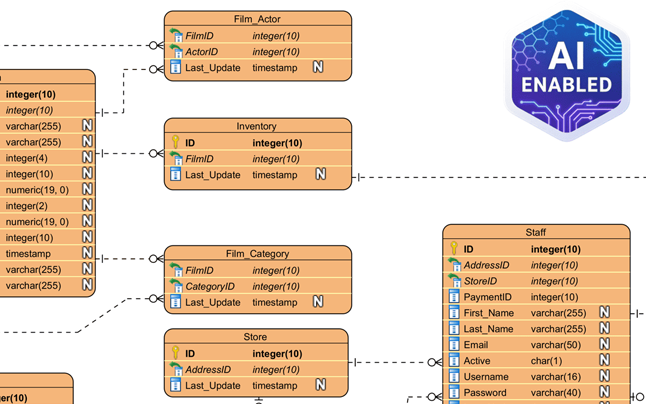
Nhìn vào kết quả bên dưới, bạn có thể thấy AI đã tạo chính xác một sơ đồ phù hợp hoàn hảo với ứng dụng mạng xã hội. Nó đã tạo ra mộtNgười dùng thực thể với các thuộc tính tiêu chuẩn như tên người dùng, email, và mật khẩu. Nó đã kết nối logic giữa Người dùng với một Bài viết thực thể (mối quan hệ một-đa), nhận ra rằng một người dùng tạo ra nhiều bài viết. Nó thậm chí còn chi tiết hóa các thông tin bằng cách thêm vào Bình luận, Thích, và Thông báo các thực thể, đầy đủ các khóa ngoại (ví dụ: post_id, author_id) và các kiểu dữ liệu phù hợp như varchar, clob, và integer.

This is the screenshot of Visual Paradigm Desktop. It shows a Entity Relationship Diagram generated by AI, based on the descr

Tại sao tính năng AI này là bắt buộc đối với những người thiết kế mô hình

Điểm đẹp của việc sử dụng một công cụ thiết kế mô hình cơ sở dữ liệu được hỗ trợ bởi AIlà nó xử lý phần việc nặng nhọc về bố cục và tổ chức. Như thấy trong sơ đồ được tạo ra, các thực thể được sắp xếp để giảm thiểu các đường chéo nhau, giúp cấu trúc dữ liệu dễ đọc và kiểm tra.

Gán tự động thuộc tính và khóa

Nhận thấy AI đã tự động gán Khóa chính (PK) cho mỗi thực thể, được biểu diễn bằng biểu tượng chìa khóa. Nó cũng đưa ra những suy đoán thông minh về kiểu dữ liệu—gán clob (Đối tượng ký tự lớn) cho phần “nội dung” của một bài đăng vì nó biết rằng các bài đăng có thể dài, trong khi vẫn giữ “username” ở dạng chuẩn varchar(50). Điều này giúp bạn tiết kiệm thời gian và công sức khi phải thiết lập thủ công các thuộc tính cho từng cột trong giai đoạn khái niệm.

Từ hình ảnh tĩnh đến dự án chức năng

Khác với các công cụ tạo hình ảnh đơn giản, đầu ra ở đây là một bản đồ bản đồ gốc có thể chỉnh sửa hoàn toàn. Nếu sau này bạn quyết định rằng một “Bài đăng” cũng cần có một “Thể loại”, bạn chỉ cần thêm thuộc tính đó bằng trình chỉnh sửa bản đồ. Sự chuyển đổi liền mạch sang triển khai này cho phép bạn sử dụng bản đồ này làm nền tảng để tạo các tập lệnh DDL cho MySQL, PostgreSQL hoặc Oracle, thực sự giúp chuyển từ một ý tưởng sơ bộ đến một sơ đồ cơ sở dữ liệu vật lý trong một quy trình duy nhất.

Làm thế nào để tạo bản đồ ERD AI của riêng bạn

Sẵn sàng thử công cụ tạo bản đồ ERD dễ sử dụng? Dưới đây là quy trình đơn giản để tái hiện kết quả được hiển thị ở trên:

  1. Khởi động Visual Paradigm: Mở một dự án mới hoặc đã có sẵn.
  2. Mở công cụ AI: Điều hướng đến Công cụ > Tạo bản đồ AI.
  3. Chọn loại bản đồ: Chọn “Bản đồ quan hệ thực thể” từ menu thả xuống.
  4. Nhập mô tả: Nhập một mô tả rõ ràng về hệ thống của bạn (ví dụ: “Một hệ thống thư viện với sách, thành viên và mượn trả”).
  5. Tạo: Nhấn OK và quan sát bản đồ của bạn xuất hiện.
  6. Tinh chỉnh: Sử dụng trình chỉnh sửa để điều chỉnh các mối quan hệ hoặc thêm các ràng buộc cụ thể nếu cần.

Kết luận

Tính năng Tạo bản đồ quan hệ thực thể AI của Visual Paradigm đã thay đổi cách chúng ta tiếp cận mô hình hóa dữ liệu. Bằng cách chuyển một câu đơn giản về một “nền tảng mạng xã hội” thành một bản đồ ERD toàn diện và chính xác về mặt kỹ thuật, nó xóa bỏ rào cản khi bắt đầu thiết kế cơ sở dữ liệu. Dù bạn đang xây dựng bản mẫu cho một ứng dụng mới hay đang tài liệu hóa một hệ thống hiện có, công cụ này cung cấp một điểm khởi đầu vững chắc và chuyên nghiệp ngay lập tức.

Ngừng vẽ các hộp từng cái một. Trải nghiệm tốc độ mô hình hóa hỗ trợ bởi AI ngay hôm nay.

Tải xuống Visual Paradigm Desktop và thử tính năng tạo sơ đồ bằng AI ngay bây giờ


Các liên kết liên quan

Visual Paradigm cung cấp một bộ công cụ toàn diện gồmcác công cụ sơ đồ quan hệ thực thể (ERD)giúp thuận tiện trong việc thiết kế các lược đồ cơ sở dữ liệu có thể mở rộng thông qua cả các trình soạn thảo trực quan truyền thống vàtự động hóa dựa trên AI. Các công cụ này hỗ trợ nhiều ký hiệu khác nhau, chẳng hạn nhưký hiệu Chen, và cho phép chuyển đổi liền mạch từmô hình hóa khái niệm sang triển khai cơ sở dữ liệu thực tếvà kỹ thuật ngược.

  1. Công cụ ERD của Visual Paradigm – Tạo sơ đồ quan hệ thực thể trực tuyến: Một công cụ dựa trên web giúp thiết kế trực quankéo và thảcác lược đồ cơ sở dữ liệu chuyên nghiệp.
  2. Thiết kế cơ sở dữ liệu với công cụ ERD – Hướng dẫn của Visual Paradigm: Một nguồn tài nguyên dành cho các kiến trúc sư tập trung vào việc xây dựngcác cơ sở dữ liệu có thể mở rộng và vững chắcsử dụng các phương pháp tốt nhất trong mô hình hóa dữ liệu.
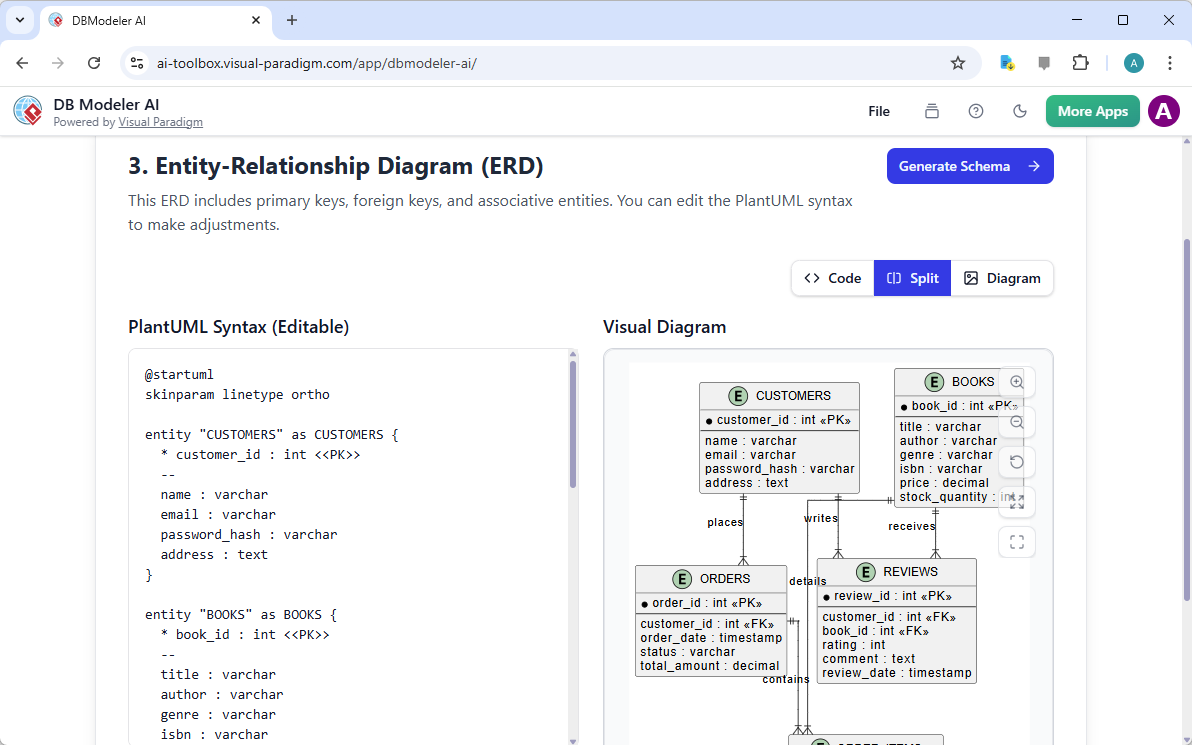
  3. DBModeler AI: Công cụ mô hình hóa cơ sở dữ liệu thông minh: Một ứng dụng dựa trên AI được thiết kế đểmô hình hóa cơ sở dữ liệu tự động, sinh lược đồ và kiểm thử SQL trực tiếp.
  4. Công cụ ERD miễn phí – Thiết kế cơ sở dữ liệu trực tuyến với Visual Paradigm: Cung cấp giải pháp không cần cài đặt, dựa trên trình duyệt để tạocác sơ đồ quan hệ thực thể chuyên nghiệpmà không mất phí.
  5. Trình soạn thảo sơ đồ ERD theo ký hiệu Chen – Mô hình hóa quan hệ thực thể nâng cao: Một trình soạn thảo chuyên biệt cung cấp hỗ trợ đầy đủ chocác thực thể, thuộc tính, mối quan hệ và bội số sử dụng ký hiệu Chen chính xác.
  6. Công cụ ERD Visual Paradigm cho thiết kế cơ sở dữ liệu – Giải pháp toàn diện: Một công cụ toàn diện dành cho các nhà phát triển và kiến trúc sư đểmô hình hóa, trực quan hóa và tạo racơ sở dữ liệu với hiệu suất cao.
  7. Các loại sơ đồ mới được thêm vào Công cụ tạo sơ đồ AI: DFD và ERD: Bản phát hành này nhấn mạnh khả năng tạo raERD ngay lập tức từ các lời nhắc bằng ngôn ngữ tự nhiên bằng cách sử dụng AI.
  8. Đơn giản hóa mô hình hóa Thực thể-Mối quan hệ với Visual Paradigm: Một bài viết chi tiết về cách đơn giản hóa quy trình mô hình hóa từý tưởng ban đầu đến triển khai cơ sở dữ liệu cuối cùng.
  9. Giới thiệu về mô hình hóa dữ liệu: ERD, sinh mã và kỹ thuật ngược: Một hướng dẫn giới thiệu bao gồm vòng đời thiết yếu củavẽ sơ đồ và kỹ thuật ngượccơ sở dữ liệu.
  10. Diagrams Thực thể-Mối quan hệ (ERD) là gì? – Hướng dẫn của Visual Paradigm: Một hướng dẫn giải thích bao gồm các yếu tố cốt lõicác thành phần và ý nghĩacủa ERD trong bối cảnh rộng lớn hơn về thiết kế cơ sở dữ liệu.

From Problem to Report: How AI Guides Your Use Case Journey

Discover how AI guides your use case journey from problem to report with Visual Paradigm’s intelligent development assistant.

Imagine you’re a project manager tasked with launching a new online course platform. The first challenge is to articulate the problem clearly and then translate it into a functional system. This is where the Use Case Driven Development Assistant, an AI-powered tool from Visual Paradigm, steps in. It doesn’t just help you write documents; it guides you through a complete, structured workflow to transform a vague idea into a detailed, actionable project plan. The process is so intuitive, it feels like having a seasoned business analyst and a technical architect working side-by-side with you. This deep dive explores the core features of this powerful tool, using a real-world example of an online course platform to show how it streamlines the entire use case lifecycle.

Quick Summary: Key Takeaways from the Use Case Driven Development Assistant

  • Start with a clear problem statement to define the project’s core objective.

  • Use AI to automatically generate a list of candidate use cases and actors.

  • Visualize system functionality with AI-generated Use Case and Activity Diagrams.

  • Prioritize features using a structured MoSCoW method to focus on high-value work.

  • Generate detailed use case descriptions and executable Gherkin test scenarios.

  • Create comprehensive reports to communicate project scope and plans.

  • Track progress and maintain a single source of truth with a central dashboard.

Step 1: Defining the Problem with AI

Every successful project begins with a clear understanding of the problem it aims to solve. The journey with the Use Case Driven Development Assistant starts in the “Problem Statement” tab. Here, you input a project name and a short description. The AI then leverages this information to generate a comprehensive problem statement. As seen in Image 1, the tool has taken the project name “Online Course Platform” and the short description “A marketplace for instructors to create and sell courses, and for students to enroll and learn” to produce a detailed narrative. This narrative identifies the core pain points: students struggle to find relevant courses, while instructors face challenges in reaching a broad audience and monetizing their expertise. This AI-generated problem statement serves as the project’s foundation, ensuring everyone on the team shares a unified understanding from the very beginning.
This is a screenshot of Visual Paradigm's AI Powered Use Case Driven Development Assistant. we are now in step 1. It shows th

Step 2: Identifying Use Cases with AI Assistance

Once the problem is defined, the next logical step is to identify the key functionalities the system must provide. The assistant’s “Candidate Use Cases” tab, shown in Image 2, automates this process. After analyzing the problem statement, the AI suggests a list of use cases, each associated with an actor (like Instructor, Student, or Admin). For our online course platform, the AI proposes use cases such as “Create a New Course,” “Upload Course Content,” “Browse and Search Courses,” and “Enroll in a Course.” This list provides a solid starting point, saving significant time and effort that would otherwise be spent on brainstorming sessions. You can then refine these suggestions, add new ones, or delete irrelevant ones to create a comprehensive list of system functionalities.

This is a screenshot of Visual Paradigm's AI Powered Use Case Driven Development Assistant. We are now in step 2. It shows a

Step 3: Visualizing the System with a Use Case Diagram

After identifying the use cases, it’s crucial to visualize how they interact with the system’s actors. The “Use Case Diagram” tab, illustrated in Image 3, takes the list of use cases and actors and automatically generates a clear, graphical representation. This diagram shows the relationships between the actors (Instructor, Student, Admin) and the system’s functions (Create a New Course, etc.). The AI-powered generation ensures that the diagram is accurate and professionally formatted. This visual aid is invaluable for communication, allowing stakeholders, developers, and designers to quickly grasp the system’s scope and functionality without wading through text-heavy documents.

This is a screenshot of Visual Paradigm's AI Powered Use Case Driven Development Assistant. We are now in step 3. It shows a

Step 4: Prioritizing Features for Maximum Impact

Not all use cases are created equal. A project’s success often hinges on focusing on the most critical features first. The “Prioritize Use Cases” tab, as shown in Image 4, provides a powerful framework for this. It allows you to assign a user value and business value (on a scale of 0-10) to each use case and then apply the MoSCoW prioritization method (Must Have, Should Have, Could Have, Won’t Have). In our example, the AI has helped identify that “Create a New Course” and “Upload Course Content” are “Must Have” features, as they are essential for the platform’s core function. This structured prioritization ensures that the development team focuses on delivering the highest value to users and the business, avoiding wasted effort on low-priority features.

This is a screenshot of Visual Paradigm's AI Powered Use Case Driven Development Assistant. We are now in step 4. It shows th

Step 5: Detailing Use Cases and Generating Activity Diagrams

With the high-level view established, the next step is to dive into the details of each use case. The “Use Case Details” tab, shown in Image 5, allows you to create a comprehensive template for a selected use case. The AI can generate a detailed description, including pre-conditions, main flow, and alternative flows. For the “Create a New Course” use case, the AI provides a structured template that outlines the necessary steps. To further enhance understanding, the assistant can generate an “Activity Diagram” for the same use case, as seen in Image 6. This diagram visually maps out the step-by-step workflow, showing the sequence of actions from the instructor logging in to the course being saved. This level of detail is essential for both developers and QA teams.

This is a screenshot of Visual Paradigm's AI Powered Use Case Driven Development Assistant. We are now in step 5. It shows thThis is a screenshot of Visual Paradigm's AI Powered Use Case Driven Development Assistant. We are still in step 5. It shows

Step 6: Generating Test Scenarios and Sequence Diagrams

For a development team, the next critical step is to create testable scenarios. The “Scenarios” tab, shown in Image 7, allows you to generate executable Gherkin scenarios directly from your use case descriptions. These scenarios, written in a plain-language format (Given-When-Then), are perfect for automated testing. The AI can generate a main scenario and alternative scenarios, such as one for an invalid title. To further clarify the system’s internal workings, the assistant can generate a “Sequence Diagram,” as seen in Image 8. This diagram shows the interaction between the instructor, the web dashboard, the backend API, the database, and the notification service, providing a clear picture of the system’s architecture and data flow.

This is a screenshot of Visual Paradigm's AI Powered Use Case Driven Development Assistant. We are in step 6. It shows the AIThis is a screenshot of Visual Paradigm's AI Powered Use Case Driven Development Assistant. We are still in step 6. It shows

Step 7: Creating Comprehensive Project Reports

Throughout the development process, it’s essential to communicate the project’s status and plans to various stakeholders. The “Generate Report” tab, as shown in Image 9, makes this easy. You can generate a variety of reports, such as a “Project Overview,” “Implementation Plan,” “QA Test Plan,” or a “Developer Task List.” These reports are generated with AI assistance, ensuring they are consistent and comprehensive. For example, the “Project Overview” report summarizes the entire project, including the executive summary, key features, and the rationale behind the prioritization. This single source of truth ensures everyone is aligned and informed.

This is a screenshot of Visual Paradigm's AI Powered Use Case Driven Development Assistant. We are in step 7. It shows a repo

Step 8: Tracking Progress with the Dashboard

Finally, the journey culminates in the “Dashboard,” as seen in Image 10. This central hub provides a high-level overview of the project’s status. It shows the project completion percentage, the total number of use cases, and the number of “Must Have” items. The project checklist allows you to track your progress, with each completed step marked as “Done.” This real-time visibility into the project’s health is invaluable for project managers and team leads, enabling them to identify bottlenecks and ensure the project stays on track.

This is a screenshot of Visual Paradigm's AI Powered Use Case Driven Development Assistant. We are in step 8. It shows the da

The Use Case Driven Development Assistant is more than just a tool; it’s a comprehensive workflow that brings clarity and efficiency to the software development process. By leveraging AI at every stage—from defining the problem to generating reports—it helps teams move from requirements to implementation faster and with greater accuracy. The result is a well-structured, well-documented project that is aligned with business goals and user needs. If you’re looking to streamline your use case development process, this AI-powered tool is a powerful solution.

Ready to see how the Use Case Driven Development Assistant can transform your next project? Try it now.

Related Links

Use case modeling is a fundamental software engineering technique used to capture functional requirements by visualizing the interactions between external actors and a system’s internal functions. Modern platforms now incorporate AI-powered automation to refine diagrams, generate comprehensive use case descriptions, and convert models into test cases or activity diagrams to maintain design consistency and traceability. Advanced tools like the Flow of Events editor and Scenario Analyzer allow development teams to validate and document structured event sequences to improve overall system clarity.

  1. What Is a Use Case Diagram? – A Complete Guide to UML Modeling: An in-depth overview covering essential components, purposes, and best practices for requirements modeling.

  2. Step-by-Step Use Case Diagram Tutorial – From Beginner to Pro: A practical resource that guides users through foundational to advanced techniques for creating effective use case diagrams.

  3. All You Need to Know About Use Case Modeling: A comprehensive exploration of the principles and applications of use case modeling in system design.

  4. Visual Paradigm – Use Case Description Features: Details specialized tools used to precisely document user interactions and structured system behavior.

  5. Mastering AI-Driven Use Case Diagrams with Visual Paradigm: A tutorial on leveraging AI to create intelligent, dynamic diagrams for modern software systems.

  6. Guide to Using the Flow of Events Editor in Visual Paradigm: Step-by-step instructions for documenting structured event sequences within a use case scenario.

  7. Unraveling Scenarios with the Use Case Scenario Analyzer: A guide on using analyzers to examine and refine interaction flows for increased system clarity.

  8. Convert Use Case to Activity Diagram – AI-Powered Transformation: A resource explaining the automated conversion of use cases into detailed system workflows.

  9. Generating Scenarios and Test Cases from Use Case Diagrams Using AI: An exploration of how AI tools automate the creation of requirement-driven test procedures.

  10. Use Case Diagram Gallery – Templates & Examples: A curated collection of real-world examples for inspiration, learning, and rapid prototyping.

Beyond the Sketch: Why Casual AI LLMs Fail at Visual Modeling and How Visual Paradigm Bridges the Gap

In the modern software engineering landscape, the transition from abstract ideas to concrete system designs often feels like solving a “maze without a map”. While general Large Language Models (LLMs) have revolutionized initial content creation, they fall significantly short when applied to professional visual modeling. This article explores the missing elements of casual AI diagram generation and how the Visual Paradigm (VP) AI ecosystem transforms these challenges into a high-speed engine for architectural success.

1. The “Sketch Artist” Problem: What is Missing in Casual AI LLMs

The fundamental limitation of general LLMs in diagramming stems from the difference between textual generation and standardized visual modeling. The sources characterize general LLMs as “sketch artists” who lack the “building codes” and “CAD systems” necessary for professional engineering.

  • Lack of Rendering Engines: General LLMs are primarily designed to process and produce text. While they can generate “diagramming code” (such as Mermaid or PlantUML), they lack built-in rendering engines to convert that code into high-quality, editable vector graphics like SVG.
  • Semantic and Standard Violations: Generic AI models often produce “pretty sketches” that violate the technical rules of formal modeling. They frequently misinterpret complex technical jargon such as “aggregation,” “composition,” or “polymorphism,” resulting in decorative drawings rather than functional engineering artifacts.
  • Absence of State Management: Casual LLMs lack a persistent visual structure. If a user asks a text-based AI to change a single detail, the model often has to regenerate the entire diagram, leading to broken connectors, misaligned layouts, or the total loss of previous details.

2. Problems Encountered in Casual AI Diagramming

Relying on casual AI generation introduces several risks that can compromise project integrity:

  • The “Design-Implementation Gap”: Without a rigorous visual blueprint, logic remains “scattered” and “vague,” often leading to code that is a “mess” and meetings that end without shared understanding.
  • Syntax Expertise Barriers: If an AI generates raw code, the user must possess deep technical expertise in that specific syntax (e.g., PlantUML) to make manual modifications, defeating the purpose of an “easy” AI tool.
  • Isolation from Workflow: Text snippets from general LLMs are isolated from the actual engineering process, requiring manual copy-pasting and offering no version control or integration with other model types.
  • The Failure of “One-Shot” Prompts: A single prompt is rarely sufficient to fit 100% of a user’s requirements for a detailed system. Initial ideas are often “scattered,” and users frequently realize they missed critical details—like load balancers or error-handling states—only after seeing a first draft.

3. How Visual Paradigm AI Achieves Professional Integrity

Visual Paradigm AI addresses these legacy issues by transforming modeling from a “labor-intensive drawing chore” into an intuitive, conversational, and automated workflow.

A. “Diagram Touch-Up” and Persistent Structure

Unlike generic tools, VP AI maintains the diagram as a persistent object. Through proprietary “Diagram Touch-Up” technology, users can issue conversational commands like “add a two-factor authentication step” or “rename this actor,” and the AI updates the visual structure immediately while maintaining layout integrity.

B. Standardized Intelligence

Visual Paradigm AI is uniquely trained on established modeling standards, including UML 2.5, ArchiMate 3, and C4. It understands the semantic rules and structure behind words, ensuring that relationships and naming conventions are technically valid blueprints ready for construction.

C. Specialized Step-Based Analysis

To bridge the gap between requirements and design, the ecosystem provides systematic apps:

  • AI-Powered Textual Analysis: Automatically extracts candidate domain classes, attributes, and relationships from unstructured problem descriptions before a single line is drawn.
  • 10-Step AI Wizard: Guides users through a logical sequence—from defining purpose to identifying operations—ensuring “human-in-the-loop” validation to prevent the errors common in “one-shot” AI generation.

D. Architectural Critique as a Consultant

Beyond simple generation, the AI acts as a systematic design assistant. It can analyze existing designs to identify single points of failure, logic gaps, or suggest industry-standard patterns like MVC (Model-View-Controller) to improve system quality.

E. Seamless Ecosystem Integration

AI-generated models are functional artifacts, not isolated images. They can be imported into the Visual Paradigm Desktop or Online suites for advanced editing, versioning, and code engineering (including database generation and Hibernate ORM integration), ensuring the visual design directly drives the software implementation.

Conclusion: From Hand-Chiseling to 3D Printing

Traditional modeling is like hand-chiseling a marble statue, where every stroke is a high-risk manual effort. In contrast, Visual Paradigm AI is like using a high-end 3D printer: you provide the specifications in plain English, and the system precisely builds a technically sound structure, allowing you to focus on strategic design decisions. By unifying strategy, business modeling, and technical design into a single AI-enhanced platform, Visual Paradigm eliminates the “blank canvas” problem and ensures all stakeholders work from the same conceptual baseline.

Đăng ngày Chuyên mục AI

Beyond the Sketch: Why Casual AI LLMs Fail at Visual Modeling and How Visual Paradigm Bridges the Gap

In today’s fast-paced software engineering and enterprise architecture world, turning abstract requirements into precise, actionable designs remains challenging. General-purpose Large Language Models (LLMs) excel at brainstorming and text generation but struggle with professional visual modeling. They produce “sketches” rather than engineered blueprints. Visual Paradigm’s AI-powered ecosystem changes this by delivering standards-aware, persistent, and iterative diagramming that accelerates architectural work from idea to implementation.

1. The “Sketch Artist” Problem: Limitations of Casual AI LLMs

Casual AI tools (e.g., ChatGPT, Claude) treat diagramming as an extension of text generation. They output code in formats like Mermaid or PlantUML, but lack depth for professional use.

Key limitations include:

  • No Native Rendering or Editing Engine LLMs generate text-based syntax (e.g., Mermaid flowchart code), but offer no built-in viewer or editor for high-quality vector graphics (SVG). Users paste code into external renderers, losing interactivity. Changes require full regeneration.
  • Semantic Inaccuracies and Standard Violations Generic models misinterpret UML/ArchiMate concepts. For example, they confuse aggregation (shared ownership) with composition (exclusive ownership), or draw invalid inheritance arrows. Results look attractive but fail as engineering artifacts—e.g., a class diagram might show bidirectional associations where unidirectional is correct.
  • Lack of Persistent State and Incremental Updates Each prompt regenerates the diagram from scratch. Asking “add error handling to this sequence diagram” often breaks layouts, loses connectors, or forgets prior elements. No memory of visual structure exists.

Example: Prompting ChatGPT for a “UML class diagram of an online banking system with accounts, transactions, and two-factor authentication” yields Mermaid code. Adding “include fraud detection module” regenerates everything—potentially rearranging classes, dropping associations, or introducing syntax errors.

These issues create “pretty pictures” instead of maintainable models.

2. Real-World Problems When Relying on Casual AI Diagramming

Using general LLMs introduces risks that undermine project quality:

  • The Design-Implementation Gap Vague or incorrect visuals lead to misaligned code. Teams waste time in meetings clarifying intent because diagrams lack precision.
  • Syntax Dependency and Expertise Barrier Editing Mermaid/PlantUML requires learning specialized syntax—ironic for “AI-assisted” tools. Non-experts struggle with manual fixes.
  • Workflow Isolation Diagrams are static images or code snippets, disconnected from version control, collaboration, or downstream tasks (e.g., code generation, database schemas).
  • “One-Shot” Prompt Failure Complex systems need iteration. Users spot omissions (e.g., missing load balancers, caching layers, or exception flows) only after the first output, but regeneration discards progress.

Example: In system design interviews or early architecture sessions, developers use ChatGPT to generate C4 model diagrams via Mermaid. Initial outputs miss key boundaries or relationships. Iterative prompting yields inconsistent versions, frustrating teams and delaying decisions.

3. How Visual Paradigm AI Delivers Professional-Grade Modeling

Visual Paradigm transforms diagramming into a conversational, standards-driven, and integrated process. Its AI understands UML 2.5, ArchiMate 3, C4, BPMN, SysML, and more, producing compliant, editable models.

A. Persistent Structure with “Diagram Touch-Up” Technology

VP maintains diagrams as living objects. Users issue natural language commands to update specific parts without regeneration.

  • Conversational edits: “Add two-factor authentication step after login” or “Rename Customer actor to User” instantly adjust layout, connectors, and semantics while preserving integrity.

This eliminates broken links and layout chaos common in casual tools.

B. Standards-Compliant Intelligence

Trained on formal notations, VP AI enforces rules:

  • Correct multiplicity in associations
  • Proper use of stereotypes
  • Valid ArchiMate viewpoints (e.g., Capability Map, Technology Usage)

Diagrams are technically sound “blueprints” rather than approximations.

C. Systematic Step-Based Analysis and Guidance

VP provides structured apps to bridge requirements to design:

  • AI-Powered Textual Analysis — Analyzes unstructured text (e.g., requirements docs, user stories) to extract candidate classes, attributes, operations, and relationships. It generates initial class diagrams automatically.

    Example: Input a description: “An e-commerce platform allows customers to browse products, add to cart, checkout with payment gateway, and track orders.” AI identifies classes (Customer, Product, Cart, Order, PaymentGateway), attributes (e.g., price, quantity), and associations (Customer places Order).

  • 10-Step AI Wizard (for UML class diagrams and similar) — Guides users logically: define purpose → scope → classes → attributes → relationships → operations → review → generate. Human-in-the-loop validation prevents one-shot errors.

D. AI as Architectural Consultant

Beyond generation, VP AI critiques designs:

  • Detects single points of failure
  • Identifies logic gaps
  • Suggests patterns (e.g., MVC, Repository, Observer)

It acts as an expert reviewer.

E. Seamless Integration into Professional Workflows

Models are not isolated images:

  • Fully editable in Visual Paradigm Desktop/Online
  • Support versioning and collaboration
  • Enable code engineering (e.g., generate Java/Hibernate ORM, database schemas)
  • Export/import across tools

This closes the loop from design to code.

Example: Generate an ArchiMate viewpoint for “Technology Layer” via prompt: “Create ArchiMate diagram for cloud-based microservices architecture with AWS components.” AI produces a compliant diagram. Use “Diagram Touch-Up” to add security controls. Export to desktop for team review and code gen.

Conclusion: From Manual Chiseling to AI-Powered 3D Printing

Traditional diagramming feels like chiseling marble—slow, error-prone, and irreversible. Casual AI LLMs improve speed but remain “sketch artists” producing inconsistent, non-persistent visuals.

Visual Paradigm AI is like a high-precision 3D printer: input plain English specifications, receive standards-compliant, editable structures, iterate conversationally, and drive implementation directly. By unifying business, enterprise, and technical modeling in one AI-enhanced platform, it eliminates the blank-canvas paralysis and ensures stakeholders share a precise, actionable baseline.

For software architects, enterprise teams, and developers tired of regenerating broken Mermaid snippets, Visual Paradigm represents the next evolution: intelligent modeling that respects standards, preserves intent, and accelerates delivery.

Đăng ngày Chuyên mục AI

Mastering UML Deployment Diagrams: A Hybrid Approach with Visual Paradigm AI

In the fast-paced world of software architecture, the ability to accurately document system infrastructure is crucial. For years, architects have relied on manual drafting to create UML Deployment Diagrams—a process known for its precision but also its tediousness. However, the landscape has shifted in 2026. With the integration of Artificial Intelligence into tools like Visual Paradigm, the workflow has evolved from purely manual dragging and dropping to a sophisticated conversation with AI.

Deployment Diagram for Embedded System

This guide explores the strengths and weaknesses of both traditional manual modeling and AI-powered generation, ultimately advocating for a hybrid approach. By mixing the speed of AI with the precision of human oversight, architects can achieve results that are both rapid and professional.

UML Component Diagram: A Definitive Guide to Designing Modular Software  with AI - AI Chatbot

The Traditional Approach: Manual Modeling

For many teams, the classic approach remains the default. This involves opening the editor, selecting the Deployment Diagram type, and building the infrastructure topology from a blank canvas.

The Manual Workflow

Creating a diagram manually is a granular process involving several specific steps:

  • Node Placement: Architects manually drag 3D node boxes onto the canvas to represent servers, devices, execution environments, or cloud resources such as <<AWS EC2>> or <<Kubernetes Cluster>>.
  • Artifact Management: Files like .war, .jar, or database schemas are explicitly placed onto nodes to show where code is deployed.
  • Connection Drawing: Communication paths are drawn using solid lines, requiring manual selection of stereotypes like <<HTTP>> or <<TCP/IP>>.
  • Visual Organization: The user must manually align shapes, color-code security zones, and manage nested nodes for VPCs or data centers.

Strengths of the Old School

Despite being labor-intensive, manual modeling has persisted because it offers total control. Every decision regarding layout and stereotypes is deliberate, forcing the architect to think deeply about topology, performance bottlenecks, and failover strategies. It is particularly effective for the final polish required for compliance documents or high-stakes architecture reviews.

The Pain Points

However, the downsides are significant, especially for complex cloud deployments:

  • Time Intensity: A realistic setup involving load balancers, auto-scaling groups, databases, and CDNs can take 45 to 90 minutes for a first draft.
  • Iteration Fatigue: Minor changes, such as adding a firewall or changing a protocol, often require tedious dragging, reconnecting, and realigning of elements.
  • Onboarding Issues: Junior developers often struggle with the strict syntax of UML notation, leading to inconsistencies.

The AI Revolution: Fast Prototyping with Guardrails

Visual Paradigm’s AI chatbot and diagram generator have introduced a paradigm shift. Instead of drawing, the architect describes the system in plain English, and the tool generates the visual representation.

How AI Modeling Works

The process is conversational and iterative:

  1. Description: The user provides a text prompt, such as: “Generate a UML Deployment Diagram for a microservices e-commerce platform on AWS with an Internet-facing ALB, EC2 instances, RDS PostgreSQL, and S3.”
  2. Generation: The AI produces a complete diagram in seconds, correctly identifying nodes, artifacts, and relationships.
  3. Refinement: The user iterates via chat commands like “Add a bastion host in a public subnet” or “Make the database highly available with read replicas.”

Why Architects Are Adopting AI

The immediate benefit is blazing speed. A draft that previously took nearly an hour can now be generated in under two minutes. Furthermore, the AI adheres to semantic correctness, ensuring proper UML rules are followed regarding node versus execution environment distinctions. It also serves as a knowledge booster, offering suggestions for high availability or security when prompted.

However, AI is not without limitations. The layout prioritizes correctness over aesthetics, often requiring cleanup. Additionally, highly bespoke elements or custom hardware icons may be missed, and there is a risk of over-reliance where subtle errors in dependency direction might go unnoticed if not reviewed.

The Winning Strategy: The Hybrid Approach

The most effective workflow today is not choosing between manual and AI, but blending them. This Hybrid Approach leverages the best of both worlds to maximize productivity and quality.

Phase 1: AI for the Heavy Lifting (80-90%)

Start every project with the AI tools. Use natural language to describe your infrastructure. This phase is dedicated to speed, exploration, and establishing the semantic structure of the diagram. It allows for rapid “what-if” scenarios and creates a solid foundation without the drudgery of dragging initial shapes.

Phase 2: Manual for the Final Mile (10-20%)

Once the AI draft is ready, export it into the full Visual Paradigm editor. This is where human expertise shines. Architects should:

  • Fine-tune the layout for readability.
  • Add custom notes, constraints, and specific visual cues (icons/swimlanes).
  • Adjust colors to match corporate branding or specific architectural standards.
  • Ensure the diagram effectively communicates the narrative required for stakeholders.

Phase 3: The Iterative Loop

When major structural changes occur—such as a migration to multi-cloud or the addition of a new security zone—architects can jump back to the AI chat for quick regeneration, then polish manually again. This is significantly faster than redrawing complex diagrams from scratch.

Comparison: Manual vs. AI vs. Hybrid

Feature Manual Modeling AI-Powered Hybrid Approach
Speed Slow (45+ mins) Instant (< 2 mins) Fast (5-10 mins)
Control High (Pixel perfect) Moderate (Prompt-based) Maximum (Best of both)
Consistency Variable (Human error) High (Rule-based) High (AI draft + Human check)
Flexibility Low (Hard to refactor) High (Regenerate instantly) High (Iterative flow)

Conclusion: Elevation, Not Replacement

The introduction ofAI into deployment diagramming does not render the architect’s skills obsolete; rather, it elevates them. Traditional manual skills provide the necessary foundation for precision and review, while AI provides unprecedented speed and accessibility.

In 2026, the competitive advantage lies in the deliberate mix of these methods. By using AI as an accelerator and applying human judgment for refinement, architects can produce higher-quality documentation in a fraction of the time. If you are still dragging every node manually, it is time to embrace the hybrid future.

Deployment Diagram Archives - AI Chatbot

Visual Paradigm AI Powered Deployment Diagram Resource

The following articles and resources provide detailed information on using AI-powered tools to create and manage deployment diagrams within the Visual Paradigm platform:

Đăng ngày Chuyên mục AI

Visual Paradigm AI Package Diagram Generator: Text to UML Packages

You’re architecting a new content management system, staring at layers, modules, and dependencies — presentation, business rules, persistence, security — but the high-level structure stays fuzzy. Manually creating packages, subpackages, and dependency arrows feels like overkill for a first draft. Enter Visual Paradigm’s AI Package Diagram Generator: describe your system in plain words, and get a clean, standards-compliant UML package diagram in seconds. It’s the fast lane from mental model to visual blueprint.

Why This AI Changes Software Architecture

  • Natural language → full UML package diagram instantly
  • Auto-identifies packages, subpackages, dependencies, and stereotypes
  • Handles layered, modular, and microservices-style structures
  • Fully editable native model — refine, add notes, merge packages
  • Desktop precision + browser chatbot for rapid iteration

1. Desktop: Prompt → Structured Architecture

In Visual Paradigm Desktop:

Tools → AI Diagram Generation → select “Package Diagram” → describe your system:

“Generate a UML Package Diagram for a content management system with Presentation Layer (Web UI, Mobile App), Business Logic Layer (Content Service, User Management, Workflow Engine), Data Access Layer (Repository, Audit Logging), and show dependencies between layers.”

The input dialog keeps it simple and focused:

Visual Paradigm Desktop AI Package Diagram generation prompt interface

AI builds:

  • Top-level packages: Presentation Layer, Business Logic Layer, Data Access Layer
  • Subpackages: Web UI, Mobile App, Content Service, Repository
  • Clear dependency arrows (dashed) showing flow between layers

Resulting content management system package diagram — logical, layered, and ready for review:

AI-generated UML Package Diagram for Content Management System

Immediately edit: add security package, adjust dependencies, or integrate with class diagrams.

2. Chatbot: Conversational Architecture on the Go

For quick sketches or remote brainstorming, open the Visual Paradigm AI Chatbot:

“Create UML Package Diagram for a banking system: Core Banking Services, Account Management, Customer Management, Transaction Processing, Compliance & Auditing.”

The chatbot generates it live — packages, subpackages, and dependencies appear instantly. Example output for a banking system:

AI-generated UML Package Diagram for Banking System via Chatbot

Refine in conversation: “Add Payment Gateway package with dependency to Transaction Processing.” Instant update. Perfect for early design sessions or teaching UML.

Why Package Diagrams + AI Matter in 2026

Good architecture starts with clear boundaries. Package diagrams show modularity, layers, and dependencies before a single line of code is written. Manual creation slows you down; AI removes the friction.

Use cases that shine:

  • Layered enterprise apps
  • Microservices boundaries
  • Teaching modular design
  • Quick refactoring planning

Change scope mid-discussion? Regenerate. New module needed? Add it. That speed keeps architecture agile and team communication sharp.

Ready to Visualize Your System Structure?

Visual Paradigm’s AI Package Diagram Generator turns vague ideas into professional UML packages fast — whether for CMS, banking, e-commerce, or any modular system.

  • Download Visual Paradigm Desktop → Full modeling power: Get Desktop Now
  • Try AI Chatbot Online → Instant architecture sketches: Start Chatting

Stop wrestling with boxes and arrows. Start designing smarter — today.

Related Links

These articles explain how artificial intelligence is applied to UML package diagrams to automate the logical grouping of system elements, enabling developers to instantly generate architectural structures from natural language prompts to better manage software dependencies and system scalability.

  1. AI Diagram Generator Now Supports Package Diagrams in Visual Paradigm: This article details the release of new features that allow for the AI-powered generation of package diagrams to improve software architecture visualization.
  2. Generate UML Package Diagrams Instantly with Visual Paradigm AI: This guide focuses on utilizing AI-driven tools to create professional UML package diagrams with minimal manual effort.
  3. Interactive UML Package Diagram Generator: This resource provides access to an interactive tool for creating and editing package diagrams in real time through a conversational AI interface.
  4. UML Package Diagram: A Definitive Guide to Structuring Your Codebase with AI: This comprehensive guide explains how AI assists in structuring codebases, managing complex dependencies, and maintaining architectural integrity.
  5. Generating UML Package Diagrams from Text Prompts: This article explores how to transform raw ideas and textual prompts into detailed UML package diagrams using advanced AI modeling features.
  6. UML Package Diagram Tutorial Using Visual Paradigm: This tutorial provides a step-by-step approach to using package diagrams to structure software components and visualize their relationships effectively.
  7. Features of Package Diagram Software – Visual Paradigm Online: This overview highlights the online tools available for collaborative package diagram management, including version control and real-time editing.
  8. What is a Package Diagram in UML? – Visual Paradigm Guide: This foundational resource introduces the role of package diagrams in organizing complex software systems through logical grouping.
  9. Modeling Software Architecture with UML Package Diagrams: This article discusses best practices for using package diagrams to organize and communicate the modular structure of a system’s architecture.
  10. Package Diagram Examples & Templates – Visual Paradigm Gallery: This gallery offers a collection of real-world templates and examples to inspire and accelerate modular software design.

Creating a Professional Resume in Minutes with AI-Powered Site Builder

Discover how Visual Paradigm’s AI-powered site builder creates professional resumes in seconds from simple text prompts.

Visual Paradigm’s AI-Powered Site Builder is revolutionizing the way professionals create their online presence, from landing pages to comprehensive portfolios. The tool’s core strength lies in its ability to transform a simple text prompt into a fully designed, multi-section website in seconds. This capability is vividly demonstrated in the provided image, which showcases a professional resume generated from the prompt “Resume for a senior marketing manager with 10 years experience.” The result is a polished, modern digital profile for “Alex Johnson,” complete with a professional headshot, a compelling summary, contact information, and a section for skills and expertise. This is not just a template; it is a dynamic, AI-generated webpage that can be customized and published instantly. For professionals seeking a modern, professional online identity, this AI-powered site builder offers a powerful solution that eliminates the traditional barriers of design and development.

At the heart of this transformation is the AI Generator, a feature that allows users to define their website’s purpose with a simple text description. The user inputs a clear prompt, and the AI instantly constructs a complete page layout. The generated content, as seen in the image, is not generic; it is tailored to the specific role and experience level mentioned in the prompt. This intelligent approach ensures that the initial draft is highly relevant, providing a strong foundation for further personalization. The process is intuitive and efficient, allowing users to focus on refining their content rather than struggling with the mechanics of design. This powerful combination of AI and a visual, block-based editor makes the creation of professional websites accessible to anyone, regardless of their technical skills.

This is a screenshot of Visual Paradigm's AI-Powered Site Builder. It shows the web page generated from the prompt 'Resume fo

How the AI-Powered Site Builder Works

The process of creating a website with the AI-Powered Site Builder is designed to be as simple as possible, leveraging the power of artificial intelligence to handle the most complex part of the process: the initial design. The workflow begins with the user defining their goal in a text box. The AI then analyzes this prompt and generates a complete, multi-section webpage. This is not a simple template; the AI understands the context and creates a layout that is appropriate for the content. For instance, a resume prompt generates a page with a professional header, a profile section, a detailed bio, and a skills section, all arranged in a visually appealing and logical manner. This eliminates the “blank page” problem that often hinders the creative process.

From Prompt to Publication: A Seamless Workflow

Once the AI has generated the initial design, the user is presented with a fully interactive, visual editor. The interface, as seen in the image, features a central canvas where the website is displayed and a sidebar with tools and options. The user can then begin to customize the site. Clicking on any element, such as the “Senior Marketing Manager” title or the “Results-driven marketing professional” text, opens a properties panel. This panel allows for direct editing of the text, uploading of images, and adjustment of styles. This “what you see is what you get” (WYSIWYG) experience ensures that changes are immediate and visible. The user can then add more blocks, such as a “Skills & Expertise” section or a “Contact” form, by dragging and dropping them from the sidebar. The entire process is designed to be intuitive and efficient, allowing users to build a professional website in minutes.

Key Benefits of the AI-Powered Site Builder

The AI-Powered Site Builder offers several significant advantages for users who need a professional website quickly and easily. The most prominent benefit is speed. Instead of spending hours or days designing a site from scratch, users can go from a simple idea to a fully designed, functional website in a matter of minutes. This is made possible by the AI’s ability to generate a complete layout and content based on a single prompt. This efficiency is particularly valuable for professionals who need to update their online presence frequently or for businesses that require new landing pages for marketing campaigns.

Accessibility and Professionalism

Another major benefit is accessibility. The tool requires no coding knowledge, making it accessible to a broad audience. The visual, block-based editor allows users to build complex pages by simply dragging and dropping pre-designed components, such as hero sections, galleries, and pricing tables. This approach democratizes web design, empowering entrepreneurs, freelancers, and small business owners to create professional websites without hiring a developer. The AI-generated content is also built on modern design principles, ensuring that the final product looks polished and professional right out of the box. Users can then customize the site to perfectly match their brand and personal style, giving them full control over the final outcome.

Practical Applications and Use Cases

The versatility of the AI-Powered Site Builder makes it suitable for a wide range of applications. The image of the resume demonstrates one powerful use case: creating a professional online profile for a job seeker. This tool is ideal for anyone looking to build a personal portfolio, a business website, or a marketing landing page. For example, a freelance graphic designer could use the tool to create a portfolio site showcasing their best work. A startup founder could generate a landing page for a new product launch. A small business owner could build a simple website to attract local customers. The AI generator can be prompted with a description of the desired site, and it will create a tailored layout. The user then has the freedom to customize every detail, from the text and images to the color scheme and overall structure.

Creating a Multi-Page Website

While the image shows a single-page resume, the tool’s capabilities extend beyond a single page. Users can create multi-page websites by adding new pages to their project. For instance, a professional might create a main “Home” page with a resume and a separate “About” page with a detailed biography. The “Pages” tab in the sidebar allows users to manage all pages within a single project, making it easy to structure a complete website. This feature is essential for creating a comprehensive online presence that can guide visitors through a narrative, from a brief introduction to a detailed portfolio.

Conclusion

The AI-Powered Site Builder from Visual Paradigm represents a significant leap forward in website creation. It empowers users to generate professional, responsive websites quickly and easily, without requiring any technical skills. The tool’s ability to transform a simple text prompt into a fully designed, multi-section webpage is a testament to the power of AI in simplifying complex tasks. The example of the senior marketing manager’s resume demonstrates the tool’s effectiveness in creating a polished and professional digital profile. For anyone looking to establish a strong online presence, this tool offers a fast, efficient, and accessible solution.

Ready to create your own professional website? Try the AI-Powered Site Builder today and see how quickly you can turn your ideas into a live, professional website.

Try Now

Related Links