
Designing a robust data architecture requires more than just drawing boxes and lines. It demands a deep understanding of how information flows through an organization and how that flow is governed by rules. An Entity-Relationship Diagram (ERD) serves as the structural blueprint, while business logic dictates the behavior of the system. When these two elements diverge, the result is often a fragile system that struggles to adapt to real-world needs. This guide explores the critical intersection between data modeling and business rules, offering strategies to ensure your schema supports your requirements effectively.
The challenge lies in translating abstract concepts—such as “a user cannot order more than they have in stock”—into concrete database structures. If the model does not reflect the rules, data integrity suffers. If the rules are too rigid, business agility dies. We must find a balance that maintains consistency without stifling operation. Let us examine the core components and how to align them.
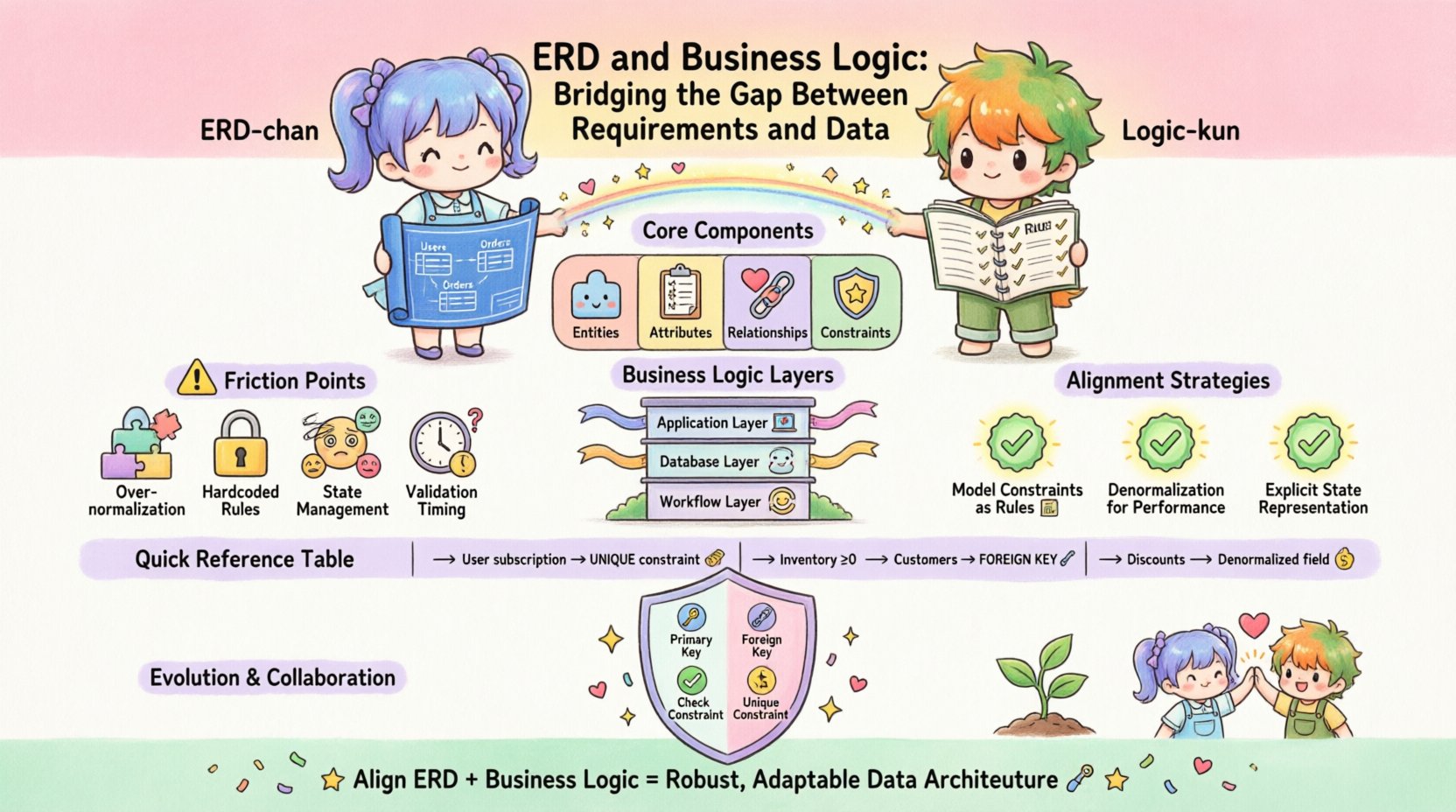
Understanding the Core Components 🏗️
To bridge the gap, we must first define what we are working with. Both sides of the equation have distinct characteristics that influence how they interact.
The Entity-Relationship Diagram (ERD)
An ERD represents the static structure of data. It defines entities (tables), attributes (columns), and relationships (foreign keys). Its primary goal is normalization and integrity. It answers the question: “What data do we need to store?” Key aspects include:
- Entities: The fundamental objects of the system, such as Customer, Order, or Product.
- Attributes: The properties describing the entities, like email, price, or status.
- Relationships: How entities connect, typically defined by primary and foreign keys. These establish cardinality (one-to-one, one-to-many).
- Constraints: Rules enforced at the database level, such as
NOT NULL,UNIQUE, orCHECK.
While powerful, an ERD is often passive. It holds data but does not inherently process it. It is the vessel, not the driver.
Business Logic
Business logic represents the active rules that govern how data is created, modified, and used. It answers the question: “What are we allowed to do with this data?” This logic can exist in various layers:
- Application Layer: Code in the backend or frontend that validates inputs before they hit the database.
- Database Layer: Stored procedures, triggers, and constraints that enforce rules directly within the storage engine.
- Workflow Layer: The sequence of events required to complete a task, such as approval chains or status transitions.
When business logic is separated too far from the data structure, discrepancies occur. For example, if the application allows a negative quantity to be entered but the database constraint prevents it, the user experience is broken. Conversely, if the database allows negative quantities but the application blocks them, the logic is duplicated and prone to error.
The Friction Points: Why the Gap Exists 📉
Developers and database architects often speak different languages. The technical team focuses on performance and integrity, while the business side focuses on functionality and user experience. This disconnect leads to several common friction points.
- Over-Normalization: Strict adherence to normalization rules can make complex business queries difficult. A highly normalized schema requires many joins to retrieve data for a specific business rule, slowing down application logic.
- Hardcoded Rules: Embedding business rules directly into application code makes them invisible to the data layer. If the database schema changes, the application might fail silently or return inconsistent data.
- State Management: ERDs often struggle with complex state machines (e.g., order statuses like “Pending”, “Shipped”, “Refunded”). Representing these as simple columns can lead to orphaned states if the logic is not enforced.
- Validation Timing: Deciding whether validation happens before or after storage is critical. Early validation reduces load, but late validation ensures the most up-to-date data is used.
When these points are ignored, the system becomes a patchwork of workarounds. Developers add temporary fixes to bypass constraints, leading to technical debt. The data becomes unreliable, and the business logic becomes brittle.
Strategies for Alignment 🤝
Bridging this gap requires intentional design. We must treat the schema as a living document that evolves with business requirements. Here are proven strategies to align data modeling with logic.
1. Model Constraints as Business Rules
Every business rule that prevents invalid data should have a corresponding database constraint. Do not rely solely on application code. This ensures that no matter where data comes from—API, script, or direct import—the rules hold.
- Uniqueness: If a username must be unique, enforce it at the column level. Do not check it in the application first, as race conditions can occur.
- Range Checks: If a discount cannot exceed 100%, use a
CHECKconstraint. This prevents accidental data corruption from bulk updates. - Referential Integrity: Use foreign keys to ensure an Order always belongs to a valid Customer. If a customer is deleted, decide if the order should remain (soft delete) or be removed (cascade delete) based on business needs.
2. Denormalization for Logic Performance
While normalization is good for storage, it is not always good for logic. Complex business rules often require aggregating data from multiple sources. If the logic is read-heavy, consider denormalizing specific attributes.
- Cached Totals: Instead of summing line items every time a total is needed, store the total_amount on the Order table. Update this field whenever a line item changes.
- Status Flags: If a user status determines access, store it in a column rather than joining through a history table. This speeds up the logic that checks permissions.
This approach trades storage space for query speed and logic simplicity. It must be managed carefully to avoid data inconsistency.
3. Explicit State Representation
For workflows, the database should reflect the state explicitly. Use a dedicated status column with a constrained set of values. Avoid using free-text fields for state.
- Enumerated Values: Define the allowed statuses clearly. This makes reporting and logic easier.
- Transition Tables: For complex workflows, use a junction table to track history. This allows you to reconstruct the logic path taken to reach a current state.
Mapping Logic to Schema: A Practical Table 📊
To visualize how abstract rules translate to concrete structures, refer to the mapping below. This table illustrates common business requirements and their corresponding data modeling patterns.
| Business Requirement | Logical Implication | Schema Implementation |
|---|---|---|
| A user can only have one active subscription | Uniqueness constraint on active state | UNIQUE (user_id, status) where status = ‘active’ |
| Inventory cannot go below zero | Validation on write | CHECK (quantity >= 0) or trigger logic |
| Orders must belong to existing customers | Referential integrity | FOREIGN KEY (customer_id) REFERENCES Customers(id) |
| Discounts are calculated per item | Denormalized storage | Store discounted_price on OrderItem, update on change |
| Logs must be retained for 5 years | Lifecycle management | created_at column + background job for archiving |
| Roles determine feature access | Association mapping | Junction table RolePermissions linking Users to Features |
This mapping ensures that every rule has a home in the data model. It prevents the situation where logic exists only in the code, leaving the data vulnerable.
Validation and Constraints: The Safety Net 🛡️
Constraints are the first line of defense for data integrity. They are enforced by the database engine, making them faster and more reliable than application-level checks. However, they should not be the only layer.
Types of Constraints
- Primary Keys: Ensure every record is uniquely identifiable. This is fundamental for all relationships.
- Foreign Keys: Maintain relationships between tables. They prevent orphaned records.
- Check Constraints: Define specific conditions for column values. Useful for ranges, formats, or logic like
price > 0. - Unique Constraints: Prevent duplicate data. Essential for emails, usernames, or SKUs.
Triggers and Stored Procedures
Sometimes, a constraint is not enough. Complex logic, such as updating a balance across multiple tables when a transaction occurs, requires triggers. While powerful, triggers should be used sparingly. They can hide logic from developers and make debugging difficult.
- Use Case: Automatically archiving old records.
- Use Case: Calculating derived fields before insert.
- Warning: Avoid business logic that is better suited for the application layer. Triggers should focus on data integrity, not user-facing workflows.
Evolution and Refactoring 🔄
Business rules change. A company might start selling subscriptions and then move to one-time purchases. The data model must be able to evolve without breaking existing logic.
Versioning the Schema
Changes to the ERD should be versioned. Use migration scripts to manage transitions. This allows you to roll back if a change breaks the business logic unexpectedly.
- Backward Compatibility: When adding a column, make it nullable initially. This allows the old logic to run while the new logic is deployed.
- Deprecation: Do not delete columns immediately. Mark them as deprecated and keep them for a period to support old integrations.
- Documentation: Keep the schema documentation in sync with the code. A comment in the ERD should explain the business rule behind a column.
Refactoring for Logic
As requirements grow, the initial ERD may become a bottleneck. You may need to split tables or merge them. This is a significant undertaking that requires careful planning.
- Identify the Logic: Determine which business rules are causing performance or integrity issues.
- Plan the Move: Create a script to move data to the new structure while maintaining consistency.
- Test Rigorously: Run the new logic against historical data to ensure it behaves as expected.
Collaboration and Documentation 📝
Technical alignment is only half the battle. The other half is communication. The database schema is a contract between the data layer and the application layer. Everyone involved must understand it.
Shared Vocabulary
Ensure that terms used in the database match business terminology. If the business calls it a “Client,” do not name the table “Customer.” If the business calls a field “Status,” do not call it “Flag.” Consistency reduces cognitive load.
Visual Documentation
ERDs are visual, but they can be dense. Supplement them with diagrams that show data flow alongside the structure. Highlight where business logic interacts with the data.
- Data Dictionary: Maintain a document that explains the purpose of every table and column.
- Logic Flowcharts: Map out how data moves from input to storage, noting where validation occurs.
- Constraint Lists: Keep a list of all rules enforced by the database for easy reference during development.
Final Thoughts on Data Integrity 🎯
The relationship between an ERD and business logic is symbiotic. The ERD provides the foundation, and business logic provides the purpose. When they are misaligned, the system fails to deliver value. When they are aligned, the system becomes a reliable engine for the business.
Success comes from treating the database as a partner in logic enforcement, not just a storage bin. By implementing constraints, managing state explicitly, and maintaining clear documentation, you create a system that is both robust and adaptable. The goal is not to predict every future requirement, but to build a structure that can accommodate change without collapsing.
Start with the rules. Define what data is valid before you define how it is stored. Let the business logic guide the schema, and let the schema protect the logic. This alignment is the cornerstone of a sustainable data architecture. 🚀