
Entity Relationship Diagrams (ERD) serve as the blueprint for database architecture. They define how data connects, how integrity is maintained, and how information flows through an application. When these diagrams contain errors, the consequences extend far beyond the visual representation. Broken relationships can lead to data corruption, application crashes, and severe performance degradation. This guide provides a structured approach to identifying and resolving issues within your data model before they escalate into critical system failures.
Understanding the mechanics of relationships is the first step toward a stable environment. We will explore common structural errors, diagnostic methodologies, and strategies to maintain long-term data health. By following these protocols, you can ensure your database schema remains robust and reliable.
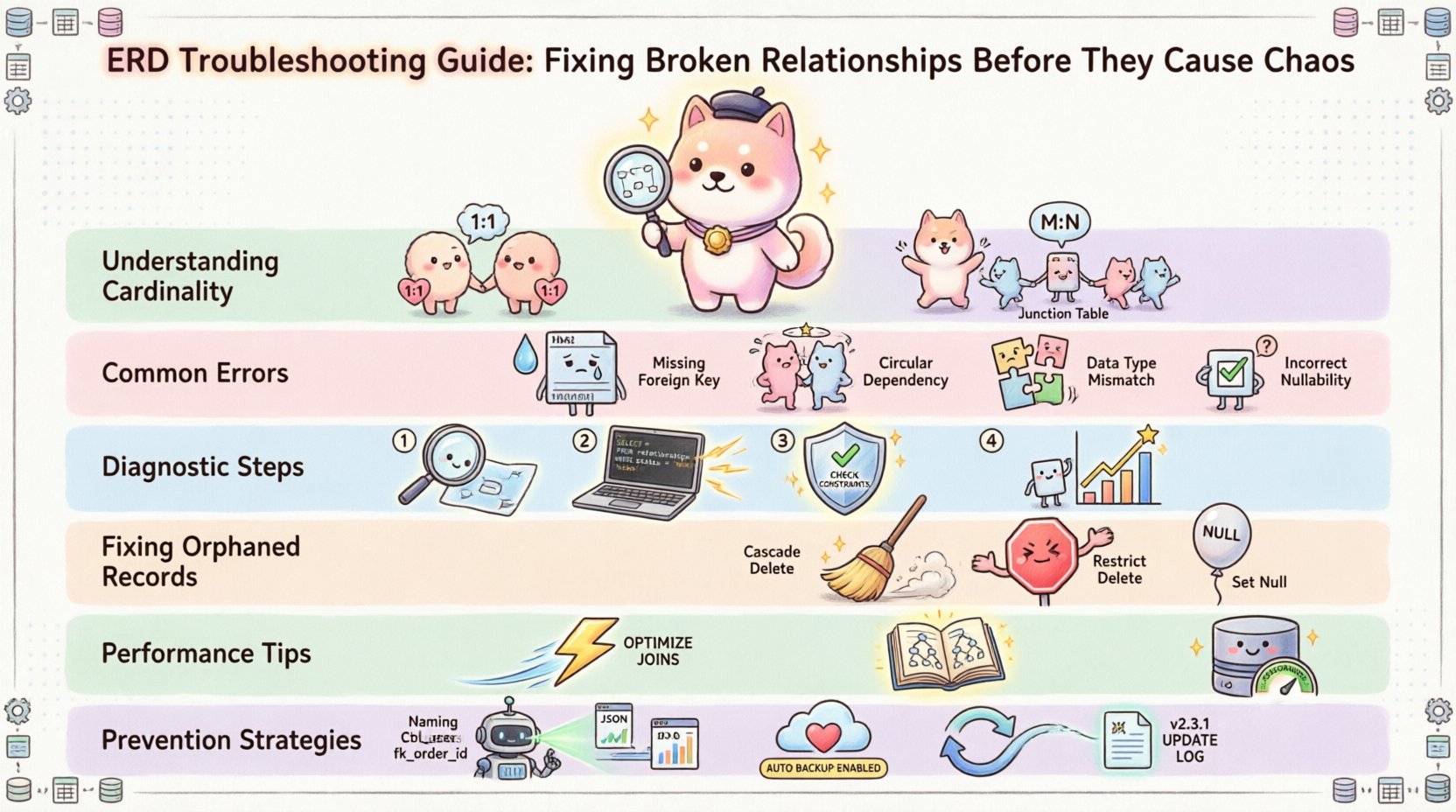
Understanding Relationship Cardinality 🔗
At the core of any ERD are relationships. These define the numerical association between entities. Misinterpreting or misconfiguring cardinality is a frequent source of data inconsistency. A relationship describes how instances of one entity relate to instances of another. There are three primary types of cardinality that must be correctly implemented.
- One-to-One (1:1): Each record in Entity A relates to exactly one record in Entity B. This is common in scenarios like user profiles linked to authentication tokens.
- One-to-Many (1:N): A single record in Entity A can relate to multiple records in Entity B, but a record in Entity B relates to only one record in Entity A. This is the most common relationship, such as an Author writing many Books.
- Many-to-Many (M:N): Records in Entity A can relate to multiple records in Entity B, and vice versa. This requires an intermediate junction table to function correctly within relational structures.
When these cardinalities are defined incorrectly in the diagram, the physical database schema will reflect those errors. For example, defining a 1:1 relationship as 1:N without a unique constraint allows duplicate entries. Conversely, forcing a 1:N relationship as 1:1 prevents valid data expansion. Troubleshooting begins with verifying that the visual diagram matches the intended logical constraints.
Common Structural Errors in ERDs 🚨
Several specific patterns of error frequently appear in data models. Identifying these patterns allows for targeted remediation. Below is a breakdown of the most prevalent issues encountered during schema audits.
1. Missing Foreign Key Constraints
Visual diagrams often show lines connecting tables, but the underlying database engine may not enforce these connections. If a foreign key constraint is missing, the database allows “orphaned records.” These are entries in a child table that reference a primary key in a parent table that no longer exists or was never created. This breaks referential integrity.
2. Circular Dependencies
A circular reference occurs when Entity A depends on Entity B, and Entity B depends on Entity A. While sometimes necessary, this creates a deadlock during initialization. The system cannot create A without B, and cannot create B without A. This requires breaking the cycle with nullable columns or initialization scripts that handle dependency ordering.
3. Data Type Mismatches
Relationships rely on matching data types. If the primary key in one table is an Integer, the foreign key in the related table must also be an Integer. A mismatch between signed and unsigned integers, or between a string and a number, will cause join operations to fail or perform unexpectedly. This often happens when importing legacy data or during schema migration.
4. Incorrect Nullability
Foreign key columns determine if a relationship is mandatory or optional. If a relationship is marked as required in the diagram, the column should not accept NULL values. Allowing NULLs where a relationship is mandatory can lead to incomplete data sets. Conversely, preventing NULLs where a relationship is optional forces data entry errors.
| Error Type | Impact | Typical Symptom |
|---|---|---|
| Missing Foreign Key | Data Integrity Loss | Orphaned records persist after parent deletion |
| Wrong Cardinality | Logical Inconsistency | Queries return duplicate or missing related data |
| Data Type Mismatch | Join Failures | SQL errors or empty result sets on relationships |
| Circular Reference | Initialization Failure | Database creation scripts halt or timeout |
Diagnostic Steps for Schema Analysis 🔍
Resolving ERD issues requires a methodical approach. Guessing at the solution often introduces new bugs. Follow this sequence to isolate and fix relationship problems.
Step 1: Visual Inspection
Begin by reviewing the diagram against the business requirements. Ensure every line drawn represents a real data need. Remove any decorative or inferred lines that do not exist in the physical schema. Look for junction tables in Many-to-Many relationships; they should not be omitted.
Step 2: Query Analysis
Examine the actual SQL schema definition. Compare the CREATE statements with the visual model. Check the following:
- Do all foreign keys exist in the data dictionary?
- Are the column names consistent between the parent and child tables?
- Is the index on the foreign key column present? Lack of indexing slows down relationship queries significantly.
Step 3: Constraint Validation
Run queries to test referential integrity. Attempt to delete a parent record and observe if the system prevents it (Cascading) or allows it (Ignoring). This confirms if the constraint is active. Check for triggers that might override standard constraint behaviors.
Step 4: Data Profiling
Analyze the actual data stored in the tables. Count the number of records in the child table where the foreign key value does not exist in the parent table. This quantifies the damage caused by missing constraints. A count greater than zero indicates a breach of integrity that must be cleaned.
Handling Orphaned Records & Constraints 🛡️
Orphaned records are the most visible sign of a broken relationship. They occur when a parent record is deleted, but the child records remain. How you handle this depends on the business logic. There are three standard approaches to managing deletions in a relational model.
- Cascade Delete: When the parent is removed, all related children are automatically removed. This ensures no orphaned data remains but risks losing information that might still be needed for audit trails.
- Restrict Delete: The system prevents the deletion of the parent if children exist. This forces the administrator to manually resolve the child records first. It is the safest option for data preservation.
- Set Null: The foreign key in the child records is set to NULL when the parent is deleted. This maintains the child records but breaks the relationship link.
When troubleshooting, you must decide which behavior matches your requirements. If your diagram implies a strict hierarchy but the database allows Set Null, you have a mismatch. Correcting this involves altering the table constraints. Be cautious when altering constraints on tables with existing data; you may need to clean the data first to avoid constraint violations.
Preventing Data Drift
Schema drift happens when the physical database changes without updating the diagram. To prevent this:
- Implement version control for schema definitions.
- Use migration scripts that document every change.
- Perform regular audits where the diagram is compared against the live database schema.
- Document the reasoning behind every relationship change in the project history.
Performance Impact of Poor Design ⚡
Relationship errors do not just cause data issues; they impact speed. The database engine relies on indexes and constraints to optimize joins. When relationships are poorly defined, the engine must perform full table scans instead of using index lookups.
Join Complexity
A complex Many-to-Many relationship without proper indexing on the junction table can slow down queries exponentially. As data grows, the number of combinations increases. If the foreign keys in the junction table are not indexed, the database cannot quickly locate the related rows. This leads to high CPU usage and slow response times for users.
Lock Contention
Incorrect constraint definitions can lead to excessive locking. If a delete operation triggers a cascade across a large table, the system may lock rows for extended periods. This prevents other users from accessing the data. Troubleshooting performance issues often involves reviewing the relationship constraints to ensure they are not triggering unnecessary row-level locks.
Query Optimization
Optimized queries depend on knowing the relationship strength. If the optimizer believes a relationship is one-to-one but it is actually one-to-many, it may choose a suboptimal execution plan. This results in unnecessary temporary tables or sorts in the query execution plan. Regularly analyzing query performance can reveal where the relationship metadata is misleading the engine.
Maintenance & Prevention Strategies 🛠️
Once the immediate issues are resolved, the focus shifts to prevention. A robust ERD is not a one-time task; it requires ongoing maintenance. The following practices help maintain data health over time.
- Standardize Naming Conventions: Ensure foreign key columns follow a consistent naming pattern (e.g.,
parent_id). This makes it easier to spot missing relationships during code reviews. - Automated Schema Validation: Integrate schema validation into the CI/CD pipeline. If a developer attempts to deploy a schema change that violates cardinality rules, the build should fail.
- Regular Backups: Before making structural changes, always back up the database. This provides a safety net if a constraint fix corrupts data.
- Documentation Updates: Whenever a relationship is added or removed, update the diagram immediately. Outdated diagrams lead to confusion and future errors.
Reviewing Legacy Systems
Older systems often have undocumented relationships. When troubleshooting these environments, proceed with caution. Do not assume the diagram is correct. Reverse engineer the schema by analyzing the foreign key constraints in the database. Look for constraints that are not enforced (disabled) but exist in the metadata. These are often remnants of previous design attempts.
Training & Collaboration
Data modeling is a collaborative effort. Developers, DBAs, and business analysts must agree on the rules. Miscommunication often leads to the “silent errors” in ERDs. Hold regular review sessions where the diagram is walked through with the team. Ask specific questions about edge cases: “What happens if this field is deleted?” “What happens if this relationship is broken?” This proactive questioning identifies potential chaos before it occurs.
Conclusion on Data Integrity 🏁
Maintaining a healthy Entity Relationship Diagram is essential for any application that relies on structured data. Broken relationships create a fragile foundation that can collapse under load or during updates. By understanding cardinality, validating constraints, and following a rigorous diagnostic process, you can ensure your data remains accurate and accessible.
Focus on prevention through documentation and automation. Regular audits catch drift before it becomes a crisis. Treat the ERD as a living document that evolves with your business needs. With these practices in place, your database will remain a reliable asset rather than a source of operational risk.
Remember that data integrity is not just about preventing errors; it is about ensuring trust in the information your system provides. A well-maintained model supports better decision-making and smoother operations. Keep your relationships clear, your constraints enforced, and your documentation up to date.