
In the fast-paced environment of Agile development, the gap between a business idea and a functional feature often widens due to poor communication. User stories serve as the primary vehicle for conveying requirements, yet they frequently fail to deliver clarity. When a story lacks precision, developers face uncertainty, leading to rework, delays, and frustration. This guide provides a structured approach to crafting user stories that eliminate ambiguity and align technical execution with business value. We will explore the anatomy of effective stories, the INVEST criteria, acceptance criteria formulation, and collaboration techniques that ensure smooth delivery.
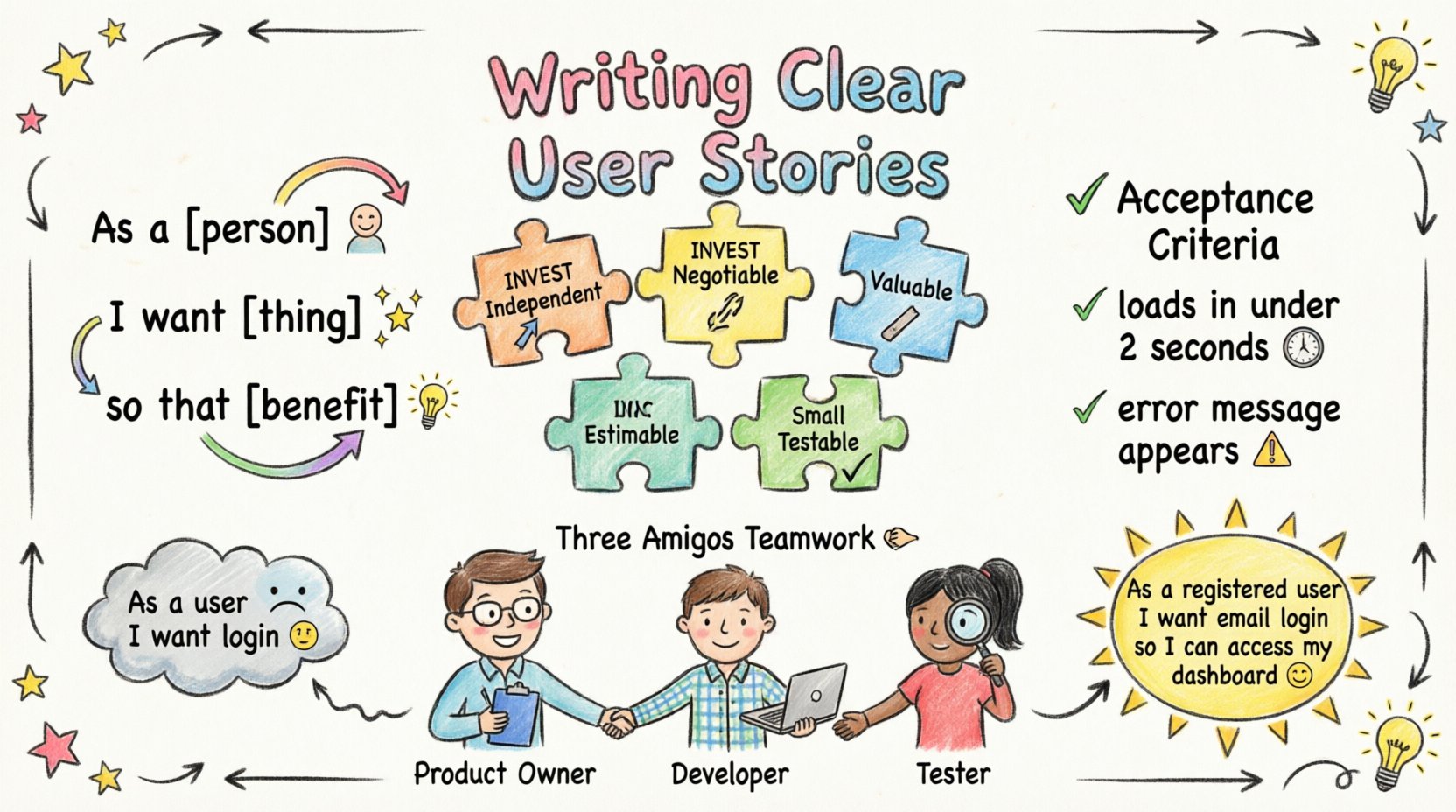
🧩 The Anatomy of a Clear User Story
A user story is not merely a ticket in a backlog; it is a promise of conversation. Its primary purpose is to shift the focus from rigid specifications to the value delivered to the end user. To achieve this, every story must follow a consistent structure. This standardization reduces cognitive load for the development team and allows them to focus on implementation rather than deciphering intent.
- Who: The persona or role utilizing the feature.
- What: The action or capability being requested.
- Why: The value or benefit gained from the action.
Consider the standard template:
As a [role], I want [feature], so that [benefit].
While this format is common, it is often insufficient on its own. The “so that” clause is particularly critical. It connects the feature to a measurable outcome. Without it, a developer might build exactly what was asked but fail to solve the underlying problem. For example, a story stating “As a user, I want a search bar” is vague. Specifying “As a user, I want a search bar so that I can find products quickly during checkout” provides context that influences technical decisions, such as search indexing speed or result ranking algorithms.
📊 The INVEST Criteria Explained
To ensure stories are effective, they must adhere to the INVEST model. This acronym serves as a checklist for quality. If a story fails any part of this checklist, it should be refined before entering a sprint. Relying on INVEST prevents technical debt and ensures the backlog remains actionable.
1. Independent
Stories should stand alone. Dependencies between stories create bottlenecks. If Story A cannot be completed without Story B, the team cannot estimate or deliver value incrementally. While some technical dependencies are unavoidable, the business value should be deliverable independently. When stories are independent, developers can work on them in parallel without blocking each other.
2. Negotiable
The details of a story are not set in stone. The story title and description provide a high-level overview, but the specific implementation is open for discussion. This flexibility allows the team to propose better solutions or adjust scope based on technical feasibility. A story that is too detailed becomes a specification document, stifling innovation. A story that is too vague becomes a guessing game.
3. Valuable
Every story must deliver value to the user or the business. If a story does not provide utility, it should not exist. This criterion forces stakeholders to prioritize. Features that are technically interesting but lack user value are often deprioritized. Value is the north star for the development team, guiding decisions on complexity and effort.
4. Estimable
The team must be able to estimate the effort required to complete the story. If a story is too large or lacks sufficient context, estimation becomes impossible. In these cases, the story needs to be broken down further or researched (spiked) before estimation can occur. Clear requirements lead to accurate estimates, which leads to reliable sprint planning.
5. Small
Stories should be small enough to be completed within a single iteration. Large stories, often called epics or features, are too complex to manage in one go. They introduce risk and make it difficult to measure progress. Breaking large requirements into smaller stories allows for frequent feedback and earlier delivery of value. Small stories reduce the cognitive load on developers and make testing more manageable.
6. Testable
A story is not done until it can be verified. If there is no way to test the feature, the definition of “done” is unclear. Testability ensures that the requirements are specific enough to be validated. This often ties directly into acceptance criteria, which we will discuss in the next section.
🛡️ Crafting Acceptance Criteria: The Bridge
Acceptance criteria define the boundaries of a user story. They act as the contract between the business stakeholder and the development team. Without them, the definition of “done” is subjective. One developer might consider a feature complete when the UI is built, while another might insist on error handling and logging. Acceptance criteria remove this subjectivity.
Effective acceptance criteria should be specific, measurable, and unambiguous. They answer the question: “Under what conditions will this story be considered complete?”
- Use specific numbers: Instead of “fast loading,” use “loads in under 2 seconds.”
- Define edge cases: What happens if the user enters invalid data? What if the network fails?
- Clarify constraints: Are there specific security or compliance requirements?
Example of Acceptance Criteria Structure
| Condition | Expected Outcome | Priority |
|---|---|---|
| User enters invalid email format | Error message appears immediately | High |
| Network connection drops during submission | Form data is saved locally for retry | Medium |
| User clicks “Submit” with valid data | Success confirmation screen shows | High |
This table format allows for quick scanning and verification. It ensures that no scenario is overlooked during the testing phase.
⚠️ Common Pitfalls and How to Avoid Them
Even experienced teams fall into traps when writing requirements. Recognizing these patterns early can save significant time and resources. Below is a breakdown of common issues and their solutions.
- Vague Verbs: Words like “optimize,” “enhance,” or “improve” are subjective. Replace them with specific actions like “reduce latency by 20%” or “add a filter option.”
- Missing Context: Developers need to understand the user journey. A feature that works in isolation might break the overall flow. Always describe the preceding and following steps.
- Too Many Stories at Once: Overloading a sprint with too many stories dilutes focus. Prioritize the most critical value drivers.
- Ignoring Technical Debt: Sometimes a story requires refactoring code to be viable. These technical requirements must be visible in the backlog, not hidden.
- Assuming Knowledge: Do not assume the developer knows the business domain. Explain the “why” behind the requirement, not just the “what.”
🤝 Collaboration Strategies with Developers
Writing a story is a starting point, not the finish line. The most effective clarification happens through dialogue. The “Three Amigos” model is a widely adopted practice involving the Product Owner, a Developer, and a Tester. They review the story together before work begins.
- Preparation: The Product Owner brings the business context.
- Technical Feasibility: The Developer identifies potential technical hurdles.
- Quality Assurance: The Tester outlines how the feature will be validated.
This triad ensures that requirements are understood from all perspectives. It prevents the scenario where a developer builds a solution that is technically sound but fails the business need, or vice versa. Regular refinement sessions allow the team to keep the backlog healthy. Stories that are not ready for development should be groomed separately from those ready for immediate work.
When ambiguity arises, do not hesitate to pause and ask. Silence is often interpreted as agreement, but it can lead to misunderstandings. Questions like “What happens if the API returns an error?” or “Who is the primary audience for this screen?” are essential for clarity.
🔄 Refining Stories Throughout the Sprint
Requirements are not static. New information often emerges during development. This does not mean the initial story was wrong, but that the understanding has deepened. Agile frameworks allow for this evolution. However, changes should be managed carefully to avoid scope creep.
- Track Changes: If requirements change mid-sprint, document the reason. This helps in retrospective analysis.
- Communicate Impact: If a story grows larger, the team must acknowledge the impact on the sprint goal. It may require swapping stories or extending the timeline.
- Update Documentation: Ensure acceptance criteria reflect the final state of the feature, not just the initial idea.
Refinement is an ongoing process. It is not a one-time event before the sprint starts. Continuous communication keeps the team aligned and ensures that the final product matches the current understanding of the user needs.
📝 Templates and Examples
Having concrete examples helps internalize the concepts. Below are comparisons of poorly written stories versus well-crafted ones.
Example 1: The Login Flow
Poor:
- As a user, I want to log in.
- Acceptance Criteria: It works.
Strong:
- Story: As a registered user, I want to log in with my email and password so that I can access my dashboard.
- Acceptance Criteria:
- System accepts valid email and password combination.
- System displays error message for invalid credentials.
- System redirects to dashboard upon success.
- Password field masks input characters.
- Session expires after 30 minutes of inactivity.
Example 2: Data Export
Poor:
- As an admin, I want to export data.
- Acceptance Criteria: Export button exists.
Strong:
- Story: As an administrator, I want to export user data to CSV so that I can perform offline analysis.
- Acceptance Criteria:
- Export includes all columns defined in the user table.
- File size does not exceed 50MB for standard datasets.
- Export process triggers a notification upon completion.
- Only users with “Admin” role can access the export function.
Notice the difference in specificity. The strong examples define roles, formats, constraints, and security requirements. They leave little room for interpretation.
📈 Measuring Success
How do you know if your user stories are improving? You need metrics that reflect clarity and efficiency. Tracking these indicators helps refine the process over time.
- Defect Rate: A high number of bugs related to misunderstood requirements suggests vague stories. Track the ratio of defects found in testing versus production.
- Rework Percentage: Measure how often stories are returned to the backlog due to unclear requirements. A declining trend indicates better writing.
- Sprint Velocity: Consistent velocity suggests accurate estimation, which stems from clear stories. High variance often points to hidden complexity.
- Team Satisfaction: Survey the development team. Do they feel they have enough information to start work? Their feedback is a direct measure of story quality.
🚀 Moving Forward
Writing user stories is a skill that improves with practice. It requires balancing detail with flexibility, and business value with technical reality. By adhering to the INVEST criteria, defining clear acceptance criteria, and fostering collaboration, teams can significantly reduce friction. The goal is not perfection in the first draft, but continuous improvement in communication.
When requirements are clear, developers can focus on solving problems rather than deciphering instructions. This leads to higher quality software, faster delivery, and a more engaged team. Start by auditing your current backlog. Look for stories that lack a “so that” clause or have vague acceptance criteria. Refine them using the strategies outlined above. Small adjustments in how you write requirements can yield substantial gains in project outcomes.
Remember that the story is a tool for conversation, not a replacement for it. Use it to spark discussions, validate assumptions, and align expectations. With discipline and attention to detail, your team can build a workflow where requirements are never a bottleneck, but a foundation for success.