Visual Paradigm: A Comprehensive AI-Powered Visual Modeling Platform in 2026

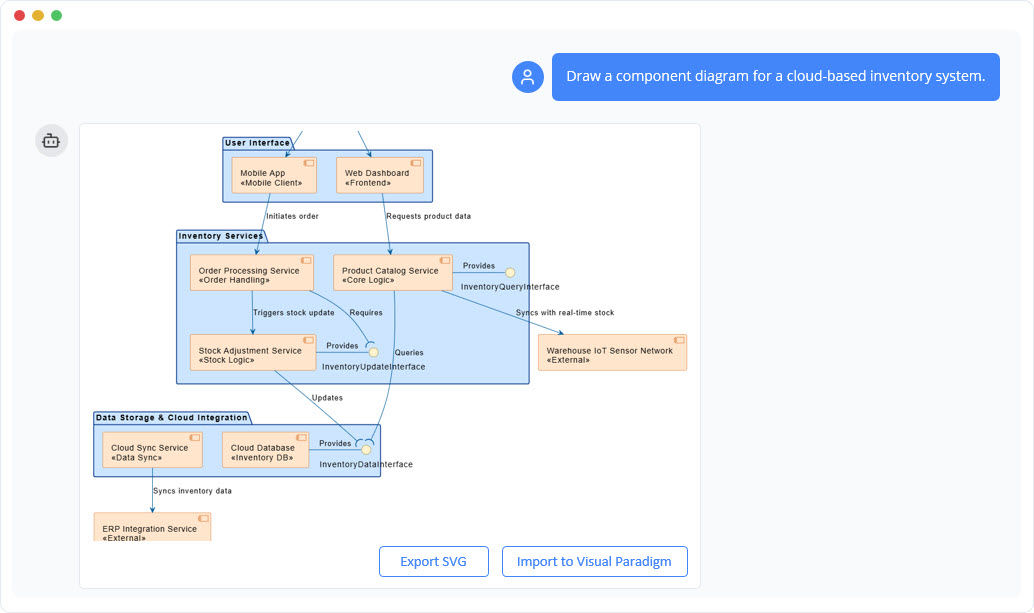
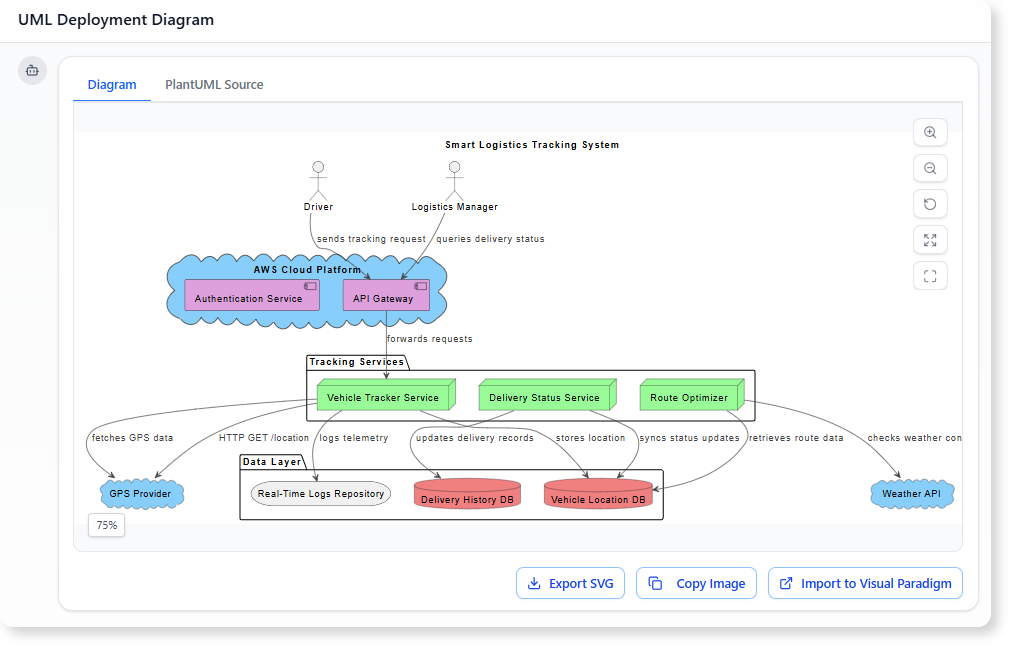
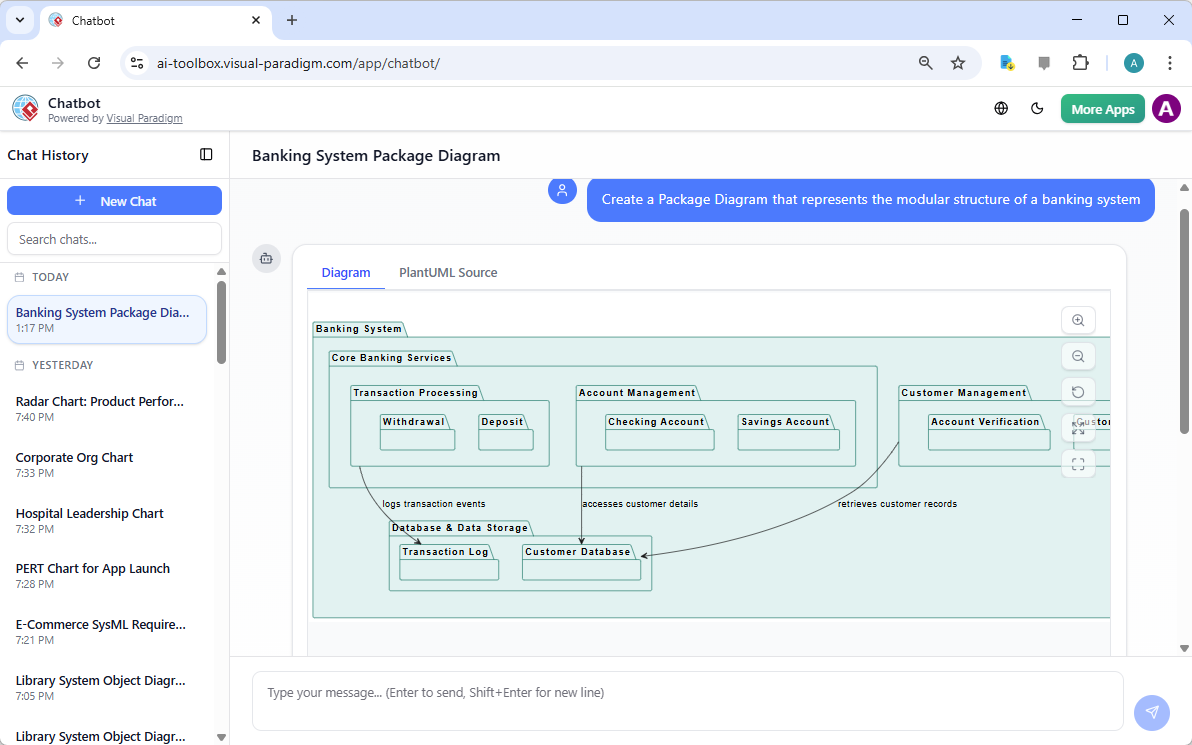
Visual modeling continues to play a central role in software development, systems engineering, enterprise architecture, and business process design. In 2026, AI-powered visual modeling platforms enable professionals to create structured diagrams more efficiently — transforming descriptions, requirements, or discussions into accurate, readable visuals that support analysis, collaboration, and decision-making. Visual Paradigm integrates advanced generative AI features — including a conversational AI Chatbot and instant diagram generator — into a robust visual modeling environment. This combination allows users to produce high-quality diagrams rapidly while retaining full control over notation, layout, validation, and presentation.

How AI Enhances Visual Modeling Workflows

The platform’s AI capabilities focus on making visual creation faster and more intuitive without compromising diagram quality:

  • Users describe the desired diagram in natural language (“Create an activity diagram showing the user onboarding process with email verification and approval steps”)
  • The AI generates a complete, standards-compliant visual model
  • Follow-up refinements improve clarity and structure (“Use swimlanes for different roles”, “Add decision nodes for rejection paths”, “Apply a consistent color scheme for decision elements”)
  • Users can query the model directly (“Highlight the critical path in this sequence diagram”, “Suggest visual improvements for readability”)

This iterative approach supports the natural way teams develop and refine visual models — starting broad and progressively adding detail and polish.

Wide Range of Supported Visual Modeling Notations

Visual Paradigm’s AI diagram generator produces precise visuals across widely used modeling standards:

Notation Common AI-Generated Diagram Types Visual Purpose & Benefit
UML Class, Sequence, Activity, Use Case, Component, Deployment, State Machine Clear representation of structure, behavior, and interactions
SysML Block Definition (BDD), Internal Block (IBD), Requirement, Parametric Structured system composition and traceability visuals
ArchiMate Motivation, Business, Application, Technology, Implementation & Migration viewpoints Layered enterprise architecture overviews
C4 Model System Context, Containers, Components, Code views Hierarchical, readable software architecture documentation
BPMN 2.0 Processes, Collaborations, Conversations Precise workflow and role-based process visuals
ERD Logical & Physical ER Diagrams (Chen / Crow’s Foot) Clean database schema and relationship visuals

The AI respects official notation rules, ensuring generated diagrams are immediately usable in professional contexts — from internal reviews to external deliverables.

From AI Generation to Polished Visual Models

Visual Paradigm supports the complete visual modeling process:

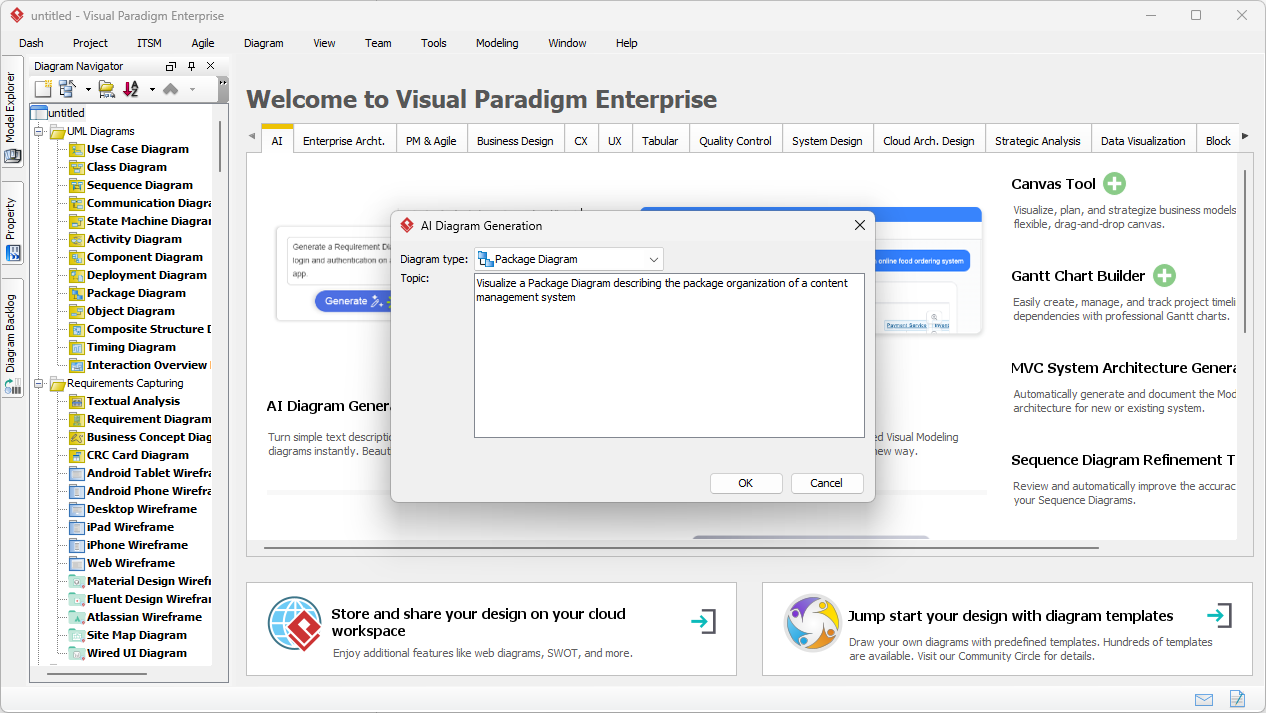
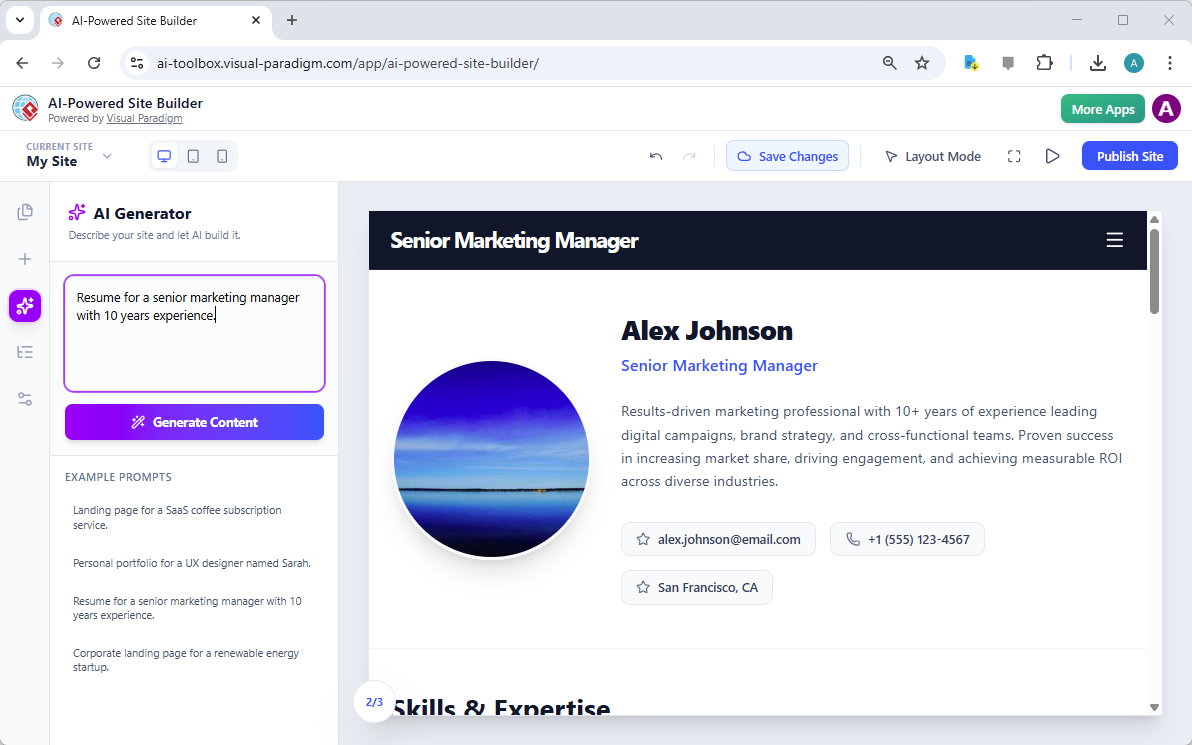
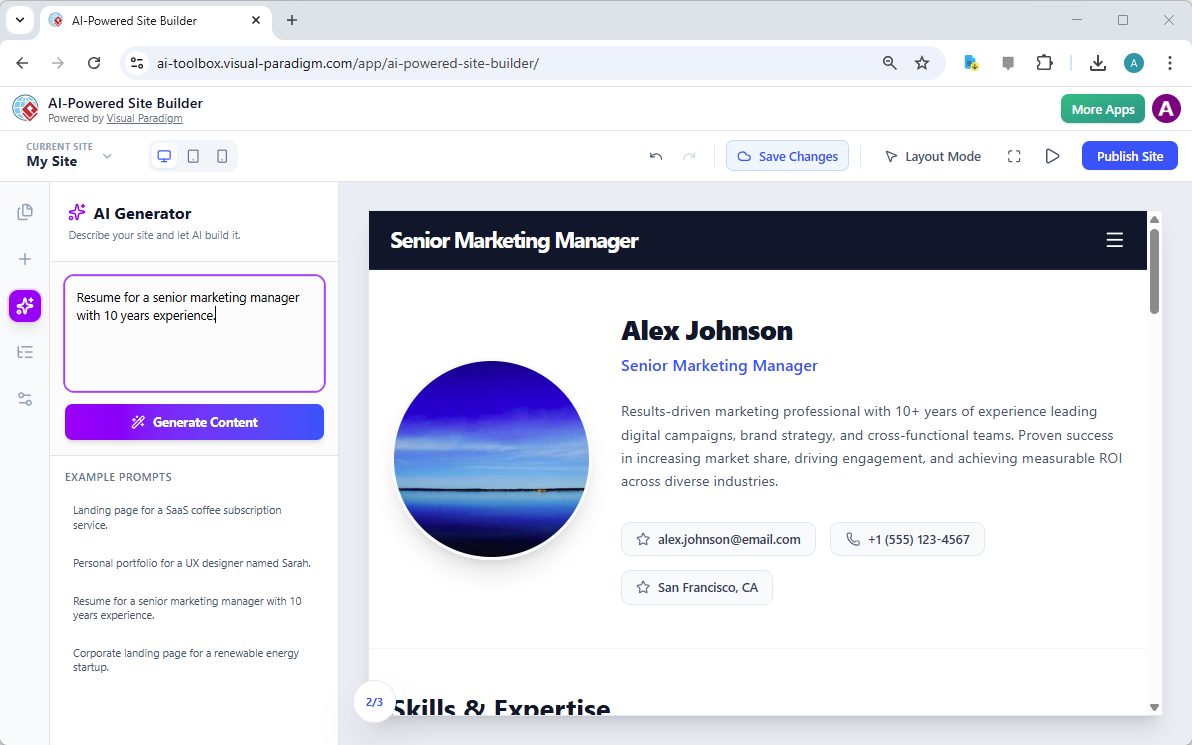
  • Quick AI-assisted start in the browser — ideal for brainstorming, workshops, or initial drafts
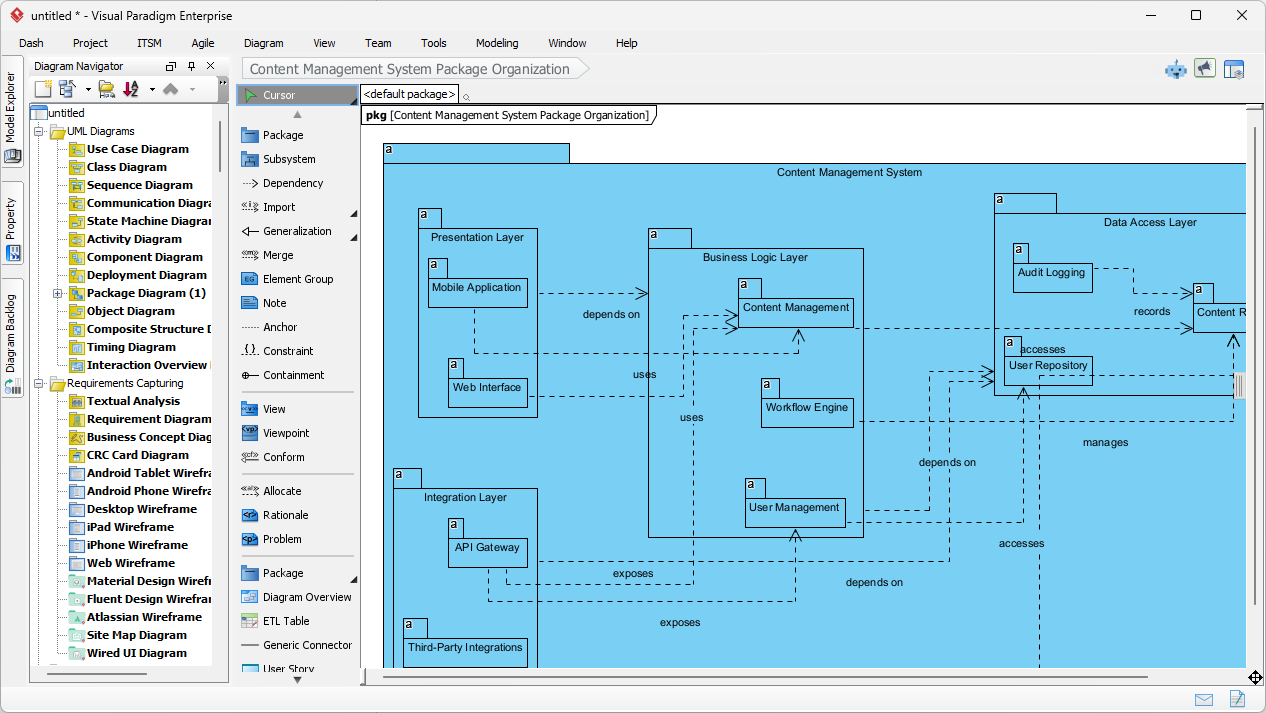
  • Seamless handoff to desktop — open AI-generated models in the full Visual Paradigm Desktop application for detailed visual refinement
  • Professional visual tools:
    • Multiple layout algorithms (hierarchical, orthogonal, organic)
    • Custom themes, color palettes, and icon sets
    • Layer management, visual filters, and selective hiding
    • Annotations, hyperlinks, callouts, and embedded images
  • Validation & simulation — visual rule checking, BPMN path simulation, SysML constraint evaluation
  • Export options — high-resolution PNG/SVG, interactive PDF, Visio-compatible files, embeddable HTML

This workflow ensures that fast AI-generated visuals can evolve into clear, presentation-ready diagrams without switching tools.

Additional AI Features That Support Visual Clarity

Several specialized AI tools further improve visual modeling outcomes:

  • DBModeler AI — produces well-organized ER diagrams with clear key indicators, relationship lines, and cardinality notation
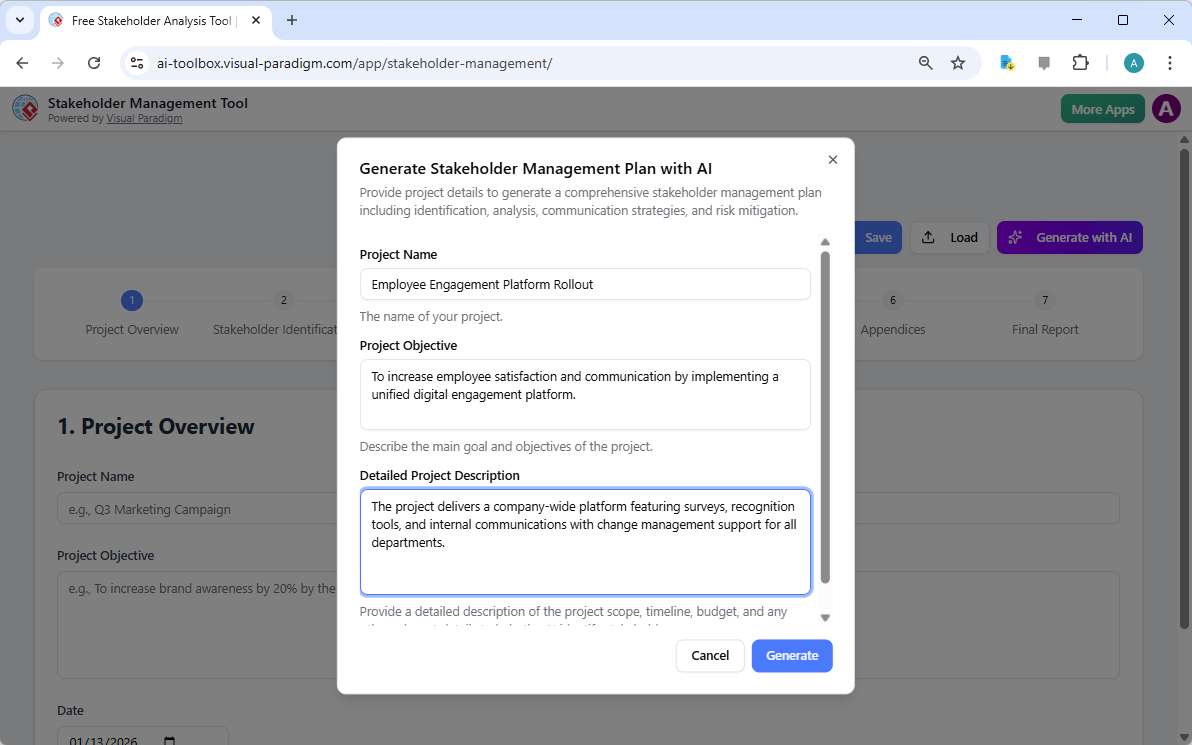
  • Text → Visual Extraction — identifies concepts from requirements text and places them into structured class or ER visuals
  • Strategic Visual Generators — creates balanced Business Model Canvas, SWOT matrices, OKR trees, and other frameworks with strong visual hierarchy

Conclusion

Visual Paradigm serves as a reliable AI-powered visual modeling platform that prioritizes both speed and quality. Its combination of conversational AI generation, accurate notation support, advanced visual editing tools, and seamless workflow continuity makes it well-suited for professionals who rely on clear, precise diagrams in their daily work.

A free online trial provides instant access to the AI Chatbot and visual modeling features — an easy way to explore its capabilities for your specific use cases.

Visit: www.visual-paradigm.com

Related Links

Visualizing Business Strategy: Creating a CAT Infographic with AI

Visual Paradigm’s AI tool transforms business strategies into engaging CAT infographics, simplifying complex narratives into clear visual stories.

Visual Paradigm’s AI-Powered Infographic Designer is a professional tool for transforming complex business narratives into compelling visual stories. This application enables users to generate content-rich, structured infographics based on a three-part framework, such as CAT (Challenge, Approach, Triumph), in minutes. The process begins with a simple input: a topic and a chosen analysis type. The AI then analyzes this information and populates a visually engaging infographic with relevant content, eliminating the need for manual design. This tool is ideal for professionals seeking to communicate strategic insights, such as overcoming a market competitor, with clarity and impact. Its intuitive interface and powerful AI capabilities make it an essential asset for anyone who needs to present a three-part analysis.

Creating a professional infographic from scratch is often a time-consuming process. It requires not only design skills but also a deep understanding of the subject matter to structure the information effectively. The Three Aspects Infographic Designer addresses these challenges by automating the core content generation. Users can focus on refining the message rather than crafting the visual presentation. The tool’s AI engine generates relevant content for each of the three aspects, providing a strong starting point for any analysis. This approach is particularly beneficial for business strategists, product managers, and marketing professionals who need to convey complex ideas quickly and clearly. By leveraging AI, the designer empowers users to create polished, professional visuals that enhance communication and drive results.

Quick Summary

  • AI-Powered tool for creating 3-part infographics.

  • Generate content for frameworks like CAT (Challenge, Approach, Triumph).

  • Choose from 50+ customizable styles and animations.

  • Save, share, and present your infographics professionally.

How the Three Aspects Infographic Designer Works

The workflow of the Three Aspects Infographic Designer is designed for speed and simplicity. The process begins on the main interface, where users enter a topic and select an analysis type. As shown in:

Visual Paradigm’s AI-Powered Three Aspects Infographic Designer's landing screen, where users begin by entering a brief descr

The user has input the topic “Overcoming a Market Competitor” and selected the “CAT (Challenge, Approach, Triumph)” framework. This initial step is crucial, as it guides the AI to generate relevant content for each of the three distinct aspects. The AI analyzes the topic and the selected framework to produce a comprehensive analysis, populating the infographic with content that is both relevant and structured. This automation significantly reduces the time and effort required to create a professional-quality visual.

Once the AI generates the content, users can customize the infographic to fit their specific needs. The interface provides a range of customization options, including various visual styles and text animations. Users can select from 50+ different layouts to present the three aspects in a way that best suits their audience and presentation style. The animation effects, such as “Fade In” or “Slide Up,” can be adjusted to enhance engagement. This level of control allows users to fine-tune the visual appeal and impact of their infographic. The ability to edit the content directly within the design interface ensures that the final product accurately reflects the user’s insights and data.

Creating a Professional CAT Infographic

The Three Aspects Infographic Designer excels at creating structured, professional visuals for strategic analysis. The CAT (Challenge, Approach, Triumph) framework is a powerful tool for summarizing a business journey. As demonstrated in:

This is the screenshot of Visual Paradigm’s AI-Powered Three Aspects Infographic Designer. In the previous step the user has

The tool generates a clean, well-organized infographic that clearly delineates the three key stages of a business strategy. The “Challenge” section highlights the problem, the “Approach” section details the solution, and the “Triumph” section showcases the results. This structure makes it easy for stakeholders to understand the narrative and the impact of the strategy. The AI-generated content provides a solid foundation, which users can then refine to add specific data, insights, or company-specific details.

Customization is a key feature of the designer. Users can adjust the layout, choose different color schemes, and apply various text animations to make the infographic more engaging. The ability to preview different styles allows users to find the best visual representation for their content. For example, a more formal presentation might use a clean, minimalist layout, while a creative pitch could benefit from a more dynamic and colorful design. The tool also allows users to save their projects to the cloud, ensuring that their work is secure and accessible from any device. This cloud-based project management is essential for collaboration and ensures that users can work on their infographics from anywhere.

Sharing and Presenting Your Insights

Once an infographic is complete, sharing it with others is a simple process. The Three Aspects Infographic Designer includes a dedicated “Share” function, as shown in:

This is the screenshot of Visual Paradigm’s AI-Powered Three Aspects Infographic Designer. It shows the share screen - user c

Users can generate a unique URL to share their infographic with colleagues, clients, or stakeholders. This link opens the infographic in a read-only “viewer mode,” which ensures that the recipient can view the content without the ability to edit it. This is particularly useful for presentations, as it provides a clean, professional interface for sharing insights. The shared link can be easily copied and sent via email or messaging platforms, making it simple to distribute the infographic to a wide audience.

Sharing an infographic is more than just sending a link; it’s about enabling effective communication. The visual nature of the infographic makes complex information more digestible and memorable. By presenting a three-part analysis in a clear, structured format, the designer helps users communicate their strategic thinking more effectively. This can lead to better decision-making, improved collaboration, and stronger business outcomes. The ability to share a professional, animated infographic with a single click makes it easy for users to present their insights in a compelling way.

Conclusion

Visual Paradigm’s AI-Powered Three Aspects Infographic Designer is a powerful tool for anyone who needs to communicate a three-part analysis. By automating the content generation process, it allows users to focus on refining their message and creating a visually appealing presentation. The tool’s intuitive interface, extensive customization options, and seamless sharing capabilities make it an essential asset for business strategists, product managers, and marketing professionals. Whether you are analyzing a new product launch, presenting a quarterly business review, or outlining a strategic plan, this tool can help you create a professional infographic that effectively communicates your insights.

Related Links

Ready to transform your complex ideas into clear, visual stories? Try the Three Aspects Infographic Designer today and see how it can revolutionize your communication.

  • AI 5- Aspects Infographic Designer & Generator: AI -Powered 5- Aspects Infographic Designer .The 5- Aspects Infographic Designer guides you through creating comprehensive, animated five-part visuals suitable for complex strategies, models, or transformation roadmaps.

  • AI -Powered 6- Aspects Infographic Designer: AI -Powered 6- Aspects Infographic Designer . Transform Complex Strategies into Stunning Visuals Instantly.The 6- Aspects Infographic Designer leads you through a methodical process for designing compelling six-part infographics tailored to complex strategic communication.

  • 8-Aspects Infographic Designer | AI-Powered Strategic …: 8- Aspects Infographic Designer Effortlessly turn 8-factor frameworks into clear, compelling infographics . Powered by AI , this tool supports models like 8P, 8C, and custom 8- aspect analyses, giving you complete control to edit every layout and detail.

  • Create McKinsey 7S Infographics with AI | Visual Paradigm: The Seven Aspects Infographic Designer from Visual Paradigm is the ultimate tool for anyone who needs to visualize complex information. Whether you’re analyzing organizational change, developing a product strategy, or conducting academic research, this AI -powered software makes it fast, easy, and professional.

Creating a Food Safety Strategy: An AI-Powered OKRs Framework Tool Guide

Use an AI-powered OKRs framework tool to create a strategic food safety plan with measurable goals, responsibilities, and progress tracking for food processing businesses.

Use the AI-Powered OKRs Framework Tool to define and track ambitious goals for food safety, supply chain efficiency, and sustainability. This professional, step-by-step application guides you through a 5-step wizard to set clear Objectives, establish measurable Key Results, assign responsibilities, and monitor progress. With Visual Paradigm‘s powerful AI assistance, you can generate a complete OKR plan based on your business context, significantly accelerating your goal-setting and alignment processes. The final output is a professional report that consolidates your entire OKR plan for review and execution. This tool is ideal for business leaders, team managers, and strategic planners in the food processing and packaging industry.

Key takeaways

  • Use an AI-powered OKRs Framework Tool to generate a complete goal-setting plan in minutes.

  • Follow a structured 5-step workflow: Define Objectives, Establish Key Results, Assign Responsibilities, Monitor & Review, and Final Report.

  • Save and print your OKR plan as a professional report for team review and communication.

  • Keep your strategic data private by saving your plan locally to your computer.

Defining Objectives with AI Guidance

Begin your goal-setting journey with the AI-Powered OKRs Framework Tool. The first step is to provide essential context about your organization. In this example, the user enters “GreenHarvest Foods” as the business name, “Food Processing & Packaging” as the industry, and a detailed business description. This information serves as crucial context for the AI, ensuring its suggestions are relevant to your specific project. The tool then uses this data to generate a comprehensive OKR framework. The AI suggests ambitious, qualitative objectives that align with the company’s strategic focus areas. The tool provides a dynamic table where you can easily add, edit, or delete objectives. The interface is intuitive, similar to a well-designed spreadsheet, allowing for quick and efficient data input. Use the AI to generate a first draft of your OKR plan in minutes.

This is the screenshot of Visual Paradigm's AI-Powered OKRs Framework Tool. It is now at AI generation screen, where the userThis is the screenshot of Visual Paradigm's AI-Powered OKRs Framework Tool. The initial data is generated by AI and it is now

Establishing Measurable Key Results

After defining your objectives, the next phase is to establish measurable Key Results (KRs) for each one. The AI-generated objectives are now populated in a structured table. The tool guides you through this process, prompting you to define specific, quantifiable outcomes. For instance, the objective “Elevate Food Safety Standards” is paired with a KR to “Achieve 100% compliance with HACCP and ISO 22000 audits.” The tool also helps define target metrics, timeframes, and responsible parties. This ensures your goals are not just ambitious but also measurable and actionable. The dynamic table allows you to easily add, edit, or delete rows, making it simple to refine your plan. The AI provides plausible examples based on your business context, which you can then validate and refine with your team’s insights. Key Results are measurable outcomes that define how you will achieve an Objective.

This is the screenshot of Visual Paradigm's AI-Powered OKRs Framework Tool. It is now at step 2 - Professional online diagram

Assigning Responsibilities and Timelines

With objectives and key results defined, the next step is to assign responsibilities and set timelines. This phase ensures accountability and clarity across your organization. The AI-generated data is now used to populate a table where you can assign specific tasks to responsible teams and individuals. For example, the task “Implement quarterly internal audit schedule” is assigned to the Quality Assurance Team with a deadline at the end of Month 3. The tool provides a clear, organized view of all assigned responsibilities, making it easy to track who is accountable for what. This structured approach fosters a culture of ownership and ensures everyone is working towards the same strategic priorities. The dynamic table allows you to easily add, edit, or delete rows to reflect your team’s structure and project needs. Assigning responsibilities improves transparency and accountability.

This is the screenshot of Visual Paradigm's AI-Powered OKRs Framework Tool. It is now at step 3 - Professional online diagram

Monitoring and Reviewing Progress

Effective goal management requires continuous monitoring and review. The tool guides you through this phase, helping you define how progress will be tracked. You can specify monitoring methods, such as reviewing audit logs or analyzing supplier performance dashboards. The tool also prompts you to define review frequencies, like monthly audit review meetings or bi-weekly supplier scorecard reviews. Additionally, it allows you to create adjustment plans for when targets are not met, such as increasing training sessions if non-conformities exceed a certain threshold. This ensures your OKR plan remains dynamic and adaptable. The structured approach provides a clear roadmap for tracking progress and making necessary adjustments. Data-driven progress tracking enables objective evaluation of your OKR plan.

This is the screenshot of Visual Paradigm's AI-Powered OKRs Framework Tool. It is now at step 4 - Professional online diagram

Generating a Professional Final Report

The final step in the process is to generate a consolidated, professional report. This report brings all your OKR data together in a single, easy-to-read document. It includes an executive summary, a detailed overview of your defined objectives, established key results, assigned responsibilities, and monitoring strategies. The report is designed to drive goal-oriented action and accountability. You can use your browser’s print function to print a hard copy or save the report as a PDF for easy sharing with your team and stakeholders. This final report serves as a comprehensive overview of your entire OKR framework, perfect for strategic reviews and communication. Generate a professional report to share your OKR plan with your team and for strategic reviews.

This is the screenshot of Visual Paradigm's AI-Powered OKRs Framework Tool. It is now at step 5. A report is produced to summ

Accelerate Your OKR Planning with AI

The AI-Powered OKRs Framework Tool is designed to help individuals, teams, and organizations achieve ambitious goals. By providing a structured 5-step workflow, the tool ensures a logical and thorough approach to OKR planning. The AI-powered generation feature allows you to create a comprehensive first draft of your entire OKR plan in minutes, allowing you to focus on refinement and execution. The tool’s dynamic tables and interactive editing features make it easy to input and manage your plan data. All your strategic data is saved locally to your computer, ensuring your sensitive business strategies remain confidential. The final report presents your OKR plan in a professional, easy-to-understand format, perfect for strategic reviews and communication. Accelerate your OKR planning with AI to achieve ambitious goals and enhance focus and alignment.

Ready to define your strategic goals? Try the AI-Powered OKRs Framework Tool today and see how it can transform your goal-setting process. Try Now.

Related Links

Crafting a Crystal-Clear Problem Statement for Software Development

Use Visual Paradigm’s AI-powered tool to craft clear, structured problem statements for software projects with templates and real-time feedback.

Struggling to articulate the core challenge your software project aims to solve? The Problem Description Generator from Visual Paradigm is the ultimate AI-powered tool to transform your project’s initial chaos into a clear, focused, and compelling narrative. This innovative solution empowers project managers, business analysts, and product owners to define the “why” behind their work with unprecedented speed and precision. By leveraging a library of structured templates and real-time AI feedback, this tool ensures your problem statement is not just written, but optimized for maximum impact from day one. It’s the secret weapon for launching projects with laser focus and setting the stage for success.

Key Takeaways:

  • Use a template-driven approach to ensure your problem statement is comprehensive and structured.

  • Fill in specific variables to customize the description for your unique project.

  • Get instant AI feedback to refine your problem statement for clarity and effectiveness.

  • Start any project with a solid, well-articulated understanding of the core issue.

Step 1: Choose Your Template – The Foundation of a Strong Problem Statement

Every great project begins with a solid foundation, and for a problem statement, that foundation is the right template. The first step in using the AI-Powered Problem Description Generator is to select a template that perfectly aligns with your project’s nature. As shown in

This is a screenshot of Visual Paradigm's AI Powered Problem Description Generator. It shows the first step, which involves c

, the interface presents a clean, intuitive dashboard with a variety of templates for different business needs. Whether you’re tackling a software development initiative, optimizing a business process, or conducting a strategic analysis like a SWOT or PEST analysis, you can find a dedicated template. The “Software System Development” template, for instance, is specifically designed to help you create comprehensive software system requirements and specifications. By selecting the correct template, you immediately establish a professional structure that guides you to cover all critical aspects of the problem, ensuring no vital detail is overlooked. This step is crucial because it sets the tone and framework for the entire problem description, making the subsequent steps much more efficient and effective.

Step 2: Fill in the Variables – Customize Your Narrative

Once you’ve chosen your template, the magic happens in the “Edit Parameters” section.

This is a screenshot of Visual Paradigm's AI Powered Problem Description Generator. It shows the second step, which involves

vividly illustrates this second step. On the left, you’re presented with a form filled with specific fields, such as “Organization Name,” “Current Problem/Inefficiency,” and “Type of Software System.” This is where you inject your project’s unique DNA. As you type in the details, the tool’s real-time preview on the right side dynamically updates, showing you exactly how your filled-in variables will look in the final problem description. This live preview is incredibly powerful. It allows you to see the narrative form your inputs are creating, spot any awkward phrasing, and make adjustments on the fly. The variables are highlighted in green, making it easy to see exactly what content is being inserted into the template. This process is not just about filling blanks; it’s about shaping a coherent story that clearly explains the problem, its impact, and the desired outcome. The ability to see your description evolve in real-time is a game-changer for clarity and confidence.

Step 3: Review with AI – Your Instant Expert Editor

The final, and arguably most powerful, step is the AI review. After you’ve filled in all the variables and are satisfied with the live preview, you can click the “Review with AI” button.

This is a screenshot of Visual Paradigm's AI Powered Problem Description Generator. Once the details are filled in, you can c

captures this moment perfectly. A modal window appears, presenting a detailed analysis of your generated problem statement. The AI doesn’t just check for grammar; it evaluates the statement for clarity, completeness, logical flow, and the use of appropriate business terminology. It provides a clear “Status” (like “OK”) and a detailed “AI Analysis” that highlights strengths and suggests improvements. For example, the AI might confirm that your statement is clear and professionally written, or it might suggest a more impactful way to phrase a key objective. This instant, objective feedback acts as a virtual expert editor, helping you refine your problem statement to ensure it is not only correct but also highly effective in communicating the project’s purpose. This final step ensures that your problem statement is ready to be shared with stakeholders, developers, or clients with confidence.

Unlock Your Project’s Potential

Defining a problem is often the hardest part of any initiative. A vague or poorly articulated problem statement can lead to wasted effort, misaligned solutions, and ultimately, project failure. The Problem Description Generator from Visual Paradigm solves this fundamental challenge. It combines the power of structured templates with the intelligence of AI to create a workflow that is both efficient and effective. By following the three simple steps—choose a template, fill in the variables, and review with AI—you can transform your initial project idea into a clear, compelling, and professional problem statement in minutes. This tool is not just a convenience; it’s a strategic advantage that ensures your project starts on the right foot. Stop guessing and start defining with confidence. Try the AI-Powered Problem Description Generator now and experience the difference it makes.

Related Links

Dominate Your Market with Visual Paradigm’s AI Porter’s Five Forces Analyzer

Dominate your market with Visual Paradigm’s AI Porter’s Five Forces Analyzer. Generate fast, professional industry reports with actionable strategic insights.

Unlock the secrets of your industry and outmaneuver the competition with the AI-powered Porter’s Five Forces Analyzer from Visual Paradigm! In today’s fast-paced business environment, understanding the structural forces that shape your profitability isn’t just an advantage—it’s a necessity for survival. Whether you are a startup founder or a seasoned strategist, this professional industry analysis tool provides the clarity you need to make winning decisions. The landing screen invites you into a seamless experience where you simply describe your business to ignite a high-level strategic engine that works for you!

As seen in the initial setup, users can input specific details like business name and industry context—such as a cutting-edge medical diagnostics firm—to receive a tailored analysis. This intelligent interface acts as your personal consultant, bridging the gap between raw data and actionable intelligence.

Visual Paradigm’s AI-Powered Porter's Five Forces Analysis Tool landing screen, where users begin by entering a brief busines

Why Every Business Needs an AI-Powered Strategic Edge

Conducting a manual industry study can take days of grueling research. However, with Visual Paradigm’s easy-to-use strategic planning software, you can generate a comprehensive draft in seconds! This tool doesn’t just list facts; it interprets the competitive intensity of your specific market niche, allowing you to focus on high-level validation rather than tedious data entry. It is the ultimate best industry analysis tool for those who value both speed and precision.

Quick Summary of Key Benefits

  • Lightning-Fast Analysis: Generate a full Five Forces report in minutes using advanced AI assistance.

  • Structured 7-Step Logic: Follow a proven, professional workflow that leaves no stone unturned.

  • Total Privacy: Save your sensitive strategic data locally as .json files—no cloud storage required!

  • Actionable Intelligence: Move beyond theory with specific strategic recommendations tailored to your business.

  • Professional Output: Produce high-quality reports perfect for stakeholder presentations and board meetings.

Step 1: Confronting the Threat of New Entrants

The first step in any robust analysis is evaluating how easy it is for new players to enter your territory. Using the AI-powered Porter’s Five Forces Analyzer, you can identify critical barriers to entry such as regulatory requirements, capital costs, and the need for specialized domain expertise. In the example of an AI medical firm, the tool highlights how FDA clearances and deep medical knowledge act as powerful shields for established players.

By rating these factors as Low, Medium, or High, you gain an immediate visual representation of your market’s defensibility. This online strategic tool ensures that you are never blindsided by a new competitor appearing overnight!

The screenshot of Step 1 of Visual Paradigm AI-Powered Porter's Five Forces Analysis Tool. - Professional online diagram make

Step 2: Evaluating the Bargaining Power of Suppliers

Are your suppliers squeezing your margins? Step 2 of the workflow focuses on the Bargaining Power of Suppliers. This section helps you identify if your business is overly dependent on a few key providers, such as specialized AI talent or unique data providers. Identifying these bottlenecks early allows you to develop diversification strategies before they become critical issues.

The interactive dynamic tables allow you to add custom rows and refine AI-generated suggestions, ensuring the analysis reflects the “on-the-ground” reality of your supply chain. It’s strategic management made simple and effective!

The screenshot of Step 2 of the Visual Paradigm  AI-Powered Porter's Five Forces Analysis Tool. - Professional online diagram

Step 3: Mastering the Bargaining Power of Buyers

Your customers are your lifeblood, but their power to drive down prices can be a major threat. In Step 3, the best AI-powered Porter’s Five Forces Analyzer examines the Bargaining Power of Buyers. For a medical tech company, this might involve analyzing the negotiating leverage of large healthcare institutions or the low switching costs that might reduce brand loyalty.

Understanding these dynamics is crucial for your pricing strategy. By recognizing when buyer power is high, you can shift your focus toward differentiation and value-added services that make your product indispensable.

The screenshot of Step 3 of the Visual Paradigm  AI-Powered Porter's Five Forces Analysis Tool. - Professional online diagram

Step 4: Identifying the Threat of Substitute Products

Competition doesn’t always come from direct rivals; sometimes, it comes from entirely different ways of solving the same problem. Step 4 guides you through identifying the Threat of Substitutes. Whether it’s traditional human expertise competing against AI or a completely new technology, this tool ensures you are looking at the big picture.

Rating the intensity of these substitutes helps you prioritize which threats need the most attention in your marketing and R&D efforts. With this professional-grade analysis software, you’ll always stay one step ahead of market shifts!

The screenshot of Step 4 of the Visual Paradigm  AI-Powered Porter's Five Forces Analysis Tool. - Professional online diagram

Step 5: Navigating Rivalry Among Existing Competitors

The final force in the framework is the Rivalry Among Existing Competitors. This is often where the most intense pressure is felt, characterized by price wars, aggressive advertising, and rapid innovation. The tool prompts you to assess the number of competitors and the rate of industry growth to determine the overall heat of the market.

In a crowded field like AI healthcare, understanding the “innovation race” is vital. This step helps you visualize the competitive landscape so you can find “Blue Ocean” opportunities where rivalry is less intense.

The screenshot of Step 5 of the Visual Paradigm  AI-Powered Porter's Five Forces Analysis Tool. - Professional online diagram

Step 6: Developing Winning Strategic Recommendations

An analysis is only as good as the actions it inspires! Step 6 of the AI-powered Porter’s Five Forces Analyzer is where the magic happens. Based on the data gathered in the previous steps, the AI suggests powerful strategic recommendations. These might include pursuing specific certifications, forming strategic partnerships, or creating tiered pricing models to capture more market share.

This is where you transform insights into a roadmap for success. You can edit these recommendations to align perfectly with your company’s unique vision and resource capabilities.

The screenshot of Step 6 of the Visual Paradigm  AI-Powered Porter's Five Forces Analysis Tool - Professional online diagram

Step 7: Generating Your Professional Final Report

The culmination of your hard work is a consolidated final report. Step 7 gathers every factor, impact rating, and recommendation into a professional, easy-to-read format. This is the document that wins over investors and aligns your team. It includes an executive summary and a detailed breakdown of each force, providing a complete 360-degree view of your industry’s attractiveness.

You can print this report directly or save it as a PDF, making it incredibly easy to share with stakeholders or include in your formal business plan. It’s the ultimate deliverable for any serious business professional!

The screenshot of Step 7 of the Visual Paradigm  AI-Powered Porter's Five Forces Analysis Tool, displaying the automatically

Master Your Strategy Today!

There has never been a better time to take control of your competitive destiny. Visual Paradigm’s AI-powered Porter’s Five Forces Analyzer is designed to empower you with the insights needed to thrive in any industry. From identifying hidden threats to capitalizing on untapped opportunities, this tool is your gateway to strategic excellence. Don’t leave your success to chance—base your decisions on the gold standard of industry analysis!

Ready to see where your business stands in the competitive landscape? Use this easy-to-use strategic planning tool to transform your industry knowledge into a defensible competitive advantage right now!

Experience the power of AI-driven strategy:

Try the Porter’s Five Forces Analyzer Now!

Learn more about our innovative strategic tools.

Related Links